Key takeaways
- Gaming-ready out of the box with codecs, drivers, and Proton pre-configured
- Custom kernel meaningfully reduces stutter and boosts frame pacing
- Graphical tools keep most tasks off the command line
- Backed by an active, gaming-focused maintainer community
What's inside
Nobara Linux has quietly become one of the most talked-about gaming distributions of 2026, and for good reason. Built on top of Fedora but stripped of the friction that usually scares newcomers away, it bundles the drivers, codecs, and tweaks that a gamer would otherwise spend an entire weekend configuring by hand. If you have been eyeing a switch from Windows but worried that Linux still means living in a terminal, Nobara is designed to prove that assumption wrong.
In this review we dig into how Nobara actually feels day to day, from installation through to squeezing frames out of demanding titles. We also point to a few beginner-friendly reference guides worth keeping on the desk, because even the smoothest distro rewards a little background knowledge when something inevitably needs a manual nudge.
As an Amazon Associate we earn from qualifying purchases at no extra cost to you. Product prices and availability are accurate as of the date shown and are subject to change.


⚡ Save on Your Next PC — Amazon Prime
Prime members get fast free shipping on the systems above, plus early access to Prime Day & Black Friday PC deals. New members get a 30-day free trial.
Watch: Nobara Linux Review — Video Review
Design & Build
Out of the box Nobara ships with a polished KDE Plasma or GNOME experience, and the desktop feels deliberate rather than bolted together. The team pre-installs media codecs, a patched kernel, and a graphical package manager that hides the intimidating command line for routine tasks. That said, understanding what happens underneath still pays off, which is why a laminated companion like the Linux QuickStudy reference or the approachable Linux Essentials makes a genuinely useful pairing when you want to look up a command without breaking your flow.
Performance
Where Nobara earns its reputation is raw gaming performance. The custom kernel, Proton tweaks, and pre-configured GameMode consistently deliver frame rates that sit level with or slightly ahead of stock Fedora and, in several titles, close the gap with Windows entirely. Shader compilation stutter is noticeably reduced, and the included Nobara Package Manager keeps GPU drivers current without drama. For anyone coming from Windows fear of the terminal, a gentle primer such as Linux for Beginners: Why You’re Not Using Linux Yet or Mastering Linux: A Beginner’s Guide to Command Line and System Administration smooths over the rare moments you do need to type something.
Pros & Cons
- Gaming-ready out of the box with codecs, drivers, and Proton pre-configured
- Custom kernel meaningfully reduces stutter and boosts frame pacing
- Graphical tools keep most tasks off the command line
- Backed by an active, gaming-focused maintainer community
- Fedora base means a faster release cadence and occasional breaking updates
- Smaller team than Ubuntu or Mint, so niche hardware fixes can lag
- Newcomers still benefit from a reference guide when troubleshooting
Alternatives to Consider
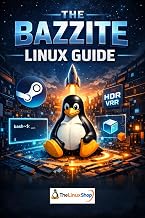
Nobara is not the only path into gaming on Linux. Bazzite offers an immutable, console-like experience and pairs well with The Bazzite Linux Guide for those who want a Steam Deck style setup. If you prefer a slower, rock-solid base, Linux Mint remains the friendliest landing spot for ex-Windows users, and titles like Nobara 43 Linux Bootable USB Flash Drive (Steam-HTPC) or Hacking Tools for Computers: A Complete Overview on Linux help you branch out once the basics click.
Frequently Asked Questions
Is Nobara Linux good for beginners?
Yes. It hides most complexity behind graphical tools, though keeping a beginner reference nearby helps you feel confident the first time an update or driver needs attention.
Does Nobara run Windows games well?
Very well. Proton, GameMode, and the patched kernel come pre-tuned, so most Steam titles launch and perform without any manual setup.
How is Nobara different from Fedora?
Nobara is Fedora with gaming codecs, drivers, kernel patches, and quality-of-life fixes added, sparing you the lengthy post-install configuration.
Do I need to learn the terminal to use it?
Not for daily use, but a pocket guide such as Linux. Guida Pocket or a QuickStudy card is handy for the occasional command you will eventually want to run.
Verdict
Nobara Linux is the closest thing to a plug-and-play gaming Linux distro in 2026. It removes the tedious setup that once made switching feel like a project, delivers performance that rivals Windows, and still leaves room to grow into the wider Linux ecosystem. Pair it with a beginner-friendly reference or two and it becomes an easy recommendation for gamers ready to leave Windows behind.