Key takeaways
- Table of Contents 7 sections 8 min read 1 Where Proton stands in 2026 1.1 What works best 2 Anti-cheat remains the main limitation 3 Hardware, drivers, and performance 3.1 Graphics cards 3.2 Practical hardware targets 4 SteamOS-style distributions and…
What's inside
Linux gaming in 2026 is ready to replace Windows for many PC gamers, but not for everyone. Steam with Proton now runs a large majority of Windows games with good performance, AMD and Intel graphics support is mature, and SteamOS-style distributions make desktop Linux much easier to use. However, kernel-level anti-cheat, some launchers, competitive multiplayer games, and certain creative or hardware utilities still make Windows the safer choice for a primary gaming PC. Linux is an excellent replacement if your library is mostly Steam, single-player games, and supported multiplayer titles; it remains a partial replacement if you depend on every major release working on day one.
Where Proton stands in 2026
Proton is Valve’s compatibility layer for running Windows games on Linux. It combines Wine with components such as DXVK and VKD3D-Proton, translating DirectX 9, 10, 11, and 12 workloads to Vulkan. For the player, the experience is usually simple: install a game in Steam, press Play, and let Steam select a Proton version.
Compatibility is no longer limited to old or independent games. Large portions of the Steam catalog work well, including many demanding single-player releases and popular controller-focused games. Steam Deck compatibility has also encouraged developers to fix video playback, controller mapping, suspend behavior, and launcher problems that once made Linux gaming awkward.
“Runs” still covers several different experiences. A game may launch but require a launch option, a community Proton build, or a manual fix for an external launcher. Performance can be close to Windows, especially with Vulkan-native games, although shader compilation, CPU overhead, or a poorly optimized DirectX 12 translation path can produce stutter. Checking the current ProtonDB reports and the game’s recent community notes is more useful than relying only on an old compatibility label.
What works best
Steam-native Linux games, single-player Windows games, older DirectX titles, and games with standard controller support are generally the least troublesome. Games using common middleware also tend to improve over time as Proton updates arrive. Non-Steam games can work through Lutris, Heroic Games Launcher, or Bottles, but each adds another layer of configuration compared with Steam.
Anti-cheat remains the main limitation
Anti-cheat support has improved, but it is not universal. Easy Anti-Cheat and BattlEye can support Linux when the developer enables the relevant Proton or Wine configuration. That decision belongs to the game publisher, so a game can use a technically compatible anti-cheat system and still block Linux players.
Kernel-level anti-cheat is a larger obstacle. Systems designed to load Windows kernel drivers at boot generally do not operate through Proton. As a result, some major competitive shooters, sports games, and live-service games remain Windows-only or unreliable on Linux. Updates can also break a previously working game until the publisher changes its configuration.
Before switching, make a list of the multiplayer games you play every week. Search each title’s current Linux status, not just its historical reputation. If one essential game is unsupported, dual-booting or keeping a Windows installation may be more practical than trying to force a solution that could violate the game’s rules.
Hardware, drivers, and performance
Graphics cards
AMD is usually the easiest choice for Linux gaming because its modern Radeon driver stack is built into the Linux kernel and Mesa graphics drivers. Radeon RX 6000 and RX 7000 series cards are well-supported, while newer generations depend on the kernel and Mesa versions included by the distribution. Intel Arc graphics have also become much more practical with current kernels and Mesa releases, although game-specific behavior can vary.
Nvidia support is substantially better than it was years ago. Current proprietary drivers provide strong performance, ray tracing, DLSS support in compatible games, and good Vulkan capability. The main drawback is maintenance: a kernel update, Wayland session, or driver branch change can occasionally create problems that are less common with AMD. Use the distribution’s recommended driver package rather than downloading random installers from third-party websites.
Practical hardware targets
Linux does not require a special gaming PC. A modern six-core processor, 16 GB of RAM, and an SSD are sensible minimums for current PC gaming regardless of operating system. More demanding games benefit from 32 GB of RAM, particularly when running browsers, launchers, mods, or background recording tools at the same time.
| Use case | Practical specification | Typical display target | General market range in 2026 |
|---|---|---|---|
| Entry-level 1080p PC | 6-core CPU, 16 GB RAM, 1 TB NVMe SSD, 8 GB graphics memory | 1080p at 60–100 Hz | Usually $600–$900 for a complete PC |
| Midrange 1440p PC | 6–8-core CPU, 32 GB RAM, 1 TB NVMe SSD, 12–16 GB graphics memory | 1440p at 90–165 Hz | Usually $1,000–$1,600 for a complete PC |
| Handheld-style gaming PC | 15–30 W AMD APU, 16 GB RAM, 512 GB–1 TB SSD | 1280×800 or 1920×1080 at 60–120 Hz | Usually $400–$900 |
| 4K-focused desktop | 8-core CPU, 32 GB RAM, 16 GB or more graphics memory, 2 TB NVMe SSD | 4K at 60–144 Hz | Usually $1,800–$3,000 |
Power management is another consideration. A desktop Radeon or GeForce card can perform normally on Linux, but laptops may need careful testing for sleep, external monitors, hybrid graphics, and battery life. OLED displays, Bluetooth accessories, racing wheels, RGB controllers, and capture hardware usually work, but their configuration software may be Windows-only.
SteamOS-style distributions and everyday use
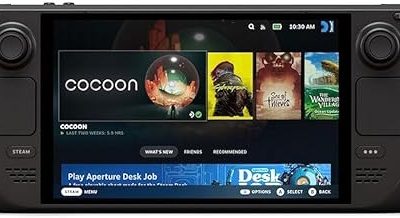
Valve’s SteamOS approach has made a console-like interface attractive on handhelds and living-room PCs. SteamOS on the Steam Deck remains the best-known example, with a game mode, automatic controller detection, shader downloads, and a desktop mode for normal Linux tasks.
On a conventional desktop, Bazzite is a popular SteamOS-style option based on Fedora Atomic technology. It provides a gaming-focused setup, rollback-friendly updates, controller-oriented interfaces, and variants designed for desktop PCs or handheld hardware. Nobara is another gaming-focused Fedora-based distribution, offering convenience changes and bundled tools, while standard distributions such as Fedora, Ubuntu, and Linux Mint remain good choices for users who want a conventional desktop.
Handheld owners should consider more than frame rate. A usable distribution needs a working performance overlay, TDP controls, fan behavior, suspend and resume, screen rotation, gamepad navigation, and reliable firmware updates. Steam Deck has unusually polished integration because Valve controls both the hardware and software. Generic handheld PCs can work very well with Bazzite or another compatible distribution, but setup quality varies by model.
Desktop tasks
Web browsing, streaming, office work, Discord, game recording, and file management are straightforward. Steam, GOG, and Epic libraries can be managed with different launchers, but cloud saves and achievements may not behave consistently outside official Linux builds. Microsoft Office desktop applications, Adobe Creative Cloud, some anti-cheat-enabled launchers, and specialist peripherals remain reasons to keep Windows available.
How to switch without regret
Start with a compatibility audit. Separate your library into three groups: works out of the box, works with a small adjustment, and essential games that do not work. Include applications and accessories, not only games. Check whether your preferred titles use unsupported anti-cheat, a troublesome launcher, or aggressive DRM.
For a desktop, dual-booting is still the lowest-risk plan. Install Linux on a separate SSD if possible, keep Windows for unsupported software, and avoid sharing a game library between operating systems until you understand how each launcher handles file permissions and updates. A second SSD also makes recovery simpler.
Use a current distribution with a recent kernel and Mesa stack, but do not chase every development release. Enable only the Proton version needed by a game, keep backups of save files, and use Gamescope or in-game resolution scaling when a demanding title struggles. Frame-rate caps can reduce power use and improve frame pacing, especially on handheld hardware.
FAQ
Can Linux run my entire Steam library?
No operating system can guarantee that every Steam game will work through Proton. Many games run well, but unsupported anti-cheat, launchers, DRM, video codecs, or unusual middleware can prevent a title from starting. Check current ProtonDB reports and recent player comments for your specific games before removing Windows.
Is Linux faster than Windows for gaming?
Neither operating system is consistently faster. Linux can match Windows or perform better in some Vulkan titles, while Windows may lead in certain DirectX 12 games, driver optimizations, or anti-cheat-heavy multiplayer releases. Your graphics card, driver version, Proton build, shader cache, and game settings often matter more than the operating system alone.
Bottom line
Linux gaming in 2026 is a credible Windows alternative, not a universal replacement. Proton, Steam Deck-style interfaces, AMD drivers, and gaming-focused distributions have removed most of the old barriers. For a Steam-heavy library, Linux can deliver a stable, comfortable experience on desktops and handhelds. For competitive multiplayer, Adobe-dependent workflows, specialized peripherals, or a library built around kernel anti-cheat, Windows remains the safer primary platform. The practical answer is to switch after auditing your must-play games, and keep dual-boot or a second Windows PC if one unsupported title matters more than the rest.