Our Top Picks
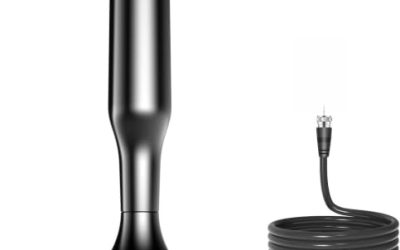
 Philips Rabbit Ears Black Indoor TV AntennaRabbit Ears1.25 x 7.5 x 8.5 inches0.4 PoundsCheck on Amazon
An older TV is not a problem for over-the-air channels, but it changes which antenna and which extras you need. A set with a built-in digital tuner will take a modern antenna straight away. A much older analog set needs a digital converter box before any antenna can feed it. Past that hurdle, the question becomes how long a cable you need, whether a signal booster helps or hurts, and how an antenna labeled for 4K can still serve a tube set or an early flat panel that has never seen an HDMI port. Many buyers also discover that the antenna matters less than where it sits.
This guide is for people reviving a spare bedroom TV, a basement set, a garage screen, or a vacation-home television that still works fine and just needs local channels. It looks at six indoor antennas whose listings mention compatibility with older sets, and compares them by form, cable length, amplification, and whether the claims on the box are specific enough to trust. The comments rely on the stated listings, so treat them as a shortlist and not a guarantee of reception at your address. Local terrain, building materials, and the distance to the broadcast tower all change the result.
Quick Picks
Philips Rabbit Ears Black Indoor TV Antenna, Dipole and Circular Loop | Tabletop Antenna, Digital, Smart TV Compatible, HDTV Antenna, 4K 1080P VHF UHF, 5Ft Coaxial Cable, SDV8201B/27
One of the consumer electronics options compared in this guide.
View on Amazon
HIDB TV Antenna for Smart TV Indoor, Digital TV Antenna for Local Channels | OTA Digital HD Signal Antenna with Magnetic Base and 10ft Cable for Easy Setup
One of the consumer electronics options compared in this guide.
View on Amazon
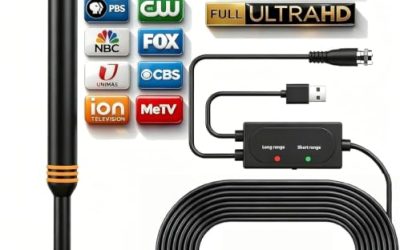
2026 TV Antenna for Smart TV and Old TV, Long Range HD Digital TV Antenna Indoor with 360° Signal Strongest Booster, Supports Local Channels 1080P 4K Reception for Home, RV, Camping (33ft-Round)
One of the consumer electronics options compared in this guide.
View on Amazon
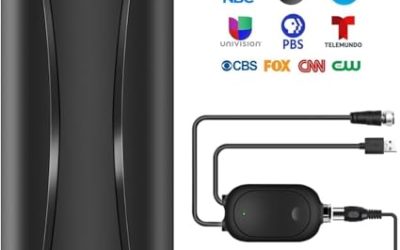
TV Antenna for Smart & Old TVs,4500+ Miles Range Strongest Digital HD TV Antenna Indoor Support 4K 1080P VHF UHF, 360 Long Range Reception with Signal Amplifier
One of the consumer electronics options compared in this guide.
View on Amazon
Portable Antenna TV, Digital Television Antenna for Smart/Old,Local Channels,Support 4K 1080P,Amplifier Signal-Booster,10ft Coaxial Cable, HD TV Antenna Indoor
One of the consumer electronics options compared in this guide.
View on Amazon
6000+ Miles TV Antenna for Local Channels,Indoor Outdoor Digital HD Antenna | 360° Long Range Reception with Strong Signal Booster, Supports Smart & Old TVs, Easy Setup, Clear HD Signal, 38ft Coax Cable
One of the consumer electronics options compared in this guide.
View on Amazon| Product | Best for | Key spec from the listing |
|---|---|---|
| Philips Rabbit Ears | Classic setup near a window | Dipole and circular loop, VHF UHF |
| HIDB Indoor Antenna | Easy placement on metal surfaces | Magnetic base, 10ft cable |
| 4500+ Mile Indoor Antenna | Weaker signal areas | 360 reception, signal booster, VHF UHF |
| Portable Amplified Antenna | Moving between rooms | Amplifier signal booster, 10ft coax cable |
| 6000+ Mile Indoor/Outdoor Antenna | Flexible mounting | 360 reception, strong signal booster |
| DAANT Indoor Antenna | Rooms far from a window | 16ft HDTV coax cable |
How to Choose
Check the tuner in the TV first
Any TV made after the digital broadcast switch that has an ATSC tuner works with a plain antenna. Older analog-only sets need a digital-to-analog converter box between the antenna and the TV. Look at the back of the set or its manual for the tuner type. If the set has only a coaxial input and no digital tuner, these antennas will still connect, but you will see nothing without the converter. This is the single most common reason people think an antenna is broken.
Match antenna type to your signal strength
If you live close to the broadcast towers, a simple rabbit-ear or flat antenna may be enough. Farther away, or when walls, trees, and hills block signals, look at amplified models. Do not trust mile ratings printed on a listing; they are marketing claims that depend on terrain and height. What matters is that the antenna covers both VHF and UHF bands, since local stations use both, and that you can rotate or reposition it to find the cleanest picture. A free station lookup by address can tell you roughly which direction the towers sit.
Cable length and placement
Cable length decides where the antenna can sit. A 10ft cable is fine when the TV is next to a window. A 16ft run gives more freedom to move the antenna higher on a wall or farther from the set. Longer cables lose a little signal, so use only as much as needed. Higher placement near a window almost always beats a lower spot behind the TV, and keeping the antenna away from metal appliances and routers reduces interference. If a channel pixelates, move the antenna a few inches and rescan before you blame the hardware.
Amplifiers: when they help and what to ignore
An amplifier boosts weak signals but also boosts noise, and it can overload the tuner when you are close to a tower. Treat it as an option for distant or obstructed locations. Ignore claims about the “strongest” antenna or mile counts, and ignore 4K labels, which describe the format of the broadcast chain rather than the antenna itself. Budget antennas often cut corners on shielding and cable quality, so expect variation from one model to the next in 2026 just as before.
The 6 Best Options
Philips Rabbit Ears Indoor Antenna
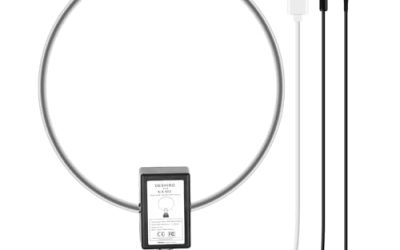
A familiar tabletop design with a dipole and circular loop, described as digital and smart TV compatible with VHF and UHF support. It is the simplest choice for a spare TV in a room with decent reception, and the two-element layout lets you adjust the angle by hand until channels lock in cleanly. It is also easy to store when the TV is not in use.
- Dipole and loop design covers both VHF and UHF.
- Tabletop form needs no wall mounting or tools.
- Takes up surface space and needs careful positioning.
Skip it if you want to mount it on a window or wall, or if your signal is weak. Without an amplifier, it relies entirely on the strength of the broadcast signal in your area.
HIDB Indoor Digital TV Antenna
This antenna uses a magnetic base and a 10ft cable for easy placement. It is meant for local channels on smart TVs and can work with older sets that have a digital tuner. The magnetic base appeals to renters and to anyone with a metal window frame or a steel surface nearby. It stays put without adhesive, so it is easy to reposition while you hunt for the best channels.
- Magnetic base lets you attach it to a metal surface.
- 10ft cable offers moderate placement flexibility.
- Listing language is generic, so signal strength depends heavily on your location.
Skip it if you have no metal surface within reach of the TV. In that case a stand-alone design such as the Philips model is easier to place.
4500+ Mile Indoor Digital Antenna
A 360-degree indoor antenna that lists VHF and UHF support, 4K and 1080P compatibility, and a signal booster. The mile figure is a marketing claim, but the omni-directional design suits homes where stations come from several directions and you would rather not aim the antenna at one tower.
- 360 reception avoids aiming the antenna at a single tower. Expect the best results near a window rather than in the middle of the room.
- Booster can help in weaker signal areas.
- Amplification can add noise if you live close to the towers.
Skip it if you are near the transmitters and want the cleanest possible signal. In strong signal areas, extra amplification often does more harm than good.
Portable Amplified Antenna With 10ft Coax
This one is positioned as portable for smart and old TVs, with an amplifier signal booster and a 10ft coaxial cable. It suits dorms, workshops, and rooms where you want to move the antenna around, and it supports local channel reception for sets with a digital tuner. It is also small enough to pack for a trip. Those who rent or travel often will appreciate not having to drill or mount anything.
- Portable build is easy to relocate.
- Amplifier helps with weak channels.
- Moderate 10ft cable limits placement options.
Skip it if you need a fixed installation on an exterior wall. It is meant to be moved, not permanently fixed.
6000+ Mile Indoor/Outdoor Antenna
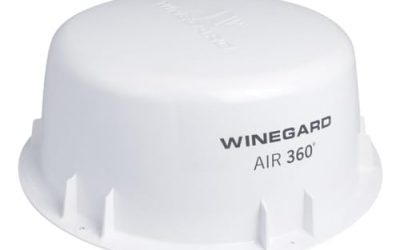
Listed as usable indoors or outdoors, this model has a 360-degree design with a strong signal booster and support for smart and older TVs. The flexible mounting makes it adaptable to different spaces, such as an attic, a porch, or a window, depending on how stubborn your signal is. Because it is not locked to indoor use, you can experiment with higher mounting points.
- Indoor and outdoor use gives more placement options.
- 360 design handles stations from multiple directions.
- Mile claims are not verifiable and booster use depends on your location.
Skip it if you want a simple, no-amplifier setup. Ask yourself whether a basic antenna would work before adding extra electronics.
DAANT Indoor Long-Range Antenna
The DAANT model lists a 16ft HDTV coax cable and support for 4K and 1080p signal reception. The longer run is its main selling point for rooms where the best reception spot is far from the TV, for example a window on the opposite wall from the entertainment unit. Longer cable runs make it easier to tuck the wire along a baseboard.
- 16ft cable gives the most reach in this group.
- Works with smart TVs and compatible older sets.
- The listing offers few additional details on the antenna design.
Skip it if you want a built-in amplifier specified in the title. Others in this group state their amplification more clearly.
Which One Fits Your Situation
You live close to the towers
Go with the Philips Rabbit Ears. A simple passive design avoids tuner overload and keeps setup easy, which matters most when the signal is already strong. It also costs less than the amplified options, which suits a spare room.
Your best signal spot is far from the TV
The DAANT with its 16ft cable lets you place the antenna at a window while the TV sits in the middle of the room, so you are not forced to rearrange furniture. Choose a window that faces the direction of the towers if you can.
Stations come from several directions
The 4500+ Mile Indoor antenna or the 6000+ Mile Indoor/Outdoor model use 360 designs, so you do not need to aim them every time you change channels.
You move the antenna between rooms
The Portable Amplified Antenna or the HIDB with its magnetic base make relocation simple, which suits shared spaces and seasonal rooms. Rescan channels after every move so the TV picks up what the new spot can receive.
Common Mistakes
- Connecting an antenna to an analog-only TV without a converter box and assuming it is broken.
- Trusting mile ratings instead of checking how far away the stations really are.
- Adding an amplifier when you live near a tower, which can overload the tuner and cause dropouts.
- Placing the antenna low behind the TV instead of near a window or higher on a wall.
- Skipping a channel rescan after moving the antenna to a new spot.
Related guides
- Retro Game Storage Cases And Displays
- Solar Chargers For Camping And Hiking
- Wireless Chargers For Samsung Galaxy
Frequently Asked Questions
Will these antennas work with a very old TV?
Only if the TV has a digital tuner or you use a converter box. The antenna itself is not the limiting factor, so check the tuner before blaming the antenna. The back panel or the model number will usually tell you which type you have.
Do I need an amplified antenna?
Not always. An amplifier helps with weak or obstructed signals but may cause problems near transmitters. Try a passive antenna first if you are close to the towers. If channels break up, then add amplification step by step.
Does 4K matter for an antenna?
No. The 4K label refers to compatible content, and an antenna simply receives broadcast signals. An antenna with a 4K label is no better at receiving channels than one without it.
How often should I rescan channels?
Rescan after moving the antenna or when stations change frequency. It takes only a minute and can restore missing channels, so make it a habit every few months. Most TVs offer a one-touch scan in the settings menu.