Our Top Picks
 Dell Latitude 5420 14" FHD Business Laptop Computeri5-1145G7-16-256-SV-Win1112.76 x 8.35 x 0.76 Inches3 poundsCheck on Amazon
Shopping for a Dell laptop under 500 dollars splits into two very different paths. One leads to a brand-new Inspiron-class machine with a current entry-level processor, a bright 15.6-inch screen and modern memory. The other leads to a renewed Latitude, a business chassis from an earlier generation that often carries more RAM and a sturdier build for the same money. Neither path is wrong, but they suit different people, and the listing titles rarely make that choice obvious.
This guide is for students, home-office workers and parents buying a first family computer who like Dell’s keyboards and support network. You will see how new entry chips compare with refurbished business processors, what the memory and storage figures mean in daily use, and which compromises appear at this tier. Expect to see trade-offs in every row: more memory usually means older silicon, and a newer chip usually means less RAM. Everything here rests on the specs written in the listing titles, so treat the comparisons as a checklist, and confirm condition and warranty on the product page before you commit in 2026.
Quick Picks

Dell 15.6 Laptop, FHD, Intel Core 3 100U, 8GB RAM, Windows 11 Home | 300 nits Anti-Glare WVA, Intel UHD Graphics, DDR5, 512GB SSD, Wi‑Fi 6, Bluetooth, Carbon Black, 3‑Cell 41WHr Battery, DC15250
One of the consumer electronics options compared in this guide.
View on Amazon
Dell 15.6 Laptop, AMD Ryzen 5 7520U with Radeon 610M, Windows 11 Home | FHD 120Hz IPS, LPDDR5, 512GB SSD, Wi‑Fi 5, Bluetooth, Carbon Black, DC15255
One of the consumer electronics options compared in this guide.
View on AmazonDell Latitude 5420 14" FHD Business Laptop Computer, Intel Quad-Core i5-1145G7, 16GB DDR4 RAM, 256GB SSD, Camera, HDMI, Windows 11 Pro (Renewed)
One of the consumer electronics options compared in this guide.
View on Amazon
Dell 15.6 Laptop, FHD, Intel Core 3 100U, 8 GB RAM, Windows 11 Home | Anti-Glare IPS WVA, 250 nits, Intel UHD Graphics, DDR4, 512GB SSD, Wi‑Fi 6 & Bluetooth, DC15250
One of the consumer electronics options compared in this guide.
View on Amazon
Dell Inspiron 15 3505, 15.6 inch FHD Non-Touch Laptop - AMD Ryzen TM 3 3250U Mobile Processor, 8GB DDR4 RAM, 256GB SSD, Integrated Graphics with AMD APU, Windows 10 Home
One of the consumer electronics options compared in this guide.
View on Amazon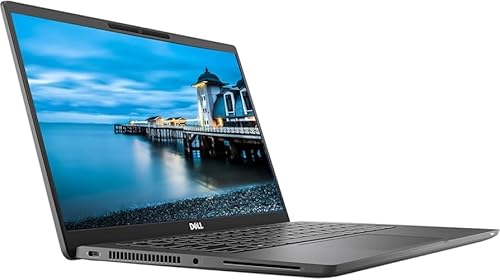
Dell Latitude 7300 Business Laptop | Intel Core i7 8th Gen Quad Core | 16GB RAM | 500GB NVMe | 13.3” Full HD (1920x1080) Display | Backlit Keyboard | Webcam | Windows 11 Pro | (Renewed)
One of the consumer electronics options compared in this guide.
View on Amazon| Product | Best for | Key spec from the title |
|---|---|---|
| Dell 15.6 Laptop (Core 3 100U) | New-machine buyers who want a bright screen | Core 3 100U, 8GB DDR5, 512GB SSD, 300-nit anti-glare FHD |
| Dell 15.6 Laptop (Ryzen 5 7520U) | Smoother scrolling and general use | Ryzen 5 7520U, 120Hz FHD IPS, LPDDR5, 512GB SSD |
| Dell Latitude 5420 (Renewed) | Business multitasking on a budget | Core i5-1145G7, 16GB DDR4, 256GB SSD, Windows 11 Pro |
| Dell Inspiron 15 3505 | Basic family and homework use | Ryzen 3 3250U, 8GB DDR4, 256GB SSD, non-touch FHD |
| Dell Latitude 7300 | Travel-friendly business chassis | Core i7 8th Gen, 16GB RAM, 500GB NVMe, 13.3″ FHD |
| Dell Latitude 5400 (Renewed) | Reliable office work | Core i5-8365U, 8GB RAM, 256GB SSD, Windows 11 Pro |
How to Choose
New versus renewed
New entry laptops bring current memory types and fresh batteries, while renewed Latitudes bring more RAM and business features but come with used-hardware risk. A renewed label means the unit was inspected and resold, not that it is identical to factory new. Check the seller’s return window, the battery condition note and the warranty length. If you cannot confirm those, lean toward a new unit. A good renewed listing states the processor, memory and storage clearly and names the operating system edition, as the Latitude titles here do.
Memory and storage
Eight gigabytes is the minimum for comfortable Windows 11 use, and 16GB makes a visible difference when you keep many tabs open. DDR5 and LPDDR5 are newer and faster than DDR4, though capacity usually matters more in office work. For storage, 256GB is workable, and 512GB gives room for photos and downloads. NVMe drives load faster than basic SATA models, so a listing that names NVMe has a small edge.
Screen quality
Full HD at 1920 by 1080 is the standard to demand. Look at brightness: a 300-nit panel with an anti-glare coating is easier to read near windows than a dim 250-nit screen. A 120Hz refresh rate smooths scrolling and cursor motion, though it is a nice-to-have rather than a requirement. Non-touch panels are common at this tier and tend to be brighter and lighter than touchscreens.
Ports and wireless
Port selection is where thin consumer models and business models part ways, so scan the title for HDMI before you plan on an external monitor. Wi-Fi 6 helps in crowded homes and offices, and Wi-Fi 5 is adequate for ordinary browsing. Look for HDMI and a camera in the title if you attend video calls. Budget models cut corners on keyboard backlighting, panel color accuracy and speaker volume, while renewed business laptops tend to hold up better on keyboard feel and chassis stiffness.
The 6 Best Options
Dell 15.6 Laptop with Core 3 100U
This is the new-machine choice for people who want a modern, no-fuss laptop. The title lists a 15.6-inch FHD anti-glare display at 300 nits, an Intel Core 3 100U, 8GB of DDR5 memory, a 512GB SSD, Wi-Fi 6, Bluetooth and Windows 11 Home.
- Strength: the 512GB SSD and DDR5 memory give you generous storage and current-generation RAM.
- Strength: a bright anti-glare screen and Wi-Fi 6 suit home offices and shared rooms.
- Trade-off: 8GB is the ceiling here, so heavy multitaskers may feel it over time.
Skip it if you need a business-class chassis or 16GB of memory today. Families sharing one machine among several kids may also prefer more headroom, since 8GB gets crowded once homework tabs and a video call run together on the same account.
Dell 15.6 Laptop with Ryzen 5 7520U
This AMD-based Dell appeals to buyers who value a smoother display. The title names a Ryzen 5 7520U with Radeon 610M graphics, a 120Hz FHD IPS panel, LPDDR5 memory and a 512GB SSD, along with Wi-Fi 5 and Bluetooth in a Carbon Black finish.
- Strength: the 120Hz IPS panel makes scrolling and window movement feel fluid.
- Strength: a Ryzen 5 chip with LPDDR5 memory and 512GB of storage is a balanced everyday setup.
- Trade-off: Wi-Fi 5 is a generation behind the Wi-Fi 6 on its Intel sibling, and the title does not state the RAM capacity.
Skip it if you want the newest wireless standard or a confirmed memory figure before purchase. Because the memory size is not spelled out, verify it on the product page so you know whether you are getting 8GB or something smaller.
Dell Latitude 5420 (Renewed)
A renewed business laptop for those who prize memory over novelty. The title states a 14-inch FHD display, an Intel quad-core Core i5-1145G7, 16GB of DDR4 RAM, a 256GB SSD, a camera, HDMI and Windows 11 Pro.
- Strength: 16GB of RAM is rare at this budget and helps with heavy tab use and spreadsheets.
- Strength: Windows 11 Pro and HDMI suit office use and external displays.
- Trade-off: it is renewed, and the 256GB disk is smaller than the 512GB drives on new rivals.
Skip it if you want a brand-new battery or need lots of local storage. Anyone planning to store a large photo library locally should look at the 512GB models above instead, because 256GB fills faster than most buyers expect.
Dell Inspiron 15 3505
The Inspiron 15 3505 is the plain, practical option for homework and browsing. The title lists a 15.6-inch FHD non-touch display, an AMD Ryzen 3 3250U processor, 8GB of DDR4 RAM, a 256GB SSD and integrated graphics.
- Strength: 8GB of RAM and an SSD give it a usable base for basic work.
- Strength: a non-touch FHD screen keeps the design simple and the panel clear.
- Trade-off: the Ryzen 3 3250U is an older entry chip that will feel slower than newer processors in multitasking.
Skip it if you want a recent processor generation or something for demanding software. Students who plan to run several programs at once, such as a browser, a writing app and a video call, would be better served by the newer chips elsewhere in this list.
Dell Latitude 7300
This is the compact business pick. The title shows an 8th Gen Core i7 quad-core processor, 16GB of RAM, a 500GB NVMe drive, a 13.3-inch full HD display and a backlit keyboard, which together read as a strong productivity setup for travel.
- Strength: 16GB of RAM and NVMe storage give it a capable base for office work.
- Strength: the backlit keyboard and small footprint suit commuting and late-night typing.
- Trade-off: the processor generation is older and the 13.3-inch screen is smaller than the 15.6-inch alternatives.
Skip it if you want a big display for spreadsheets or the newest silicon. The title does not mention a renewed condition, so confirm the unit’s state, warranty and battery details on the listing page before you rely on it for daily use.
Dell Latitude 5400 (Renewed)
A renewed Latitude for steady office duty. The title lists a 14-inch FHD screen, a Core i5-8365U with four cores, 8GB of RAM, a 256GB SSD and Windows 11 Pro on a black chassis.
- Strength: a four-core i5 and Windows 11 Pro cover everyday business tasks.
- Strength: the 14-inch FHD display strikes a balance between portability and workspace.
- Trade-off: 8GB of RAM and 256GB of storage are modest, and the renewed condition adds uncertainty.
Skip it if you want extra memory, in which case the 5420 above offers more for a similar kind of listing. Buyers who like the Latitude family but dislike the unknown history of renewed hardware should compare the new Inspiron models first, then decide how much risk they accept.
Which One Fits Your Situation
You want a fresh laptop with a warranty
The Dell 15.6 Laptop with Core 3 100U gives you a new machine with DDR5 memory, 512GB of storage and a bright anti-glare display.
You work with many tabs and spreadsheets
The Dell Latitude 5420 (Renewed) is the better fit because its title lists 16GB of RAM and Windows 11 Pro.
You move between desks and cafes
The Dell Latitude 7300 pairs a compact 13.3-inch screen with a backlit keyboard and NVMe storage, which makes it easier to carry and type on.
You want a smooth screen for browsing and media
The Dell 15.6 Laptop with Ryzen 5 7520U lists a 120Hz panel, so scrolling and video calls look more fluid than on a standard 60Hz screen.
Common Mistakes
- Assuming a renewed laptop is the same as a new one and skipping the return policy and battery note.
- Choosing 256GB of storage for a family computer that will hold photos, school files and downloads.
- Paying attention to processor brand names but not the generation, where a new Core 3 and an older Core i7 differ in age and design.
- Overlooking Windows edition, since Pro matters for encryption and management in small offices.
- Buying a listing that does not state RAM capacity and discovering later that it is only 4GB.
Related guides
- Solar Chargers For Camping And Hiking
- Retro Game Storage Cases And Displays
- How To Clean Retro Game Cartridges Safely
Frequently Asked Questions
Is a renewed Dell Latitude a good value?
It can be, especially when it offers 16GB of RAM and a business-grade build. Confirm the return window, battery health and warranty, because renewed units vary in condition.
Is 8GB of RAM enough for a Dell under 500 dollars?
For browsing, documents and streaming, yes. If you keep many tabs and apps open or want the laptop to last for years, 16GB gives more breathing room.
Does a 120Hz screen matter for work?
It is not essential, but it makes scrolling and cursor movement smoother. Treat it as a comfort feature rather than a deciding spec. Memory capacity, storage type and the condition of the unit will shape your daily experience far more than refresh rate.
Which is better: Intel or AMD in this tier?
Both families have solid entry options. Compare the processor model and generation, the memory type and the storage rather than the brand name alone. A recent Core 3 and an older Core i7 can feel similar in office work, so memory and storage often decide the winner.