Our Top Picks
 Drawing Tablet XPPen StarG640 Digital Graphic Tablet 6x47.5 x 6.5 x 0.1 inches0.4 PoundsCheck on Amazon
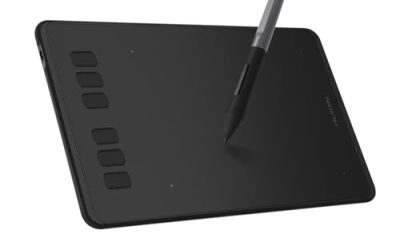
 HUION Drawing Tablet H420X Graphics Tablet with 8192Small6.77 x 4.3 x 0 Inches0.2 PoundsCheck on Amazon
Spending under 100 dollars on a drawing tablet means accepting one big compromise before anything else: there is no screen. Every serious option at this level is a pen tablet, a flat pad you draw on while watching your computer monitor, and the first week of use is spent training your hand and eyes to work apart. After that, the pad is a perfectly capable way to sketch, ink, edit photos, annotate lessons, or play rhythm games like OSU. The decision is mostly about active area, pressure levels, and shortcut keys, because the stylus tech is similar across brands.
This guide is for beginners, students, teachers recording lessons, hobbyists curious about digital art, and gamers who want a precise pointer in place of a mouse. We cover seven pen tablets from XPPen, Huion, Gaomon, and XOPPOX, from a pocket-size 4-inch pad to 10-inch wireless-capable models. Pen displays with a built-in screen, such as the larger Kamvas models, sit in a different product class and cost tier, so they are left out of this list. With 2026 software, most of these pads work on Windows and Mac, and several list Android or Chromebook support.
Quick Picks
Drawing Tablet XPPen StarG640 Digital Graphic Tablet 6x4 Inch Art Tablet with Battery-Free Stylus Pen Tablet for Mac, Windows and Chromebook (Drawing/E-Learning/Remote-Working)
One of the consumer electronics options compared in this guide.
View on Amazon
XPPen Deco 01 V3 10x6 Drawing Tablet, 16K Battery-Free Stylus, 8 Keys | Battery-Free Stylus, 8 Keys for Digital Art, Teaching, OSU, Mac, PC, Android, Chromebook, Designed for Beginners
One of the consumer electronics options compared in this guide.
View on Amazon
HUION Inspiroy H1060P Graphics Drawing Tablet, 10 x 6.25 in, 12+16 Hot Keys | 8192 Pressure Levels, Battery-Free Stylus, Digital Art Tablet Works with Mac, Windows PC and Android
One of the consumer electronics options compared in this guide.
View on Amazon
HUION Kamvas Pro 16 Drawing Tablet with Screen,120% sRGB, Touch Bar,15.6" | Fully Laminated Anti-Glare Glass, 6 Shortcut Keys, Adjustable Stand, Works with Windows, Mac and Linux
One of the consumer electronics options compared in this guide.
View on Amazon
GAOMON M10K Drawing Tablet, 10x6 with Touch Ring, 10 Keys & 8192 Pressure | Battery-Free Stylus, for Beginners/Students/Teachers, Ideal for Design, Writing & Editing, Works with Mac/Windows/Android
One of the consumer electronics options compared in this guide.
View on AmazonHUION Drawing Tablet H420X Graphics Tablet with 8192 Level Pen Pressure | Battery-Free Stylus, 4.17x2.6 IN Digital Art Tablet for OSU Game, Design, Drawing, Teaching, Work with PC, Mac, Linux, Mobile
One of the consumer electronics options compared in this guide.
View on Amazon
GAOMON WH851 Bluetooth Graphics Drawing Tablet, 8x5, Dial, 16384 Pressure | 8 Shortcut Keys, Type-C Port, Battery-Free & Wireless, Portable for Digital Art & Design, Compatible with Windows/Android/Mac
One of the consumer electronics options compared in this guide.
View on Amazon| Product | Best for | Key spec from the title |
|---|---|---|
| XPPen StarG640 | Compact first tablet | 6×4 inch, battery-free stylus, Mac/Windows/Chromebook |
| XPPen Deco 01 V3 | Roomy desktop drawing | 10×6 inch, 16K battery-free stylus, 8 keys |
| HUION Inspiroy H1060P | Shortcut-heavy workflows | 10 x 6.25 in, 12+16 hot keys, 8192 pressure levels |
| GAOMON M10K | Students and teachers | 10×6, touch ring, 10 keys, 8192 pressure |
| HUION H420X | OSU players and travel | 4.17×2.6 in, 8192 pressure, battery-free stylus |
| GAOMON WH851 | Cable-free working | Bluetooth, 8×5, dial, 16384 pressure, Type-C |
| XOPPOX 10×6 | Large area, many keys | 10×6 inch, 8192 pressure, 12 hot keys |
How to Choose
Active area: the size of your drawing surface
Active area is the part of the pad that responds to the pen. A 6×4 inch pad, like the StarG640, is plenty for signatures, note-taking, and small sketches, and it fits beside a laptop. A 10×6 inch pad gives your arm room for full-page drawing, which is what most illustrators prefer. The 4.17×2.6 inch size of the H420X works for OSU, where small, quick wrist movements are the goal, but it is cramped for art.
Pressure levels and stylus type
Every pen here is battery-free, meaning you never charge or replace anything. Pressure levels are listed as 8192 on most models, 16K on the Deco 01 V3, and 16384 on the WH851. Anything at 8192 levels is already beyond what most beginners can feel, so do not pay extra for a higher number on its own. What you should check is whether the stylus works smoothly at light pressure when you start strokes, which no title can tell you.
Shortcut keys, dials, and touch rings
Express keys let you map undo, brush size, eraser, or zoom to a button. Counts range from 8 keys on the Deco and WH851, to 10 keys plus a touch ring on the M10K, to 12 on the XOPPOX, to the Inspiroy H1060P’s 12 plus 16 hot keys. More buttons help if you use a program like Photoshop or Clip Studio heavily, but a few well-chosen keys are enough for most people. The dial on the WH851 is useful for zooming and brush size.
Compatibility, connectivity, and what to ignore
Check that your operating system is named: the StarG640 lists Mac, Windows, and Chromebook, while the Deco 01 V3 adds Android. The WH851 offers Bluetooth and a Type-C port for a wire-free setup. Ignore claims about extreme report rates and flashy colors; at this level, a stable driver and a stylus that does not drift matter more. Budget tablets mostly cut corners on build material, nib quality, and the quality of the driver software. Spare nibs are usually included, but a surface that scratches or a driver that crashes on a new operating system update is a bigger daily annoyance than a missing extra key. Before buying, make sure the pad’s aspect ratio roughly matches your monitor, since a very wide pad on a standard screen leaves some of the drawing space unused.
The 7 Best Options
XPPen StarG640
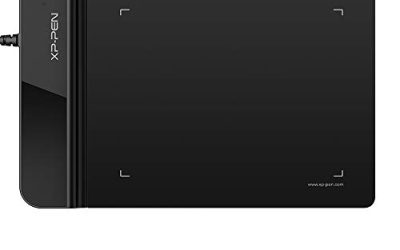
The StarG640 is a 6×4 inch battery-free pen tablet for Mac, Windows, and Chromebook users. It is the entry-level pick for someone who wants to test digital drawing, sign documents, or mark up lecture slides without much desk space. Teachers who ink a few lines over a shared screen, or someone filling in a signature on a PDF, will find the small area a better match than a larger pad that crowds the keyboard.
- Strength: small footprint fits on a crowded desk or in a bag.
- Strength: Chromebook support is rare at this tier and helpful for school devices.
- Trade-off: a 6×4 inch surface is cramped for large strokes or full-page illustration.
Skip it if you plan to draw large compositions or want many shortcut keys.
XPPen Deco 01 V3
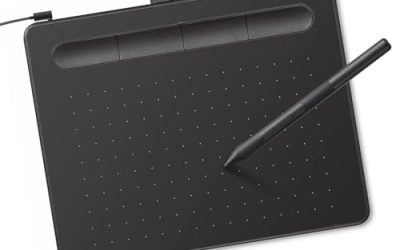
The Deco 01 V3 offers a 10×6 inch work area, a 16K battery-free stylus, and 8 keys. The title also names teaching, OSU, Mac, PC, and Android, which makes it a flexible all-rounder for drawing, classes, and games. A student who sketches on a desktop in the evening and uses the same pad with an Android device for note-taking during the day is the sort of buyer it is aimed at.
- Strength: a large 10×6 inch surface gives plenty of arm room.
- Strength: wide device support including Android.
- Trade-off: no touch ring or dial is mentioned.
Skip it if you want a compact pad or a wireless connection.
HUION Inspiroy H1060P
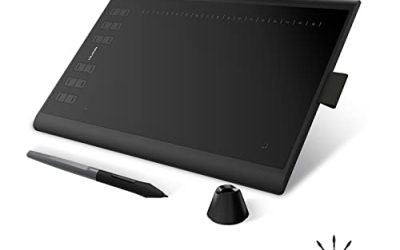
The H1060P lists a 10 x 6.25 inch area, 12+16 hot keys, 8192 pressure levels, and a battery-free stylus. That unusual key count targets artists who bind tools to physical buttons and want to keep a hand off the keyboard. Digital painters working in layered programs, where brush size, undo, and layer toggles are used constantly, are the people who get the most from that many buttons.
- Strength: the 12+16 hot-key layout is the most extensive here.
- Strength: a slightly taller 6.25 inch surface than the other 10-inch pads.
- Trade-off: many keys take time to learn and map.
Skip it if you prefer a simple, uncluttered pad.
GAOMON M10K
The M10K gives a 10×6 inch surface, a touch ring, 10 keys, and 8192 pressure levels, with a battery-free stylus. The title directly mentions beginners, students, and teachers, so it fits a classroom or a first-year art course. Because it is billed as a beginner tool, it is also a reasonable gift for a teenager who has been drawing on paper and wants to try digital work without committing to expensive hardware.
- Strength: touch ring for scrolling and zooming is a handy extra.
- Strength: 10 keys cover the usual shortcuts.
- Trade-off: wired use means a cable tethers it to the computer.
Skip it if you need a wireless pad or a very small one.
HUION H420X
The H420X is a 4.17×2.6 inch tablet with 8192 levels of pressure and a battery-free stylus, with OSU, design, and drawing in the title. It is the smallest and simplest pad on the list, built for rhythm-game players and travelers. If you only want a better pointer than a mouse for a game and the occasional quick doodle, nothing else on the list asks for so little desk or so little attention.
- Strength: tiny size makes it portable and quick to set up.
- Strength: 8192 levels and a battery-free pen at an entry price tier.
- Trade-off: a very small area is limiting for illustration.
Skip it if you plan to draw seriously or need shortcut keys.
GAOMON WH851
The WH851 is a Bluetooth graphics tablet with an 8×5 inch area, a dial, 16384 pressure levels, 8 shortcut keys, and a Type-C port. It is battery-free for the pen and wireless for the pad, which makes it ideal for working away from a desk. Picture a couch, a classroom table, or a coffee shop, where a cable snaking back to a laptop would be a nuisance and a half-size pad is easier to balance on the knees.
- Strength: wireless Bluetooth removes the cable from the workspace.
- Strength: a dial and a 16384 pressure rating at a budget tier.
- Trade-off: its 8×5 inch size sits between compact and full-size.
Skip it if you prefer a plain wired pad, or if you need more than 8 keys.
XOPPOX 10×6 Graphics Drawing Tablet
The XOPPOX is a 10×6 inch pad with a battery-free stylus, 8192 pressure levels, and 12 hot keys, compatible with PC and other platforms listed in the full title. It is a straightforward large-surface choice for hobbyists. A buyer who wants the generous 10×6 inch area and plenty of buttons, and who is willing to try a less familiar name to keep the cost in the budget tier, is the likely audience.
- Strength: 12 hot keys on a large 10×6 inch surface.
- Strength: battery-free pen with 8192 levels.
- Trade-off: it is a lesser-known brand than XPPen, Huion, or Gaomon.
Skip it if you want a name with an established driver community.
Which One Fits Your Situation
You have never drawn digitally
The XPPen StarG640 is a low-risk first tablet. It is small, supports Chromebook, and lets you learn eye-hand separation before committing to a larger pad.
You teach or take online classes
The GAOMON M10K targets students and teachers, and its touch ring helps with scrolling through slides. The XPPen Deco 01 V3 is an alternative if Android support matters, offering a larger 10×6 inch surface for annotating wide documents and diagrams.
You play OSU
The HUION H420X is the compact tablet most closely tied to rhythm-game use in its title. Its tiny active area keeps wrist motion small and fast, and it can sit next to a keyboard without crowding the mouse position.
You hate cables
The GAOMON WH851 is the only Bluetooth pad here, and its Type-C port covers wired use too. Heavy shortcut users who do not mind a cable should look at the HUION Inspiroy H1060P with its 12+16 hot keys instead.
Common Mistakes
- Expecting to draw on a screen; a pen tablet needs you to look at the monitor.
- Buying the smallest pad and then feeling cramped when sketching.
- Paying for higher pressure numbers that you cannot feel.
- Ignoring operating system support on Chromebook or Android.
- Skipping the driver install and wondering why pressure does not register.
Related guides
- Solar Chargers For Camping And Hiking
- Retro Game Storage Cases And Displays
- Wireless Chargers For Samsung Galaxy
Frequently Asked Questions
Can I use these tablets with a phone or Chromebook?
Some can. The StarG640 lists Chromebook and the Deco 01 V3 lists Android, so check each title for your platform.
How long does it take to get used to a tablet without a screen?
Most people feel comfortable within a week or two of regular practice. Starting with simple lines and circles helps, and keeping the monitor at eye level rather than looking down at the pad reduces neck strain while your coordination develops.
Do I need to charge the pen?
No. Every stylus listed here is battery-free, so there is nothing to charge or replace.
Is a bigger tablet always better?
No. A large surface suits full-arm drawing, but a smaller pad is better for travel, tight desks, and rhythm games. Pick the size that matches the way you move your arm, not the one with the largest number.