Our Top Picks
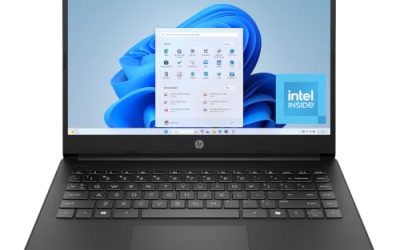
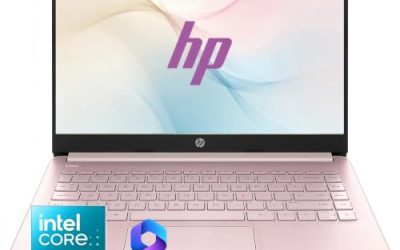
 HP 14 Inch Everyday Laptop16GB RAM | 512GB PCIe SSD12.76 x 8.86 x 0.71 Inches3.24 PoundsCheck on Amazon
Shopping for an HP laptop is mostly a sorting exercise, because the brand sells everything from entry-level 14 inch machines with 4 GB of memory to 17 inch business notebooks with 16 GB and a full-size keypad. The name on the lid tells you very little. What separates a laptop you will enjoy for years from one you will outgrow in months is the processor tier, the memory, the storage type, and the screen, and HP’s listings often bury those details behind words like “everyday” and “long battery life.”
This guide is for buyers who have already decided on HP and want to pick the right tier: students and families who need a simple machine for browsing and documents, home-office users who want a larger screen and a number pad, and shoppers who want the newer OmniBook line. In 2026 the range is wide, so the seven models below are sorted by what the title actually states rather than by marketing language. Use the table to shortlist, then read the reviews for trade-offs.
Quick Picks

HP 2027 Everyday Laptop, Intel CPU, 128GB Storage, Copilot AI, Office 365 | 1TB Cloud Storage, Windows 11, Fast Charge, WiFi 6, Long Battery Life, Lightweight & Portable, Study & Work, Modern Silver
One of the consumer electronics options compared in this guide.
View on Amazon
HP 14 inch Laptop, HD Display, Intel N150, 4 GB RAM, 128 GB UFS, Intel Graphics, Windows 11 Home, Includes a 1-Year Microsoft 365 Personal Subscription. Jet Black, 14-dq6199nr
One of the consumer electronics options compared in this guide.
View on Amazon
HP 17 inch Business Laptop Computer • 2026 Edition • Latest AMD Ryzen 5 CPU • 16GB RAM • 512GB SSD • 17.3" FHD Display • Numeric Keypad • Long Battery Life • Windows 11 with Office 365 for The Web
One of the consumer electronics options compared in this guide.
View on AmazonHP 14 Inch Everyday Laptop, 2027 Edition, Intel N150 CPU, 128GB SSD | 1TB Cloud Storage, Microsoft 365 Included, Windows 11, Copilot AI, Long Battery Life, Thin & Portable
One of the consumer electronics options compared in this guide.
View on Amazon
HP New Everyday Slim Laptop, 2026 Edition, AMD High Performance Processor, 4GB DDR5 RAM, 128GB SSD,1TB Cloud Storage, Long Battery Life, Windows 11
One of the consumer electronics options compared in this guide.
View on Amazon
HP 14 14" Ultra-Light Laptop, Intel N150, 4GB RAM, 128GB + 128GB SD Card | 1-Year Office 365, for Student & Home, LED, Long Battery Life, Fast Charge, Webcam, Windows 11 Home in S mode, Lavender
One of the consumer electronics options compared in this guide.
View on Amazon
HP OmniBook 3 17.3 inch Laptop PC, FHD Display, Intel Core Ultra 5 225U, 8 GB RAM, 512 GB SSD, Intel Graphics, Windows 11 Home, Glacier Silver, 17-dg0099nr
One of the consumer electronics options compared in this guide.
View on Amazon| Product | Best for | Key spec from the title |
|---|---|---|
| HP Everyday Laptop with Copilot AI | Light home use with cloud storage | Intel CPU, 128GB storage, WiFi 6, Windows 11 |
| HP 14 inch HD (Intel N150) | Basic web and document work | 4 GB RAM, 128 GB UFS, Microsoft 365 Personal for one year |
| HP 17 inch Business (Ryzen 5) | Home office on a big screen | 16GB RAM, 512GB SSD, 17.3 inch FHD, numeric keypad |
| HP Everyday Slim (AMD) | Portable daily laptop | 4GB DDR5 RAM, 128GB SSD, Windows 11 |
| HP OmniBook 3 17.3 | Large-screen general use | Core Ultra 5 225U, 8 GB RAM, 512 GB SSD |
| HP OmniBook 3 16 | Touch-friendly study and media | 2K touchscreen, Ryzen 3, 8 GB RAM, 512 GB SSD |
| HP 15.6 inch (Intel N200) | Simple business tasks | 4-core N200, 4GB RAM, 128GB SSD, Windows 11 Home in S mode |
How to Choose
Start with memory and storage, not the processor name
For Windows 11, 8 GB of RAM is the practical floor if you keep many browser tabs open, and 16 GB gives real breathing room. Models with 4 GB can run, but they stall when you add video calls and a dozen tabs. For storage, 256 GB is a comfortable minimum for local files, while 128 GB fills quickly after updates and apps. Cloud storage bundled in the box helps, but it is not the same as a drive you can use offline.
Match the processor tier to the work
Intel N-series chips such as the N150 and N200 are built for light tasks like email, streaming, and documents. Ryzen 5 and Core Ultra processors step up for multitasking, spreadsheets, and light photo editing. A Ryzen 3 sits in between. If your day involves nothing heavier than a browser and a word processor, the lower tier is fine. If you edit video or run several heavy apps, aim for the higher tier.
Look closely at the display
Full HD, meaning 1920 by 1080, is the threshold for comfortable reading and split windows, and a title that only says “HD” often means a lower resolution. A 2K touchscreen is sharper and adds touch input, but it draws more power. Screen size sets the weight: 14 inch laptops travel easily, while 16 and 17 inch models act more like desktop replacements.
Know where low-priced models cut corners
Budget laptops usually save money on RAM, storage, and keyboard feel, and some ship with Windows in S mode, which limits you to apps from the Microsoft Store until you switch it off. Plastic bodies and dim screens are common compromises. Ignore phrases like “long battery life” without a stated hour count and treat bundled software subscriptions as a bonus that expires.
The 7 Best Options
HP Everyday Laptop with Copilot AI
This listing leans on convenience: an Intel processor, 128GB of storage, Office 365 with 1TB of cloud storage, Windows 11, fast charging, and WiFi 6. It suits a household laptop used for email, shopping, and homework, where several family members take turns on one machine. The Copilot AI wording points to assistants built into Windows, which can help with drafting and summarizing.
- Strength: WiFi 6 and fast charging are welcome conveniences on a general-purpose machine.
- Strength: cloud storage included in the bundle offsets the small local drive.
- Trade-off: only 128GB of local storage fills up fast once updates and apps accumulate.
Skip it if you keep large photo or video libraries on the laptop itself, or if you need the processor model named before you buy.
HP 14 inch HD (Intel N150)
A compact 14 inch machine with an HD display, an Intel N150 processor, 4 GB of RAM, and 128 GB of UFS storage, plus a year of Microsoft 365 Personal. It is the type of laptop you hand to a middle schooler or keep in the kitchen for recipes and bills. The small footprint travels easily in a school bag, and the bundled subscription saves a separate purchase for the first year.
- Strength: the 14 inch size keeps it light and easy to carry between rooms.
- Strength: the bundled Microsoft 365 subscription covers documents and spreadsheets out of the box.
- Trade-off: 4 GB of RAM and an HD panel limit multitasking and sharpness.
Skip it if you plan to run many tabs, edit photos, or read small text for long stretches.
HP 17 inch Business (Ryzen 5)
The most capable general-purpose model in this group on paper: a Ryzen 5 processor, 16GB of RAM, a 512GB SSD, and a 17.3 inch Full HD display with a numeric keypad. It targets remote workers who live in spreadsheets and need space for two windows side by side. Long battery wording is present but not quantified, so treat runtime as unknown until you see a stated hour count.
- Strength: 16GB of RAM and a 512GB SSD give strong multitasking headroom for the category.
- Strength: a numeric keypad and 17.3 inch screen suit data entry and accounting.
- Trade-off: a 17 inch body is bulky for commuting or crowded desks.
Skip it if portability matters more than screen real estate, or if you often work from a small cafe table or a train seat.
HP Everyday Slim (AMD)
This slim edition pairs an AMD processor with 4GB of DDR5 RAM, a 128GB SSD, 1TB of cloud storage, and Windows 11, in a slim body. The faster DDR5 memory type is a small plus, though the capacity is still modest. It fits someone who wants a thin, light daily browsing machine for reading, video calls, and online classes.
- Strength: DDR5 memory is a newer standard than the older types found in many budget models.
- Strength: the slim design is aimed at carrying around the house or campus.
- Trade-off: 4GB of RAM caps how many apps and tabs you can run smoothly.
Skip it if you multitask heavily or want the exact processor model listed.
HP OmniBook 3 17.3
An OmniBook 3 with a 17.3 inch FHD display, Intel Core Ultra 5 225U, 8 GB of RAM, a 512 GB SSD, and Windows 11 Home in Glacier Silver. The Core Ultra chip is a step above the N-series in this group, and the 512 GB drive gives more room than most budget picks. It suits a household that wants a large shared screen for streaming, budgeting, and homework in the living room.
- Strength: a named Core Ultra 5 processor and 512 GB SSD are solid mid-range specs.
- Strength: the large FHD screen is comfortable for documents and streaming.
- Trade-off: only 8 GB of RAM leaves less headroom than the 16GB Ryzen 5 model.
Skip it if you want a compact laptop for travel, or if you expect to run demanding apps beyond the listed 8 GB of memory.
HP OmniBook 3 16
This 16 inch OmniBook offers a 2K touchscreen, an AMD Ryzen 3 processor, 8 GB of RAM, a 512 GB SSD, and Radeon 610M graphics. It targets students and creatives who like touch input and a sharper panel for reading and media. The Mica Silver finish keeps it understated, and the 16 inch size sits between a portable and a desktop-style laptop.
- Strength: a 2K touch display is a notable upgrade over the plain HD panels elsewhere in the list.
- Strength: 512 GB of storage and 8 GB of RAM suit everyday study workloads.
- Trade-off: the Ryzen 3 processor is entry-level, so heavy multitasking will feel slower.
Skip it if processing power matters more to you than screen quality.
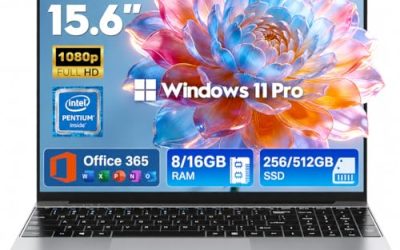
HP 15.6 inch (Intel N200)
A 15.6 inch laptop with a 4-core Intel N200, 4GB of RAM, a 128GB SSD, and Windows 11 Home in S mode, marketed for business use and portability. It is a plain machine for typing, browsing, and video calls, aimed at people who value a familiar screen size over extra power. The S mode setting restricts installs to Microsoft Store apps.
- Strength: the 15.6 inch screen is a familiar, comfortable size for office work.
- Strength: the SSD keeps boot times quicker than older mechanical drives.
- Trade-off: S mode and 4GB of RAM limit software choices and multitasking.
Skip it if you rely on desktop programs that are not in the Microsoft Store.
Which One Fits Your Situation
You work from home and live in spreadsheets
The HP 17 inch Business (Ryzen 5) is the strongest match, thanks to 16GB of RAM and a numeric keypad.
You want a sharp screen for study and streaming
Go with the HP OmniBook 3 16, whose 2K touchscreen and 512 GB drive stand out, or the OmniBook 3 17.3 if you prefer a larger panel.
You need a simple laptop for a child or relative
The HP 14 inch HD (Intel N150) or the HP Everyday Laptop with Copilot AI keep things easy, with bundled Microsoft software and a light body.
You want a thin laptop for light carrying
The HP Everyday Slim (AMD) fits, as long as you accept its modest memory.
Common Mistakes
- Buying 4 GB of RAM because the processor name sounds modern.
- Confusing bundled cloud storage with local drive space.
- Overlooking Windows S mode and discovering later that a favorite program will not install.
- Choosing a 17 inch screen and then complaining about portability.
- Paying extra for AI wording when the memory and storage are the real limits.
Related guides
- Business Laptops With Quad Core Processors
- Travel Backpack With Laptop Compartment
- Solar Chargers For Camping And Hiking
Frequently Asked Questions
Is 128 GB of storage enough for an HP laptop?
It works for light use if you rely on cloud storage, but it fills quickly with updates and apps. A 256 GB or 512 GB drive is a more comfortable choice for most people.
What does Windows 11 in S mode mean?
S mode only allows apps from the Microsoft Store. You can usually switch out of it once at no charge, but you cannot switch back.
Are Intel N150 and N200 chips good enough?
They handle browsing, streaming, and office documents. They struggle with heavy multitasking, large spreadsheets, and creative work.
Is a touchscreen worth it on a laptop?
It helps for note-taking, tablet-style use, and quick scrolling, but it can reduce battery life. If you mostly type, a non-touch screen is fine.