Our Top Picks
Animation asks more of a drawing tablet than a single illustration does. You are not painting one image; you are producing dozens or hundreds of frames, flipping between them, and repeating small corrections until motion feels right. That changes what matters: shortcut keys within reach, a surface that does not tire your hand, and a pen that responds consistently from the first frame to the last.
This guide is for hobbyists, students, and early-career animators choosing among eight tablets, ranging from compact pen pads that need a computer to screen models and one standalone unit. The comparison sticks to what each listing states: active area or screen size, pressure levels, hot keys, display coverage, and compatibility. Anything a listing does not state stays out, so use it as a shortlist and then confirm software support for your animation program of choice in 2026.
Quick Picks

HUION Inspiroy H1060P Graphics Drawing Tablet, 10 x 6.25 in, 12+16 Hot Keys | 8192 Pressure Levels, Battery-Free Stylus, Digital Art Tablet Works with Mac, Windows PC and Android
One of the consumer electronics options compared in this guide.
View on Amazon
XPPen Artist 13.3 Pro V2 Drawing Tablet with Screen, 16K, Full-Laminated | Anti-Glare 123% sRGB Display, 8 Keys for Art, Animation, Mac, PC, Android, Includes Adjustable Stand, Designed for Beginners
One of the consumer electronics options compared in this guide.
View on Amazon
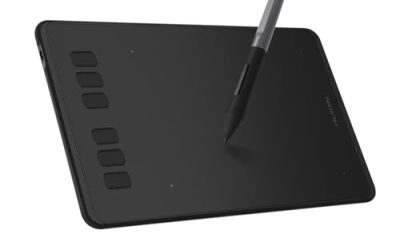
HUION Inspiroy H640P 6x4 inch Drawing Tablet 8192 Pen Pressure | Battery-Free Stylus, Tilt, 6 Hot Keys, Work with Mac/PC/Android, Digital Art for Beginner, Drawing, Writing, Design, Teaching
One of the consumer electronics options compared in this guide.
View on Amazon
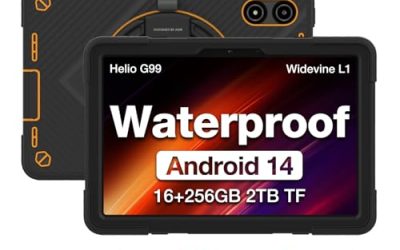
Frunsi RubensTab T11 Pro standalone Drawing Tablet | No Computer Needed,10.1 inch FHD Display,Octa-Core CPU,Pre-Installed Drawing Apps, Tutorials for Beginners, Artists, Students
One of the consumer electronics options compared in this guide.
View on Amazon
HUION Kamvas Pro 16 Drawing Tablet with Screen,120% sRGB, Touch Bar,15.6" | Fully Laminated Anti-Glare Glass, 6 Shortcut Keys, Adjustable Stand, Works with Windows, Mac and Linux
One of the consumer electronics options compared in this guide.
View on Amazon
HUION Kamvas 13 (Gen 3) Drawing Tablet with Screen 16K Pressure PenTech 4.0 | 13.3-inch Full-Laminated Art Tablet with Anti-Sparkle Canvas Glass, 99% sRGB, Dual Dials for Digital Art, Designing, Black
One of the consumer electronics options compared in this guide.
View on Amazon
HUION Kamvas 13 (Gen 3) Drawing Tablet with Screen, Dual Dial, 13.3", Black | Full Lamination, Canvas Glass 2.0, 99% sRGB, PenTech 4.0 16384 Levels, Works with PC, Mac and Android, With Stand
One of the consumer electronics options compared in this guide.
View on Amazon
XOPPOX Graphics Drawing Tablet, 10×6 Inch Large Active Area with Battery-Free Stylus, 8192 Levels of Pen Pressure and 12 Hot Keys, Compatible with PC/Mac/Android for Painting, Design & Online Teaching
One of the consumer electronics options compared in this guide.
View on Amazon| Product | Best for | Key spec from the title |
|---|---|---|
| HUION Inspiroy H1060P | Roomy pen pad with many shortcuts | 10 x 6.25 in, 12+16 hot keys, 8192 levels |
| XPPen Artist 13.3 Pro V2 | Screen tablet that names animation | 16K, full-laminated, 123% sRGB, 8 keys |
| HUION Inspiroy H640P | Beginners and small desks | 6×4 inch, 8192 levels, tilt, 6 hot keys |
| Frunsi RubensTab T11 Pro | Drawing without a computer | Standalone, 10.1 inch FHD, octa-core CPU |
| HUION Kamvas Pro 16 | Larger screen workspace | 15.6 inch, 120% sRGB, touch bar |
| HUION Kamvas 13 (Gen 3) 16K | Compact screen with fine pen response | 13.3 inch, 16K pressure, PenTech 4.0 |
| HUION Kamvas 13 (Gen 3) Dual Dial | Dial-driven frame scrubbing | Dual dial, Canvas Glass 2.0, 16384 levels |
| XOPPOX Graphics Tablet | Low-commitment pen pad | 10×6 inch, 8192 levels, 12 hot keys |
How to Choose
Pen pad or screen tablet
A pen pad sits on the desk while you watch your monitor; it is cheaper and durable, but your eyes and hand are in different places. A screen tablet lets you draw directly on the image, which many animators prefer for tracing poses and checking timing. In this group, the H1060P, H640P, and XOPPOX are pen pads, while the XPPen Artist, Kamvas models, and Frunsi unit have displays. If you have never used either, expect a short adjustment period with a pen pad.
Size and workspace
Active area is the working surface. A 6×4 inch pad is portable but forces more zooming and panning; a 10×6 inch surface suits larger canvases. Among screen models, 13.3 inches fits a small desk and a laptop bag, while 15.6 inches gives more room for timelines and palettes. Pick the largest size your desk and budget tier can host comfortably, because cramped drawing leads to stiff lines.
Pressure levels, tilt, and the pen
Levels of 8192 are the common baseline in the listings, and some screen models list 16K or 16384. Higher numbers do not guarantee a better feel, but they are a useful tie-breaker once other specs match. A battery-free stylus means there is nothing to charge in the middle of a session. Tilt support, listed on the H640P, helps with shading and brush shapes, though it matters more for painting than for line-based animation.
Shortcuts, display quality, and connection
Animation involves constant undo, frame stepping, and tool switching, so hot keys, dials, and touch bars save real time. Look at the count and whether they can be assigned in the driver. For screens, laminated glass reduces the gap between pen tip and image, and anti-glare or anti-sparkle coatings cut reflections. sRGB coverage figures of 99 to 123 percent are fine for hobby work; critical color work calls for a calibrated setup. Finally, confirm that the tablet works with your operating system, since listings mention Mac, PC, and Android.
The 8 Best Options
HUION Inspiroy H1060P
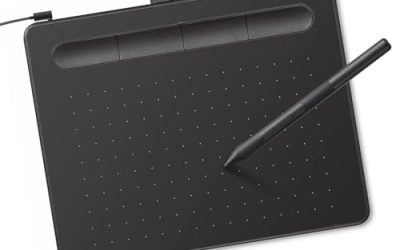
This pen pad has a 10 x 6.25 inch active area, 12 plus 16 hot keys, 8192 pressure levels, and a battery-free stylus. The combined key count is the standout for animators who want frame-stepping and tool switching under their fingers. It is a good match for someone starting a first short who prefers a sturdy desk tablet. The wide surface also lets you draw whole-body poses with natural arm movement instead of wrist-only strokes, which tends to feel better over a long session of repeated frames.
- Strength: 12+16 hot keys reduce keyboard trips.
- Strength: the battery-free stylus never needs charging.
- Trade-off: no screen, so hand and eye stay in separate places.
Skip it if you want to draw directly on the image.
XPPen Artist 13.3 Pro V2
A screen tablet with a 13.3 inch display, 16K pressure, full lamination, an anti-glare panel at 123% sRGB, and 8 keys. Notably, the listing mentions animation alongside art and states compatibility with Mac, PC, and Android. It suits students who want one display tablet that covers sketching and motion work. Keeping the pen tip close to the picture helps when you trace a rough pose and clean it up on the next layer, and the key row handles the actions you repeat most.
- Strength: full lamination keeps the pen close to the image.
- Strength: 123% sRGB coverage is the highest listed in this group.
- Trade-off: only 8 keys, fewer than the largest pen pad.
Skip it if you need a larger screen than 13.3 inches.
HUION Inspiroy H640P
The smallest pad in the group has a 6×4 inch area, 8192 levels, a battery-free stylus, tilt, and 6 hot keys, and works with Mac, PC, and Android. It targets beginners and people with limited desk space, including anyone who wants a pad that slides into a backpack beside a laptop. For short loops, simple walk cycles, and practice sketches, a small surface is often enough to get started.
- Strength: tilt support adds control for shading.
- Strength: compact size travels easily.
- Trade-off: the small surface means frequent zooming.
Skip it if you plan to draw large character poses or work on a wide canvas.
Frunsi RubensTab T11 Pro
A standalone tablet with a 10.1 inch FHD display and an octa-core CPU, with pre-installed drawing apps and tutorials, and it needs no computer. It appeals to learners who want to try digital drawing before building a desktop workflow, including younger students and hobbyists who just want to sketch character ideas on the couch. Treat it as a stepping stone rather than a full production machine.
- Strength: works on its own, so there is nothing to connect.
- Strength: pre-installed apps and tutorials give new users a start.
- Trade-off: the listing does not mention shortcut keys or professional animation software.
Skip it if your animation program only runs on a computer.
HUION Kamvas Pro 16
This 15.6 inch screen tablet lists 120% sRGB, a touch bar, fully laminated anti-glare glass, 6 shortcut keys, and an adjustable stand. The extra screen area leaves room for a timeline panel next to the canvas, and the touch bar adds another control surface for zooming or brush changes. Animators who spend long hours on a desk will appreciate being able to set the tilt of the display.
- Strength: the 15.6 inch display is the largest screen in the group.
- Strength: the adjustable stand lets you set a comfortable angle.
- Trade-off: a larger display takes more desk and bag space.
Skip it if you need something small enough to carry daily.
HUION Kamvas 13 (Gen 3) with 16K pressure
A 13.3 inch full-laminated tablet with 16K pressure, PenTech 4.0, anti-sparkle canvas glass, and 99% coverage. It is a compact screen option for students who want fine pen response in a body small enough to share a desk with a laptop. The anti-sparkle glass is a thoughtful detail for long sessions, since a smoother surface is easier on the eyes when you stare at line work for hours.
- Strength: 16K pressure and PenTech 4.0 offer finer pen data.
- Strength: anti-sparkle glass reduces the grainy look of etched surfaces.
- Trade-off: 99% coverage is lower than the XPPen screen listed here.
Skip it if you want dials or a touch bar for navigation.
HUION Kamvas 13 (Gen 3) with Dual Dial
The same 13.3 inch size, now in black with a dual dial, Canvas Glass 2.0, full lamination, 99% sRGB, and PenTech 4.0 at 16384 levels. Dials are handy for scrubbing through frames or adjusting brush size without leaving the drawing position. Animators who constantly rotate the canvas or step back and forth between poses may find the dual dial the most useful control on the tablet.
- Strength: the dual dial speeds up repetitive adjustments.
- Strength: full lamination and fine pressure steps help precise lines.
- Trade-off: the listing gives less detail on shortcut keys.
Skip it if you prefer physical buttons over dials.
XOPPOX Graphics Drawing Tablet
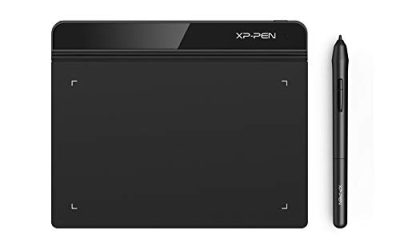
A pen pad with a 10×6 inch active area, a battery-free stylus, 8192 levels, and 12 hot keys, compatible with PC. Its specs resemble the larger Huion pad, which makes it a reasonable low-commitment option for anyone who wants a big surface and plenty of keys without stepping up to a display tablet. It suits learners who are not yet sure animation will become a long-term habit.
- Strength: a large active area for the category.
- Strength: 12 hot keys cover common animation actions.
- Trade-off: the listing offers fewer brand and support details than the others.
Skip it if you want a name with a well-known driver and support history.
Which One Fits Your Situation
You are a student on a tight budget
The HUION Inspiroy H640P or XOPPOX pad keeps costs at the entry tier and lets you learn timing and drawing basics. Pick the XOPPOX for more space and keys.
You want to draw directly on your frames
The XPPen Artist 13.3 Pro V2 is the one listing that explicitly names animation, and it pairs a laminated display with Mac, PC, and Android support.
You need a big workspace for timelines
The HUION Kamvas Pro 16 offers a 15.6 inch screen and an adjustable stand, so there is room for tools beside the canvas.
You want to try drawing before buying a computer setup
The Frunsi RubensTab T11 Pro works standalone with pre-installed apps, which lets a beginner experiment first.
Common Mistakes
- Buying a tiny pad and then fighting constant zooming on detailed frames.
- Assuming a higher pressure number alone guarantees better lines.
- Ignoring whether the tablet works with the operating system and animation software you use.
- Skipping shortcut keys, then spending hours on the keyboard instead of drawing.
- Choosing a screen tablet without checking that your computer has the right video output.
Related guides
- Solar Chargers For Camping And Hiking
- Retro Game Storage Cases And Displays
- How To Clean Retro Game Cartridges Safely
Frequently Asked Questions
Do I need a screen tablet to animate?
No. Many animators work well with pen pads and a monitor. A screen model feels more direct but is not required.
Are 16K pressure levels better than 8192?
The higher figure offers finer steps, but most users will not notice a big difference in everyday line work. Treat it as a tie-breaker.
Can a standalone tablet replace a computer setup?
For sketching and learning, it can. For production pipelines with specific desktop software, a tablet that connects to a computer is usually more flexible.
What size is best for animation?
Choose the largest area your desk allows. Around 10 inches for a pad or 13 inches for a screen is a common comfortable starting point.