Our Top Picks
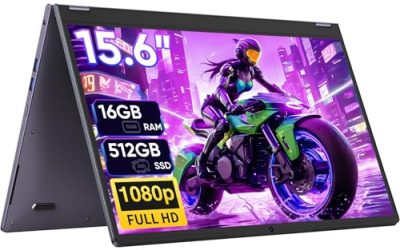
 2026 Flagship 15.6" Business Laptop Computer16GB RAM 512GB SSD14 x 9 x 0.8 inches3.5 poundsCheck on Amazon
 Lenovo V15 Gen 4 Business Laptop16GB RAM | 512GB SSD14.13 x 9.29 x 0.78 inches3.64 PoundsCheck on Amazon
A professional laptop earns its keep in the unglamorous details: a keyboard you can type on for eight hours, enough memory to keep forty browser tabs and a video call alive together, ports that let you plug into a client’s projector or wired network without a bag of dongles, and an operating system edition that your IT department will actually support. Gaming specs and thin-and-light bragging rights matter far less than whether the machine behaves the same way on Monday morning as it did on Friday afternoon.
This guide is for office workers, consultants, accountants and small-business owners shopping for a work machine in 2026 who care about screen size, memory and connectivity more than about aesthetics. The six laptops below are judged only on what their listings state, such as RAM, storage, display size, operating system edition, numeric keypad and wired network ports. Where a title is vague, the review says so rather than guessing, because a business laptop that looks great on paper and disappoints at the desk costs more than the price gap between tiers.
Quick Picks

HP 17 inch Business Laptop Computer • 2026 Edition • Latest AMD Ryzen 5 CPU • 16GB RAM • 512GB SSD • 17.3" FHD Display • Numeric Keypad • Long Battery Life • Windows 11 with Office 365 for The Web
One of the consumer electronics options compared in this guide.
View on Amazon2026 Flagship 15.6" Business Laptop Computer, 16GB RAM 512GB SSD, Core i5-7Y54(Up to 3.2GHz), Windows 11 Pro, Office 365, Fan Cooling, 2-Year Warranty, Portable Traditional Lap Top for Students & Work
One of the consumer electronics options compared in this guide.
View on Amazon
HP 17 Inch FHD Laptop Computer for Business & Students 32GB RAM 1TB SSD | AMD R5 7430U Processor, 17.3 inch FHD IPS Display, Windows 11 Pro, Copilot AI Key, Fast Charging, Wi-Fi 6
One of the consumer electronics options compared in this guide.
View on Amazon
HP 255 G10 Business Laptop, AMD Quad-core CPU, 16GB RAM, 512GB SSD, W11 Pro | 15.6" Full HD Display, Webcam w/ shutter, Numeric Keypad, Microsoft Copilot, HDMI, Wi-Fi 6, Dark Ash Silver
One of the consumer electronics options compared in this guide.
View on Amazon
Dell 16 Touchscreen Laptop for Business, Core 7 150U, 32GB DDR5, 1TB SSD | 16:10 FHD+ 300nits IPS Display, Full-size Backlit Keyboard with Number Pad, Win11 Pro, Ai Copilot Key, Wi-Fi 6, LDC16250
One of the consumer electronics options compared in this guide.
View on AmazonLenovo V15 Gen 4 Business Laptop, 15.6" FHD Display, Intel Core i5-13420H (Beat i7-1355U), HDMI, RJ45, Webcam, Numeric Keypad, Wi-Fi, Windows 11 Pro, Black (16GB RAM | 512GB SSD)
One of the consumer electronics options compared in this guide.
View on Amazon| Product | Best for | Key spec from the title |
|---|---|---|
| HP 17 inch Business Laptop | Spreadsheet-heavy desk work | 17.3″ FHD, Ryzen 5, 16GB RAM, 512GB SSD, number pad |
| HP 255 G10 | Standard office deployments | 15.6″ FHD, 16GB RAM, 512GB SSD, Windows 11 Pro, webcam shutter |
| Dell 16 Touchscreen | Premium-tier multitasking | 16:10 FHD+ 300-nit IPS, Core 7 150U, 32GB DDR5, 1TB SSD |
| Lenovo V15 Gen 4 | Wired-network and projector work | Core i5-13420H, HDMI, RJ45, Windows 11 Pro |
| Lenovo V-Series V15 (Ryzen 7) | Heavy multitasking on a budget | Ryzen 7, 40GB RAM, 1TB SSD, HDMI, RJ45 |
| Lenovo Business 15.6″ | Light email and document use | 8GB DDR5, 128GB storage, anti-glare screen, USB-C |
How to Choose
Memory and storage thresholds
For day-to-day office work, 16GB of RAM is the practical floor today, and 8GB will feel cramped once a browser, a video call and a spreadsheet are open together. For storage, 512GB gives room for local files and updates; 128GB fills up quickly once updates and an office suite are installed. If you work with large datasets or media, look at 1TB and above. Also check the memory type: DDR5 is newer than DDR4, though capacity usually matters more than the generation for everyday office tasks.
Display and keyboard
A full HD panel is the minimum for document work. A taller 16:10 screen shows more rows of a spreadsheet, and 17-inch models give a larger canvas but are heavier to carry. If you enter numbers all day, a built-in numeric keypad matters more than any spec on the processor line, so confirm it appears in the listing.
Ports and connectivity
Presenters and consultants should look for HDMI for projectors and RJ45 for wired Ethernet, since conference-room Wi-Fi is unreliable. USB-C for charging or docking, plus a recent Wi-Fi standard, is a sensible extra. A physical webcam shutter is a small but real privacy feature for client calls. Battery claims on budget titles are usually vague, so judge portability by chassis size and treat any “long battery” wording as a hint rather than a measured figure; if you travel, carry the charger regardless.
Operating system edition and where budget models cut corners
Windows 11 Pro adds domain join, disk encryption management and remote desktop hosting that Home editions lack, which matters if your employer manages the device. Budget models cut corners with small storage, single-channel memory and screens with weak brightness. Ignore any title that stacks an odd processor name with vague “flagship” language and check the actual CPU family.
The 6 Best Options
HP 17 inch Business Laptop
The large 17.3-inch full HD display with an AMD Ryzen 5 processor, 16GB of RAM and a 512GB SSD is a practical pairing for spreadsheets, accounting packages and side-by-side windows. The numeric keypad and the stated long battery life round out a desk-first design for people who rarely carry it far. Think of it as a desktop replacement that can still move between the office and a home desk without a separate monitor, keyboard or number pad.
- Strength: the 17.3-inch FHD screen offers a lot of working space for tables and multi-window work.
- Strength: 16GB of RAM with a 512GB SSD meets the practical office threshold.
- Trade-off: a 17-inch chassis is bulkier to carry than a 14 or 15-inch model.
Skip it if you commute by train every day and want something compact.
HP 255 G10
A conventional corporate-style 15.6-inch machine with an AMD quad-core processor, 16GB of RAM, a 512GB SSD and Windows 11 Pro. The webcam with a shutter and the numeric keypad are the kind of practical details that IT departments and bookkeepers notice first. It reads as a safe, standardized choice for a small team that wants identical machines, simple support and no surprises when a new hire gets handed a laptop on day one.
- Strength: Windows 11 Pro is included, which helps in managed office environments.
- Strength: the privacy shutter on the webcam suits client-facing calls.
- Trade-off: the title lists a quad-core AMD part without a model number, so performance headroom is hard to judge.
Skip it if you need a touchscreen or an unusually bright display.
Dell 16 Touchscreen
This is the premium-tier option, built around a 16-inch 16:10 FHD+ IPS panel rated at 300 nits, a Core 7 150U processor, 32GB of DDR5 memory and a 1TB SSD. The backlit full-size keyboard with number pad makes it comfortable for long sessions in dim offices. Of the six, it is the one aimed at people who treat the laptop as their main workstation and are willing to pay for more memory, storage and screen than the typical office configuration.
- Strength: 32GB of DDR5 memory and 1TB of storage leave generous room for heavy multitasking.
- Strength: the taller 16:10 touch display shows more of a document at once.
- Trade-off: a premium-tier configuration means a higher cost than the 16GB machines here.
Skip it if your workload is light email and web use that never touches 16GB.
Lenovo V15 Gen 4
A 15.6-inch FHD business machine with an Intel Core i5-13420H, HDMI, RJ45 Ethernet, a webcam, a numeric keypad and Windows 11 Pro. For people who plug into projectors and wired networks, the port list is its main argument. Sales staff, trainers and field consultants who move between meeting rooms with unpredictable Wi-Fi will appreciate being able to connect with a plain cable and a standard video lead.
- Strength: the RJ45 port gives a stable wired connection when Wi-Fi is congested.
- Strength: HDMI and Windows 11 Pro cover presentations and managed environments.
- Trade-off: the title does not state RAM or storage in the visible text, so confirm the configuration before buying.
Skip it if you need the exact memory and storage confirmed in the listing title.
Lenovo V-Series V15 (Ryzen 7)
This V15 variant pairs an AMD Ryzen 7 processor with 40GB of RAM and a 1TB SSD, alongside a numeric keypad, HDMI, RJ45, a webcam and Wi-Fi. It is the memory-heavy option for those who keep large spreadsheets, virtual machines and many tabs open at the same time. Analysts and developers who regularly hit memory limits on a standard office laptop are the natural audience, and the wired network port suits anyone transferring large files across a company network.
- Strength: 40GB of RAM is far above the usual office threshold.
- Strength: 1TB of storage plus RJ45 and HDMI suits power users who also present.
- Trade-off: the 15.6-inch chassis style is plain, and the title does not mention a premium display.
Skip it if memory is not your bottleneck and you would rather spend on screen quality.
Lenovo Business 15.6″ Laptop
The entry-level choice: a 15.6-inch full HD anti-glare display with 8GB of DDR5 memory, 128GB of storage, Wi-Fi 6, USB-C, Office 365 and Copilot AI features. It targets light office work such as email, documents and video meetings. It makes sense as a secondary machine, a loaner for temporary staff, or a first work laptop for someone whose tasks live mostly in a browser and a word processor.
- Strength: the anti-glare screen helps in bright offices and near windows.
- Strength: Wi-Fi 6 and USB-C cover modern connectivity needs at a budget tier.
- Trade-off: 8GB of RAM and 128GB of storage leave little room as workloads grow.
Skip it if you plan to keep the laptop for years or run heavy multitasking.
Which One Fits Your Situation
You live in spreadsheets and accounting software
The HP 17 inch Business Laptop pairs a large 17.3-inch screen with a numeric keypad, which is exactly what bookkeepers want. If you also need more screen than the HP 255 G10 offers, the extra two inches are worth the added bulk.
You present to clients and need wired access
Pick the Lenovo V15 Gen 4 for its HDMI and RJ45 combination, or step up to the Ryzen 7 V-Series if you also need lots of memory.
You manage many windows, data tools or virtual machines
The Dell 16 Touchscreen or the Lenovo V-Series with 40GB of RAM offer the memory headroom, with the Dell adding a taller 16:10 touch display.
You need a basic, low-cost office machine
Budget tier does not have to mean unusable, but it does mean fewer upgrades later.
The Lenovo Business 15.6″ or the HP 255 G10 will cover email, documents and video calls. Choose the HP 255 G10 for Windows 11 Pro and 16GB of RAM.
Common Mistakes
- Accepting 8GB of RAM and 128GB of storage for a machine meant to last several years.
- Overlooking Windows Home versus Pro when the employer requires domain features.
- Skipping RJ45 and HDMI, then buying dongles for every meeting.
- Choosing a 17-inch chassis and then complaining about portability.
- Trusting vague processor claims in a title without checking the actual model family.
Related guides
- Retro Game Storage Cases And Displays
- Solar Chargers For Camping And Hiking
- How To Clean Retro Game Cartridges Safely
Frequently Asked Questions
How much RAM does a professional laptop need?
Sixteen gigabytes is the practical floor for modern office work. Go to 32GB or more only if you run virtual machines, large datasets or many heavy applications at once. Memory is the spec that is hardest to fix later, since many thin business laptops solder it to the board.
Is Windows 11 Pro really necessary?
If your employer manages devices, uses domain accounts or requires drive encryption controls, yes. For solo professionals, Home is often enough, but Pro leaves more options open later, such as joining a company domain after a job change. Among these six, the HP 255 G10 and the Lenovo V15 Gen 4 are the two whose titles name Windows 11 Pro outright, so confirm the edition on the others before committing to a managed deployment.
Do I need a numeric keypad?
If you enter figures often, yes. Most 15 to 17-inch models include one, while 13 and 14-inch ultraportables usually skip it to save space.
Are touchscreens useful on a business laptop?
They help with signing documents, annotating presentations and quick navigation, but they are not essential. Weigh them against battery life and cost. Among the six here, only the Dell 16 lists a touchscreen, so the others are the better value if you never plan to touch the display.