Our Top Picks
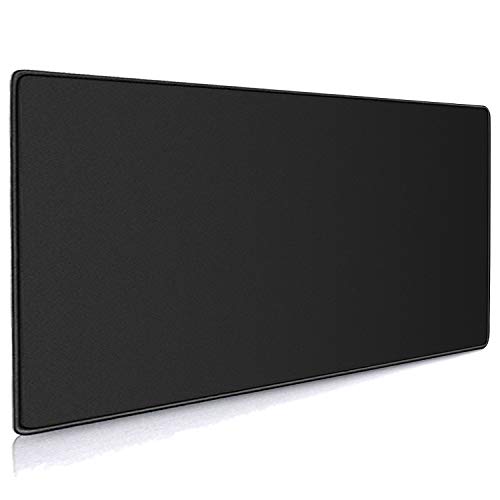
 CORSAIR MM PRO Control Cloth Medium Gaming Mouse12.6L x 11.8W inches12.6 x 11.81 x 0.1 inches0.3 poundsCheck on Amazon
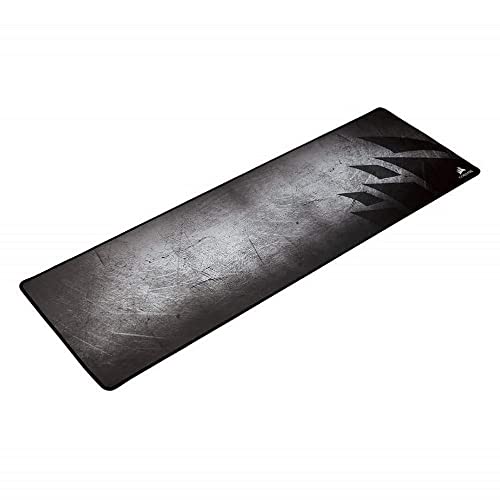 Corsair MM300 Extended Anti-Fray Cloth Gaming Mouse Pad36.6L x 11.8W inches36.6 x 11.8 x 0.1 inches1 poundsCheck on Amazon
 AIM1 x coalowl KAGERO Gaming Mouse Pad Large19.7L x 19.7W inches19.7 x 19.7 x 0.1 inchesCheck on Amazon
The best control mousepads under $30 are the CORSAIR MM PRO Control Cloth for a thick esports-tuned surface, the AIM1 x coalowl KAGERO for a large 500 x 500 mm square mat, and the SteelSeries QcK in size L for a classic micro-woven cloth tuned for control. Choose by size, thickness and how much stopping power you want.
Every pick below is compared from listing specifications: surface material, size, thickness, base and the maker’s own wording about control. We did not use these pads, so any detail a listing does not state is marked as not listed. Check the maker page for the exact surface texture and any break-in advice before you buy. A control pad generally has more friction than a speed pad, which helps you stop on small targets and make fine adjustments, and cloth is the most common way to get that feel at this budget.
Quick Comparison
| Model | Key specs per listing | Best for |
|---|---|---|
| CORSAIR MM PRO Control Cloth (Medium) | Esports-tuned surface, precision and micro-adjustments, 4mm thick, non-slip base, stitched edges | Precision aim on a medium pad |
| CORSAIR MM300 Extended | Anti-fray cloth, optimized for gaming sensors, designed for maximum control, extended size | Keyboard and mouse on one mat |
| AIM1 x coalowl KAGERO | 500 x 500 mm, control balance type, smooth surface, precision control, non-slip base | Large square for low sensitivity |
| SteelSeries QcK (L) | Micro-woven surface, optimized for gaming sensors, maximum control, size L | A familiar control cloth |
| Pwnage Precision Control | Precision control gaming cloth mousepad | Players who want a control-named pad |
| Razer Gigantus V2 (XXL) | Cloth, thick, non-slip base, high-density foam, XXL | Full desk coverage |
CORSAIR MM PRO Control Cloth (Medium): Thick and Tuned for Precision
Specs from the listing: Control cloth gaming mouse pad, medium, esports-tuned surface for precision and micro-adjustments, 4mm thick non-slip base, durable stitched edges, gray.
CORSAIR MM PRO Control Cloth Medium Gaming Mouse Pad – Gray | Esports-Tuned Surface for Precision & Micro-Adjustments, 4mm Thick Non-Slip Base, Durable Stitched Edges
Chosen because it specifies Gray and Esports-Tuned Surface for Precision & Micro-Adjustments.
View on AmazonThe MM PRO Control Cloth is the pick that names control and micro-adjustments directly. A 4mm thick base gives a cushioned feel and stays put on a desk, and the stitched edges are listed as durable. Medium size is a modest footprint, so it suits players who use small to medium mouse movements or who have limited desk space. For low-sensitivity play with big arm swipes, a medium pad may feel tight. The listing does not give the exact dimensions in the excerpt, so check the maker page. The extra thickness may raise your wrist a little.
- Pros: surface described as tuned for precision.
- Pros: 4mm base with a non-slip feel.
- Pros: durable stitched edges.
- Cons: medium size can feel small for big swipes.
- Cons: exact dimensions not listed.
CORSAIR MM300 Extended: Control on a Larger Mat
Specs from the listing: Extended anti-fray cloth gaming mouse pad, high-performance, optimized for gaming sensors, designed for maximum control, black and gray.
Corsair MM300 Extended Anti-Fray Cloth Gaming Mouse Pad – Black/Gray | High-Performance, Optimized for Gaming Sensors, Designed for Maximum Control
Chosen because it specifies Black/Gray and High-Performance.
View on AmazonThe MM300 Extended gives you the same brand but a longer mat, so the mouse and keyboard can sit on one surface. The listing describes it as designed for maximum control, which fits this guide. Anti-fray edges are listed, so the stitching should resist wear. An extended pad also gives low-sensitivity players more room to sweep, while the length helps with a keyboard. The excerpt does not list the dimensions or the thickness, so check the maker page. Because it is a larger pad, make sure your desk is wide enough to hold it flat.
- Pros: extended size covers mouse and keyboard.
- Pros: anti-fray edges.
- Pros: control-oriented wording from the maker.
- Cons: dimensions and thickness not listed.
- Cons: needs a wide desk.
AIM1 x coalowl KAGERO: Large Square Control Mat
Specs from the listing: Gaming mouse pad, large, 500 x 500 mm, control balance type, smooth surface, precision control, non-slip base.
AIM1 x coalowl KAGERO Gaming Mouse Pad Large 500 x 500 mm Control Balance Type Smooth Surface Precision Control Non-Slip Base
Picked as a relevant option in this category.
View on AmazonThe KAGERO is the most unusual pick because it is a 500 x 500 mm square. That is a lot of room in both directions, which suits low-sensitivity aim where you sweep your arm a long way. The wording describes a control balance surface with a smooth finish, which suggests a balance between control and glide rather than a very slow surface. A square shape leaves less room for a keyboard on the same mat, so it works best as a mouse-only pad. A non-slip base is listed. The thickness and stitching are not listed, so check the maker page.
- Pros: 500 x 500 mm gives room in all directions.
- Pros: control balance surface with a non-slip base.
- Pros: size suits low sensitivity.
- Cons: thickness and edge stitching not listed.
- Cons: needs a deep desk.
SteelSeries QcK Cloth Gaming Mouse Pad (L): Classic Control Cloth
Specs from the listing: Micro-woven surface, optimized for gaming sensors, maximum control, size L, white.

SteelSeries QcK Cloth Gaming Mouse Pad - White | Exclusive Micro-Woven Surface - Optimized for Gaming Sensors - Maximum Control - Size L
Chosen because it specifies White and Exclusive Micro-Woven Surface.
View on AmazonThe QcK line is one of the best-known cloth pad families, and this listing calls out maximum control with a micro-woven surface optimized for sensors. Size L is a middle choice, bigger than medium and smaller than the XL or XXL pads. The listing is brief and does not give inches, thickness or a base description, so confirm them on the maker page. White is a style choice, but it shows dirt more than darker pads, so wash or wipe it as the maker advises. It suits a player who wants a well-known, no-frills control cloth.
- Pros: micro-woven cloth with control focus.
- Pros: size L is a flexible middle choice.
- Pros: a familiar cloth pad family.
- Cons: inches and thickness not listed.
- Cons: white shows dirt more easily.
Pwnage Precision Control Gaming Cloth Mousepad: Control by Name
Specs from the listing: Precision control gaming cloth mousepad.

Pwnage Precision Control Gaming Cloth Mousepad
Picked as a relevant option in this category.
View on AmazonThe Pwnage pad has the shortest listing, and the title says precision control and gaming cloth, and little else. That means size, thickness, base and edge details are all not listed, so you must check the maker page before you buy. The name suggests the maker designed it for control, and cloth is the right material for that purpose. It is a choice for players who already know what they want in a control surface and who will confirm the details elsewhere. Because the listing is thin, it carries more risk than the pads with full specs.
- Pros: control-focused name and cloth material.
- Pros: a different brand from the usual big names.
- Pros: fits a low budget.
- Cons: size, thickness and base not listed.
- Cons: very little detail to compare.
Razer Gigantus V2 Cloth Gaming Mouse Pad (XXL): Full Desk Coverage
Specs from the listing: Cloth gaming mouse pad, XXL, thick, non-slip base, black, high-density foam.
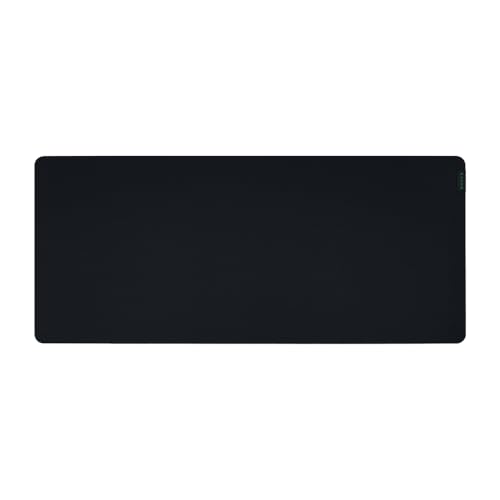
Razer Gigantus V2 Cloth Gaming Mouse Pad (XXL), Thick, Non-Slip Base, Black | High-Density Foam
Chosen because it specifies Thick and Non-Slip Base.
View on AmazonThe Gigantus V2 XXL is the full desk option. A high-density foam layer makes it thick and comfortable, and a non-slip base keeps it from moving. XXL covers the mouse and keyboard, so everything sits on one surface. It is not marketed as a control pad, but a thick cloth surface has more friction than a hard pad, so it can serve as one. The listing does not give inches in the excerpt, so check the maker page. A thick, large pad can raise the wrist, so consider your keyboard height and wrist rest.
- Pros: XXL size covers the full desk.
- Pros: thick foam with a non-slip base.
- Pros: cloth surface adds friction.
- Cons: not marketed as a control pad.
- Cons: dimensions not listed and extra thickness lifts the wrist.
How to Choose Control Mousepads Under $30
Surface and friction
Cloth is the usual control surface because it has more friction than a hard pad. If the listing says control, precision or maximum control, expect a slower feel. Treat it as the maker’s description, not a measurement.
Size and sensitivity
Low sensitivity needs more room, so choose size L or larger, or a 500 x 500 mm pad like the KAGERO. High sensitivity or a small desk can use a medium pad.
Thickness
Thin pads of 2 to 3mm give a firm feel, while 4mm pads like the MM PRO add cushion. Thick foam pads are comfortable but can lift your wrist.
Edges and base
Stitched or anti-fray edges prevent the corners from peeling, and a rubber base keeps the pad in place. These matter more than looks at a low budget.
Break-in, wear and cleaning
New cloth pads can feel slightly different after a few days of use, because the weave settles and your mouse feet polish the surface. Listings seldom describe this, so treat the first week as a trial. Keep the pad free of crumbs and oils, since dirt changes friction over time, and replace it when the surface looks glazed or the edges peel.
Matching the pad to your mouse feet
PTFE mouse feet glide easily on cloth, while worn or rough skates add friction on top of the surface. If a control pad feels slower than you expected, check the skates before blaming the pad, and consider fresh feet. The listings here do not state which skate types they suit, so this is a general rule, not a listed spec.
Why the budget matters
Under $30 you are choosing between a few trusted cloth lines and several lesser-known names. A known maker usually means clearer specs and easier returns, while a thin listing means you must verify details yourself. Spending a few extra minutes on the maker page is the easiest way to avoid a poor match.
Control Mousepads for Home Office, Small Spaces and Gaming
Control mousepads for home office
A mat that holds both keyboard and mouse, like the MM300 Extended or Gigantus XXL, keeps the desk tidy. A control surface also makes precise cursor work in spreadsheets and design apps easier.
Control mousepads for small spaces
The medium MM PRO is the compact choice. Avoid the 500 x 500 mm KAGERO if your desk is shallow.
Control mousepads for gaming
For tactical shooters that need precise stops, a control cloth like the QcK or MM PRO fits. If you play fast flick games, you may prefer a speed pad instead.
FAQ
What is a control mousepad?
A control pad has more friction, so the mouse stops quickly and gives finer control. A speed pad has less friction for fast movement. Many players prefer control for tactical shooters.
Is cloth better than hard for control?
Cloth generally gives more friction and is gentler on mouse feet. Hard pads are faster by default, so cloth is the usual choice when you want control.
What size control pad should I get?
Choose medium for small desks or high sensitivity, size L for balanced use, and XL or XXL for low sensitivity or a keyboard on the same mat.
How do I clean a cloth mousepad?
Follow the maker’s guidance. Many cloth pads can be hand washed with mild soap and air dried, but the listings here do not give care steps.
Will a thick pad affect wrist comfort?
It can. A 4mm pad adds cushion but may raise your wrist slightly, so check your desk and keyboard height. A wrist rest can help.
Last updated: November 2026
FAQ
What is a control mousepad?
Is cloth better than hard for control?
What size control pad should I get?
How do I clean a cloth mousepad?
Will a thick pad affect wrist comfort?
More from Amazon
Programs that pair well with the guide above. Offers and eligibility are set by Amazon and may change.
Free shipping on eligible items, Prime Video and more. Eligible new members can start with a free trial.
Start a Prime free trialAd-free music streaming. Eligible new subscribers can start with a free trial.
Try Music Unlimited freeA Prime membership for ages 18-24 with a trial period. Eligibility is set by Amazon.
See Prime for Young AdultsAudiobooks and podcasts to listen to on the go. Eligible new members can start with a free trial.
Try Audible freeAs an Amazon Associate we earn from qualifying purchases.