Our Top Picks
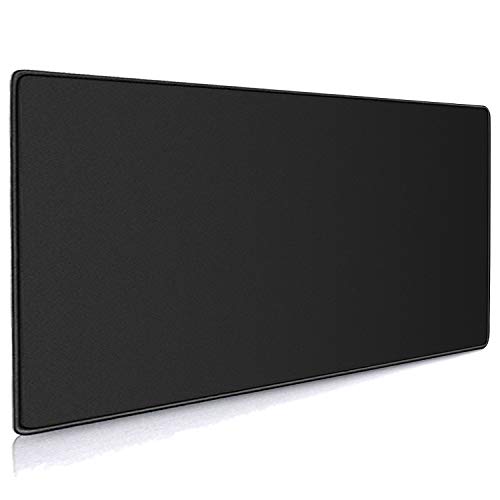
The best glass mousepads under $30 for most players are the LionLively tempered glass pad for its larger 19.7 by 15.7 inch surface and the WIYIXI micro-etched pad for a balanced, speed-focused feel. The XVX and gogofree models cover smaller desks, and the Yuhijoy is the lightest on budget.
Glass mousepads are a different animal from cloth. The surface is hard and smooth, so a mouse glides with very little friction and stops quickly, which is popular among players who flick in fast shooters. They also wipe clean, do not wear out and do not slow down with age. The catch is that a glass pad is slippery under the mouse, noisy with some mouse feet and needs a hand to adapt to.
The five pads below are the most relevant models in this budget, compared from their listing text only. Anything the listing does not state, like thickness or base material, is marked as not listed. We compared these from listing specifications and did not use them ourselves.
Quick Comparison
| Model | Key specs per listing | Best for |
|---|---|---|
| LionLively Black Glass Mousepad | Tempered glass, 19.7 x 15.7 inches, ultra-smooth | Players who need room for low-sensitivity swipes |
| WIYIXI Glass Gaming Mouse Pad | Tempered glass, micro-etched surface, esport style | Fast flicks with a controlled stop |
| XVX Glass Mousepad, White Hard Mouse Mat | Tempered glass, 16.2 x 12.2 inches | Medium desks and a clean white setup |
| gogofree Black Glass Mousepad | Tempered glass, ultra-smooth, hard surface, large | Basic glass pad at a steady size |
| Yuhijoy Glass Mousepad | Tempered glass, hard surface, esport style | Lowest-cost way to try glass |
LionLively Black Glass Mousepad
Listing specs: Black large tempered glass mouse pad, 19.7 inches long by 15.7 inches wide, ultra-smooth surface, hard mouse mat (listing text cut off).

Black Glass Mousepad, Large Tempered Glass Mouse Pad (19.7" L x 15.7" W) | Ultra Smooth Surface, Tempered Glass, Hard Mouse Pad, Improved Precision and Speed for FPS & MOBA
Chosen because it specifies Large Tempered Glass Mouse Pad (19.7" L x 15.7" W) and Ultra Smooth Surface.
View on AmazonThe LionLively is the biggest pad here, and size is the main reason to choose it. At 19.7 by 15.7 inches it gives a wide swipe area for players who run low mouse sensitivity and move their whole arm. The tempered glass surface is listed as ultra smooth, which is exactly what you would expect for a glass pad, but the text does not describe the texture, such as whether it is etched or polished, and that matters for how the mouse feels. The listing does not state thickness or the type of base, so check the maker page to see whether it has rubber feet or an anti-slip layer. A pad this large also needs a bigger desk, so measure before you buy.
Pros
- Largest surface in the group
- Tempered glass construction
- Suits low-sensitivity play
Cons
- Texture and thickness not described in the listing text
- Needs a roomy desk
WIYIXI Glass Gaming Mouse Pad
Listing specs: Glass gaming mouse pad, professional esport tempered glass, ultra-smooth micro-etched surface for top speed (listing text cut off).

Glass Gaming Mouse Pad, Professional Esport Tempered Glass Mouse Pad Ultra-Smooth Micro-Etched Surface for Top Speed and Control,Hard Mousepad Black (15.7'' x 11.8'')
Chosen because it specifies Hard Mousepad Black (15.7'' x 11.8'').
View on AmazonThe WIYIXI lists a micro-etched surface, a detail the lowest-priced glass pads often skip. Etching adds a fine texture that gives the mouse a bit more control than perfectly polished glass, which can feel like skating on ice. The listing calls it an esport pad built for top speed, so it is aimed at players who want the fastest glide, and that comes with a trade-off: it is easy to overshoot a target until your hand adapts. The text we saw does not state dimensions, so confirm the size on the maker page. Glass is also loud under mouse feet and can scratch with abrasive dust, so a quick wipe before use helps.
Pros
- Micro-etched surface listed
- Esport positioning for speed
- Wipes clean
Cons
- Dimensions not in the listing text
- Fast glide takes time to master
XVX Glass Mousepad, White Hard Mouse Mat
Listing specs: Glass mousepad for gaming, white hard mouse pad for esports, large mouse mat 16.2 inches by 12.2 inches, tempered glass (listing text cut off).

XVX Glass Mousepad Gaming, White Hard Mouse Pads for Esports, Large Mouse Mat 16.2" x 12.2", Tempered Glass Mouse Pad Smooth Micro-Etched Surface with Improved Precision and Speed
Chosen because it specifies White Hard Mouse Pads for Esports and Large Mouse Mat 16.2" x 12.2".
View on AmazonThe XVX comes in a mid-size 16.2 by 12.2 inch format, which suits a standard desk better than the LionLively’s bigger surface. The white colour makes it stand out and also hides dust less than black. The listing describes it as a hard esports pad with tempered glass, so you get the same fast, firm surface, in a footprint that leaves space for a keyboard. Smaller pads suit higher mouse sensitivity, so if you play with a low DPI and big arm movements, you may run out of room. The listing text does not mention surface texture or thickness. The same brand also sells other designs, so check you are choosing the model you intend.
Pros
- Compact 16.2 x 12.2 inch size
- Tempered glass hard surface
- White finish
Cons
- Smaller area limits big arm swipes
- Texture and thickness not stated
gogofree Black Glass Mousepad
Listing specs: Black glass mousepad for gaming, ultra-smooth mouse mat with hard surface, large tempered glass mouse pad (listing text cut off).

gogofree Black Glass Mousepad for Gaming, Ultra Smooth Mouse Mat with Hard Surface, Large Tempered Glass Mouse Pad Precision Speed Control for Games and Office (15.7" L x 11.8" W)
Chosen because it specifies Ultra Smooth Mouse Mat with Hard Surface.
View on AmazonThe gogofree pad is positioned as a straightforward large glass pad: ultra smooth, hard surface, tempered glass. It does not list dimensions in the text we saw, which makes it harder to compare against the XVX or LionLively, so check the size on the maker page before you buy. In practice it fits the same use case as the other glass pads here: fast glide, easy cleaning and no wear. The lack of detail about texture and etching makes it a reasonable choice if you want to try glass without paying for brand extras. Glass pads are heavy and slippery on bare desks, so look for a non-slip base or add a thin cloth below it.
Pros
- Straightforward large glass pad
- Tempered glass
- Easy to clean
Cons
- Dimensions not in the listing text
- Base material not stated
Yuhijoy Glass Mousepad
Listing specs: Glass mousepad, hard surface gaming mouse pads, glasspad, professional esport tempered glass (listing text cut off).

Glass Mousepad, Hard Surface Gaming Mouse Pads, Mousepad Gaming, Glasspad | Glass Pad, Professional Esport Tempered Glass Mouse Pad, Hard Mouse Pad for Bed, 11.8"×9.8" computer mat
Chosen because it specifies Hard Surface Gaming Mouse Pads and Mousepad Gaming.
View on AmazonThe Yuhijoy is the lightest on budget, which makes it a sensible way to find out whether glass suits you before spending more. The listing describes a hard-surface tempered glass esport pad, but states little else in the text we saw: no dimensions, no texture and no thickness. That means you are buying on faith for the details that matter most, so check the maker page and customer questions before ordering. If you try it and like the glide, a larger pad with a documented micro-etched surface is the natural step up. If you dislike it, you have risked little. Keep the pad clean and avoid sliding abrasive dust under the mouse feet.
Pros
- Lowest-risk way to try glass
- Tempered glass hard surface
- Esport positioning
Cons
- Dimensions and texture not listed
- Very little detail in the listing text
Glass or Cloth: Which Suits You?
Cloth pads are quieter, softer and more forgiving, with a gradual stop that suits tracking-heavy games. Glass pads are quicker, last longer and keep a consistent feel, but they punish a loose grip and can sound sharp with hard mouse feet. If you play slower, more tactical games, you may prefer cloth. If you play fast shooters and like a firm stop, glass is worth trying.
Mouse Feet and Glass
Most mouse feet are made of PTFE, which glides well on glass, but low-quality feet may wear faster or scratch. If you hear a rough, scratchy sound, check the feet for debris before blaming the pad. A fresh pair of PTFE feet is often the best upgrade to a glass-pad setup, and it is inexpensive.
Care and Maintenance
Glass is easy to look after, but a few habits extend its life. Wipe it with a damp microfibre cloth to remove skin oils, which slow the glide over time. Keep it away from the desk edge, where a knock can chip a corner, and check the edges for sharp spots before you rest your wrist on them. If the surface develops a film, a drop of glass cleaner on the cloth, not the pad, restores the feel. Never slide the pad across a gritty desk, since trapped dust acts like sandpaper under the mouse feet.
Who Should Skip Glass
If you play at high sensitivity with tiny wrist movements, glass can feel twitchy, because the low friction makes the cursor drift on small corrections. Players who need a soft wrist rest also tend to prefer cloth, since glass is rigid and cold. And if you share a room, remember the clatter of a mouse dragged across glass is louder than across cloth. In any of these cases, a large cloth pad is a safer starting point. You can always return to glass later, once you know the sensitivity, mouse feet and desk space you are working with.
How to Choose Glass Mousepads Under $30
Check the size against your sensitivity
A mouse sensitivity of around 400 to 800 DPI with a wide in-game sensitivity needs a pad of 16 inches or more on the long side. Higher DPI users can use a smaller pad. If your listing does not state dimensions, find them before buying, since a pad that is too small is the most common reason to return one.
Glass mousepads for home office and small spaces
On a small desk, choose a compact glass pad like the 16.2 by 12.2 inch XVX and keep the keyboard close. In a home office, glass has the advantage of wiping clean with a damp cloth, but the harder surface is louder when you click and drag, which may matter in a shared room.
Glass mousepads for gaming
For gaming, look for a micro-etched or matte surface, a non-slip base and a thickness that does not tilt your wrist. Fast pads suit flick-heavy shooters, but you may need to lower the sensitivity or raise your mouse’s lift-off height to control them.
Check the base and stability
Glass is heavy but smooth, so a pad can slide on a polished desk if the base is bare. Look for rubber feet or an anti-slip layer, or add a thin desk mat. Check the edge finish too, because a sharp edge under your wrist is uncomfortable over a long session.
FAQ
Is a glass mousepad good for gaming?
Yes for fast aim styles. Glass gives low friction and consistent glide, though it feels very different from cloth and takes some adjustment.
Will a glass pad scratch my mouse feet?
It can wear them over time, especially if dust collects. Wipe the surface and the feet regularly, and replace feet when they look worn.
How do I clean a glass mousepad?
Wipe it with a damp cloth or glass cleaner and dry it. Avoid abrasive pads.
Do glass pads work with all sensors?
Most optical sensors track on glass, but a few mice have trouble. Check your mouse maker’s guidance before buying.
Are glass mousepads noisy?
They can be louder than cloth, particularly with hard mouse feet. A non-slip base and a clean surface help reduce noise.
Last updated: November 2026
FAQ
Glass or Cloth: Which Suits You?
Is a glass mousepad good for gaming?
Will a glass pad scratch my mouse feet?
How do I clean a glass mousepad?
Do glass pads work with all sensors?
Are glass mousepads noisy?
More from Amazon
Programs that pair well with the guide above. Offers and eligibility are set by Amazon and may change.
Free shipping on eligible items, Prime Video and more. Eligible new members can start with a free trial.
Start a Prime free trialAd-free music streaming. Eligible new subscribers can start with a free trial.
Try Music Unlimited freeA Prime membership for ages 18-24 with a trial period. Eligibility is set by Amazon.
See Prime for Young AdultsAudiobooks and podcasts to listen to on the go. Eligible new members can start with a free trial.
Try Audible freeAs an Amazon Associate we earn from qualifying purchases.