Our Top Picks
 TP-Link AC600 USB WiFi Adapter for Desktop PCAC600, WiFi 52.28 x 0.71 x 6.83 inches0.04 poundsCheck on Amazon
If your desktop sits under a desk or behind a monitor, the stubby antennas that come bolted to the back of the case are working against you. A tower is a metal box, and the Wi-Fi card inside it speaks through two small connectors on the rear panel. Moving those antennas out to the desktop surface on a magnetic base, with an extension cable, is one of the cheapest ways to improve a weak connection, and it is the specific fix this guide covers: external antennas that attach to the card you already have, not new network cards or USB sticks.
The decision is mostly about three things: which bands your card supports, which connector it uses, and how far you need to reach. Buy a tri-band antenna for a 6GHz-capable card, and a dual-band one if you are on an older 5GHz card. The six picks below are judged strictly from their listed specs for 2026 gaming rigs, home offices, and small workstations, and we left out USB adapters that merely include antennas because they solve a different problem.
Quick Picks

Eightwood WiFi 6E Tri-Band Antenna 6GHz 5GHz 2.4GHz Gaming WiFi Antenna | RP-SMA Magnetic Base Antenna with 6.5ft Extension Cable for PC Desktop Computer PCIe WiFi 6E Card, Router
One of the consumer electronics options compared in this guide.
View on Amazon
External WiFi 6 6E Tri-Band Antenna 6GHz 5.8GHz 2.4GHz Magnetic Base Antenna with RP-SMA Connector for PC Desktop Computer Asus Rog Strix Gigabyte Aorus Gaming WiFi Motherboard Card, Slinkdsco
One of the consumer electronics options compared in this guide.
View on Amazon
Eightwood Dual Band WiFi Antenna 2.4GHz 5GHz RP-SMA WiFi Antennae | 6.5ft Extension Cable, for PC Desktop Computer PCI PCIe WiFi Bluetooth Card Motherboard Wireless Network Router
One of the consumer electronics options compared in this guide.
View on Amazon
Bingfu Dual Band WiFi 2.4GHz 5GHz 5.8GHz 3dBi MIMO RP-SMA Male Bluetooth Antenna (2-Pack) for PC Computer WiFi Router Wireless Network Card USB Adapter Security IP Camera Video Surveillance Monitor
One of the consumer electronics options compared in this guide.
View on Amazon
WiFi 6 6E Tri-Band 2.4GHz/5GHz/6GHz Magnetic Base Antenna for PC Desktop Computer Gaming Motherboard WiFi Router PCI Card, Eifagur
One of the consumer electronics options compared in this guide.
View on AmazonTP-Link AC600 USB WiFi Adapter for Desktop PC - USB Wireless Adapter for PC | WiFi dongle for PC with 2.4GHz, 5GHz High Gain Dual Band 5dBi Antenna, Supports Win11/10/8.1/8/7/XP, Black (Archer T2U Plus)
One of the consumer electronics options compared in this guide.
View on Amazon| Product | Best for | Key spec from the title |
|---|---|---|
| Eightwood WiFi 6E Tri-Band Antenna | Gaming PCs with a 6E card | 6GHz, 5GHz, 2.4GHz, 6.5ft cable, magnetic base |
| External WiFi 6/6E Tri-Band Antenna (ROG Strix and Aorus) | Gaming motherboards | 6GHz, 5.8GHz, 2.4GHz, RP-SMA, magnetic base |
| Eightwood Dual Band Antenna | Older PCI or PCIe Wi-Fi and Bluetooth cards | 2.4GHz and 5GHz, RP-SMA, 6.5ft cable |
| Bingfu Dual Band 3dBi 2-Pack | Replacing both antennas on a card or router | 3dBi MIMO, RP-SMA male, pack of two |
| Eifagur WiFi 6/6E Tri-Band Antenna | Motherboards and PCI cards | 2.4GHz, 5GHz, 6GHz, magnetic base |
| External WiFi 6/6E Antenna (2.4G/5G) | Asus ROG Strix Z690-type boards | 2.4G and 5G, 2T2R, magnetic base |
How to Choose
Match the band list to your card
An antenna cannot add a band your card lacks. If the card or motherboard supports Wi-Fi 6E, a tri-band antenna covers 2.4GHz, 5GHz, and 6GHz, and you can use all three. If your card is dual-band, a tri-band antenna still works but the 6GHz coverage goes unused. The reverse is the problem: a dual-band antenna on a 6E card may weaken the 6GHz link. Read the card’s spec sheet before deciding.
Check the connector and the cable length
Nearly all desktop Wi-Fi cards use RP-SMA connectors, and every product here lists it. The thing to verify is the pin type: RP-SMA male antennas screw onto the card’s female-center jack. Cable length decides whether you can place the antenna above the desk surface. A 6.5 foot extension, as in the Eightwood listings, reaches the monitor stand or the desk edge from the back of most towers. Longer cables lose a little signal, so choose the shortest that gets the antenna into the open.
Magnetic bases, gain, and 2T2R
A magnetic base lets you stick the antenna to a metal case, monitor stand, or shelf for height and a clear line of sight. Gain in dBi, such as the 3dBi on the Bingfu pair, describes how the signal is focused; higher is not always better in a small room, because it narrows the pattern vertically. The 2T2R label means two transmit and two receive paths, which is the common layout for desktop cards and means you need both antennas connected.
What to ignore, and where budget models cut corners
Ignore broad claims about “faster speeds.” An antenna improves signal quality, not the maximum link rate set by your router and card. Also be careful with listings that mention long brand lists of motherboards; compatibility rests on the connector and bands, not the brand name. Budget models tend to cut corners on cable shielding and base magnet strength, which show up as a base that slides off a case or a cable that kinks. Make sure you are buying a pair if your card has two ports. It also helps to keep the antennas apart from each other by a few inches; two antennas touching or tangled can interfere, and spacing them along the desk edge often steadies the connection.
The 6 Best Options
Eightwood WiFi 6E Tri-Band Antenna
This is a gaming-oriented tri-band antenna with an RP-SMA magnetic base and a 6.5 foot extension cable, listing 6GHz, 5GHz, and 2.4GHz. It suits a desktop with a Wi-Fi 6E card that currently hides behind the case or the desk, where the stock antennas struggle to reach the router. The gaming label in the title points to a design aimed at people who care about stable latency, since a clean signal reduces the retransmits that show up as lag spikes in online matches.
- Strength: all three bands are listed, which matches a 6E card.
- Strength: a 6.5 foot cable lets you place the antenna above the desk.
- Trade-off: the title does not state the gain, so range gains depend on placement more than the number.
Skip it if your card is dual-band only, since you would be paying for 6GHz you cannot use.
External WiFi 6/6E Tri-Band Antenna for ROG Strix and Aorus
The listing calls out 6GHz, 5.8GHz, and 2.4GHz with an RP-SMA connector and magnetic base, and it names Asus ROG Strix and Gigabyte Aorus boards among its targets. That makes it a natural fit for a gaming desktop whose stock antennas rest at the back of the case. Because the listing speaks directly to those motherboard families, it reduces the guesswork for owners who worry about whether an aftermarket part will thread onto their rear-panel jacks, though the connector type, not the brand, is what truly decides fit.
- Strength: tri-band coverage matches modern gaming motherboards.
- Strength: magnetic base for elevated placement.
- Trade-off: the title does not mention cable length, so confirm the reach before buying.
Skip it if you need a longer lead or a documented gain figure.
Eightwood Dual Band Antenna
This is the dual-band choice in the Eightwood family: 2.4GHz and 5GHz, RP-SMA, a 6.5 foot extension cable, and mention of PCI and PCIe Wi-Fi and Bluetooth cards. It is intended for older systems that never moved to 6GHz but still need better reach. A budget-friendly dual-band accessory like this is the reasonable choice for a family desktop, a home-office machine, or a media PC where the router sits a room or two away and 5GHz is already plenty for streaming and video calls.
- Strength: the 6.5 foot cable provides flexible placement.
- Strength: the listing names both Wi-Fi and Bluetooth card use, which helps if the same antennas serve both.
- Trade-off: no 6GHz support, so it limits a 6E card.
Skip it if your motherboard or card advertises Wi-Fi 6E.
Bingfu Dual Band 3dBi 2-Pack
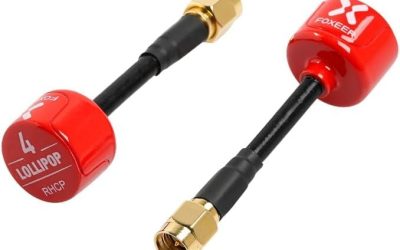
The Bingfu listing bundles two 3dBi MIMO antennas with RP-SMA male connectors, covering 2.4GHz, 5GHz, and 5.8GHz. Because a pack of two matches the two ports on most cards, it works as a straightforward replacement for stock antennas that are bent, lost, or underperforming. It also serves a second purpose, since the same connector type appears on many routers and USB adapters, so the pair can be reused if you later move the antennas to another device in the house.
- Strength: two antennas in a single pack.
- Strength: a stated 3dBi gain tells you what to expect.
- Trade-off: the title mentions no extension cable or magnetic base, so these sit at the rear of the case unless you add a cable.
Skip it if the problem is hidden placement rather than the antennas themselves.
Eifagur WiFi 6/6E Tri-Band Antenna
This tri-band antenna lists 2.4GHz, 5GHz, and 6GHz bands with a magnetic base for PCs, gaming motherboards, routers, and PCI cards. It is a flexible all-rounder for anyone who wants a 6E-ready accessory without chasing motherboard-specific listings. It is a sensible option for someone building or upgrading a PC and wanting one accessory that will keep working if the motherboard or card changes later, provided the connector and band list still match.
- Strength: tri-band coverage.
- Strength: a magnetic base for desk-level mounting.
- Trade-off: the listing is light on detail about cable length and gain.
Skip it if you need to know the exact cable reach before ordering.
External WiFi 6/6E Antenna (2.4G/5G)
This listing carries a 6E label, but it lists only 2.4G and 5G bands, alongside a magnetic base and a 2T2R design aimed at Asus ROG Strix Z690 and similar boards. The mismatch is worth noticing, and it is a good reminder to read the band list instead of trusting the headline wording. For a buyer on a dual-band card who wants a magnetic base, the part may still be useful, but anyone paying for a 6E card should look elsewhere.
- Strength: the 2T2R description matches the common two-antenna layout.
- Strength: the magnetic base allows higher placement.
- Trade-off: with only 2.4G and 5G listed, it may not support 6GHz.
Skip it if you plan to use 6GHz.
Which One Fits Your Situation
You own a Wi-Fi 6E gaming board hidden under the desk
Go with the Eightwood WiFi 6E Tri-Band Antenna. The 6.5 foot cable and magnetic base solve the placement problem directly. Stick the base to the top of the monitor stand or a metal shelf, point the cable run away from power bricks, and the card gets a cleaner path to the router than the rear-panel stubs ever allowed.
Your stock antennas are damaged or missing
The Bingfu 2-Pack is the cleanest swap, providing a matched set at a stated 3dBi. Because both antennas come together, you avoid the common trap of mixing a new antenna with an old one and ending up with uneven reception on the two chains of the card.
You have an older PCIe card with Wi-Fi and Bluetooth
The Eightwood Dual Band Antenna is built for that scenario, with a long extension cable.
You want 6GHz on an ROG Strix or Aorus board
Choose the External WiFi 6/6E Tri-Band Antenna that names those boards, or the Eifagur if you prefer a general-purpose pick.
Common Mistakes
- Buying a dual-band antenna for a Wi-Fi 6E card and then losing 6GHz performance.
- Forgetting that most cards have two ports and need two antennas.
- Choosing the highest-gain model for a small room, where a narrower pattern can hurt.
- Placing the base on the floor behind the tower, which defeats the purpose of an external antenna.
- Believing an antenna can raise the speed above what the router and card support.
Related guides
- Retro Game Storage Cases And Displays
- Solar Chargers For Camping And Hiking
- How To Clean Retro Game Cartridges Safely
Frequently Asked Questions
Will an external antenna make my Wi-Fi faster?
It can improve signal strength and stability, which may raise real-world speed if your link was weak. It cannot exceed the speed set by your router and card.
How do I know if my card uses RP-SMA?
Most desktop Wi-Fi cards and motherboard antenna jacks do. Look at the existing antennas on the rear panel; if they screw on with a threaded barrel, it is almost certainly RP-SMA. The motherboard or card manual will also name the connector, which is worth confirming before you order any replacement.
Do I need a tri-band antenna?
Only if your card supports 6GHz. If it does not, a dual-band model is enough and avoids paying for an unused band.
Where should I put the antenna?
Place it high and in the open, on the monitor stand or the desk edge, facing the router with as few walls as possible between them. If the router is on another floor, a small shift of a few inches can matter more than a change of antenna, so experiment with position before assuming the hardware is at fault.