Key takeaways
- Table of Contents 8 sections 7 min read 1 Best prebuilt configurations for smooth 4K 2 High-end prebuilt PC comparison 3 GPU performance matters most at 4K 3.1 RTX 5090: the no-compromise choice 3.2 RTX 5080: the balanced premium option…
What's inside
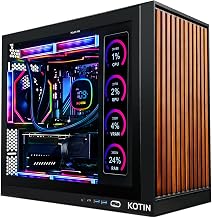
If you are asking which prebuilt gaming PC has better performance for gaming high end 4K resolution with smooth gameplay, choose a system built around the NVIDIA GeForce RTX 5090, a Ryzen 7 9800X3D or Ryzen 9 9950X3D, at least 32GB of DDR5 memory, a 2TB NVMe SSD, and a quality 1,000–1,200W power supply. Among current high-end configurations, an RTX 5090 prebuilt is the best choice for native 4K at high settings, while an RTX 5080 system is the better value for 4K with DLSS upscaling. The GPU matters most, but cooling, processor selection, and upgradeable components determine whether performance remains smooth over several years.
Best prebuilt configurations for smooth 4K
For uncompromised 4K gaming in 2026, the ideal specification is an RTX 5090 paired with a fast gaming CPU. The RTX 5090 provides the strongest rasterization and ray-tracing performance in NVIDIA’s current consumer lineup, along with 32GB of GDDR7 video memory. That capacity is useful for demanding textures, ray-traced lighting, and future games that place heavier demands on the GPU.
A Ryzen 7 9800X3D is an excellent gaming-focused processor because its large 3D V-Cache helps maintain high minimum frame rates. A Ryzen 9 9950X3D is preferable if the PC will also be used for video production, 3D rendering, software development, or other heavily threaded workloads. Intel Core Ultra desktop processors are also suitable, but for a purely gaming-oriented build, the latest X3D Ryzen options are usually the most attractive choices.
An RTX 5080 prebuilt is the sensible alternative. It can deliver excellent 4K results with high or ultra settings, particularly when DLSS Quality is enabled. It generally costs substantially less than an RTX 5090 system and uses less power, making it easier to cool quietly in a conventional mid-tower case.
High-end prebuilt PC comparison
| System class | Typical core specification | 4K gaming expectation | Typical 2026 market range |
|---|---|---|---|
| Enthusiast 4K | RTX 5090, Ryzen 7 9800X3D or Ryzen 9 9950X3D, 32–64GB DDR5, 2TB NVMe SSD, 1,000–1,200W PSU | Native 4K ultra commonly 90–180 fps in rasterized games; ray tracing often 70–140 fps with DLSS | Usually $4,000–$6,500 |
| Premium 4K | RTX 5080, Ryzen 7 9800X3D, Core Ultra 7, or similar, 32GB DDR5, 2TB NVMe SSD, 850–1,000W PSU | High or ultra 4K commonly 70–140 fps; DLSS can raise supported titles above 100 fps | Usually $2,800–$4,500 |
| Value high-end 4K | RTX 5070 Ti or Radeon RX 9070 XT, modern eight-core CPU, 32GB DDR5, 1–2TB NVMe SSD, 750–850W PSU | High-settings 4K commonly 55–100 fps; upscaling is recommended for demanding ray tracing | Usually $1,900–$3,000 |
These frame-rate ranges are practical estimates rather than guarantees. Results vary by game engine, patches, ray-tracing settings, processor limits, and whether frame generation is enabled. Competitive games can run far faster, while fully path-traced games may run slower even on an RTX 5090.
GPU performance matters most at 4K
RTX 5090: the no-compromise choice
The RTX 5090 is the strongest option when the goal is maximum image quality and a high refresh rate at 4K. It is particularly valuable for games with heavy ray tracing, large texture packs, and demanding global illumination. A prebuilt using this card should include a spacious case with direct airflow and a power supply rated for the complete system rather than the minimum specification.
For a 4K 144Hz monitor, the RTX 5090 gives the best chance of staying near the display’s refresh limit, although even this GPU will not produce 144 frames per second in every ultra-quality title. DLSS Quality and frame generation can improve smoothness, but native rendering remains preferable when latency and image clarity are the priority.
RTX 5080: the balanced premium option
The RTX 5080 is a stronger value for most buyers. It is capable of smooth 4K gaming in a wide range of current releases, especially when using DLSS Quality. It also fits more easily into systems with 850W or 1,000W power supplies and typically produces less heat than an RTX 5090.
Choose an RTX 5080 system if the target is 4K at 80–120 fps rather than maximum possible performance. It is also a good match for a 4K 120Hz OLED television or monitor. An RTX 5070 Ti-class system can work at 4K, but it is better suited to high settings, sensible ray-tracing choices, and upscaling.
CPU, cooling, and memory requirements
At 4K, the GPU usually limits performance, but the processor still affects minimum frame rates, simulation-heavy games, and high-refresh competitive titles. A modern eight-core CPU is the practical minimum for a premium system. The Ryzen 7 9800X3D is especially compelling for gaming, while the Ryzen 9 9950X3D makes sense when productivity performance is equally important.
Cooling should be treated as a performance specification, not merely an appearance feature. A quality dual-tower air cooler is sufficient for many eight-core processors. A 240mm or 360mm liquid cooler is appropriate for higher-power CPUs, provided the radiator is installed with a clear airflow path. Avoid systems that pair a hot processor with a small single-fan cooler or a sealed front panel.
Look for at least 32GB of DDR5 memory in a dual-channel configuration. Choose 64GB if you use extensive mods, run virtual machines, edit high-resolution video, or want more headroom for future games. Memory speed matters, but stable capacity and correct dual-channel installation matter more than chasing a small frequency difference.
Power supply and upgradeability
An RTX 5090 prebuilt should use a reputable 1,000W or 1,200W power supply with modern high-power GPU cabling. An RTX 5080 system should generally have 850W to 1,000W, depending on the CPU and the manufacturer’s configuration. Avoid vague listings that only state “high wattage” without identifying the power-supply model or efficiency rating.
Upgradeability separates a durable prebuilt from a disposable one. Confirm that the case uses standard ATX or microATX components, the motherboard has two or more M.2 slots, and the power supply can be replaced without proprietary connectors. Check that the graphics card is supported by a sturdy bracket and that there is room for additional storage.
Some major system builders offer custom motherboards, front-panel connectors, or unusual case layouts. These designs are not automatically bad, but they can make future repairs more expensive. A conventional motherboard, standard 24-pin power connection, replaceable fans, and accessible side panels are valuable long-term advantages.
Choosing the right monitor and settings
A powerful 4K prebuilt should be matched with the correct display. A 4K 144Hz or 4K 165Hz monitor is suitable for an RTX 5090. An RTX 5080 pairs well with 4K 120Hz to 144Hz. Enable adaptive sync, such as G-SYNC Compatible or FreeSync, to prevent tearing when frame rates fluctuate.
For most games, start with native 4K and high settings, then enable DLSS Quality if more performance is needed. Reduce ray-tracing reflections or volumetric effects before lowering texture quality, because textures benefit from the GPU’s ample memory and have a direct effect on visual detail. Frame generation is useful for slower single-player games, but it should not be treated as a replacement for a strong base frame rate in competitive shooters.
FAQ
Is an RTX 5090 prebuilt worth the extra cost over an RTX 5080 system?
It is worth considering if you use a 4K 144Hz display, want maximum ray-tracing performance, or plan to keep the PC for many years. For 4K 60Hz or 120Hz gaming, an RTX 5080 system is often the better value, especially when it includes a Ryzen 7 9800X3D, 32GB of DDR5, and a quality 2TB SSD.
How much RAM and storage should a high-end 4K gaming PC have?
Choose 32GB of DDR5 and a 2TB NVMe SSD as the baseline. Move to 64GB if you use mods, productivity applications, or several demanding programs at once. A 1TB drive can fill quickly after installing modern games, so 2TB provides a more practical balance between convenience and price.
Bottom line
The best prebuilt gaming PC for smooth high-end 4K is an RTX 5090 system with a Ryzen 7 9800X3D or Ryzen 9 9950X3D, 32GB or more of DDR5, a 2TB NVMe SSD, strong airflow, and a correctly sized 1,000–1,200W power supply. It offers the highest ceiling for native 4K and ray tracing. For most buyers, however, an RTX 5080 prebuilt with a modern eight-core CPU delivers the best balance of price, noise, power consumption, and 4K frame rates.