Key takeaways
- Capacity first: For a dedicated games drive, 2TB is the value sweet spot in 2026; 1TB fills fast and 4TB carries a price premium most players do not need.
- PCIe generation: Gen4 NVMe is plenty for game loading; Gen5 costs more and runs hotter with almost no real-world load-time benefit in games.
- Form factor: Standard 2280 fits desktops and most laptops; short 2230 drives are for the Steam Deck, ROG Ally, and ultra-thin laptops.
- DRAM vs DRAM-less: DRAM-less QLC drives are cheap and fine for a game library since games are read-heavy, not write-heavy.
- External option: A USB SSD or dock lets you carry installs between machines, though internal NVMe is faster for load times.
A modern Steam library eats storage faster than any other folder on your PC. A single AAA install now regularly clears 100GB, and once you keep a dozen games installed plus their shader caches, a 1TB drive fills up before the year is out. The fix is a fast, roomy secondary SSD dedicated to games so your boot drive stays lean.
For a games drive you care about capacity and sequential read speed more than headline PCIe 5.0 numbers. Drives like the SABRENT Rocket Q4 2TB and the Silicon Power UD90 2TB give you enough room for 15-20 large titles while keeping Gen4 load times, and compact 2230 drives such as the WD SN740 512GB suit handhelds like the Steam Deck.
Our top picks
![SABRENT Rocket Q4 2230 NVMe SSD 2TB – PCIe Gen4 M.2 Internal SSD for Steam Deck, ROG Ally, Surface Pro, Mini PCs – DRAM-Less QLC, Up to 5GB/s, Single-Sided, Compact Form Factor [SB-213Q-2TB]](https://m.media-amazon.com/images/I/41QldUwQDlL._SL500_.jpg)


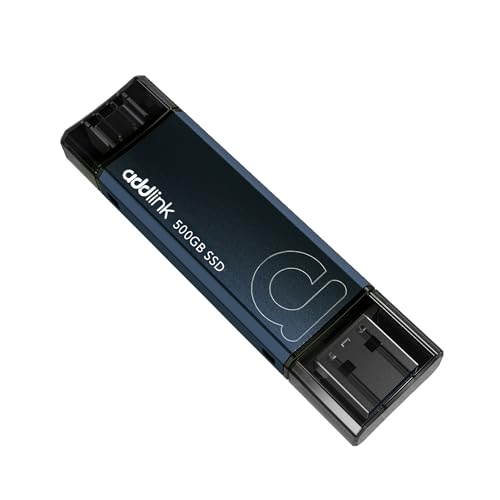
As an Amazon Associate we earn from qualifying purchases at no extra cost to you. Ratings are shown as listed on Amazon.
⚡ Save on Your Next PC — Amazon Prime
Prime members get fast free shipping on the systems above, plus early access to Prime Day & Black Friday PC deals. New members get a 30-day free trial.
Watch: Best SSD for a Large Steam Library — Video Review
How to Choose
- Capacity first: For a dedicated games drive, 2TB is the value sweet spot in 2026; 1TB fills fast and 4TB carries a price premium most players do not need.
- PCIe generation: Gen4 NVMe is plenty for game loading; Gen5 costs more and runs hotter with almost no real-world load-time benefit in games.
- Form factor: Standard 2280 fits desktops and most laptops; short 2230 drives are for the Steam Deck, ROG Ally, and ultra-thin laptops.
- DRAM vs DRAM-less: DRAM-less QLC drives are cheap and fine for a game library since games are read-heavy, not write-heavy.
- External option: A USB SSD or dock lets you carry installs between machines, though internal NVMe is faster for load times.
The Best Picks Reviewed
Silicon Power UD90 2TB (2230 Gen4)
Around $300, the UD90 packs 2TB into the short 2230 form factor at roughly 5,000 MB/s. It is the standout upgrade for a Steam Deck or ROG Ally owner who wants a full library on a handheld.
SABRENT Rocket Q4 2TB (2230)
At about $440 it is pricier, but the Rocket Q4 delivers 2TB of Gen4 speed in the tiny 2230 size with SABRENT’s reliable controller. Buy it when you want maximum capacity in a handheld without compromise.
WD SN740 512GB (2230 OEM)
Roughly $179, this OEM Gen4 drive is the budget handheld upgrade. 512GB is modest but doubles most stock Deck storage, and the SN740 controller is a proven performer.
Transcend ESD420 1TB External
At about $215 the ESD420 hits 2,000 MB/s over USB. It is the pick when you want to move installed games between a desktop and a laptop without cracking either case open.
KINGDATA M.2 2230 128GB
At $55 this tiny drive is not a library solution, but it is a cheap way to add a fast scratch or OS drive to a handheld while your games live elsewhere.
Frequently Asked Questions
Does an SSD make games load faster than a hard drive?
Dramatically. NVMe SSDs cut level loads from tens of seconds to a few, and games using DirectStorage stream textures far more smoothly than any spinning disk can.
Do I need Gen5 for gaming?
No. Games rarely saturate even Gen4 bandwidth, so a good Gen4 drive loads titles just as fast as Gen5 while costing less and running cooler.
What size drive should a Steam Deck get?
Use a 2230 form factor and aim for 1-2TB. The Silicon Power UD90 2TB or SABRENT Rocket Q4 2TB let you keep your whole library installed at once.
Is QLC storage bad for a games drive?
Not for games. QLC’s weakness is heavy sustained writes; a game library is mostly reads, so QLC capacity drives are a smart, affordable choice here.
Final Thoughts
For a desktop games drive, a 2TB Gen4 NVMe is the clear value winner in 2026. Handheld owners should grab a 2230 drive like the Silicon Power UD90 2TB, while the Transcend external suits anyone shuffling games between machines. Buy for capacity and Gen4 speed, and skip the Gen5 premium your games will never use.