Our Top Picks
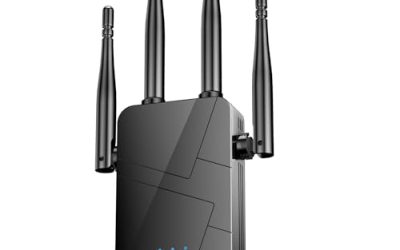
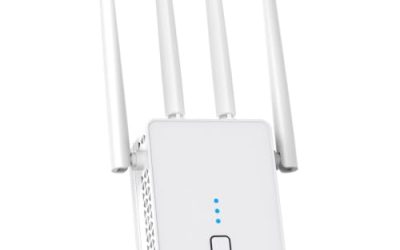
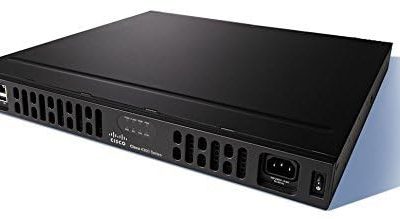
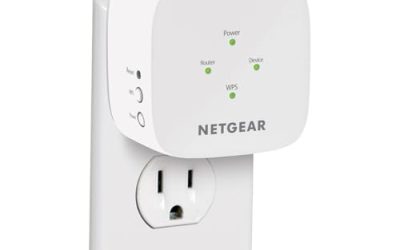
 TP-Link AC1200 WiFi Extender Dual Band 5GHz/2.4GHz1 Count (Pack of 1)3.5 x 2.05 x 4.89 Inches0.4 poundsCheck on Amazon
 TP-Link AC1900 WiFi Range Extender RE550WiFi 5, AC19006.4 x 3 x 2.6 inches0.51 PoundsCheck on Amazon
 TP-Link RE615X AX1800 WiFi 6 Range Extender w/Ethernet4.2 x 1.6 x 6.3 Inch4.21 x 1.57 x 6.3 inches0.84 poundsCheck on Amazon
 TP-Link AX3000 WiFi 6 Dual-Band Range Extender PCMag4.21 x 1.58 x 6.3 inches0.84 PoundsCheck on Amazon
TP-Link sells so many range extenders that the model numbers blur together, and the differences that matter are hidden in the letters at the front: AC, AX, or BE. Those prefixes tell you which Wi-Fi generation the extender speaks, and the generation should match your router, since an extender can only relay a signal at the standard the main router provides. The practical decision is how much house you need to cover, how many gadgets will connect, and whether you want a wired port for a console, desktop, or smart TV.
This roundup is for homeowners and renters in 2026 who already own a TP-Link-friendly router, or any router, and want to eliminate a dead zone in a back bedroom, garage, or patio. We compare seven extenders on what their titles state: standard, speed class, coverage in square feet, device count, and Ethernet port. We left out the Deco X55 three-pack, because it is a full mesh system that replaces the router rather than extending it, which is a different purchase altogether.
Quick Picks
TP-Link AC1200 WiFi Extender Dual Band 5GHz/2.4GHz (RE315) | 1.2Gbps Home Signal Booster, Up to 1600 Sq.ft and 32 Devices, EasyMesh Compatible, One Ethernet Port
One of the consumer electronics options compared in this guide.
View on AmazonTP-Link AC1900 WiFi Range Extender RE550 | Dual-Band Wireless Repeater | Amplifier w/ Gigabit Ethernet Port | Up to 2200 Sq. Ft., 32 Devices | Internet Signal Booster | APP Setup | EasyMesh
One of the consumer electronics options compared in this guide.
View on Amazon
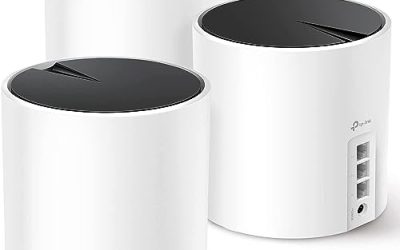
TP-Link Deco X55 AX3000 WiFi 6 Mesh System, Deco X55(3-Pack) | Covers up to 6500 Sq.Ft. , Replaces Wireless Router and Extender, 3 Gigabit ports per unit, supports Ethernet Backhaul
One of the consumer electronics options compared in this guide.
View on AmazonTP-Link RE615X AX1800 WiFi 6 Range Extender w/Ethernet Port | 1.8G Dual-Band Wireless Repeater Amplifier | Up to 2100 Sq. Ft., 64 Devices | Internet Signal Booster | APP Setup | EasyMesh
One of the consumer electronics options compared in this guide.
View on AmazonTP-Link AX3000 WiFi 6 Dual-Band Range Extender PCMag Editor's Choice | Wireless Repeater w/Ethernet Port | Up to 2400 Sq. Ft., 64 Devices | Internet Signal Booster | APP Setup | EasyMesh (RE715X)
One of the consumer electronics options compared in this guide.
View on Amazon
TP-Link WiFi Extender (RE220) with Ethernet Port, Dual Band 5GHz/2.4GHz | Up to 44% More Bandwidth than Single Band, Covers Up to 1200 Sq.ft and 32 Devices, Signal Booster Amplifier Supports OneMesh
One of the consumer electronics options compared in this guide.
View on Amazon
TP-Link AX1500 WiFi Extender Internet Booster WiFi 6 (RE500X) | Range Extender covers up to 1500 sq.ft and 25 Devices,Dual Band, AP Mode w/Gigabit Port, APP Setup, OneMesh Compatible
One of the consumer electronics options compared in this guide.
View on Amazon| Product | Best for | Key spec from the title |
|---|---|---|
| TP-Link RE315 | Mid-size homes on older Wi-Fi 5 routers | AC1200, up to 1600 sq ft, 32 devices, EasyMesh |
| TP-Link RE550 | Larger homes needing Wi-Fi 5 reach | AC1900, gigabit Ethernet port, up to 2200 sq ft |
| TP-Link RE615X | Wi-Fi 6 homes with many devices | AX1800, up to 2100 sq ft, 64 devices |
| TP-Link AX3000 Range Extender | Faster Wi-Fi 6 coverage in big spaces | AX3000, up to 2400 sq ft, 64 devices |
| TP-Link RE220 | Small apartments and tight spaces | Dual band, up to 1200 sq ft, 32 devices |
| TP-Link RE500X | Entry Wi-Fi 6 and access point mode | AX1500, up to 1500 sq ft, 25 devices, AP mode |
| TP-Link RE223BE | Early Wi-Fi 7 adopters | BE3200 Wi-Fi 7, 3.2 Gbps, up to 2400 sq ft |
How to Choose
Match the Wi-Fi standard to your router
An AC extender works with Wi-Fi 5, an AX model with Wi-Fi 6, and the BE model with Wi-Fi 7. Putting a fast extender behind a slow router wastes the upgrade, because the link back to the router sets the ceiling. If your router is more than five years old, a Wi-Fi 5 extender is usually sufficient. If you recently moved to Wi-Fi 6 or 7, choose an extender in the same generation so the backhaul does not become a bottleneck.
Treat coverage numbers as a ceiling, not a promise
Square-foot claims such as 1200 or 2400 assume open space. Brick, plaster, concrete floors, and appliances cut real range substantially. A rough rule is to place the extender about halfway between the router and the dead zone, where it still sees a strong signal of at least two or three bars, rather than inside the dead zone itself where it has nothing to repeat.
Count your devices and your wired needs
Titles list capacity such as 25, 32, or 64 devices. A household with phones, laptops, TVs, speakers, thermostats, and cameras can pass 30 connections without trying, so the 64-device models make sense for smart homes. An Ethernet port lets you wire a TV, console, or desktop and often delivers a steadier connection than Wi-Fi. Check whether the port is gigabit, since a slower port can limit a wired device.
Know what dual band does and what to ignore
Dual-band extenders use 2.4 GHz for range and 5 GHz for speed, but a single radio that shares its bandwidth between receiving and rebroadcasting can halve throughput. Features like EasyMesh compatibility help if you plan to combine devices later. Ignore headline combined speeds, which add the bands together and no single device will ever reach. Budget extenders cut corners with fewer antennas and shared radios.
The 7 Best Options
TP-Link RE315
The RE315 is an AC1200 dual-band extender claiming up to 1600 square feet and 32 devices, with EasyMesh compatibility and an Ethernet port. It fits homes with a Wi-Fi 5 router and a single stubborn dead zone, such as a basement or upstairs office. The EasyMesh mention matters for owners who might later add other compatible hardware.
- Strength: EasyMesh compatibility gives a path to a more unified network.
- Strength: dual-band design with a wired port covers phones and a desktop at once.
- Trade-off: Wi-Fi 5 speeds will not satisfy heavy 4K streaming across many devices.
Skip it if your router is Wi-Fi 6 or newer and you want to keep that speed. Placed midway along a hallway, it can bridge a basement or a garage-facing room without any wiring.
TP-Link RE550
The RE550 steps up to AC1900, adds a gigabit Ethernet port, and lists coverage up to 2200 square feet for 32 devices. It is meant for larger homes running Wi-Fi 5 where the dead zone is some distance from the router, and where a wired gigabit link to a TV or console is useful.
- Strength: the gigabit port suits wired streaming boxes and consoles.
- Strength: 2200 square feet is among the larger Wi-Fi 5 coverage claims here.
- Trade-off: it still uses the older standard, so it ages sooner than the AX models.
Skip it if you have a Wi-Fi 6 router; an AX model will keep more of its performance. Buyers with a large ranch-style layout, where the dead zone sits at the far end of a long floor plan, are the target audience for this one.
TP-Link RE615X
The RE615X is an AX1800 Wi-Fi 6 extender with an Ethernet port, up to 2100 square feet, and room for 64 devices. That device count makes it a fit for smart homes with many small connected gadgets, where the issue is less about raw speed and more about handling a large number of simultaneous connections.
- Strength: Wi-Fi 6 and 64-device capacity suit crowded networks.
- Strength: a wired port is included for fixed equipment.
- Trade-off: AX1800 speeds trail the AX3000 model in the same family.
Skip it if your goal is maximum throughput for a single fast device rather than broad device handling. For a family with phones, tablets, streaming sticks, and a stack of smart plugs, the connection count matters more than the headline speed.
TP-Link AX3000 Range Extender
This AX3000 Wi-Fi 6 dual-band extender lists up to 2400 square feet, 64 devices, and an Ethernet port. It is the choice for larger homes where a dead zone sits far from the router and the household streams, games, and video-calls simultaneously.
- Strength: AX3000 speed class and 2400 square feet give the broadest Wi-Fi 6 coverage here.
- Strength: 64-device capacity handles busy households.
- Trade-off: the title does not state a model number, so confirm exactly which unit you receive.
Skip it if you live in a small apartment, because the extra capability goes unused. It pairs best with a Wi-Fi 6 router, since the link back to the router is what sets the real-world ceiling for everything behind the extender.
TP-Link RE220
The RE220 is an older-style dual-band extender covering up to 1200 square feet for 32 devices with an Ethernet port, and the title claims up to 44 percent more bandwidth than a single-band design. It targets small homes and apartments, where a modest boost is all that is needed.
- Strength: compact coverage claim fits small spaces well.
- Strength: dual band offers more bandwidth than single-band units.
- Trade-off: 1200 square feet is the smallest coverage figure in this group.
Skip it if you need to cover a multi-story house or stream 4K video in the dead zone. It remains a reasonable fix for a studio or one-bedroom where the router sits in the living room and the bedroom gets weak bars.
TP-Link RE500X
The RE500X is an AX1500 Wi-Fi 6 extender covering up to 1500 square feet and 25 devices, with AP mode and a gigabit port. AP mode lets it act as an access point when you connect it to the router with a cable, which is often the better way to extend a network if you can run Ethernet.
- Strength: AP mode provides a wired-backhaul option.
- Strength: Wi-Fi 6 at a smaller footprint suits mid-size homes.
- Trade-off: the 25-device capacity is the lowest of the Wi-Fi 6 options.
Skip it if you have dozens of smart devices on the network. If you have an existing Ethernet jack in the dead zone, this is the model that makes the most of it.
TP-Link RE223BE
The RE223BE is a BE3200 Wi-Fi 7 dual-band extender with an Ethernet port and a stated 3.2 Gbps rate, covering up to 2400 square feet. It suits early adopters who already own a Wi-Fi 7 router and want to keep that standard in the far corners of the house.
- Strength: Wi-Fi 7 support prepares you for newer devices.
- Strength: 2400 square feet matches the largest coverage in this group.
- Trade-off: its benefit shrinks if your router and devices are still on older standards.
Skip it if your router is Wi-Fi 5 or Wi-Fi 6, because you would pay for capability you cannot use. Check that your phones and laptops also support the new standard, since older devices will simply connect at their own slower speeds.
Which One Fits Your Situation
You live in a one-bedroom apartment
The RE220 covers up to 1200 square feet, which is plenty for a single dead corner, and its modest capacity is a better match for a small household than a larger model. Its dual-band design is also a step above single-band repeaters.
You have a Wi-Fi 6 router and a busy smart home
Choose the RE615X for 64-device capacity, or the AX3000 model if the house is large and you want more speed.
You can run a cable to the dead zone
The RE500X with AP mode is the pick, since a wired backhaul avoids the speed loss of wireless repeating.
You own an older router and a large house
The RE550 pairs a gigabit port with 2200 square feet of claimed coverage on the Wi-Fi 5 standard.
Common Mistakes
- Placing the extender inside the dead zone instead of halfway between the router and that area.
- Buying a Wi-Fi 7 extender for a Wi-Fi 5 router and expecting new speeds.
- Believing the square-footage claim without accounting for walls and floors.
- Ignoring the Ethernet port and leaving wired devices on weak wireless.
- Using an extender when running a cable and using AP mode would be faster.
Related guides
- Solar Chargers For Camping And Hiking
- Retro Game Storage Cases And Displays
- Keyboards For Samsung Galaxy Tablets
Frequently Asked Questions
Will an extender cut my speed in half?
Often it reduces throughput because a single-radio design shares bandwidth between receiving and rebroadcasting. Wired backhaul or AP mode avoids much of that loss.
Do I need a TP-Link router?
No. TP-Link extenders generally work with routers from other brands, although features like EasyMesh work best when the router supports them as well.
What is EasyMesh?
It is a standard that lets compatible devices form a single network with one name, so your phone can move between them. Only the RE315 lists it in the title among these seven.
How many devices can one extender handle?
The titles state 25, 32, or 64 devices depending on the model. Pick a higher count if your home is full of smart plugs, speakers, and cameras.