Our Top Picks
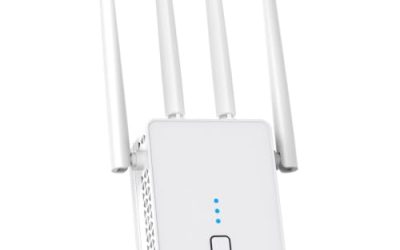
 NETGEAR WiFi Extender EX50001.2 Gbps, 1000 sq.ft.2.55 x 2.85 x 2.85 inches0.34 PoundsCheck on Amazon
An apartment is a strange place to fix Wi-Fi. The footprint is small, so raw range should not be the problem, yet the signal still dies in the bedroom behind a concrete wall, or slows to a crawl at night when thirty neighboring networks fight over the same channels. The right extender for a rental is the one that plugs into an outlet without drilling, works with whatever router your landlord or provider installed, and gives the far room a stable connection rather than a big coverage number it will never use. Shared walls, floor-to-ceiling windows, and a router tucked in a hallway closet are the typical culprits, and each one calls for a slightly different fix.
This guide is for renters, studio dwellers, and shared-flat residents who need a quick fix and may move again next year. It compares six plug-in extenders that range from a recognized brand with a modest coverage claim to generic dual-band units with eye-catching square-footage figures. Opinions come from the spec details printed in each listing, written for 2026 shoppers. One listing with almost no specifications and one near-duplicate of another unit were left out, because there is not enough stated to judge them fairly. Treat the list as a way to narrow the field, then confirm return terms before you buy, since the right unit depends on where your router sits and how thick your walls are.
Quick Picks
NETGEAR WiFi Extender EX5000, up to 1,500 sq ft, 1.2 Gbps | Signal Booster for Home, Easy Set Up, 25 devices, Works with any Router, Compact Design, WiFi 5, AC1200
One of the consumer electronics options compared in this guide.
View on Amazon
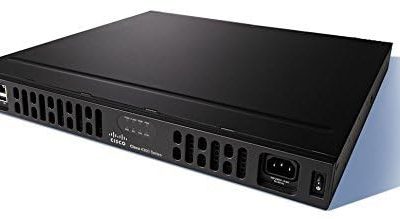
WiFi Extender for Apartments and Renters
One of the consumer electronics options compared in this guide.
View on Amazon
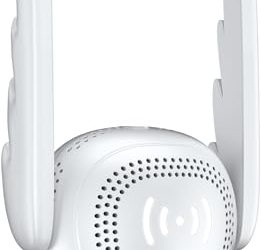
WiFi Extender Signal Booster for Home 5G 1200Mbps Dual Band WiFi Booster | wifi extenders signal booster Device Servers Covers Up to 5000 Sq.ft and 35 Devices, Wireless Signal Repeater Ethernet
One of the consumer electronics options compared in this guide.
View on Amazon
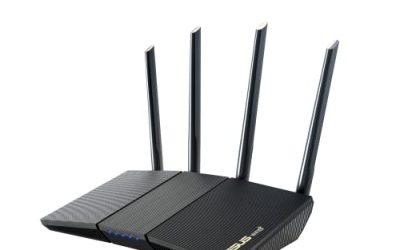
2.4GHz WiFi Repeater with 4 Antennas, Wireless Range Extender
One of the consumer electronics options compared in this guide.
View on Amazon
WiFi Extender Signal Booster for Home: Internet Repeater Up to 8470 Sq.Ft | Wifi Extender Signal Booster Internet Repeater for Home Long Range Up to 8470 Sq. Ft. Whole Home WiFi Coverage
One of the consumer electronics options compared in this guide.
View on Amazon
2026 New WiFi Extender, WiFi Booster 1200Mbps Dual Band | (5.8GHz/2.4GHz), WiFi Extender Signal Booster for Home with Ethernet Port Covers up to 18999sq.ft and 115+ Devices (White)
One of the consumer electronics options compared in this guide.
View on Amazon| Product | Best for | Key spec from the title |
|---|---|---|
| NETGEAR EX5000 | Most renters | 1.2 Gbps, up to 1,500 sq ft, 25 devices, works with any router |
| Dual-Band Booster (5000 sq ft) | Phones, TVs, and tablets together | 5G 1200Mbps dual band, up to 5000 sq ft, 35 devices |
| 2.4GHz 4-Antenna Repeater | Reaching through thick walls | 2.4GHz only, 4 antennas |
| Long-Range Booster (8470 sq ft) | Larger or multi-level flats | Coverage up to 8470 sq ft, long-range design |
| 1200Mbps Dual-Band Extender with Ethernet | Wired console or desktop | 5.8GHz and 2.4GHz, Ethernet port, 1200Mbps |
| TP-Link N300 RE105 | Basic browsing at low cost | Single band N300, access point mode |
How to Choose
Treat square-foot claims with suspicion
A typical one-bedroom apartment is under a thousand square feet, so a listing that boasts eight, ten, or eighteen thousand square feet is describing laboratory conditions with no walls. What you actually need is the ability to reach the one room that lacks signal. Judge a unit by band support, port count, and device limits instead. A modest, honest figure like 1,500 square feet is often more meaningful than an inflated number. Also consider how many devices share the connection: a couple with two phones, a laptop, and a streaming stick needs far less capacity than a flat with four roommates and a game console.
Dual band versus single band
The 2.4GHz band travels farther and passes through walls better but is slower and crowded in apartment buildings. The 5GHz band is faster and less congested but weaker through concrete. A dual-band extender lets you use both, and it can usually connect to your router on one band and serve devices on the other. Single-band models, like an N300 unit, top out near 300Mbps, which is enough for browsing and standard video but not for heavy households. If your internet plan is faster than a few hundred megabits, a single-band extender will leave much of that speed unused.
Placement, ports, and modes
An extender works best halfway between the router and the dead zone, where it still receives a strong signal. Placing it inside the dead zone only repeats a weak signal. An Ethernet port is valuable for a game console, smart TV, or desktop PC, because a wired link avoids the speed halving that wireless repeaters can suffer. Access point mode, when listed, lets you run an Ethernet cable from the router and broadcast a fresh network, which is the best performance option if your unit has a wall jack. Many apartments have a forgotten Ethernet outlet in the living room, so look around before you assume wireless is your only route.
Compatibility and what to ignore
Look for wording such as “works with any router” and a stated device limit, such as 25 or 35 devices, which is more than most flats need. Ignore multipliers like “20X boost,” since no listing defines what is being multiplied. Budget units usually cut corners on antenna quality, app support, and security updates. If your network is Wi-Fi 6 or faster, remember that a Wi-Fi 5 extender will limit connected devices to its own speeds. Renters should also check that the unit does not block the second outlet on a wall plate, since sockets are scarce in older buildings.
The 6 Best Options
NETGEAR EX5000
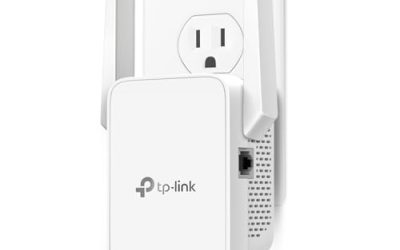
The brand-name pick with a believable claim: up to 1,500 square feet, 1.2 Gbps combined speed, support for 25 devices, and compatibility with any router. The compact design plugs into a socket without blocking its neighbor. It suits one- and two-bedroom rentals where the goal is to fix a single weak room without overspending or doing complicated setup. It also leaves no marks on the wall, which matters when you want your deposit back.
- A realistic coverage figure fits apartment sizes.
- Easy setup and any-router compatibility help renters who cannot change the main equipment.
- Trade-off: the listing mentions no Ethernet port in the title, so wired devices may need another solution.
Skip it if you need a wired connection for a console or desktop.
Dual-Band Booster (5000 sq ft)
A generic 5G dual-band 1200Mbps booster with a claimed 5000 square feet of coverage and support for around 35 devices. Its device count suits a household with multiple phones, TVs, and smart plugs. It fits shoppers who want a middle-priced alternative to a major brand, especially households with many small connected devices like cameras, speakers, and plugs that each count against a device limit.
- High device capacity for crowded smart homes.
- Dual-band design lets it use both bands.
- Trade-off: the brand is less established, so support and firmware updates are uncertain.
Skip it if you prefer a recognized maker with a long support history.
2.4GHz 4-Antenna Repeater
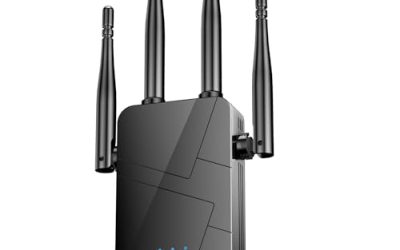
A single-band 2.4GHz repeater with four antennas. Since 2.4GHz penetrates walls better than 5GHz, it may reach a room behind brick or concrete where a faster band fails. It suits renters who care about reaching a distant corner for email, messaging, and light streaming. It is also a sensible pick for a home office tucked behind a kitchen or a bathroom wall.
- The 2.4GHz band travels farther through walls.
- Four antennas suggest a focus on signal reach.
- Trade-off: it is slower and more exposed to interference from neighbors and microwaves.
Skip it if you stream in high definition or play online games.
Long-Range Booster (8470 sq ft)
This unit advertises coverage up to 8470 square feet and a long-range design. The figure is far beyond what an apartment needs, but it could suit a large loft, a duplex, or a multi-level flat. It appeals to people whose apartment is larger than average or has awkward corners, such as an L-shaped floor plan where the router sits at one end and the bedroom at the other.
- The long-range focus suits larger layouts.
- A home-style plug-in format is easy to place.
- Trade-off: the stated coverage is a best-case number, and the truncated title leaves other specs unclear.
Skip it if your space is a small studio or one-bedroom.
1200Mbps Dual-Band Extender with Ethernet
A newly labeled dual-band extender covering 5.8GHz and 2.4GHz with an Ethernet port and a claim of coverage near 19,000 square feet. The wired port is the real feature, because a console or desktop gets a steadier link. It fits gamers and remote workers in rentals who need a stable cable to a console or desktop. Video calls and online matches benefit more from a steady wired link than from a bigger wireless claim.
- The Ethernet port allows a wired device.
- Dual-band support offers a choice between reach and speed.
- Trade-off: the inflated coverage claim shows marketing exaggeration, so judge it by band and port support instead.
Skip it if you only use phones and laptops wirelessly.
TP-Link N300 RE105
A single-band N300 extender from a well-known networking brand that supports access point mode. It fits renters who only need to bring a weak signal into a bedroom for browsing, email, and video calls. It is a straightforward low-cost option, and the access point mode gives it a second life if you later run a cable from the router.
- Access point mode adds flexibility if you have an Ethernet jack.
- A known brand means easier support and documentation.
- Trade-off: N300 speeds and the single band limit throughput in busy homes.
Skip it if your plan includes fast streaming or many simultaneous users.
Which One Fits Your Situation
You rent a one-bedroom and one room has no signal
The NETGEAR EX5000 is the simplest fix, with an honest coverage claim and broad router compatibility.
You have a game console or desktop in the dead zone
The 1200Mbps Dual-Band Extender with Ethernet gives you a wired port. Alternatively, if you already have a wall jack, the TP-Link N300 RE105 can serve as an access point for the same job.
Your walls are brick or concrete
The 2.4GHz 4-Antenna Repeater concentrates on the band that passes through solid walls best, which can matter more than top speed. Test a few positions along the hallway before settling, because moving the plug by one outlet often changes the signal noticeably.
You live in a large loft or duplex with many devices
Consider the Dual-Band Booster (5000 sq ft) for its device count or the Long-Range Booster (8470 sq ft) for wide layouts. Both are better suited to roommates sharing one router and many devices than to a single occupant.
Common Mistakes
- Placing the extender in the dead zone itself, where it can only repeat a weak signal.
- Buying on the biggest square-foot claim even though the apartment is small.
- Choosing a 2.4GHz-only unit for streaming and gaming households.
- Forgetting that a wired port or access point mode can beat any wireless repeater.
- Ignoring neighbor interference and not trying a different channel or band.
Related guides
- Retro Game Storage Cases And Displays
- Solar Chargers For Camping And Hiking
- Wireless Chargers For Samsung Galaxy
Frequently Asked Questions
Will an extender cut my speed?
Often by some amount, because a repeater receives and rebroadcasts on shared radios. Dual-band models and wired backhaul in access point mode reduce that loss.
Is a mesh system better than an extender for an apartment?
Mesh systems can be smoother, but they cost more and need a clear reason. For a single dead room, a plug-in extender is usually enough.
Can I use an extender with a landlord-provided router?
Yes, if the extender works with any router, as the NETGEAR listing states. You usually only need the Wi-Fi name and password.
Do extenders work through concrete walls?
They can, but 5GHz struggles more than 2.4GHz. If walls are thick, place the unit closer to the router or use a wired link. Metal doors and mirrors can also block signals, so a nearby reflection may matter more than the wall itself.