Our Top Picks
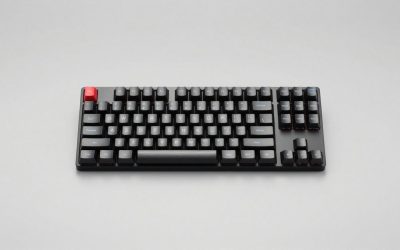
 SteelSeries Apex Pro Mini Wireless KeyboardPro Mini 60%11.5 x 4 x 1.6 inches2.43 poundsCheck on Amazon
In the SteelSeries Apex Pro Mini Wireless vs TKL Wireless choice, buy the Mini if you want the smallest wireless board with adjustable actuation, and the TKL if you want an OLED screen, a volume wheel and more keys. Both use the same OmniPoint 2.0 adjustable switches and both connect over 2.4GHz, Bluetooth and USB. The Mini is a 60% board at about half the weight of the 80% TKL; the TKL adds dual actuation and a richer control set.
Verdict First
- Pick the Apex Pro Mini Wireless if desk space, low-sensitivity aiming and portability matter most and you do not need media controls or arrow keys on the main layer.
- Pick the Apex Pro TKL Wireless if you want dedicated arrows, a function row, an OLED display and a volume wheel, and you are happy with a heavier board.
- Look at the Apex 7 TKL only if you want a classic mechanical board with an OLED screen and a lower budget tier. It does not have adjustable magnetic switches.
This is a research-based comparison built from the maker’s pages, store listings and published editorial reviews. We did not use the products ourselves.
Specs Table: Apex Pro Mini Wireless vs Apex Pro TKL Wireless
| Feature | Apex Pro Mini Wireless | Apex Pro TKL Wireless |
|---|---|---|
| Layout | 60% | 80% (tenkeyless) |
| Switches | OmniPoint 2.0 adjustable | OmniPoint 2.0 adjustable |
| Actuation range | 0.2 to 3.8 mm, per published reviews | 0.2 to 3.8 mm, per published reviews |
| Dual actuation | Not listed for the Mini in reviews | Yes (2023 model) |
| Connectivity | 2.4GHz, Bluetooth, USB wired | 2.4GHz, Bluetooth, USB wired |
| Battery rating | About 40 hours Bluetooth, about 30 hours 2.4GHz (reviewer figures) | About 45 hours Bluetooth, about 37.5 hours 2.4GHz (reviewer figures) |
| OLED screen | No | Yes |
| Volume wheel and media keys | No | Yes |
| Wrist rest | No | Included, per reviews |
| Weight | About 543 g | About 1070 g |
| Budget tier | Premium | Premium |
Battery figures differ by source and lighting settings. Treat them as ranges, and check the maker page for the current rating.
The Two Boards Reviewed
SteelSeries Apex Pro Mini Wireless
SteelSeries Apex Pro Mini Wireless Keyboard - Black | 60% Design - OmniPoint 2.0 - Quantum 2.0 Wireless - Double Shot PBT Keycaps
Chosen because it specifies Black and 60% Design.
View on AmazonThe SteelSeries Apex Pro Mini Wireless is a 60% wireless gaming keyboard with OmniPoint 2.0 adjustable switches, Quantum 2.0 wireless and double-shot PBT keycaps, according to the listing. It is the compact answer to a full-featured esports board: you keep adjustable actuation and a wireless connection but give up the screen, wheel and arrow cluster. Reviewers describe it as one of the stronger compact boards of its generation.
- Layout: 60%
- Switches: OmniPoint 2.0 adjustable
- Wireless: Quantum 2.0 (2.4GHz), Bluetooth, wired USB
- Keycaps: double-shot PBT
Best for: small desks and low-sensitivity mouse players. Skip if: you need dedicated arrows or media controls.
Pros: light and portable; adjustable actuation; PBT keycaps; wireless.
Cons: no OLED or volume wheel; premium budget tier; arrows live on a function layer.
SteelSeries Apex Pro TKL Wireless
The SteelSeries Apex Pro TKL Wireless is an esports tenkeyless board with an OLED screen, adjustable actuation and PBT keycaps, according to the listing. Published reviews credit the 2023 model with dual actuation, which lets one key do two things depending on how deep you press. It keeps the full function row and arrow cluster, so it is easier to use for work and for games that rely on many keys.
- Layout: 80% tenkeyless
- Switches: OmniPoint 2.0 adjustable, dual actuation per reviews
- Screen: OLED smart display
- Connectivity: 2.4GHz, Bluetooth, wired USB
Best for: players who want a feature-rich wireless board with real keys for everything. Skip if: you want the lightest, smallest board.
Pros: OLED display; dual actuation; full function row and arrows; longer rated battery life.
Cons: heavy; larger footprint; premium budget tier.
Performance by Use
Competitive shooters
Both boards share the same switch technology, so the keyboard itself will not give one an edge over the other. The difference is ergonomic. The Mini leaves more space for the mouse hand, which helps if you play at low sensitivity and make long swipes. The TKL gives your left hand a more conventional layout but takes more width. Adjustable actuation lets you set a shallow press for movement keys and a deeper press for abilities you do not want to trigger by accident.
Typing and office use
The TKL is the better work board because it keeps dedicated arrows and a function row. The Mini is perfectly capable for typing, but arrows, Delete and F-keys sit behind the Fn layer. Dual actuation on the TKL can also be used to assign a second action to a deeper press, which some typists use for shortcuts.
Travel and small desks
At roughly half the weight of the TKL, the Mini is easier to carry and stays out of the way on a small desk. It is a better pick for a bag or a LAN event.
Wireless use and battery
Both boards support 2.4GHz and Bluetooth, and both have a USB-C wired mode. Published battery figures favour the TKL on paper, but figures depend heavily on lighting. Turning the backlight down is the biggest way to extend either board.
Which Is Better for You? Buy or Skip
Buy the Apex Pro Mini Wireless if
- Your desk is narrow or you move your setup around.
- You play low-sensitivity shooters and want maximum mouse room.
- You are comfortable using a function layer for arrows and the F-row.
- You want adjustable actuation without extra bulk.
Skip the Mini if
- You need an OLED, a volume wheel or dedicated media keys.
- You use arrow keys daily for work.
Buy the Apex Pro TKL Wireless if
- You want a full tenkeyless layout, an OLED screen and a volume wheel.
- You value dual actuation for key binding tricks.
- You use the same keyboard for work and play.
Skip the TKL if
- Weight and width matter to you more than extra controls.
- You want the smallest possible keyboard.
Where the Apex 7 TKL Fits
The Apex 7 TKL is an older SteelSeries tenkeyless mechanical board with an OLED display and red switches. It does not use adjustable magnetic switches, so it is a different kind of keyboard from the Apex Pro boards above. It makes sense if you like the idea of an OLED and a TKL layout but do not need adjustable actuation. One store listing we found uses a Nordic QWERTY layout, so confirm the layout before you buy. Wireless support is not part of the Apex 7 TKL, so it is a wired choice.
Alternatives Worth Checking
Razer Huntsman V3 Pro Mini

Razer Huntsman V3 Pro Mini 60% Esports 1000 hz Wired Gaming Keyboard, Black | Analog Optical Switches, Razer Snap Tap, Rapid Trigger, Adjustable Actuation, Dual-Purpose Mod Keys, Doubleshot PBT Keycaps
Chosen because it specifies Black and Analog Optical Switches.
View on AmazonThe Razer Huntsman V3 Pro Mini is a 60% wired esports keyboard with analog optical switches, Razer Snap Tap and rapid trigger, according to the listing. It competes with the Apex Pro Mini on compact adjustable switches but is wired only, so it suits players who prefer a cable and do not need Bluetooth.
- Layout: 60%
- Switches: analog optical, adjustable
- Connection: wired
Best for: wired esports play. Skip if: you want wireless.
Logitech G PRO X 60% Wireless

Logitech G PRO X 60% Wireless Gaming Keyboard (Tactile Optical) - Black | Lightspeed, ultra-compact TKL 60% mechanical, for Windows PC, LIGHTSYNC RGB, dual-shot PBT keycaps, optical switches
Chosen because it specifies Black and Lightspeed.
View on AmazonThe Logitech G PRO X 60% is a wireless 60% mechanical keyboard with tactile optical switches and LIGHTSPEED wireless, per the listing. It lacks adjustable actuation, but it is a simpler compact wireless board at a lower budget tier than the Apex Pro Mini Wireless.
- Layout: 60%
- Switches: tactile optical
- Connection: LIGHTSPEED wireless
Best for: compact wireless play without adjustable switches. Skip if: you want rapid trigger or adjustable actuation.
Corsair K70 CORE TKL Wireless

Corsair K70 CORE TKL Wireless RGB Tenkeyless Mechanical Gaming Keyboard | QWERTY NA, Pre-Lubricated CORSAIR MLX Red v2 Linear Switches, Dual-Layer Sound Dampening, ABS Double-Shot Keycaps, Black
Chosen because it specifies QWERTY NA and Pre-Lubricated CORSAIR MLX Red v2 Linear Switches.
View on AmazonThe Corsair K70 CORE TKL Wireless is a tenkeyless RGB mechanical gaming keyboard with pre-lubricated MLX Red v2 linear switches, according to the listing. It is a conventional wireless TKL for those who want a lower budget tier and do not need adjustable actuation or an OLED screen.
- Layout: TKL
- Switches: MLX Red v2 linear
- Connection: wireless
Best for: wireless TKL without the premium cost. Skip if: you want adjustable switches.
OmniPoint 2.0 Explained
OmniPoint is SteelSeries’ name for its adjustable magnetic-style switches. Instead of a fixed point where a key registers, you set the actuation depth in software, within the range of about 0.2 to 3.8 mm that published reviews list. A shallow setting registers a press with very little travel, which can feel fast in games. A deeper setting reduces accidental presses and suits typing.
Dual actuation, which reviewers credit to the 2023 TKL Wireless, lets one key trigger two different actions depending on how far you press it. For example, a light press can walk and a deep press can run. Not every game benefits, but players who bind modifiers often find it handy. The Mini listing in the reviews we read did not mention dual actuation, so check the maker page if that feature is a deciding factor.
On-board profile storage and the number of profiles were not confirmed in the sources we used, so check the maker page if you want settings to follow you between computers.
Layout Differences in Daily Use
What the Mini’s function layer holds
On a 60% board, arrows, Delete, Home, End and the F-row share keys with other characters. You hold Fn and press a letter to reach them. After a week most people stop thinking about it, but anyone who navigates documents all day may find it a drag. You can remap keys in the software to put the functions you use most on easy-to-reach combinations.
What the TKL adds
The TKL keeps a full function row, a navigation block and dedicated arrows. It also keeps the OLED screen and the volume wheel in the top-right corner, which gives you quick controls without opening software. If you stream or record, the screen can show information at a glance.
Number pad
Neither board has a number pad. If you enter a lot of numbers, plan for a separate pad or choose a full-size board instead.
Comfort and Typing Feel
Both boards use PBT keycaps according to their listings, which resist shine and have a slightly textured surface. Key feel is linear and smooth, so there is no tactile bump. If you want a bump, these are not the boards for you. The TKL is heavier and sits more firmly on the desk. The Mini is light enough that it can slide if your desk surface is slick, so a non-slip mat helps.
A wrist rest is an important comfort difference. The TKL is described as including one in published reviews, while the Mini does not. If you type for long periods on the Mini, consider buying a separate wrist rest in a width that matches a 60% board.
Software and Setup
To get the most from either keyboard you need SteelSeries software. It lets you set actuation depth, assign rapid trigger style behavior where supported, create profiles and control lighting. Install it before your first long session, because the default actuation may not match your preferences.
- Charge the keyboard or connect it with the USB cable for the first setup.
- Install the SteelSeries software from the maker’s website and update the firmware if prompted.
- Pair the 2.4GHz dongle first. Use Bluetooth for secondary devices such as a laptop or tablet.
- Set a moderate actuation depth, then lower it for movement keys once you are comfortable.
- Save at least one profile for gaming and one for work.
Ownership Considerations
Premium wireless keyboards are a long-term purchase, so a few points are worth thinking about before you buy. First, check how the battery is charged and whether the keyboard keeps working while plugged in. Both boards support a wired USB mode, which makes them usable even when the battery is flat. Second, think about replacement keycaps. PBT keycap sets are widely available for common layouts, but a 60% layout needs a 60% set. Third, check the warranty terms on the maker page for your region.
Also consider the newer generation. SteelSeries sells Apex Pro Gen 3 boards with OmniPoint 3.0 switches, and a listing for the Apex Pro Mini Gen 3 and Apex Pro TKL Gen 3 may appear next to the Wireless models. These are different products, so do not assume they share the same connectivity or features; check each model’s maker page.
What Owners Say: Common Themes
Owner discussions about the Apex Pro boards tend to circle the same points. People praise the adjustable actuation and the quality of the keycaps. They also bring up the high budget tier and the fact that the software needs to be installed to make the most of the switches. Opinions on the Mini often centre on the Fn layer for arrows, while TKL owners most often mention weight and the value of the OLED screen. We summarise these themes without quoting individual posts, and they reflect general opinion rather than any measurement we ran.
Who Should Skip Both
These are premium boards, and they are not right for everyone. If you want tactile switches for typing, neither will suit you because the switches are linear. If you want a number pad, both are too small. If you want to modify switches, adjustable magnetic switches are not as easy to swap as the sockets on hot-swappable budget boards, so confirm what the maker allows. And if your budget is modest, a simpler wireless TKL or 60% board gives you most of the daily experience for much less. In that case, the alternatives above are a better place to start.
There is also a middle path: buy a wired adjustable-switch board first to see whether you use the actuation controls at all. Many players set a value once and never change it, and for them a fixed-switch wireless board is enough. Be honest about how you play before you pay for features you may not use.
How We Chose and Compared
We looked at the maker’s pages and store listings for specs, then read published reviews from technology outlets for battery and feature details. We did not use either keyboard. Where sources disagreed, for example on battery life, we show the range and say that figures depend on lighting. Anything that was not on an official page or a published review is marked as not listed.
Buying Guide: Choosing Between 60% and TKL Wireless Boards
Layout and arrows
Decide whether you can live with a function layer for arrows. If not, choose the TKL.
Weight and desk space
The Mini weighs about half as much as the TKL and takes much less width. If you move your setup or have a small desk, that matters.
Adjustable actuation
Both boards share OmniPoint 2.0. Adjustable actuation is most valuable for players who want shallow presses for movement and deeper presses for sensitive actions.
Screen and controls
The OLED and the volume wheel appear only on the TKL. If you want quick volume changes without a function layer, that is the deciding factor.
Battery and charging
Published ratings put the TKL a few hours ahead. Lower the lighting to extend either board, and use the USB cable when you want unlimited use.
Newer generation boards
SteelSeries also sells newer Apex Pro Gen 3 models with OmniPoint 3.0 switches in Mini and TKL sizes. These are separate products with their own pricing and features, so compare them on the maker page if you want the latest switch technology.
Frequently Asked Questions
What is the difference between the Apex Pro Mini Wireless and TKL Wireless?
The Mini is a 60% board without an OLED screen or volume wheel. The TKL is an 80% board with an OLED, a volume wheel and dual actuation.
Is the Apex Pro Mini Wireless worth it?
It is worth it if you want a compact wireless board with adjustable actuation and accept a function layer for arrows. At a premium budget tier it is not a casual purchase.
Is the Apex Pro TKL Wireless worth it?
It is worth it if you want an OLED, dual actuation and a full tenkeyless layout in one wireless board and are willing to pay a premium.
Do the Apex Pro Mini and TKL use the same switches?
Yes. Both use OmniPoint 2.0 adjustable switches with an actuation range from about 0.2 to 3.8 mm, according to published reviews.
Which has better battery life?
Reviewers list the TKL at about 45 hours on Bluetooth and the Mini at about 40, with lower figures on 2.4GHz. Lighting settings change these numbers.
How does the Apex 7 TKL compare?
The Apex 7 TKL is an older mechanical board with an OLED and no adjustable switches or wireless, so it is a cheaper but less advanced option.
Final Recommendation
Choose the Apex Pro Mini Wireless for portability and mouse room. Choose the Apex Pro TKL Wireless for features and a full layout. If neither fits your budget or layout, the Huntsman V3 Pro Mini, the Logitech G PRO X 60% and the Corsair K70 CORE TKL Wireless cover the nearest alternatives.
Sources
- SteelSeries product pages for the Apex Pro Mini Wireless and Apex Pro TKL Wireless
- TechRadar review of the SteelSeries Apex Pro TKL Wireless (2023)
- MMORPG.com review of the SteelSeries Apex Pro Mini Wireless
- RTINGS.com review of the SteelSeries Apex Pro Mini
- Basic-Tutorials review of the Apex Pro Mini (Wireless)
Last updated: November 2026
FAQ
What is the difference between the Apex Pro Mini Wireless and TKL Wireless?
Is the Apex Pro Mini Wireless worth it?
Is the Apex Pro TKL Wireless worth it?
Do the Apex Pro Mini and TKL use the same switches?
Which has better battery life?
How does the Apex 7 TKL compare?
More from Amazon
Programs that pair well with the guide above. Offers and eligibility are set by Amazon and may change.
Free shipping on eligible items, Prime Video and more. Eligible new members can start with a free trial.
Start a Prime free trialAd-free music streaming. Eligible new subscribers can start with a free trial.
Try Music Unlimited freeA Prime membership for ages 18-24 with a trial period. Eligibility is set by Amazon.
See Prime for Young AdultsAudiobooks and podcasts to listen to on the go. Eligible new members can start with a free trial.
Try Audible freeAs an Amazon Associate we earn from qualifying purchases.