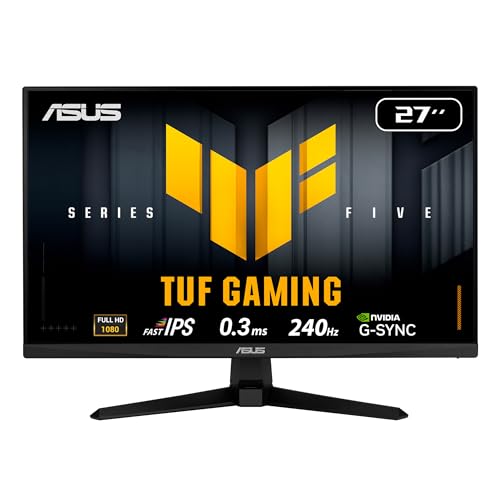
Our Top Picks
For 1080p gaming, a current mainstream card in the RTX 5060 or Radeon RX 9060 XT class is enough for high settings at 60 frames per second and above in most modern games, while an older mid-range card or an entry-level new card is enough if you accept medium settings or are mainly playing esports titles. The right answer depends on three things: your target frame rate, the settings you want, and how much video memory the games you play demand.
Short Answer by Target
| Your goal at 1080p | GPU class that is generally enough | Main limit to watch |
|---|---|---|
| Esports titles, 144 Hz and up | Entry-level current card or a previous-generation mid-range card | CPU often becomes the bottleneck first |
| Modern games, high settings, 60 fps | Mainstream current-generation card (RTX 5060 or RX 9060 XT class) | Video memory in the newest titles |
| High settings, 100 to 144 fps | Upper-mainstream card, such as the RTX 5060 Ti or RX 9060 XT 16 GB class | Heavy ray tracing still lowers frame rates |
| Ray tracing at 1080p | Mainstream or better, with upscaling turned on | Ray tracing costs a large share of performance |
What the Makers Say About 1080p
NVIDIA lists the GeForce RTX 5060 with 8 GB of GDDR7 on a 128-bit bus, a total graphics power of 145 watts and a minimum power supply of 550 watts. The maker frames it as roughly double the performance of the RTX 3060 at 1080p with maximum settings when DLSS technologies are used. That is a maker comparison against an older card with upscaling and frame generation enabled, so it should be read as a marketing ceiling and not as a guaranteed frame rate in every game.
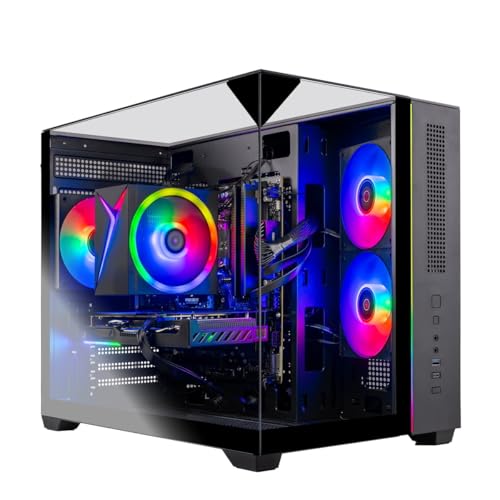
Skytech Gaming PC Desktop, Ryzen 7 7700, RTX 5060 Ti 8GB, 32GB RAM, 1TB SSD | Windows 11, NVMe SSD, DDR5 5600, 650W GOLD PSU, Wi-Fi 5, Crystal Series
Chosen because it specifies Ryzen 7 7700 and RTX 5060 Ti 8GB.
View on Amazon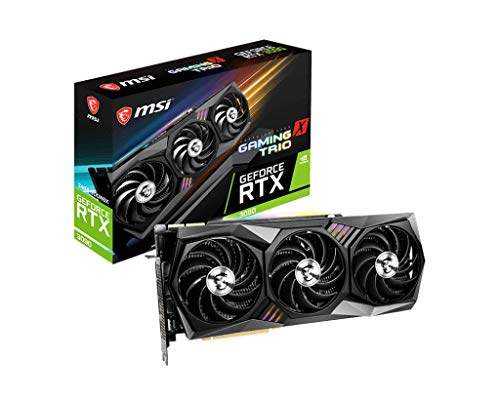
MSI Gaming GeForce RTX 3090 24GB GDRR6X 384-Bit HDMI/DP Nvlink Tri-Frozr 2 Ampere Architecture OC Graphics Card (RTX 3090 GAMING X TRIO 24G) (Renewed)
Picked as a relevant option in this category.
View on Amazon
Skytech Gaming PC Desktop, Ryzen 7 9850X3D, RX 9070 XT, 32GB RAM, 2TB SSD | Windows 11, Gen4 NVMe SSD, DDR5 5600, 850W GOLD ATX 3 PSU, 360 ARGB AIO , Wi-Fi 5, Azure 3 Series
Chosen because it specifies Ryzen 7 9850X3D and RX 9070 XT.
View on Amazon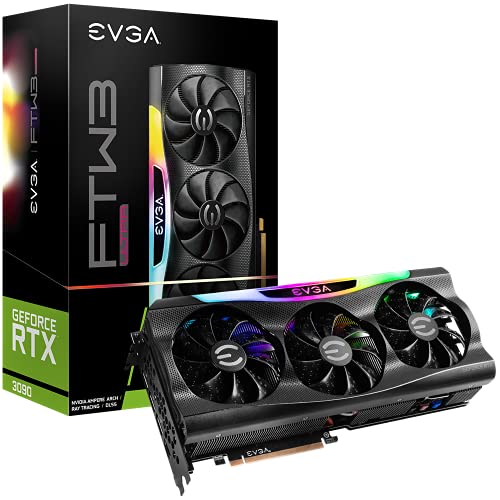
EVGA GeForce RTX 3090 FTW3 Ultra Gaming, 24GB GDDR6X, iCX3 Technology, ARGB LED, Metal Backplate, 24G-P5-3987-KR
Chosen because it specifies 24GB GDDR6X and iCX3 Technology.
View on AmazonThe step up, the RTX 5060 Ti, is listed by the maker in 8 GB and 16 GB versions, 128-bit bus, 180 watts and a 600 watt minimum power supply. NVIDIA positions it for 1440p, which means it leaves comfortable headroom at 1080p. AMD sells the Radeon RX 9060 XT in 8 GB and 16 GB versions in the same broad class, and Intel offers the Arc B580 with 12 GB as a budget option; check the maker pages for exact specifications before buying, because board partners vary clocks and cooler sizes.
Why 1080p Is the Easiest Resolution to Satisfy
A 1080p image has about 2.07 million pixels. A 1440p image has about 3.69 million, and 4K has about 8.29 million. Because the card has far fewer pixels to shade, the same GPU delivers noticeably higher frame rates at 1080p than at higher resolutions. That is why a card that struggles at 4K can still be a very good 1080p part.
The flip side is that at 1080p, with a fast card, the processor can limit the frame rate. If a game is already CPU-limited at 120 fps, buying a faster GPU will not raise it. Reviewers commonly point out that mid-range cards paired with older quad-core or low-core-count chips lose performance in CPU-heavy games, so a balanced pairing matters more than a single expensive part.
Video Memory Matters More Than Raw Speed
Many recent games use more than 8 GB of video memory at high or ultra texture settings, even at 1080p. When a card runs out, you may see stutter, texture pop-in or sudden frame-rate drops that a raw speed number does not predict. Reviewers have repeatedly flagged 8 GB cards as acceptable for 1080p today but with less room for the future, and they generally point to 12 GB or 16 GB versions for buyers who want the card to last several years.
- 8 GB: fine for esports and many current games at high settings if you lower textures in the most demanding titles.
- 12 GB: a comfortable middle ground for 1080p and light 1440p.
- 16 GB: more than most 1080p players need, but useful if you may move to a 1440p monitor later.
Refresh Rate Changes the Answer
A 60 Hz monitor only needs 60 fps, which almost any modern mainstream card can deliver at 1080p in most games. A 144 Hz or 240 Hz monitor changes the goal: you want frame rates close to the refresh rate, and that is easy in older esports games but harder in new graphically heavy titles. Variable refresh rate (FreeSync or G-Sync compatible displays) smooths out dips below the target, so you do not need to hold a perfectly steady number.
Upscaling and Frame Generation
DLSS, AMD FSR and Intel XeSS render the game at a lower internal resolution and reconstruct the image. At 1080p output the internal resolution is already low, so quality modes work better than performance modes; reviewers often note that upscaling gives a smaller visual return at 1080p than at 4K. Frame generation raises the displayed frame rate but does not reduce input latency in the same way real frames do, so it suits single-player games more than competitive shooters.
Common Mistakes
- Buying for the box number. A card advertised for 1440p or 4K will be fine at 1080p, but paying for headroom you will not use is a poor trade if your monitor is 1080p at 60 Hz.
- Ignoring the processor. A very fast GPU paired with a weak CPU can deliver frame rates well below what the card is capable of.
- Ignoring video memory. Two cards with similar speed can behave very differently if one has less memory.
- Skipping the power supply. Use the maker’s stated minimum wattage and check that the supply has the connectors the card needs. If you are unsure, consult the card maker’s guidance or a technician before opening the case, and unplug the system first.
- Assuming ultra settings are required. Dropping a few demanding options from ultra to high often saves a large share of frame rate with little visible change.
Decision Table
| Pick this if … | Class of card |
|---|---|
| You play mostly esports or older games on a 144 Hz monitor | Entry-level current card or previous-generation mid-range |
| You want high settings in new games at 60 fps | RTX 5060 or RX 9060 XT class |
| You want long-term headroom and may upgrade the monitor | 16 GB version of a mainstream card, or RTX 5060 Ti class |
| You want ray tracing at playable rates | Mainstream or better with upscaling enabled |
| You are on a tight budget | Entry-level current card, or a used previous-generation card with at least 8 GB |
Used and Previous-Generation Options
Previous-generation mid-range cards remain sensible for 1080p if the price difference is meaningful, but they may lack newer features such as the latest frame generation or the newest video encoders. When buying used, ask for the exact model and memory size, and avoid cards that were used for heavy mining or have a damaged fan. Note that the makers stop releasing driver optimizations for older generations eventually, so check the maker’s driver support page.
Frequently Asked Questions
Is 8 GB of video memory enough for 1080p gaming?
For most games at 1080p it is enough, especially at medium to high settings. A growing number of new titles ask for more at the highest texture settings, so you may need to lower textures. If you want the card to last, a 12 GB or 16 GB model gives more room.
Can an integrated GPU handle 1080p gaming?
Recent integrated graphics can run lightweight and older games at 1080p with low settings, but demanding modern titles are out of reach for most of them. A discrete card is the safer choice for anything beyond esports and indie games.
Do I need a 1440p-class card to future-proof a 1080p setup?
Not necessarily. A mainstream card with enough video memory should serve a 1080p monitor for years. A faster card is worth it only if you plan to move to 1440p or want very high frame rates.
Why is my frame rate low with a good GPU?
A common cause is a CPU bottleneck, where the processor cannot prepare frames fast enough. Other causes include running single-channel memory, overheating, outdated drivers, or a power-saving mode. Check usage graphs for both the CPU and GPU while playing.
Is ray tracing realistic at 1080p?
On mainstream current cards it is usable in many games when upscaling is enabled, but it still costs a large share of frame rate. Many players prefer to enable it only in single-player titles.
How much power supply do I need?
Follow the card maker’s stated minimum; NVIDIA lists 550 watts for the RTX 5060 and 600 watts for the RTX 5060 Ti on a reference configuration. Needs vary with the rest of the system, so use a quality supply that has the right connectors and consult the manual.
FAQ
Is 8 GB of video memory enough for 1080p gaming?
Can an integrated GPU handle 1080p gaming?
Do I need a 1440p-class card to future-proof a 1080p setup?
Why is my frame rate low with a good GPU?
Is ray tracing realistic at 1080p?
How much power supply do I need?
More from Amazon
Programs that pair well with the guide above. Offers and eligibility are set by Amazon and may change.
Free shipping on eligible items, Prime Video and more. Eligible new members can start with a free trial.
Start a Prime free trialAd-free music streaming. Eligible new subscribers can start with a free trial.
Try Music Unlimited freeA Prime membership for ages 18-24 with a trial period. Eligibility is set by Amazon.
See Prime for Young AdultsAudiobooks and podcasts to listen to on the go. Eligible new members can start with a free trial.
Try Audible freeAs an Amazon Associate we earn from qualifying purchases.