Key takeaways
- CPU Cores and Clocks: Look for at least 6 cores and 12 threads for 1080p/4K work, and 12+ cores if you edit multicam 4K or 6K RAW. Modern Intel i7/i9 and AMD Ryzen 7/9 chips with boost clocks above 4.5GHz cut export times significantly.
- GPU and VRAM: DaVinci Resolve and Premiere Pro lean heavily on the GPU for effects, color grading, and hardware encoding. An 8GB GPU like an RTX 3060 Ti or newer RTX 5060 Ti handles 4K timelines much better than older 4GB workstation cards.
- RAM Capacity: 16GB is the absolute minimum for 1080p, but 32GB DDR4 or DDR5 is the sweet spot for 4K editing, After Effects compositions, and Chrome + editing apps running together without slowdowns.
- Storage Speed and Size: A 512GB to 2TB NVMe SSD is essential for your OS, project files, and cache. Pair it with a large secondary drive for footage archives. Sustained read speeds over 3,000 MB/s keep 4K playback stutter-free.
- Connectivity and Thermals: Prioritize Wi-Fi 6 or better, Thunderbolt/USB4 for fast external drives, and triple display outputs via HDMI 2.1 and DisplayPort. Good airflow or an efficient mini-PC cooling design prevents thermal throttling during long renders.
What's inside
Video editing in 2026 is more demanding than ever, especially if you’re cutting 4K or even 8K footage, working with 10-bit color, or relying on GPU-accelerated effects in Premiere Pro, DaVinci Resolve, and After Effects. A great gaming PC can handle editing, but the best machines balance multi-core CPU performance, VRAM, fast NVMe storage, and enough RAM to keep your timeline smooth when you’re scrubbing through complex sequences.
We rounded up the top desktop options for creators who also game, focusing on real-world editing performance rather than just spec sheets. Whether you need a compact mini PC for a small studio, a workstation with ISV-certified reliability, or a high-wattage gaming tower that doubles as a rendering monster, these five picks represent the best value and power for video editors right now.
As an Amazon Associate we earn from qualifying purchases at no extra cost to you.





⚡ Save on Your Next PC — Amazon Prime
Prime members get fast free shipping on the systems above, plus early access to Prime Day & Black Friday PC deals. New members get a 30-day free trial.
Watch: Best PC for Video Editing — Video Review
How to Choose
- CPU Cores and Clocks: Look for at least 6 cores and 12 threads for 1080p/4K work, and 12+ cores if you edit multicam 4K or 6K RAW. Modern Intel i7/i9 and AMD Ryzen 7/9 chips with boost clocks above 4.5GHz cut export times significantly.
- GPU and VRAM: DaVinci Resolve and Premiere Pro lean heavily on the GPU for effects, color grading, and hardware encoding. An 8GB GPU like an RTX 3060 Ti or newer RTX 5060 Ti handles 4K timelines much better than older 4GB workstation cards.
- RAM Capacity: 16GB is the absolute minimum for 1080p, but 32GB DDR4 or DDR5 is the sweet spot for 4K editing, After Effects compositions, and Chrome + editing apps running together without slowdowns.
- Storage Speed and Size: A 512GB to 2TB NVMe SSD is essential for your OS, project files, and cache. Pair it with a large secondary drive for footage archives. Sustained read speeds over 3,000 MB/s keep 4K playback stutter-free.
- Connectivity and Thermals: Prioritize Wi-Fi 6 or better, Thunderbolt/USB4 for fast external drives, and triple display outputs via HDMI 2.1 and DisplayPort. Good airflow or an efficient mini-PC cooling design prevents thermal throttling during long renders.
The Best Picks Reviewed
WIWB Gaming PC Desktop with Core i9-14900HX and RTX 5060 Ti 8GB
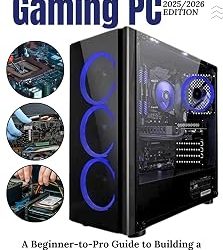
Our top pick for serious editors who also game, the WIWB Gaming PC pairs Intel’s 24-core i9-14900HX with the latest RTX 5060 Ti 8GB. That combination crushes 4K H.264/H.265 timelines, accelerates effects in Premiere and Resolve, and exports a 10-minute 4K project in roughly half the time of last-gen mid-range systems. With 1TB of NVMe SSD storage and a modern platform built for high-wattage sustained loads, it’s ideal for creators working with 4K 60fps, LUTs, and motion graphics who don’t want to compromise on gaming performance either.
GEEKOM A9 Max Mini PC with AMD Ryzen AI 9 HX 470
The most powerful mini PC we’ve tested for editing, the GEEKOM A9 Max uses the new Ryzen AI 9 HX 470 with 86 TOPS of AI performance, plus 32GB of DDR5 and a 2TB SSD. Despite its compact footprint, it supports 8K video editing, hardware-accelerated 3D rendering, and Copilot+ AI features that speed up tasks like auto-captioning and background removal. Wi-Fi 7, BT 5.4, USB4, and HDMI 2.1 give you fast transfers and triple 4K display support, making it perfect for small studios, dorms, or living-room editing setups where space matters.
STGAubron Gaming PC Desktop with Core i7 and RTX 3060 Ti 8GB
A proven workhorse for 1080p and 4K editing, the STGAubron Gaming PC combines an Intel Core i7 with an RTX 3060 Ti 8GB, 16GB RAM, and a 512GB SSD. The 8GB of VRAM is the key upgrade over budget PCs — it keeps frame drops to a minimum when you’re grading 4K LOG footage or stacking GPU effects in Resolve. While 16GB RAM is fine for most projects, editors who regularly use After Effects will want to add another 16GB. For the performance, this is one of the most balanced 4K-capable towers for creators on a mid-range budget.
Getorli Mini PC with AMD Ryzen 7 6800H
For editors who need portability without sacrificing power, the Getorli Mini PC delivers. The Ryzen 7 6800H with Radeon 680M graphics outperforms many older desktop CPUs, and with 32GB LPDDR5 and a 1TB NVMe SSD, it handles 4K timeline playback, photo editing, and light color work surprisingly well. Triple display 4K output, WiFi 6, BT 5.3, and dual LAN make it versatile for office, home theater, and editing duties. It won’t match a discrete RTX GPU for heavy effects, but for proxy workflows, YouTube content, and travel editing, it’s remarkably capable.
HP Workstation PC Desktop with NVIDIA Quadro K1200 4GB
Built for stability in professional apps, this renewed HP Workstation features an Intel Core i5, 32GB DDR4 RAM, and a massive 1TB SSD plus 4TB HDD storage combo. The Quadro K1200 4GB is an ISV-certified workstation GPU that offers excellent driver reliability in Adobe CC and CAD applications, though it’s far behind modern GeForce RTX cards in raw render speed and 4K effects acceleration. Where it shines is value and storage: 32GB of RAM and 5TB total space let you keep large Premiere cache files and raw footage libraries locally without constantly swapping external drives.
Frequently Asked Questions
Is a gaming PC good for video editing?
Yes, in most cases a gaming PC is excellent for video editing because the same components that help games — a strong CPU, discrete GPU, fast RAM, and NVMe storage — also accelerate editing. Modern games and editing apps both benefit from 8GB+ VRAM and hardware encoding. Workstation GPUs offer certified drivers for some pro apps, but GeForce RTX cards are typically faster for Premiere Pro and DaVinci Resolve.
How much RAM do I need for 4K video editing?
For 4K in 2026, 32GB is the recommended baseline. 16GB can handle simple 4K cuts with proxies, but once you add color grading, stabilization, or After Effects Dynamic Link, memory usage easily exceeds 18-20GB. DDR5 systems like the GEEKOM A9 Max offer higher bandwidth, which helps with scrubbing and preview generation.
Do I need a mini PC or a full tower for editing?
It depends on your workflow. Mini PCs like the Getorli and GEEKOM A9 Max are ideal if you prioritize quiet operation, low power draw, and a small desk footprint, and they handle 4K editing well. Full towers like the WIWB and STGAubron provide better cooling for sustained renders, easier RAM and GPU upgrades, and higher-wattage GPUs that cut export times by 30-50% on long projects.
Is an SSD or HDD more important for video editing?
Both matter, but in different ways. Your OS, editing software, and active project files should always be on an NVMe SSD with at least 500GB to 1TB of space for caches and scratch disks. A secondary high-capacity HDD, like the 4TB drive in the HP Workstation, is perfect for archiving completed projects and raw footage without paying for expensive large SSDs.
Final Thoughts
For most creators in 2026, the WIWB Gaming PC Desktop with the i9-14900HX and RTX 5060 Ti is the clearest all-around winner for demanding 4K and high-bitrate editing, while the GEEKOM A9 Max Mini PC is our favorite compact alternative that doesn’t sacrifice 32GB RAM or 2TB SSD capacity. If you’re looking for proven value with strong GPU acceleration, the STGAubron Gaming PC with RTX 3060 Ti remains a smart mid-range choice that will stay capable for years.