Our Top Picks
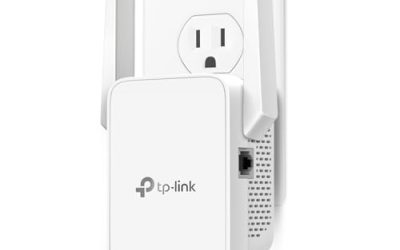
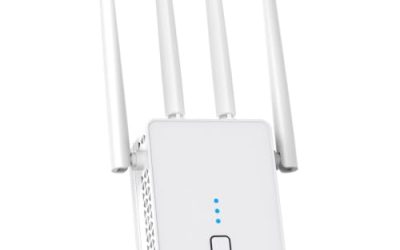
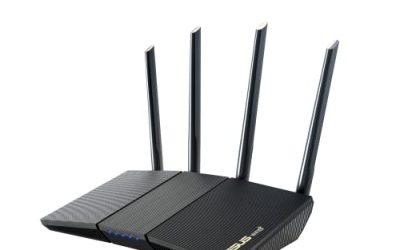
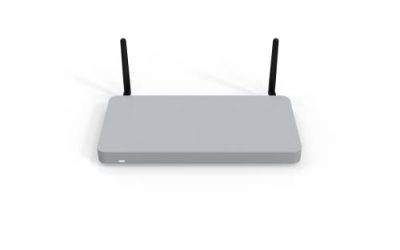
 TP-Link AC1200 WiFi Extender Dual Band 5GHz/2.4GHz1 Count (Pack of 1)3.5 x 2.05 x 4.89 Inches0.4 poundsCheck on Amazon
 TP-Link Deco XE75 AXE5400 Tri-Band WiFi 6E System3 Pack4.13 x 4.13 x 6.65 inches3.5 poundsCheck on Amazon
The phrase “mesh WiFi extender” covers two different products, and mixing them up is the fastest way to waste money. One kind is a single plug-in extender or add-on node that boosts an existing network. The other is a multi-unit mesh system that replaces your router and spreads one network across the house. Your first decision is whether you are patching a dead spot or rebuilding the whole network.
This guide serves both buyers. Three listings are standalone or add-on extenders meant to fix one weak area. Five are whole-home mesh kits that list router replacement as a feature, from older AC1900 designs to a Wi-Fi 7 system. Square footage, device counts and standards come straight from the titles, so use them as planning figures rather than promises. With 2026 devices crowding every home network, the right pick depends on your layout more than any speed label.
Quick Picks

TP-Link Deco X55 AX3000 WiFi 6 Mesh System, Deco X55(3-Pack) | Covers up to 6500 Sq.Ft. , Replaces Wireless Router and Extender, 3 Gigabit ports per unit, supports Ethernet Backhaul
One of the consumer electronics options compared in this guide.
View on Amazon
TP-Link Deco S4 Mesh AC1900 WiFi System, Deco S4(3-Pack) | Up to 5,500 Sq.ft. Coverage, Replaces WiFi Router and Extender, Gigabit Ports, Works with Alexa
One of the consumer electronics options compared in this guide.
View on AmazonTP-Link AC1200 WiFi Extender Dual Band 5GHz/2.4GHz (RE315) | 1.2Gbps Home Signal Booster, Up to 1600 Sq.ft and 32 Devices, EasyMesh Compatible, One Ethernet Port
One of the consumer electronics options compared in this guide.
View on AmazonTP-Link Deco XE75 AXE5400 Tri-Band WiFi 6E System, 3-Pack | Wi-Fi up to 7200 Sq.Ft, Engadget Rated Best for Most People, Replaces WiFi Router & Extender, AI-Driven, 6GHz Band, WPA3
One of the consumer electronics options compared in this guide.
View on Amazon
NETGEAR Orbi 370 Series WiFi 7 Mesh System, Up to 6,000 sq ft., 3 Pack | Up to 5 Gbps, 70 Devices, Easy Set Up, Dual-Band, Security Features, 2.5 Gig Port, Router + 2 Satellite Extenders, RBE373
One of the consumer electronics options compared in this guide.
View on Amazon
TP-Link Deco S4 Whole Home Mesh WiFi System, Deco S4(2-Pack) | Up to 3,800 Sq.ft. Coverage, AC1900 WiFi Router and Extender Replacement, Parental Controls
One of the consumer electronics options compared in this guide.
View on Amazon
TP-Link AC1900 WiFi Range Extender RE550 | Dual-Band Wireless Repeater | Amplifier w/ Gigabit Ethernet Port | Up to 2200 Sq. Ft., 32 Devices | Internet Signal Booster | APP Setup | EasyMesh
One of the consumer electronics options compared in this guide.
View on Amazon| Product | Best for | Key spec from the title |
|---|---|---|
| TP-Link Deco X55 (3-pack) | Large homes on Wi-Fi 6 | AX3000, up to 6500 sq. ft., 3 gigabit ports per unit |
| TP-Link Deco S4 (3-pack) | Older, larger homes on a tight budget | AC1900, up to 5,500 sq. ft. |
| eero 6 add-on | Existing eero owners | Wi-Fi 6, adds up to 1,500 sq. ft. |
| TP-Link RE315 | Fixing one dead spot cheaply | AC1200, up to 1600 sq. ft., 32 devices |
| TP-Link Deco XE75 (3-pack) | Dense homes with Wi-Fi 6E devices | AXE5400 tri-band, up to 7200 sq. ft. |
| NETGEAR Orbi 370 (3-pack) | Wi-Fi 7 upgrade across a big home | Wi-Fi 7, up to 6,000 sq. ft., 70 devices |
| TP-Link Deco S4 (2-pack) | Mid-sized homes | AC1900, up to 3,800 sq. ft. |
| TP-Link RE550 | Wired device near the dead spot | AC1900, gigabit Ethernet port, up to 2200 sq. ft. |
How to Choose
Extender or mesh system?
A plain extender repeats your router’s signal and typically halves throughput on dual-band models, because the same radio talks to both the router and your device. A mesh system uses several coordinated nodes with one network name, which is smoother when you walk through the house. If only one room is weak, an extender is enough. If three or more rooms struggle, buy a mesh kit.
Match coverage to square footage honestly
Coverage numbers in titles come from open-floor layouts. Brick, concrete and metal ducts cut them sharply. As a planning rule, count roughly half the listed figure for a home with many walls. A 1,500 sq. ft. apartment needs one add-on or a two-pack; a 4,000 sq. ft. house needs three nodes.
Look for tri-band or wired backhaul
On a dual-band mesh, the link between nodes shares airtime with your devices. A tri-band system, like the AXE5400 model, dedicates a band to node traffic. Gigabit Ethernet ports on each unit let you wire nodes together with a cable, which removes the wireless penalty entirely. If your walls already have network jacks, use them.
Check standards and device limits
Wi-Fi 6 is a sensible floor today, Wi-Fi 6E adds a clean 6GHz band, and Wi-Fi 7 helps only if your devices support it. AC1200 and AC1900 listings are older Wi-Fi 5 designs and cap how many devices run smoothly. The titles here list 32 and 70 devices, which is a useful sanity check against your count of phones, TVs and smart plugs.
The 8 Best Options
TP-Link Deco X55 (3-pack)
The Deco X55 kit is a good all-rounder for a large household. The title lists an AX3000 Wi-Fi 6 mesh system with three units covering up to 6500 sq. ft., replacing both the router and any extender, with three gigabit ports on each unit. Those ports let you plug a console, desktop or TV box directly into any node.
- Strength: three gigabit ports per unit make wired devices easy to connect.
- Strength: Wi-Fi 6 with a 6500 sq. ft. coverage claim suits big floor plans.
- Trade-off: it is dual-band, so node-to-node links share airtime with devices.
Skip it if you have a small apartment, where three nodes are more than you need. A single-floor home under 2,000 sq. ft. rarely benefits from a third unit.
TP-Link Deco S4 (3-pack)
The three-node S4 kit is the older, lower-cost route to whole-home coverage. The title lists an AC1900 mesh with up to 5,500 sq. ft., router and extender replacement, and gigabit ports. It makes sense for homes with broadband under a few hundred megabits, where Wi-Fi 5 speeds are not the bottleneck.
- Strength: three nodes cover up to 5,500 sq. ft. for a lower entry cost.
- Strength: gigabit ports on the units support wired connections.
- Trade-off: AC1900 is a Wi-Fi 5 standard, so it handles crowded networks less gracefully.
Skip it if your household has many Wi-Fi 6 devices or a very fast internet plan. The older standard is the compromise you accept in exchange for covering more floor area.
eero 6 add-on
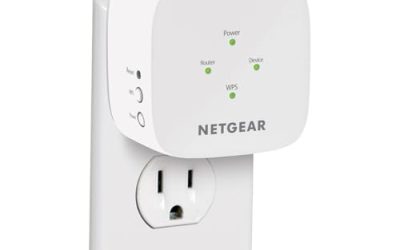
This is not a standalone product, and that fact defines who should buy it. The title states it adds up to 1,500 sq. ft. of Wi-Fi 6 coverage and requires an existing eero mesh system, which is not included. If you already own an eero setup and a single room is weak, it is a clean, simple expansion.
- Strength: adds Wi-Fi 6 coverage to an existing eero network without relearning settings.
- Strength: a 1,500 sq. ft. figure suits one problem room or a small floor.
- Trade-off: it does nothing without a compatible eero system, which you must already own.
Skip it if you are starting from scratch or use a different brand of router. A buyer in that position should price a full kit instead of one piece that cannot work alone.
TP-Link RE315
The RE315 is the budget fix for a single dead spot. The title lists an AC1200 dual-band extender with up to 1600 sq. ft. of coverage, 32 devices, EasyMesh compatibility and an Ethernet port. EasyMesh support means it can join a compatible router’s mesh instead of creating a separate network, which smooths roaming.
- Strength: EasyMesh compatibility helps it blend with a supported router.
- Strength: an Ethernet port lets you connect a wired device such as a streaming box.
- Trade-off: AC1200 and a single extender radio mean shared bandwidth and modest speeds.
Skip it if your router does not support EasyMesh or you need to cover several rooms. In that case it may create a second network name, which makes moving between rooms clumsier.
TP-Link Deco XE75 (3-pack)
This tri-band Wi-Fi 6E system is the premium choice among the Deco options. The title lists AXE5400 tri-band speeds, coverage up to 7200 sq. ft. and router replacement. The third band acts as a dedicated link, and 6GHz support benefits modern phones and laptops that can use it, making it fit homes with many simultaneous streams.
- Strength: tri-band design reduces the slowdown that dual-band nodes suffer.
- Strength: 7200 sq. ft. is the largest coverage claim on this list.
- Trade-off: it costs more than the Wi-Fi 6 and Wi-Fi 5 kits and needs 6E devices to shine.
Skip it if your devices are mostly older and your home is modest in size. Without 6E clients, the third band mainly serves as backhaul, which is useful but not essential in small spaces.
NETGEAR Orbi 370 (3-pack)
The Orbi 370 brings Wi-Fi 7 into a three-pack mesh system. The title lists up to 6,000 sq. ft., speeds up to 5 Gbps, support for 70 devices, dual-band operation, security features and a 2.5 Gig port. The 70-device figure suits families with many smart-home gadgets, and the 2.5 Gig port helps with faster internet plans.
- Strength: Wi-Fi 7 and a 2.5 Gig port prepare the home for faster plans.
- Strength: a 70-device capacity suits smart homes.
- Trade-off: dual-band means node links share bandwidth despite the Wi-Fi 7 label.
Skip it if your devices and internet plan cannot take advantage of Wi-Fi 7 yet. A lower-tier Wi-Fi 6 kit would cover the same space and leave more budget for other upgrades.
TP-Link Deco S4 (2-pack)
The two-pack S4 is a compact version of the three-node kit. The title lists an AC1900 mesh with up to 3,800 sq. ft. of coverage, router and extender replacement, and parental controls. For a mid-sized home or a two-story townhouse, two nodes are often enough, and the cost savings are clear.
- Strength: two nodes cover up to 3,800 sq. ft., a practical size for many homes.
- Strength: parental controls are listed for managing family screen time.
- Trade-off: with only two nodes, a long or oddly shaped house may still have gaps.
Skip it if your floor plan is large, since the three-node kit covers more. Also skip it if the house has thick masonry walls, which can swallow the listed coverage quickly.
TP-Link RE550
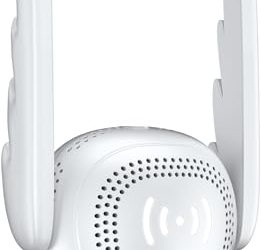
The RE550 is for a dead spot that also has a wired device nearby. The title lists an AC1900 dual-band extender with a gigabit Ethernet port, coverage up to 2200 sq. ft. and support for 32 devices. A smart TV, game console or desktop can connect by cable, which sidesteps wireless slowdowns for that device.
- Strength: gigabit Ethernet suits wired consoles or TVs in a far room.
- Strength: AC1900 offers more headroom than the AC1200 option.
- Trade-off: it is a single extender, so it fixes one area and not the whole home.
Skip it if you need seamless roaming across several rooms. An extender sits at one spot, so moving between floors on a video call may still involve a handoff between two signals.
Which One Fits Your Situation
You have one weak bedroom
The TP-Link RE315 is the budget fix. Choose the RE550 if you also want to plug a device into the extender by cable.
You already own an eero system
The eero 6 add-on is the natural expansion and keeps everything under one app.
You have a large two-story house and a tight budget
The TP-Link Deco S4 three-pack covers a lot of space for less, while the Deco X55 is the better choice if your devices use Wi-Fi 6.
You want the most future-proof setup
The NETGEAR Orbi 370 offers Wi-Fi 7 and a 2.5 Gig port, and the Deco XE75 offers a tri-band Wi-Fi 6E alternative.
Common Mistakes
- Buying a single extender to cover an entire house.
- Trusting the listed square footage without allowing for walls and floors.
- Buying an add-on node without owning the system it requires.
- Paying for Wi-Fi 7 when none of your devices support it.
- Placing an extender in the dead spot instead of halfway between the router and the dead spot.
Related guides
- Retro Game Storage Cases And Displays
- Solar Chargers For Camping And Hiking
- How To Clean Retro Game Cartridges Safely
Frequently Asked Questions
Is a mesh system better than an extender?
For whole-home coverage, yes, because it uses one network name and coordinated nodes. An extender is cheaper and fine for one problem room. Pick based on how many rooms struggle.
Where should I put an extender?
Place it about halfway between the router and the weak area, where it still receives a strong signal. Putting it in the dead spot only repeats a poor signal. A wired link, where possible, performs better.
What is EasyMesh?
EasyMesh is a standard that lets compatible routers and extenders from different brands form a single mesh. It helps devices roam without reconnecting. Check that both your router and the extender support it.
Will a mesh system slow my internet?
Wireless hops can reduce speed, especially on dual-band nodes. Wired backhaul or a tri-band design minimizes the loss. Most home plans stay well within what a good mesh can deliver.