Our Top Picks
 NETGEAR WiFi Extender EX50001.2 Gbps, 1000 sq.ft.2.55 x 2.85 x 2.85 inches0.34 PoundsCheck on Amazon
A small business rarely fails because the Wi-Fi is slow; it fails because it drops at the wrong moment, such as when a card terminal freezes, a video call cuts out, or a back-office laptop cannot reach the printer. A WiFi extender for business use has to be judged on stability, device capacity, and wired options, not on the largest coverage number in the title. This is a stopgap category: a way to stretch an existing router across a shop floor or office suite before investing in dedicated access points. If a business already struggles with dead spots in several rooms, the extender is a bandage and the real fix is a wired access point plan.
This guide is for owners of small offices, shops, clinics, studios, and home businesses who need to extend coverage into a back room, a stockroom, or a second floor without rewiring. It compares six plug-in options, from a recognized NETGEAR unit to an add-on for an existing mesh system. Because most listings are written for homes, the verdicts focus on what the spec sheet shows about device limits, ports, and compatibility for 2026 workplaces. A duplicate of another high-claim listing was merged into one entry. None of these claims are guarantees, so use them to narrow your list and then test the placement before committing.
Quick Picks

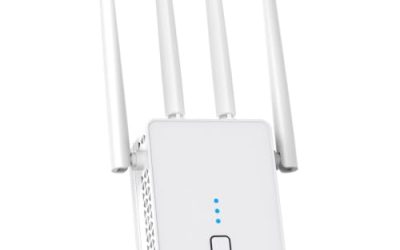
2026 Upgraded WiFi Extender for Home, Up to 18000Sq.ft Long Range Coverage WiFi Booster, High-Speed Wireless Internet Repeater with Ethernet Port, 15X Faster Signal Amplifier, Works with 99% Router
One of the consumer electronics options compared in this guide.
View on Amazon
2026 New WiFi Extender, WiFi Booster 1200Mbps Dual Band | (5.8GHz/2.4GHz), WiFi Extender Signal Booster for Home with Ethernet Port Covers up to 18999sq.ft and 115+ Devices (White)
One of the consumer electronics options compared in this guide.
View on Amazon
2026 WiFi Extender Signal Booster, New Gen Internet Booster for Home, 4X Faster, Covers up to 16,899 sq.ft, Wi-Fi Repeater with Ethernet Port, Wireless Long Range Amplifier, Easy Setup (White)
One of the consumer electronics options compared in this guide.
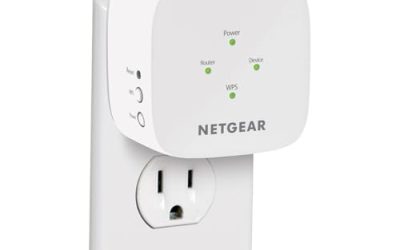
View on AmazonNETGEAR WiFi Extender EX5000, up to 1,500 sq ft, 1.2 Gbps | Signal Booster for Home, Easy Set Up, 25 devices, Works with any Router, Compact Design, WiFi 5, AC1200
One of the consumer electronics options compared in this guide.
View on Amazon
WiFi Extender Signal Booster for Home 5G 1200Mbps Dual Band WiFi Booster | wifi extenders signal booster Device Servers Covers Up to 5000 Sq.ft and 35 Devices, Wireless Signal Repeater Ethernet
One of the consumer electronics options compared in this guide.
View on Amazon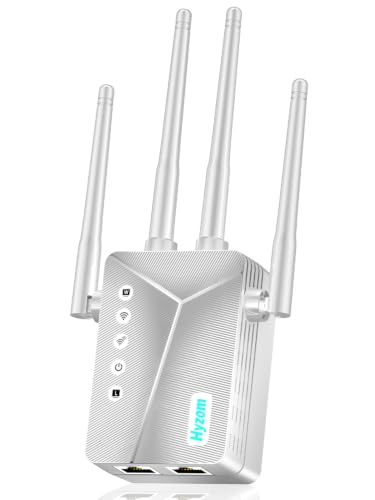
WiFi Extender Signal Booster for Home, Covers Up to 18,000 Sq Ft, Long Range Wireless Internet Repeater with Ethernet Port, Eliminates Dead Zones, Reduces Buffering, Supports 65+ Devices, 1-Tap Setup
One of the consumer electronics options compared in this guide.
View on Amazon| Product | Best for | Key spec from the title |
|---|---|---|
| 18000 sq ft Extender with Ethernet | Wired devices in a back office | Up to 18000 sq ft, Ethernet port, long range |
| 16,899 sq ft Extender with Ethernet | Wide open floor plans | Covers up to 16,899 sq ft, Ethernet port, 4X faster claim |
| NETGEAR EX5000 | Small offices and shops | 1.2 Gbps, up to 1,500 sq ft, 25 devices, any router |
| Dual-Band Booster (5000 sq ft) | Mixed phones and laptops | 5G 1200Mbps dual band, up to 5000 sq ft, 35 devices |
| eero 6 add-on extender | Existing eero mesh networks | Wi-Fi 6, adds up to 1,500 sq ft, requires an eero system |
| 10000 sq ft Extender (80 devices) | Busy spaces with many clients | Up to 10000 sq ft, 80 devices, Ethernet port |
How to Choose
Device count and real-world traffic
Business networks carry more than laptops. Count phones, tablets, printers, card readers, security cameras, and guest devices. A listing that states 25, 35, or 80 devices gives you a rough ceiling, though a plug-in extender with a single radio will slow down well before it reaches the maximum. For a handful of staff and a printer, 25 devices is plenty. For a busy cafe or waiting room, look at higher stated limits or consider moving to proper access points. Also think about peak moments, such as opening hour or a meeting in the conference room, because that is when the extender will be stressed most.
Ethernet ports and access point mode
A wired port is the most valuable feature in a business extender. It lets you plug in a point-of-sale terminal, a desktop, or a printer and avoid wireless interference. Access point mode, when available, lets you connect the unit to your router with a cable and broadcast a full-speed network in a back room. Wireless repeating alone typically halves throughput, which hurts file transfers and video calls. Shared printers and network storage also behave better on a wired connection, so use the port whenever a desk is within cable reach.
Bands, standards, and compatibility
Dual-band units give you 2.4GHz for reach and 5GHz for speed. Wi-Fi 6 offers better handling of many devices than Wi-Fi 5, which matters in a crowded office. Check compatibility: “works with any router” is helpful for a generic setup, while an eero add-on only works within an eero mesh. Ignore inflated coverage figures like 18000 square feet; they describe open-air conditions and say little about a real office with drywall and metal shelving. Fridges, microwaves, and fish tanks can add noise to the 2.4GHz band, which is another reason to favor dual-band units.
Security, support, and what budget units skip
Business traffic includes customer and payment data. Look for WPA2 or WPA3 support and a manufacturer that publishes firmware updates. Many low-cost, unbranded extenders offer no clear update path and limited guest-network controls. Budget models often cut corners on antenna quality, management tools, and long-term support, so reserve them for non-critical areas and keep point-of-sale equipment on a wired link or a trusted brand. Change the default admin password during setup and turn off any feature you do not use.
The 6 Best Options
18000 sq ft Extender with Ethernet
A generic long-range extender that lists up to 18000 square feet of coverage and an Ethernet port. The port is the point for a business: it lets a desktop or printer hook in directly. It suits small offices that need a cheap fix for a stockroom or back office, with the understanding that it is a stopgap. Staff who only need email and web access in that room will be satisfied, while anyone moving large files should plug in by cable.
- The Ethernet port supports wired equipment.
- Low cost makes it easy to deploy in non-critical spots.
- Trade-off: unbranded firmware support and the inflated coverage claim are weak points for business use.
Skip it if the extender will carry payment or customer data.
16,899 sq ft Extender with Ethernet
Another generic unit, claiming coverage up to 16,899 square feet, a “4X faster” boost, and an Ethernet port with a wireless repeater design. It fits shoppers who want a similar wired option from a different listing. The claim is marketing language, so rely on the port and repeater function rather than the multiplier. It could serve a front desk or a shared printer area where a cable run is easier than a wireless signal.
- An Ethernet port allows a wired connection to equipment.
- Simple plug-in setup is attractive for non-technical staff.
- Trade-off: “4X faster” has no stated baseline and should be ignored.
Skip it if you want documented speed standards.
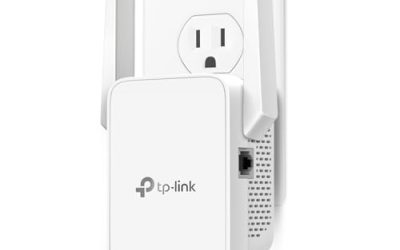
NETGEAR EX5000
A brand-name extender rated for up to 1,500 square feet, 1.2 Gbps combined speed, and 25 devices, with compatibility for any router. Its modest claim is the sort a small shop can plan around. It suits offices and boutiques that need a reliable extension into one extra room, such as a fitting area or a manager’s office behind a thick wall. Documentation and a known support path are valuable when no one on staff is a network specialist.
- A recognized maker usually means firmware support and documentation.
- The 25-device limit fits small teams.
- Trade-off: the title mentions no Ethernet port, which limits wired equipment.
Skip it if you need to connect desktops or terminals by cable.
Dual-Band Booster (5000 sq ft)
A 5G dual-band 1200Mbps booster that lists up to 5000 square feet and 35 devices. It strikes a middle ground between small branded units and oversized generic ones, with enough device capacity for a small team plus guests. It fits studios and clinics where clients bring phones and laptops and staff need a steady connection for scheduling software and video visits.
- A 35-device ceiling suits staff, visitors, and equipment.
- Dual-band design allows separate reach and speed options.
- Trade-off: the brand is less established, so long-term support is uncertain.
Skip it if you need a clearly documented business warranty.
eero 6 add-on extender
This is an add-on node for an existing eero mesh system, stated to add up to 1,500 square feet of Wi-Fi 6 coverage. The title notes that the required eero mesh system is not included, so it is only useful if you already run one. For those users it is the cleanest, most integrated way to grow coverage, since the app manages every node, guest access, and updates in one place.
- Wi-Fi 6 handles many devices more gracefully.
- It joins an existing mesh, avoiding separate network names.
- Trade-off: it does nothing without a compatible eero system.
Skip it if you do not already own an eero system.
10000 sq ft Extender (80 devices)
A generic extender claiming up to 10000 square feet and support for 80 devices, with an Ethernet port and quick setup. The high device count is attractive for busy spaces, though a single radio has real limits. It fits cafes, salons, and shared offices that want an inexpensive coverage patch, as long as the critical equipment, such as card readers, stays on a wired link.
- The listed 80-device figure is the highest on this list.
- An Ethernet port gives a wired option.
- Trade-off: the stated capacity is a theoretical maximum, not a performance promise.
Skip it if you need dependable performance with many active users.
Which One Fits Your Situation
You run a small office with one weak room
The NETGEAR EX5000 is the practical option, thanks to a believable coverage figure, any-router compatibility, and a recognized brand.
You already use an eero mesh
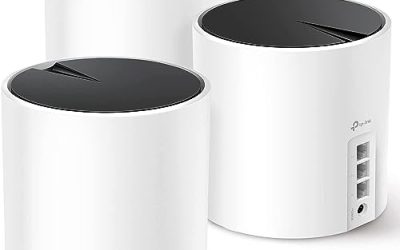
The eero 6 add-on extender keeps everything in one managed network and adds Wi-Fi 6 capacity. That consistency is worth more than raw coverage numbers when staff move around the building.
You need to plug a desktop or printer into a back room
Choose the 18000 sq ft Extender with Ethernet or the 16,899 sq ft Extender with Ethernet for a low-cost wired option, but keep them off payment equipment.
Your space has many guests and devices
The 10000 sq ft Extender (80 devices) lists the highest capacity, while the Dual-Band Booster (5000 sq ft) is a balanced mid-point. Remember that more devices on a single extender means less speed for each one, so split heavy users across two units or a cable where you can.
Common Mistakes
- Believing square-foot claims in the thousands and ignoring walls, shelving, and appliances.
- Running point-of-sale terminals through a low-cost wireless repeater.
- Skipping the Ethernet port when wired equipment will be used.
- Buying an eero add-on without owning the required system.
- Leaving guests and staff on the same network instead of using a separate guest network.
Related guides
- Retro Game Storage Cases And Displays
- Solar Chargers For Camping And Hiking
- Wireless Chargers For Samsung Galaxy
Frequently Asked Questions
Is an extender good enough for a business?
For small offices with light traffic, yes, as a stopgap. Larger or busier sites are better served by wired access points or a managed mesh system.
Why does an extender slow my connection?
A wireless repeater uses the same radio to receive and send, which reduces throughput. A wired link or dual-band design lessens the loss.
Where should I place the extender?
Midway between the router and the weak area, in a spot where the signal is still strong. Placing it inside the dead zone only repeats a poor signal.
Is a mesh add-on worth it?
If you already own the matching mesh system, yes. It integrates cleanly and avoids a second network name, but it is useless on its own. Check which generation of nodes your current system uses before ordering, and confirm that the add-on can join it.