Key takeaways
- Around 24 inches: 1080p is common, and 1440p is a clear sharpness step.
- Around 27 inches: 1440p is a widely used middle ground among reviewers.
- 32 inches and above: 4K is often chosen to keep text and edges crisp, with a stronger GPU needed.
For fast competitive games, higher refresh rate usually matters more than higher resolution, while for slower, cinematic games a sharper resolution usually delivers more visible benefit. Your graphics card sets the real limit, because both settings raise the demand on it in different ways.
What Each Term Means
Resolution is the number of pixels on the screen. Common gaming sizes are 1920 by 1080 (about 2.07 million pixels), 2560 by 1440 (about 3.69 million) and 3840 by 2160, called 4K, at about 8.29 million pixels. More pixels give finer detail and cleaner text and edges.
Refresh rate is how many times per second the display redraws the image, measured in hertz. A 60 Hz panel refreshes 60 times a second, a 144 Hz panel 144 times. Higher numbers make motion look smoother and reduce the delay between a game update and what you see, but only if the game can supply enough frames per second to match.
Quick Comparison
| Factor | Higher refresh rate | Higher resolution |
|---|---|---|
| What improves | Motion smoothness, responsiveness | Detail, sharpness, text clarity |
| GPU demand | Needs more frames per second | Needs to render more pixels per frame |
| Best for | Shooters, racing, esports titles | Open-world, story games, creative work |
| Hardware needed | Capable CPU and GPU, correct cable and port | Strong GPU, enough video memory, good panel size |
| Weakness | No benefit if the game cannot reach the rate | Lower frame rates unless the GPU is powerful |
Why the GPU Decides the Trade-off
Increasing resolution multiplies the pixel workload. Moving from 1080p to 1440p raises the pixel count by roughly 78 percent, and 4K has four times the pixels of 1080p, going by the pixel counts above. That is why a card that holds a steady high frame rate at 1080p may struggle at 4K in demanding titles.
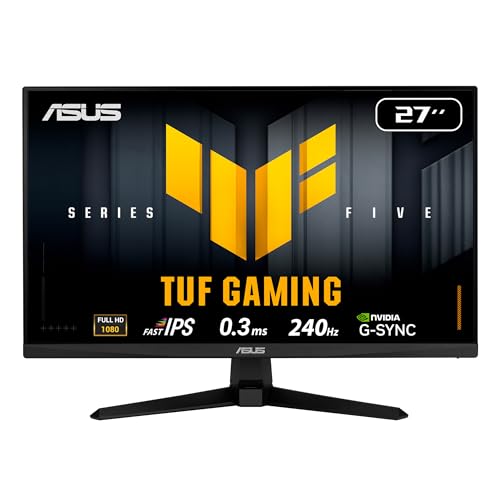
Refresh rate does not change the amount of work per frame. It changes how many frames you need per second to benefit. A 240 Hz monitor only looks like a 240 Hz monitor if the game outputs around that many frames. If your GPU averages a much lower frame rate, you will mostly see the lower rate, though adaptive sync features can keep it smooth.
Pick the Resolution by Screen Size and Distance
Pixel density depends on both resolution and screen size. A small monitor at 1080p can look sharp at a normal desk distance, whereas a large panel at the same resolution looks softer. Generally the choice follows the display size you want:
- Around 24 inches: 1080p is common, and 1440p is a clear sharpness step.
- Around 27 inches: 1440p is a widely used middle ground among reviewers.
- 32 inches and above: 4K is often chosen to keep text and edges crisp, with a stronger GPU needed.
Treat these as common pairings rather than rules. Your eyesight, viewing distance and the games you play all change the answer.
What Is the Sweet Spot for Most Players?
Many builders aim for 1440p with a high refresh rate because it balances sharpness and speed on mid-range to high-end graphics cards. Players on lower-tier hardware often stay at 1080p with a high refresh panel, so they can reach frame rates that match the display. Those with premium cards sometimes choose 4K at a more moderate refresh rate, or a high refresh 4K display with upscaling.
Upscaling and frame-generation features from GPU makers can narrow the gap. NVIDIA’s DLSS, AMD’s FSR and Intel’s XeSS render at a lower internal resolution and reconstruct a higher one, which can help when you want both a sharp image and a high frame rate. Support, quality and latency effects differ by game and by technology, so read the maker’s documentation and reviews for the specific title.
Decision Table: Pick X If…
| Pick this | If your situation is… |
|---|---|
| High refresh at 1080p | You play competitive shooters, have a mid-range GPU and want maximum responsiveness |
| High refresh at 1440p | You want a mix of sharp visuals and smooth play with a capable GPU |
| 4K at standard refresh | You prefer visual detail in single-player games and have a strong GPU |
| High refresh 4K | You have a premium GPU and are happy to use upscaling in demanding games |
| Standard refresh at 1440p | You split time between gaming and work and play slower titles |
Other Factors That Matter as Much
Adaptive sync
Variable refresh rate technologies, such as FreeSync and G-Sync, let the display adjust to the GPU’s frame rate, reducing tearing and stutter. They are especially valuable when you cannot hit the display’s maximum rate in every game.
Response time and panel type
A high refresh rate can still look blurry if the panel is slow. IPS, VA and OLED panels differ in response and contrast, and reviewers measure them differently. Compare reviews for the exact model.
Cables and ports
High resolution at a high refresh rate needs enough bandwidth. Check the monitor maker’s specifications to see which port supports its top mode, and use a cable rated for it. Some HDMI ports on a monitor are limited compared with DisplayPort.
CPU limits
At lower resolutions, the processor may become the bottleneck, since the GPU finishes frames quickly. At higher resolutions, the GPU is generally the limit.
A Note on Game Types
Fast shooters and arena titles reward quick, smooth motion, so players in those genres often prefer high refresh rates even at modest resolution. Strategy, role-playing and exploration games change slowly on screen, so extra detail is easier to notice than extra smoothness. Mixed libraries are common, which is why a 1440p high refresh display is so often described as a sensible compromise.
Common Mistakes
- Buying a 240 Hz monitor for a GPU that averages far fewer frames in your games.
- Choosing 4K without budgeting for the graphics card needed to run it smoothly.
- Forgetting to set the refresh rate in Windows display settings. A new monitor may default to 60 Hz until you change it in the advanced display options.
- Using a low-capability cable that blocks the top mode.
- Assuming higher numbers always look better. Panel quality, HDR support and calibration affect the image too.
How to Check and Set Your Refresh Rate
- Open Windows display settings and select the monitor.
- Choose advanced display and find the refresh rate drop-down.
- Pick the highest rate that the monitor and cable support.
- Confirm in the game’s video settings that the game uses the same rate and has a frame cap that suits it.
Frequently Asked Questions
Is 144 Hz at 1080p better than 60 Hz at 4K?
It depends on the game. For fast, competitive play, 144 Hz at 1080p feels more responsive, while 60 Hz at 4K shows more detail in slower, visually rich games. Hardware and personal taste decide which suits you.
Will a higher refresh rate lower my frame rate?
No. The refresh rate sets what the display can show, not what the GPU produces. Your frame rate depends on the game, settings and hardware, so the monitor just reveals more of it when it is high.
Do I need a better GPU for higher resolution or higher refresh?
Both can need a stronger GPU. Higher resolution raises the work per frame, and higher refresh rates call for more frames per second. The balance of the two should match your card.
Can upscaling replace a native high resolution?
It can get close in many games and lets weaker hardware hold higher frame rates, though results and artifacts vary by title. Check the game’s supported technologies and reviews.
Is 1440p worth it over 1080p?
Many reviewers and players see 1440p as a noticeable sharpness step, particularly on 27 inch displays. It does need a more capable GPU to keep frame rates high.
FAQ
What Is the Sweet Spot for Most Players?
Is 144 Hz at 1080p better than 60 Hz at 4K?
Will a higher refresh rate lower my frame rate?
Do I need a better GPU for higher resolution or higher refresh?
Can upscaling replace a native high resolution?
Is 1440p worth it over 1080p?
More from Amazon
Programs that pair well with the guide above. Offers and eligibility are set by Amazon and may change.
Free shipping on eligible items, Prime Video and more. Eligible new members can start with a free trial.
Start a Prime free trialAd-free music streaming. Eligible new subscribers can start with a free trial.
Try Music Unlimited freeA Prime membership for ages 18-24 with a trial period. Eligibility is set by Amazon.
See Prime for Young AdultsAudiobooks and podcasts to listen to on the go. Eligible new members can start with a free trial.
Try Audible freeAs an Amazon Associate we earn from qualifying purchases.