Our Top Picks
For online gaming, a plain gigabit Ethernet port (1000BASE-T) is more than enough, and even 100 Mbit/s wired would cope with the data a game itself sends. What decides how a game feels is latency, jitter and packet loss rather than raw link speed, so the goal of a wired connection is stability, not a bigger number on the box.
Short answer by situation
| Situation | Ethernet speed that is enough | Note |
|---|---|---|
| Playing online matches only | Gigabit (1 Gbit/s) is plenty; 100 Mbit/s also works | Game traffic itself is small |
| Downloading large game patches often | Gigabit port, but your internet plan sets the real limit | The slowest link in the chain wins |
| Game streaming from your PC to another device | Gigabit recommended | Video streams use far more data than gameplay |
| Moving files to a home NAS | Gigabit or 2.5 Gbit/s if every device supports it | Only worthwhile if the NAS and switch match |
| Cloud gaming | Gigabit port; the service lists its own bandwidth and latency needs | Wired helps stability |
Speed versus latency
Speed (bandwidth) is how much data can move per second. Latency, often shown as ping, is how long one small packet takes to reach the game server and return. Online shooters and fighting games send many tiny packets, so they depend on low and steady latency. A faster Ethernet port does not shorten the route to the server, which is set by distance, your internet provider and the game’s hosting. What a cable does is remove the random delay and dropped packets that wireless links add through interference.

CMTECK USB Computer Microphone G009, Noise-Cancelling Recording Desktop Mic for PC/Laptop for Online Chatting, Home Studio, Podcasting, Gaming, Skype, YouTube with Mute Function(Windows/Mac)
Chosen because it specifies Home Studio and Podcasting.
View on Amazon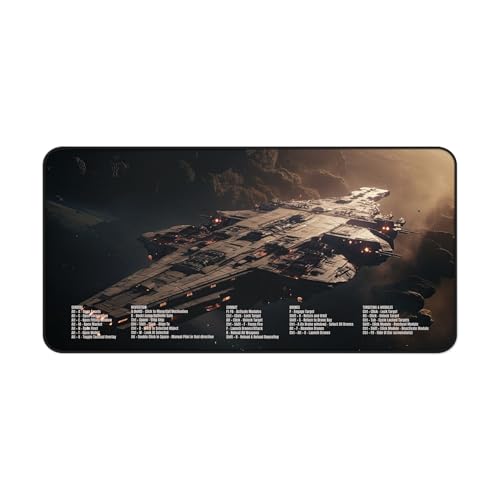
EVE Online Gaming Desk Mat with Shortcut Keys 32" x 16" Neoprene Gaming Mouse Pad with Combat, Navigation, Drones & Targeting Hotkeys
Chosen because it specifies Navigation and Drones & Targeting Hotkeys.
View on Amazon
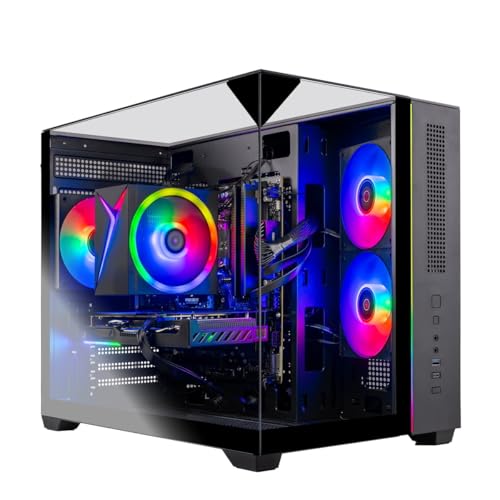
HKWS Prebuilt Desktop PC - Ryzen 5-3400G CPU, 16GB RAM, 512GB, WiFi 6 | Entry Level Gaming Tower, Stable Online Class PC, Home and Office Use, Streaming Ready
Chosen because it specifies Ryzen 5-3400G CPU and 16GB RAM.
View on Amazon
HOTOIQ Wired Gaming Earbuds with Mic, Deep Bass in-Ear Headphones for PS5 PC Online Class(Black)
Chosen because it specifies Deep Bass in-Ear Headphones for PS5 PC Online Class(Black).
View on AmazonJitter and packet loss
Jitter is the variation in latency from one packet to the next. Packet loss is data that never arrives. Both cause rubber-banding and missed hits more noticeably than a steady, slightly higher ping. A wired link tends to keep both low, which is the main reason players are told to plug in.
What the Ethernet standards give you
| Standard | Link speed | Typical cable | Relevance for gaming |
|---|---|---|---|
| Fast Ethernet (100BASE-TX) | 100 Mbit/s | Cat5 or better | Fine for gameplay traffic, limits big downloads |
| Gigabit (1000BASE-T) | 1 Gbit/s | Cat5e or Cat6 | The sensible standard for almost every gaming PC |
| 2.5GBASE-T | 2.5 Gbit/s | Existing gigabit-class cabling in many cases | Useful only with a faster plan or local network |
| 5GBASE-T and 10GBASE-T | 5 and 10 Gbit/s | Better cable for longer runs | Mostly for creators and home servers |
Reference material on gigabit Ethernet states that the 1000BASE-T specification needs Category 5 cable or better, with Cat5e and Cat6 both named as suitable, and recommends segments of up to 100 metres. It also notes that 2.5 and 5 Gbit/s variants are designed to run over existing copper cabling built for gigabit.
Which cable should you buy?
- Cat5e: supports gigabit and is adequate for nearly every home run.
- Cat6: also supports gigabit, with better headroom for longer runs and future multi-gig use.
- Cat6a and above: useful if you plan 10 Gbit/s links; not needed for gaming alone.
- Choose a cable with intact connectors and a sensible length. Ends that are loose or kinked cause errors that look like network lag.
Marketing words on the packaging such as gaming-grade do not change the standard. The category printed on the cable jacket is what matters.
Your internet plan is the real ceiling
A gigabit port does not make a slower internet plan faster. If your plan is a few hundred Mbit/s, that is the most you will ever download, whatever the cable. For play itself, most households will not run short of bandwidth, but shared connections can. If someone is streaming in 4K or uploading video while you play, the router can queue your packets and ping rises. Many routers include quality of service, sometimes under the name smart queue management, which can prioritise game traffic. Menu names differ by router, so consult its manual.
Check your own connection
- Connect the PC to the router with the cable and make sure the adapter shows a gigabit link in your operating system’s network settings.
- Run a speed test to see your plan’s real download and upload speeds.
- Look at ping and, if the test provides it, jitter and packet loss.
- Play a match with the game’s own network overlay on, if it has one, and watch for spikes.
- If the link shows only 100 Mbit/s, try another cable or port, since a damaged pair is a common reason a gigabit device falls back.
Common mistakes
- Paying for a faster cable or router port to fix high ping that comes from server distance.
- Leaving the PC on wireless while a cable would be easy to run.
- Using an old Cat5 patch cable with damaged ends and wondering why the link negotiates slowly.
- Running a long cable beside power cables in a way that creates bends and strain.
- Assuming a 2.5 Gbit/s port helps online matches when the plan is slower.
When does faster than gigabit make sense?
If you have an internet plan above 1 Gbit/s, copy files between a PC and a NAS regularly, or run a home server, then 2.5 Gbit/s or more can be useful. Many recent motherboards list a 2.5 Gbit/s Ethernet port, so you may already own it. To use it, the router, switch and other device must also support that speed, otherwise the link drops to the slower one.
Frequently Asked Questions
Is 100 Mbit/s Ethernet enough for gaming?
For the traffic of an online match, generally yes, because game data is small. It becomes limiting for large downloads and for streaming video. A gigabit port removes that limit at little extra cost.
Does a Cat6 cable lower my ping?
Not by itself. Ping depends mainly on the route to the server. A good cable of any suitable category helps by avoiding errors and the interference seen on wireless.
Is wired Ethernet better than Wi-Fi 7 for gaming?
Wired is usually steadier because it is not affected by walls, neighbours’ networks or other radios. Modern wireless can be very good, but a cable tends to give more consistent latency, which is what competitive games react to.
Do I need a 2.5 Gbit/s Ethernet port?
Only if your internet plan or local network is faster than 1 Gbit/s and every device in the path supports it. For gameplay alone it makes no practical difference.
How long can an Ethernet cable be?
Gigabit segments are recommended to be up to 100 metres, which covers any home. Shorter is simply tidier.
Why is my wired connection still laggy?
Possible causes include a congested home network, a distant game server, an overloaded router or a faulty cable. Try a different cable and port, pause other heavy uses, and restart the router. If the problem remains, contact your provider.
FAQ
When does faster than gigabit make sense?
Is 100 Mbit/s Ethernet enough for gaming?
Does a Cat6 cable lower my ping?
Is wired Ethernet better than Wi-Fi 7 for gaming?
Do I need a 2.5 Gbit/s Ethernet port?
How long can an Ethernet cable be?
Why is my wired connection still laggy?
More from Amazon
Programs that pair well with the guide above. Offers and eligibility are set by Amazon and may change.
Free shipping on eligible items, Prime Video and more. Eligible new members can start with a free trial.
Start a Prime free trialAd-free music streaming. Eligible new subscribers can start with a free trial.
Try Music Unlimited freeA Prime membership for ages 18-24 with a trial period. Eligibility is set by Amazon.
See Prime for Young AdultsAudiobooks and podcasts to listen to on the go. Eligible new members can start with a free trial.
Try Audible freeAs an Amazon Associate we earn from qualifying purchases.