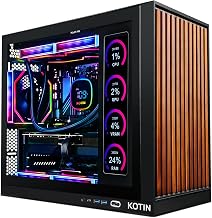
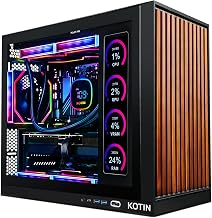
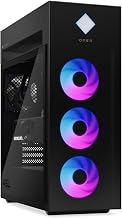
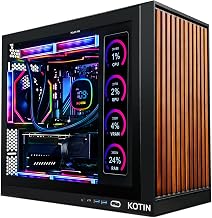
Our Top Picks
The best gaming PCs under $1700 are the Skytech Gaming Intel i5-14400F system with an RTX 5070 for raw graphics value and the Skytech Ryzen 7 7700 build with an RTX 5060 Ti and 32GB of RAM for streaming and multitasking. This list covers six prebuilt desktops compared from listing specifications rather than from owning them, with the graphics card, processor, memory and power supply taken only from each listing. Check the maker page for ports, warranty terms and case details before you buy.
Quick Comparison
| Model | Key specs per listing | Best for |
|---|---|---|
| Skytech Gaming Azure 3 (i5-14400F) | RTX 5070, 16GB DDR4, 1TB Gen4 NVMe, 850W Gold ATX 3 PSU, Wi-Fi 5 | Strongest graphics card in the group |
| Skytech Gaming Crystal (Ryzen 7 7700) | RTX 5060 Ti 8GB, 32GB DDR5 5600, 1TB SSD, 650W Gold PSU | Streaming and multitasking |
| MXZ Gaming PC | Ryzen 7 7700, RTX 4070, 16GB DDR5, 1TB NVMe, B650, Windows 11 Pro ready | Previous-generation high-end card |
| MSI Codex Z2 | Ryzen 7 8700F, RTX 5060, 32GB DDR5, 1TB NVMe, VR-ready | Large memory, clean brand support |
| HOENGAGER Panorama | Ryzen 7 5700X, RX 9070 GRE 12GB, 32GB DDR4, 1TB NVMe, 240mm AIO, white | AMD graphics and liquid cooling |
| Alienware Gaming Desktop | RTX 5060 Ti, Intel Core Ultra 7 265F, 16GB DDR5, 1TB SSD, Wi-Fi 7 | Brand support and modern connectivity |
1. Skytech Gaming Azure 3 (Intel i5-14400F, RTX 5070)

Skytech Gaming PC Desktop, Intel i5 14400F, RTX 5070, 16GB RAM, 1TB SSD | Windows 11, Gen4 NVMe SSD, DDR4 3200, 850W GOLD ATX 3 PSU, Wi-Fi 5, Azure 3 Series
Chosen because it specifies Intel i5 14400F and RTX 5070.
View on AmazonSpec line: Intel i5-14400F, RTX 5070, 16GB DDR4 3200, 1TB Gen4 NVMe SSD, 850W Gold ATX 3 PSU, Wi-Fi 5, Windows 11.
This build puts most of its money into the graphics card, and for gaming that is usually the right place to start. The listing pairs an RTX 5070 with a mid-range Intel i5-14400F, which is a sensible match because the graphics card limits performance in most modern games at higher resolutions. The 850W Gold ATX 3 power supply is generous for this hardware, leaving room for a future graphics upgrade. The compromises are on the memory side: 16GB of DDR4 3200 is adequate for gaming but is the older, slower standard, and it leaves less headroom for streaming while playing. Wi-Fi 5 is also dated, so use Ethernet if you can. Check the maker page for the case and airflow details.
Pros: RTX 5070 graphics; 850W Gold power supply; Gen4 NVMe SSD.
Cons: 16GB DDR4 is older and tighter for streaming; Wi-Fi 5.
2. Skytech Gaming Crystal (Ryzen 7 7700, RTX 5060 Ti)
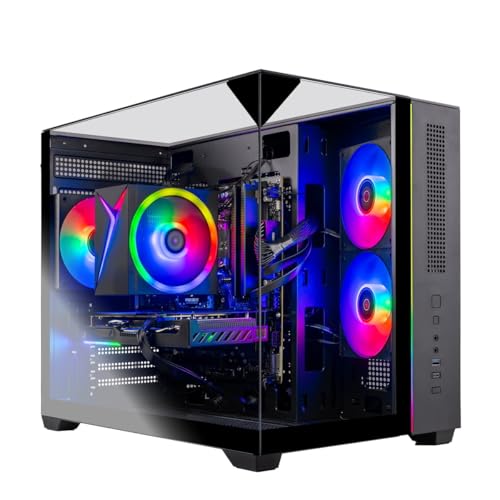
Skytech Gaming PC Desktop, Ryzen 7 7700, RTX 5060 Ti 8GB, 32GB RAM, 1TB SSD | Windows 11, NVMe SSD, DDR5 5600, 650W GOLD PSU, Wi-Fi 5, Crystal Series
Chosen because it specifies Ryzen 7 7700 and RTX 5060 Ti 8GB.
View on AmazonSpec line: Ryzen 7 7700, RTX 5060 Ti 8GB, 32GB RAM, 1TB SSD, DDR5 5600, 650W Gold PSU, Wi-Fi 5, Windows 11.
Where the Azure leans on graphics, this one balances the whole system. The Ryzen 7 7700 is an eight-core chip and, with 32GB of DDR5 5600, it gives you headroom to run a game, a browser, a chat app and streaming software at once. The RTX 5060 Ti is a step below the RTX 5070 on paper, and the listing gives it 8GB of video memory, which can become a limit in the newest games at high texture settings and 1440p. The 650W Gold power supply fits this hardware but leaves less room for a big graphics upgrade later. It is the better pick if you stream, record, edit video or study on the same machine, and the weaker pick if raw frame rates are your only goal.
Pros: 32GB DDR5 RAM; eight-core Ryzen 7; Gold-rated power supply.
Cons: 8GB graphics memory; smaller power supply limits upgrades.
3. MXZ Gaming PC (Ryzen 7 7700, RTX 4070)

MXZ Gaming PC ,AMD Ryzen 7 7700 , GeForce RTX 4070 ,16GB DDR5, NVME 1T,B650 | 6RGB Fans,Windows 11 Pro Ready to use, Gamer Desktop Computer(R7 7700| RTX 4070)
Chosen because it specifies AMD Ryzen 7 7700 and GeForce RTX 4070.
View on AmazonSpec line: AMD Ryzen 7 7700, GeForce RTX 4070, 16GB DDR5, 1TB NVMe, B650 motherboard, 6 RGB fans, Windows 11 Pro ready.
The MXZ uses the previous-generation RTX 4070, which is still a capable 1440p card, and pairs it with the same Ryzen 7 7700 and DDR5 memory as the Skytech Crystal. The B650 motherboard gives a current AMD platform with room to add memory or storage later. The listing mentions six RGB fans, which helps with airflow but adds visual noise if you dislike lighting. Windows 11 Pro ready is a useful detail for people who need Pro features, though check what that phrase means on the maker page. MXZ is a smaller brand than Skytech or MSI, so check the warranty and support terms carefully, since after-sales service matters more with a lesser-known maker.
Pros: RTX 4070 graphics; Ryzen 7 7700 with DDR5; B650 board for upgrades.
Cons: Smaller brand; 16GB RAM only; RGB fans may not suit everyone.
4. MSI Codex Z2 (Ryzen 7 8700F, RTX 5060)
Spec line: AMD R7-8700F, GeForce RTX 5060, 32GB DDR5, 1TB M.2 NVMe SSD, USB Type-C, VR-ready, Windows 11 Home.
MSI is a long-established motherboard and graphics brand, and the Codex Z2 is its prebuilt line. The listing shows an RTX 5060, which is a step below the other graphics cards here, paired with a Ryzen 7 8700F and a full 32GB of DDR5. That combination suits 1080p and many 1440p games at sensible settings and leaves memory headroom for streaming or schoolwork. The listing also notes USB Type-C and VR-ready status, which are practical extras. The trade-off is clear: you get brand support and big memory, but the graphics card is lower-tier than what sits in the Azure or MXZ. If you value memory and a recognized name over peak frame rates, this is a safe choice.
Pros: 32GB DDR5; established brand; USB Type-C and VR-ready per listing.
Cons: RTX 5060 is the lowest graphics tier here; less future headroom.
5. HOENGAGER Panorama (Ryzen 7 5700X, RX 9070 GRE)

HOENGAGER Panorama Prebuilt Gaming PC, AMD Ryzen 7 5700X, Radeon RX 9070 GRE 12GB, 32GB DDR4 RAM, 1TB NVMe SSD, 240mm AIO & Software Controlled ARGB Fans, Win 11 Desktop Computer, White
Chosen because it specifies AMD Ryzen 7 5700X and Radeon RX 9070 GRE 12GB.
View on AmazonSpec line: Ryzen 7 5700X, Radeon RX 9070 GRE 12GB, 32GB DDR4, 1TB NVMe, 240mm AIO, software-controlled ARGB fans, Windows 11, white.
HOENGAGER is the AMD-graphics option, with a Radeon RX 9070 GRE and 12GB of video memory, which is more than the 8GB on the RTX 5060 Ti and a plus for high-resolution textures. The Ryzen 7 5700X is an older AM4 chip paired with DDR4, so the platform is dated, but with 32GB of memory it handles multitasking. A 240mm liquid cooler and white panoramic case give it a distinctive look. The compromise is the platform: an AM4 system has fewer long-term upgrade options than the AM5 builds above. HOENGAGER is also a smaller maker, so check warranty terms. It is a good fit if you want the most video memory and a showpiece case.
Pros: 12GB graphics memory; 32GB RAM; 240mm AIO cooler.
Cons: Older AM4 platform; smaller brand; DDR4 memory.
6. Alienware Gaming Desktop (RTX 5060 Ti, Core Ultra 7 265F)

Alienware Gaming Desktop, RTX 5060 Ti, Intel Ultra7 265F, Windows 11 Home | 1TB SSD, 16GB DDR5 RAM, Killer 2.5Gb Ethernet, Wi‑Fi 7 BE200, Bluetooth, AlienFX lighting, KB216 Keyboard, ACT1250
Chosen because it specifies RTX 5060 Ti and Intel Ultra7 265F.
View on AmazonSpec line: RTX 5060 Ti, Intel Core Ultra 7 265F, 16GB DDR5, 1TB SSD, Killer 2.5Gb Ethernet, Wi-Fi 7 BE200, Bluetooth, AlienFX lighting, KB216 keyboard.
Alienware sits at the top of the price ceiling and is the only pick with Wi-Fi 7 and a 2.5Gb Ethernet port, which helps if your home network is fast. The Core Ultra 7 265F is a modern Intel chip, and the RTX 5060 Ti gives solid mid-range graphics. The package includes a keyboard, which is a small convenience. The trade-off is that you are partly paying for the brand and styling, so the specs on paper are no stronger than the Skytech Crystal, and memory is 16GB rather than 32GB. It is the best choice if you value brand support, a clean look, and the newest networking, and a weaker choice if you want the most hardware for the money.
Pros: Wi-Fi 7 and 2.5Gb Ethernet; modern Intel chip; keyboard included.
Cons: 16GB RAM; hardware is not stronger than some rivals here.
How to Choose Under $1700
Prioritize the graphics card
For 1440p gaming, spend on the graphics card first. An RTX 5070 or RTX 4070 class card is a sensible target in this tier, while an RTX 5060 class card suits 1080p and lighter 1440p. Aim for at least 12GB of video memory if you play new games with high textures.
Look for 32GB of RAM if you stream
16GB is fine for gaming alone, but streaming, recording, browser tabs and chat apps push past it. 32GB of DDR5 is a comfortable level for multitasking and student workloads.
Check the power supply
A Gold-rated supply of at least 650W suits these cards, and 850W leaves room for a future upgrade. Avoid listings that hide the power supply details.
Confirm storage and platform
A 1TB NVMe SSD is the practical minimum. AM5 and newer Intel platforms are better for future upgrades than older AM4 or DDR4 builds.
Read the warranty
Prebuilt warranties vary. A known brand usually means easier support, while smaller makers may offer shorter coverage. Check the terms on the maker page.
Budget for the extras
A prebuilt rarely includes a monitor, headset, or a good webcam, so set aside part of your plan for those. A 1440p monitor with a high refresh rate pairs naturally with this tier of graphics card, and a capable monitor often matters as much as an extra step up in the graphics card. Also consider whether you need a wired network connection, because Wi-Fi 5 on some of these systems can limit online play and streaming upload stability. Finally, check the case dimensions and the number of free drive bays on the maker page if you expect to add storage later.
Gaming PCs for Streaming, 1440p and Students
Which gaming PCs are best for streaming?
The Skytech Crystal and MSI Codex Z2 both list 32GB of DDR5, which gives headroom for streaming software running next to a game.
Which are best for 1440p?
The RTX 5070 in the Skytech Azure and the RTX 4070 in the MXZ are the strongest listed cards, and the RX 9070 GRE in the HOENGAGER has the most video memory.
Which suit students?
The MSI Codex Z2 and Skytech Crystal pair gaming hardware with 32GB of RAM, which also helps with study work and video editing.
FAQ
Is a prebuilt gaming PC worth it at this level?
Often yes, because it saves assembly time and includes a warranty. Compare the parts to a custom build before deciding.
Do these PCs include a monitor?
The listings reviewed here do not mention one, apart from a keyboard on the Alienware, so plan to add a monitor.
Can I upgrade a prebuilt later?
Usually, yes: RAM, storage and graphics cards can be swapped. Check the power supply and case size first, since proprietary parts limit some brands.
Is 8GB of video memory enough?
It works for 1080p and many 1440p games, but new titles at high textures can exceed it. 12GB or more is safer for the long term.
What does Windows 11 Pro ready mean?
It can mean the system is ready for the Pro edition, but wording differs. Check the maker page to see which edition is installed.
Last updated: November 2026
FAQ
Which gaming PCs are best for streaming?
Which are best for 1440p?
Which suit students?
Is a prebuilt gaming PC worth it at this level?
Do these PCs include a monitor?
Can I upgrade a prebuilt later?
Is 8GB of video memory enough?
What does Windows 11 Pro ready mean?
More from Amazon
Programs that pair well with the guide above. Offers and eligibility are set by Amazon and may change.
Free shipping on eligible items, Prime Video and more. Eligible new members can start with a free trial.
Start a Prime free trialAd-free music streaming. Eligible new subscribers can start with a free trial.
Try Music Unlimited freeA Prime membership for ages 18-24 with a trial period. Eligibility is set by Amazon.
See Prime for Young AdultsAudiobooks and podcasts to listen to on the go. Eligible new members can start with a free trial.
Try Audible freeAs an Amazon Associate we earn from qualifying purchases.