Our Top Picks
 Logitech G Blue Yeti 2 USB Mic for11.4" x 4.3" x 4.9"6.14 x 9.33 x 5.83 inches3.54 poundsCheck on Amazon
 Logitech Creators Blue Yeti USB Microphone for PC1 Count (Pack of 1)4.92 x 4.72 x 11.61 inches3.51 poundsCheck on Amazon
The best gaming microphones under $200 are the HyperX QuadCast 2 for versatile USB-C recording with four polar patterns, the Logitech G Blue Yeti 2 for AI de-noising, and the Elgato Wave:3 MK.2 for streamers who want clipping protection. All are USB condenser mics compared here from listing specifications.
This price range is where gaming microphones stop being basic desk mics and start offering real tools: onboard DSP, multiple polar patterns, tap-to-mute and software that shapes your voice before it reaches Discord or a stream. Spending near 200 dollars is rarely necessary for team chat, but it makes sense if you stream, record videos or share a room with noisy gear.
All six picks are USB microphones that plug straight into a PC or Mac with no interface required. The specs listed come only from each product listing, and anything not stated is marked so. We compared these from listing specifications and did not use them ourselves, so the comments below describe what each feature set is meant to do, not how it sounds.
Quick Comparison
| Model | Key specs per listing | Best for |
|---|---|---|
| HyperX QuadCast 2 | USB-C, 24-bit/96kHz, 4 polar patterns, shock mount | Streamers who record varied content |
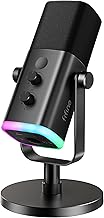
| HyperX DuoCast | RGB, USB condenser, cardioid and omnidirectional, low-profile shock mount | Compact desk setup with RGB |
| Logitech G Blue Yeti 2 | USB, condenser, voice proximity sensor, AI de-noiser | Noisy rooms and untrained voices |
| Logitech Creators Blue Yeti | USB condenser, PC and Mac, gaming and podcasting | A proven all-rounder on a desk |
| Elgato Wave:3 MK.2 | USB condenser, DSP effects, Clipguard 2.0, auto gain | Streamers using Wave Link software |
| Razer Seiren V3 Chroma | USB-C, 32-bit DSP, AI audio processing, noise isolation, tap-to-mute | PC streamers who want tap-to-mute and DSP |
HyperX QuadCast 2
Listing specs: USB gaming microphone, 24-bit, 96kHz, 4 polar patterns, USB-C, removable shock mount, for PC and Mac (listing text cut off).
The QuadCast 2 lists four polar patterns, which is the main reason to choose it. Cardioid works for a solo streamer, omnidirectional for a group around one mic, bidirectional for a two-person interview and stereo for ambient recording. Most gamers only ever use cardioid, so the others matter mainly if you also record podcasts or music. USB-C and a removable shock mount are listed, and 24-bit/96kHz is a solid recording quality. The listing text we saw does not explain whether the mic has onboard monitoring or a gain control, so check the maker page for those before you buy. Its tall body takes real desk space, and a boom arm is a sensible add-on.
Pros
- Four polar patterns
- USB-C with removable shock mount
- 24-bit/96kHz recording
Cons
- Large body takes desk space
- Gain and monitoring details not in listing text
HyperX DuoCast
Listing specs: RGB USB condenser microphone for PC, PS5, PS4 and Mac, low-profile shock mount, cardioid and omnidirectional patterns.

HyperX DuoCast – RGB USB Condenser Microphone for PC, PS5, PS4, Mac, Low-profile Shock Mount, Cardioid, Omnidirectional, Pop Filter, Gain Control, Gaming, Streaming, Podcasts, Twitch, YouTube, Discord
Chosen because it specifies RGB USB Condenser Microphone for PC and PS5.
View on AmazonThe DuoCast is the compact HyperX. It lists two polar patterns instead of four, which is enough for solo play and for a group call around one microphone. Its low-profile shock mount keeps the body close to the desk, which suits monitors on a stand or a wall-mounted setup, and the listing names PS5 and PS4 as compatible, so it works on consoles as well as PC. RGB is part of the appeal, so if you want a quiet visual look, check whether the lighting can be switched off. The listing does not mention headphone monitoring in the text we saw, so confirm whether it has a headphone jack before choosing it over a larger model.
Pros
- Compatible with PC, PS5, PS4 and Mac
- Low-profile mount saves space
- Cardioid and omnidirectional patterns
Cons
- Only two polar patterns
- Headphone jack not stated in listing text
Logitech G Blue Yeti 2
Listing specs: Logitech G Blue Yeti 2 USB microphone for gaming, voice proximity sensor, AI-powered de-noiser, condenser microphone (listing text cut off).
Logitech G Blue Yeti 2 USB Mic for Gaming - Black | Voice Proximity Sensor, AI-Powered De-Noiser, Condenser Microphone for PC, Mac, Streaming, Podcasting & Recording
Chosen because it specifies Black and Voice Proximity Sensor.
View on AmazonThe Yeti 2 is built around two software-style features: a voice proximity sensor and an AI-powered de-noiser. The proximity sensor is meant to keep volume steady as you lean toward or away from the mic, which helps if you move a lot while gaming. The de-noiser aims to remove keyboard and fan sound, though the listing does not say how strong the effect is, so keep an eye on reviews of real use before relying on it in a loud room. It is a condenser mic, so it is more sensitive than the dynamic types, which is why noise processing exists in the first place. Check the maker page for polar patterns and connector type, since the text we saw is partial.
Pros
- Voice proximity sensor listed
- AI-powered de-noiser
- Gaming-focused feature set
Cons
- Condenser capsule picks up more room noise
- Polar patterns not stated in listing text
Logitech Creators Blue Yeti
Listing specs: Logitech Creators Blue Yeti USB microphone for PC, Mac, gaming, recording, streaming, podcasting and studio, condenser mic (listing text cut off).
Logitech Creators Blue Yeti USB Microphone for PC, Mac, Gaming, Recording, Streaming, Podcasting, Studio and Computer Condenser Mic with Blue VO!CE effects, 4 Pickup Patterns, Plug and Play - Blackout
Chosen because it specifies Mac and Gaming.
View on AmazonThe classic Yeti has been a default recommendation for years, and the listing positions it across gaming, streaming, podcasting and studio use. That breadth is its strength and its weakness: it is a general-purpose condenser mic that does a lot reasonably well, but it has none of the AI features on the Yeti 2 and none of the DSP controls on the QuadCast 2 or Wave:3. It is also sensitive, so an untreated room and a clacky keyboard will show up. A boom arm and a pop filter help, and the listing text we saw does not say whether a stand is included. Pick it if you want a familiar design and expect to adjust placement manually.
Pros
- Well-known all-round design
- Works with PC and Mac
- Good for streaming and podcasting
Cons
- Sensitive to room and keyboard noise
- No advanced processing listed
Elgato Wave:3 MK.2
Listing specs: Elgato Wave:3 MK.2 USB condenser microphone, DSP effects, Clipguard 2.0 protection, auto gain calibration, onboard voice processing (listing text cut off).

Elgato Wave:3 MK.2 USB Condenser Microphone, DSP Effects | Clipguard 2.0 protection, Auto Gain calibration, Onboard voice enhancer, compressor, EQ, Multifunction dial, USB-C
Chosen because it specifies DSP Effects and Clipguard 2.0 protection.
View on AmazonElgato aims the Wave:3 MK.2 at streamers who care about level control. Clipguard 2.0 is described as protection against sudden loud peaks, which helps when a game moment makes you shout, and auto gain calibration is meant to set sensible levels without fiddling. DSP effects and onboard voice processing mean some of the shaping happens inside the mic instead of in software. The listing does not give details about polar patterns or sample rate in the text we saw, and the full range of controls usually relies on Elgato’s own app, so check that it runs on your system before choosing it over a plug-and-play alternative.
Pros
- Clipguard 2.0 protects against peaks
- Auto gain calibration listed
- Onboard DSP effects
Cons
- Best used with Elgato software
- Polar patterns not stated in listing text
Razer Seiren V3 Chroma
Listing specs: Razer Seiren V3 Chroma, 32-bit DSP, USB-C microphone for PC and Mac, AI audio processing, noise isolation, tap-to-mute.

Razer Seiren V3 Chroma 32‐Bit DSP, USB-C Microphone for PC & Mac, Black | AI Audio Processing, Noise Isolation, Tap-to-Mute, Supercardioid Condenser Mic, Chroma RGB, Discord, OBS Studio, Streamlabs
Chosen because it specifies USB-C Microphone for PC & Mac and Black.
View on AmazonThe Seiren V3 Chroma lists a 32-bit DSP, AI audio processing, noise isolation and tap-to-mute over USB-C. Tap-to-mute is useful during a match: a quick touch silences the mic without an app. The AI processing and noise isolation are intended to reduce keyboard clatter and background noise, but the listing does not describe the pickup pattern or the capsule type in the text we saw, so check the maker page for those. Razer tends to tie features to its software, so confirm that you are happy to install it. It also sits close to the top of this price range, so compare it against the QuadCast 2 and Yeti 2 on the features you will actually use.
Pros
- 32-bit DSP and AI audio processing listed
- Tap-to-mute
- USB-C connection
Cons
- Capsule type and pickup pattern not stated
- May rely on Razer software
What You Gain Above the Budget Tier
Budget gaming mics handle voice chat fine. The jump to this range adds three things: a better capsule, so your voice sounds fuller; tools such as DSP, gain control and polar patterns, so you can adapt to the room; and build quality that survives years on a desk. If you only talk to friends on Discord, a lower-cost USB mic or even a good headset is enough. If you stream or record, the extras start to matter.
Condenser Mics and Noisy Rooms
All six picks here are USB condenser mics, which are sensitive by design. That brings fuller voice detail but also picks up keyboards, fans and room echo. Position the mic close to your mouth, aim the back of the capsule toward the noise source and lower the gain. The AI de-noising features on the Yeti 2 and Seiren V3 are an attempt to handle this in software, but good placement is still the first fix.
Software and Compatibility Check
Several of these microphones lean on companion software for their best features, and the listings are not always clear about which controls work without it. Before you buy, confirm that your operating system is supported, that the mic works as a plain USB device when the app is closed and that firmware updates do not require an account. A mic that works everywhere is better than a feature-rich one that depends on a single app.
How to Choose Gaming Microphones Under $200
USB or XLR?
USB is simplest: plug in and play, no interface. XLR gives upgrade paths but needs an interface. At this budget USB mics are usually better value, because the interface would eat part of the budget.
Gaming microphones for home office and small spaces
In a home office or small room, choose a compact mic like the HyperX DuoCast or a model with tap-to-mute and strong noise handling. A mic that sits low on a boom arm keeps monitors visible and leaves room for a keyboard and mouse.
Gaming microphones for gaming and streaming
For gaming, a quick mute, steady levels and noise control matter more than frequency response. For streaming, add monitoring, software integration and a pop filter. The Wave:3 MK.2 and Seiren V3 Chroma are the strongest on stream-oriented features in this lineup.
Think about the mount
Desk stands put the mic too far from your mouth and pick up keyboard thumps. A boom arm solves both and leaves the desk free. Check the thread size and weight rating before buying an arm, since larger USB mics like the QuadCast 2 are heavy.
FAQ
Is a gaming microphone better than a headset mic?
Usually, because a desk mic captures more of the voice and less of the breath noise. A headset mic is simpler and moves with your head.
Do I need a pop filter?
It helps with plosive sounds, particularly if you speak close to the mic. Many mics include a basic filter, and a foam cover is inexpensive.
What is a polar pattern?
The pickup shape. Cardioid favours the front and is best for solo use. Omnidirectional picks up all around, suitable for group calls.
Will these work on a console?
Some do. The HyperX DuoCast lists PS5 and PS4. For the rest, check the maker page for console compatibility before buying.
Do I need extra software?
Some mics rely on the maker’s app for DSP and controls. They also work as plain USB mics without it, but with fewer features.
Last updated: November 2026
FAQ
USB or XLR?
Is a gaming microphone better than a headset mic?
Do I need a pop filter?
What is a polar pattern?
Will these work on a console?
Do I need extra software?
More from Amazon
Programs that pair well with the guide above. Offers and eligibility are set by Amazon and may change.
Free shipping on eligible items, Prime Video and more. Eligible new members can start with a free trial.
Start a Prime free trialAd-free music streaming. Eligible new subscribers can start with a free trial.
Try Music Unlimited freeA Prime membership for ages 18-24 with a trial period. Eligibility is set by Amazon.
See Prime for Young AdultsAudiobooks and podcasts to listen to on the go. Eligible new members can start with a free trial.
Try Audible freeAs an Amazon Associate we earn from qualifying purchases.