Key takeaways
- 1080p high-refresh gaming: prioritize the fastest gaming CPU your budget allows because the processor is more likely to limit frame rates.
- 1440p gaming: a strong mid-to-high-end CPU is usually enough, with more of the budget going to the graphics card.
- 4K gaming: GPU performance matters most, although a modern six- or eight-core CPU remains a sensible baseline.
- Gaming plus video editing or 3D work: choose additional cores only if those applications are part of your normal workload.
What's inside
- Best Materials to Build a Gaming PC in 2026
- 1. Start with the Core Performance Parts
- 2. Select the Right Materials for Each Physical Component
- 3. Build a Power and Cooling Budget Before Buying
- 4. Compatibility Matrix for the Best Material to Build Gaming PC 2026
- 5. Assembly Checks That Prevent Expensive Problems
- Final Recommendation
Best Materials to Build a Gaming PC in 2026
The best material to build a gaming PC in 2026 is a balanced combination of a high-airflow steel case, a reliable copper-and-aluminum CPU cooler, a quality power supply with modern GPU connectors, and properly matched silicon components; no single material determines performance on its own.
- Best Materials to Build a Gaming PC in 2026
- 1. Start with the Core Performance Parts
- 2. Select the Right Materials for Each Physical Component
- 3. Build a Power and Cooling Budget Before Buying
- 4. Compatibility Matrix for the Best Material to Build Gaming PC 2026
- 5. Assembly Checks That Prevent Expensive Problems
- Final Recommendation
A strong build should keep temperatures predictable, deliver clean power, avoid unnecessary noise, and leave room for storage, memory, and graphics upgrades. The following component-by-component guide explains where material quality matters and where spending more produces little benefit.
1. Start with the Core Performance Parts
CPU: choose architecture and cooling demand first
The processor determines the platform, motherboard socket, memory type, and cooler requirements. For a gaming-focused system, prioritize strong per-core performance, sufficient cache, and a reasonable power limit rather than buying the highest core count available.
- 1080p high-refresh gaming: prioritize the fastest gaming CPU your budget allows because the processor is more likely to limit frame rates.
- 1440p gaming: a strong mid-to-high-end CPU is usually enough, with more of the budget going to the graphics card.
- 4K gaming: GPU performance matters most, although a modern six- or eight-core CPU remains a sensible baseline.
- Gaming plus video editing or 3D work: choose additional cores only if those applications are part of your normal workload.
Modern desktop CPUs commonly use an integrated heat spreader made from nickel-plated copper. That material spreads heat from the silicon to the cooler, but the cooler still has to remove it. A basic tower cooler is suitable for moderate processors, while a dual-tower air cooler or 240–360 mm liquid cooler is more appropriate for high-power chips.
GPU: match the card to resolution, refresh rate, and VRAM
The graphics card is normally the largest gaming investment. Match it to the monitor rather than buying by model tier alone. A 4K display with ray tracing enabled can require dramatically more rendering power than a 1440p screen at the same frame rate.
| Target use | Recommended GPU class | Practical VRAM target | Typical power range |
|---|---|---|---|
| 1080p, 60–144 Hz | Entry or mainstream discrete GPU | 8 GB | 150–250 W |
| 1440p, 100–180 Hz | Upper-mainstream GPU | 12 GB or more | 220–350 W |
| 4K, 60–144 Hz | High-end GPU | 16 GB or more | 300–575 W |
| 4K ray tracing and high-resolution texture packs | Top-tier GPU | 20 GB or more when available | 350–600 W |
VRAM is not the same as system memory. Higher texture quality, ray tracing, large game worlds, and high-resolution displays consume graphics memory. If a card runs out of VRAM, lowering texture quality often helps more than lowering general rendering resolution.
2. Select the Right Materials for Each Physical Component
Case: steel is usually the best value
A case made from powder-coated steel offers the best balance of rigidity, price, noise control, and durability. Look for a removable front filter, a ventilated front panel, at least three 120 mm or 140 mm fan positions, and enough depth for the graphics card and power cables.
- Steel: durable and affordable; thicker panels reduce vibration and panel resonance.
- Aluminum: lighter and attractive, but often more expensive and more prone to transmitting fan or hard-drive vibration.
- Tempered glass: useful for visibility, but it adds weight and can break if struck on a hard floor or tile.
- Acrylic: lighter and less fragile than glass, but it scratches more easily and may become hazy over time.
Do not choose a case solely for its included fans. A restricted glass or solid front panel can create worse temperatures than a cheaper mesh design. For most gaming builds, two front intake fans and one rear exhaust fan are a dependable starting layout.
Motherboard: PCB quality affects stability and upgradeability
Motherboards use layered fiberglass-and-resin PCBs with copper traces. More layers can improve signal integrity and power delivery, but a higher price does not automatically improve gaming frame rates. Select the board based on socket compatibility, memory support, storage slots, rear USB connectivity, networking, and firmware quality.
For an upgrade-friendly 2026 build, check for:
- At least two M.2 slots, preferably with heatsinks.
- Four memory slots unless the system is intentionally compact.
- A power-delivery heatsink that covers the CPU voltage-regulation components.
- Wi-Fi 6E or Wi-Fi 7 if wireless networking is important.
- A BIOS flashback feature, which can recover or update firmware without an installed CPU on supported boards.
Memory and storage: prioritize capacity, then speed
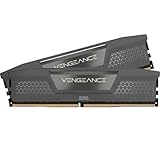
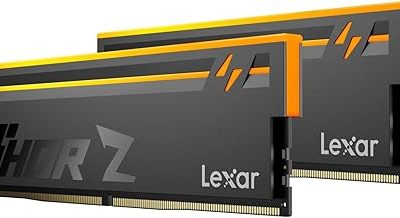
For a new gaming PC, 32 GB of modern dual-channel memory is a sensible baseline. Choose a matched two-module kit rather than mixing separate kits. More capacity is useful for modded games, browsers, streaming tools, development software, and content creation.
A PCIe NVMe SSD is the best primary gaming drive because it offers low access latency and simple installation. A 1 TB drive works for a modest library, while 2 TB is more practical once large modern games and recorded video are included. TLC NAND is generally preferable to QLC for a frequently written system drive because it tends to offer better sustained performance and endurance. Keep at least 10–15% of the SSD empty to help maintain write performance.
3. Build a Power and Cooling Budget Before Buying
Power-supply sizing should be calculated rather than guessed. Consider a system with a 350 W graphics card, a 120 W CPU package limit, 60 W for the motherboard and memory, 25 W for storage and USB devices, and 40 W for fans and pumps:
350 + 120 + 60 + 25 + 40 = 595 W estimated peak system draw.
Adding a 25% transient and aging margin gives approximately 744 W. In this example, a quality 850 W supply is more appropriate than a 650 W unit. For a graphics card using a modern 12V-2×6 connection, use a power supply that provides the correct native cable rather than relying on multiple adapters. Make sure the connector is fully seated and avoid sharply bending the cable close to the plug.
Choose an 80 Plus Gold or better unit from a reputable platform, but treat the efficiency label as only one factor. Protection features, warranty length, voltage regulation, fan behavior, and the correct GPU connector matter just as much. A cheap high-wattage supply is a poor foundation for an expensive graphics card.
Cooling materials and fan placement
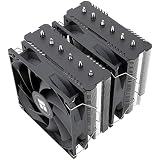
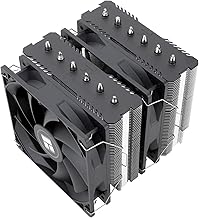
Most CPU coolers combine a copper contact plate or heat pipes with aluminum fins. Copper transfers heat efficiently, while aluminum keeps the fin stack light and affordable. Direct-contact heat pipes can work well, but consistent mounting pressure and a flat contact surface matter more than decorative plating.
Use a small pea-sized amount of thermal compound unless the cooler manufacturer specifies another method. Tighten cooler screws gradually in a cross pattern so pressure is even. After installation, verify that the cooler fan pushes air toward the rear exhaust fan.
A practical fan curve is more useful than simply installing more fans:
- 30% fan speed below 45°C.
- 50% around 65°C.
- 70% around 80°C.
- 100% at 90°C or the temperature limit recommended by the component maker.
For a graphics card, sustained temperatures in the 65–80°C range under gaming load are generally comfortable, although the exact limit depends on the GPU design. If temperatures are high, first check dust filters, fan direction, cooler contact, and case clearance before increasing fan speed.
4. Compatibility Matrix for the Best Material to Build Gaming PC 2026
| Your situation | Best choice | Why | Avoid |
|---|---|---|---|
| Quiet bedroom or office PC | Thick steel case, large 140 mm fans, oversized air cooler | Low fan speed and reduced panel vibration | Thin panels and small high-RPM fans |
| Small-form-factor build | Compact case with mesh panels, SFX power supply, low-profile or short GPU | Improves airflow where internal volume is limited | Oversized radiators and long graphics cards |
| High-end GPU with frequent upgrades | Large steel case, 850–1200 W modern power supply, reinforced GPU support | Allows future card length, power, and cooling requirements | Fixed drive cages blocking the GPU or marginal PSU capacity |
| Dusty or pet-heavy room | Positive-pressure mesh case with magnetic filters | Reduces unfiltered air entering gaps | More exhaust than intake and an unfiltered front panel |
| Maximum portability | Aluminum or compact steel case with restrained glass use | Lowers total weight and breakage risk | Large tempered-glass panels and heavy radiators |
5. Assembly Checks That Prevent Expensive Problems
- Install the CPU, memory, and M.2 SSD on the motherboard before placing it in the case.
- Confirm the motherboard standoffs match the board holes. An extra standoff can short the underside of the PCB.
- Install the rear I/O shield if it is separate, then mount the board without overtightening screws.
- Route the CPU EPS cable before installing a large air cooler or graphics card.
- Use separate power cables for demanding GPU connectors where the supply instructions recommend it.
- Keep front intake paths clear and route excess cable length behind the motherboard tray.
- Enter firmware setup on the first boot, enable the memory profile, confirm CPU temperature, and check that every drive is detected.
- Update the motherboard firmware only when needed or when it provides a relevant stability, security, or CPU-support improvement.
After installing the operating system, test memory stability, monitor CPU and GPU temperatures during a demanding game, and check for sudden clock-speed drops. If performance is lower than expected, confirm that the display cable is connected to the graphics card rather than the motherboard, that the memory profile is enabled, and that the GPU is operating in its intended PCIe slot.
Final Recommendation
For most buyers, the best material to build gaming PC 2026 is a ventilated powder-coated steel case combined with copper-and-aluminum cooling hardware, a layered motherboard with sufficient expansion, TLC NVMe storage, 32 GB of matched memory, and a modern, correctly sized power supply. Spend first on the GPU and monitor target, then on cooling, power quality, and upgrade space. Premium aluminum, extensive RGB, and tempered glass can improve appearance, but they should not replace airflow, reliable power, or adequate VRAM.