Our Top Picks
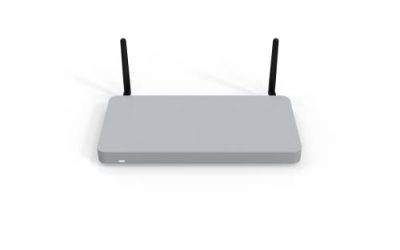
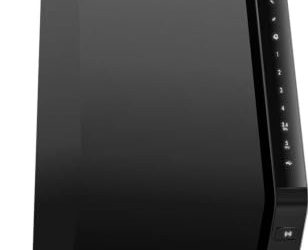
 NETGEAR Nighthawk DOCSIS 3.1 Modem Router Combo CAX30Pack of 111.93 x 5.39 x 9.92 inchesCheck on Amazon
Picking a Netgear router is less about the brand and more about which rung of the Nighthawk ladder matches your home. The lineup in this guide runs from a WiFi 6 model rated for 20 devices up to a WiFi 7 tri-band unit with a 10G port rated for 200, and between those poles sit models separated by coverage area, port mix, and band count. A buyer who gets the rung wrong either overpays for ports nothing in the house can use or ends up with a dead zone in the bedroom farthest from the living room.
This list is for people who already lean toward Netgear, perhaps for the guided setup or because a previous Nighthawk served them well, and now need to choose among eight current options. Because 2026 router shopping splits into WiFi 6, WiFi 7, and modem-router combos, we sort each model by what the listed specs promise: square footage, headline Gbps, device count, and wired ports. Treat the rated coverage and speed figures as ceilings from the manufacturer, not guarantees for a house with brick walls.
Quick Picks

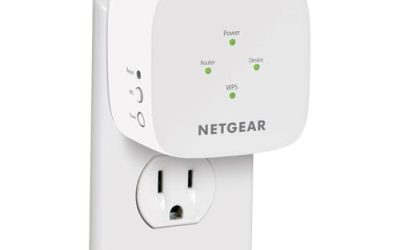
NETGEAR Nighthawk WiFi 7 Router , Up to 2,500 sq ft, 9.3 Gbps | 2.5Gb Router, Reliable Performance, Easy Set Up, 100 devices, 2× 2.5G + 2× Gigabit Ports, Tri Band, BE9300
One of the consumer electronics options compared in this guide.
View on Amazon
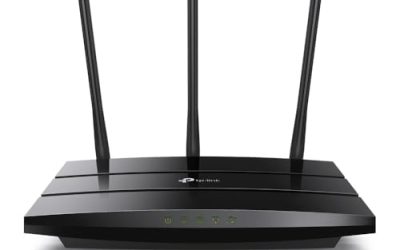
NETGEAR Nighthawk WiFi 6 Router R6700AX, Up to 1,500 sq ft, 1.8 Gbps | Reliable Performance, Easy Set Up, 20 devices, 4× Gigabit Port, Dual Band, AX1800
One of the consumer electronics options compared in this guide.
View on Amazon
NETGEAR Nighthawk WiFi 7 Router RS150, Up to 2,250 sq ft, 5 Gbps | Reliable Performance, Easy Set Up, 80 devices, 1× 2.5G + 3× Gigabit Ports, Dual Band, BE5000
One of the consumer electronics options compared in this guide.
View on Amazon
NETGEAR Nighthawk WiFi 7 Router RS140, Up to 2,250 sq ft, 5 Gbps | Reliable Performance, Easy Set Up, 80 devices, 1× 2.5G + 3× Gigabit Ports, Dual Band, BE5000
One of the consumer electronics options compared in this guide.
View on Amazon
NETGEAR Nighthawk WiFi 7 Router RS700S, Up to 3,500 sq ft, 19 Gbps | Reliable Performance, Easy Set Up, 200 devices, 1× 10G + 3× Gigabit Ports, Tri Band, BE19000
One of the consumer electronics options compared in this guide.
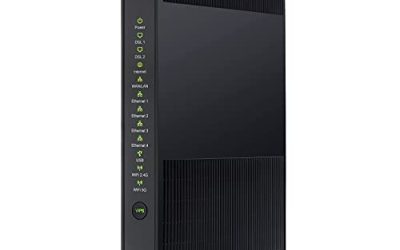
View on AmazonNETGEAR Nighthawk DOCSIS 3.1 Modem Router Combo CAX30, WiFi 6, 2.7 Gbps | Multi-Gig, Reliable Performance, Guided Set Up, 4× Gig Ports, Xfinity/Spectrum/Cox Compatible, Dual-band, Free Expert Help
One of the consumer electronics options compared in this guide.
View on Amazon
NETGEAR Nighthawk WiFi 7 Router RS500, Up to 3,000 sq ft, 12 Gbps | Reliable Performance, Easy Set Up, 120 devices, 1× 2.5G + 3× Gigabit Ports, Tri Band, BE12000
One of the consumer electronics options compared in this guide.
View on Amazon
NETGEAR Nighthawk WiFi 7 Router RS600, Up to 3,300 sq ft, 18 Gbps | Reliable Performance, Easy Set Up, 150 devices, 1× 10G + 3× Gigabit Ports, Tri Band, BE18000
One of the consumer electronics options compared in this guide.
View on Amazon| Product | Best for | Key spec from the title |
|---|---|---|
| Nighthawk WiFi 7 (9.3 Gbps) | Mid-size homes wanting 2.5G wired speed | Up to 2,500 sq ft, 2x 2.5G + 2x Gigabit ports |
| Nighthawk R6700AX | Small apartments and light use | WiFi 6, 1,500 sq ft, 20 devices |
| Nighthawk RS150 | Entry WiFi 7 upgrade | WiFi 7, 2,250 sq ft, 80 devices |
| Nighthawk RS140 | Entry WiFi 7 upgrade, alternate | WiFi 7, 2,250 sq ft, 80 devices |
| Nighthawk RS700S | Large homes and heavy device counts | 3,500 sq ft, 19 Gbps, 1x 10G port, tri band |
| Nighthawk CAX30 | Cable customers dropping a rented modem | DOCSIS 3.1 modem router, WiFi 6, 2.7 Gbps |
| Nighthawk RS500 | Larger homes without a 10G need | 3,000 sq ft, 12 Gbps, 120 devices, tri band |
| Nighthawk RS600 | Big households with multi-gig internet | 3,300 sq ft, 18 Gbps, 150 devices, 1x 10G port |
How to Choose
Match the coverage rating to your floor plan
Every title here quotes a maximum area, from 1,500 square feet on the WiFi 6 R6700AX to 3,500 on the RS700S. Those numbers assume open space, so shave roughly a quarter off if your home has plaster, masonry, or multiple floors. A 1,200-square-foot apartment is comfortable on the 1,500 rating, while a two-story house near 2,200 square feet should step up to a model rated well beyond its footprint instead of sitting at the limit.
WiFi 6 versus WiFi 7, and dual versus tri band
WiFi 7 only pays off when your phones, laptops, or consoles support it, so check the devices you actually use before paying for the newer standard. Tri-band routers like the RS500, RS600, and RS700S add a third radio, which helps when many devices compete for airtime. The dual-band RS140 and RS150 suit homes where the device list is long but the traffic is mostly streaming and browsing.
Read the port line, not just the Gbps headline
The big Gbps figures, such as 19 or 5, are combined radio totals that no single device will ever see. What matters for a wired desktop, NAS, or gaming console is the port line. A 2.5G port needs a 2.5G internet plan or a local device to be worth using, and a 10G port only matters with a multi-gig connection or fast local storage. Four plain Gigabit ports are plenty for most households.
Decide whether you need a modem built in
The CAX30 is the only listing that combines a DOCSIS 3.1 modem with the router, and its title names Xfinity and Spectrum compatibility. That suits cable customers who want to end equipment rental fees, but it is the wrong buy for fiber or DSL households, and a combo means replacing the whole unit if either half fails. Everyone else should pair a standalone router with their existing modem or gateway.
The 8 Best Options
Netgear Nighthawk WiFi 7 (9.3 Gbps)
This model is the budget-to-mid-range WiFi 7 pick for a mid-size home. The title rates it for up to 2,500 square feet and 100 devices, and it carries two 2.5G ports alongside two Gigabit ports, an unusually generous multi-gig count at this tier.
- Strength: two 2.5G ports let a desktop and a NAS both run above Gigabit speed.
- Strength: a 2,500 square foot rating covers most single-family layouts.
- Trade-off: the title lists only two Gigabit ports besides the multi-gig pair, so wired-heavy offices may run short.
Skip it if your internet plan is a basic Gigabit-class tier and you own no 2.5G devices, because the extra ports would sit unused.
Netgear Nighthawk R6700AX
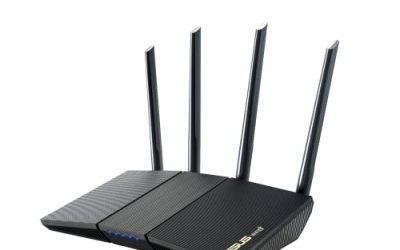
The R6700AX is the WiFi 6 entry ticket, rated for up to 1,500 square feet, 1.8 Gbps, and 20 devices, with four Gigabit ports. It fits a one-bedroom apartment, a dorm, or a secondary room that needs a clean, simple access point.
- Strength: four Gigabit ports are enough for a console, a PC, and a printer without a switch.
- Strength: the listed 20-device ceiling is honest about its target audience.
- Trade-off: dual band and a 20-device rating will strain in a crowded smart home.
Skip it if you stream 4K in several rooms at once or plan to add dozens of smart plugs and cameras.
Netgear Nighthawk RS150
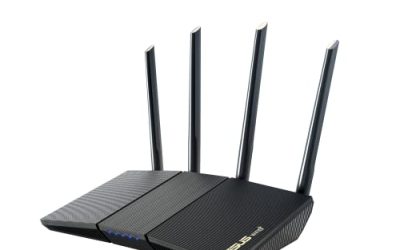
The RS150 brings WiFi 7 at an entry price tier, with a 2,250 square foot rating, 5 Gbps headline speed, and an 80-device ceiling. One 2.5G port plus three Gigabit ports fits the typical household with a single fast wired machine.
- Strength: WiFi 7 support future-proofs a purchase for newer phones and laptops.
- Strength: an 80-device rating handles a connected home with plenty of gadgets.
- Trade-off: dual band, so it lacks the dedicated third radio of the RS500 and up.
Skip it if your home exceeds roughly 2,000 square feet of difficult floor plan, or if you need two or more multi-gig wired connections.
Netgear Nighthawk RS140
The RS140 lists the same headline numbers as the RS150: 2,250 square feet, 5 Gbps, 80 devices, one 2.5G port, and three Gigabit ports on a dual-band WiFi 7 design. For buyers, that means the choice may come down to availability and current cost rather than a visible spec gap.
- Strength: matching coverage and device ratings make it a straightforward entry WiFi 7 option.
- Strength: the 2.5G port gives one wired device headroom beyond Gigabit.
- Trade-off: the listing does not separate it from the RS150, so compare the full spec sheets before committing.
Skip it if you want a clearly differentiated feature set, or if your household needs tri-band capacity.
Netgear Nighthawk RS700S
This is the flagship of the group, rated for up to 3,500 square feet, 19 Gbps, and 200 devices across a tri-band WiFi 7 design with a single 10G port and three Gigabit ports. It targets large homes, home offices, and households with multi-gig fiber.
- Strength: the 10G port and 200-device rating give real room to grow.
- Strength: a 3,500 square foot rating is the highest coverage listed in this guide.
- Trade-off: it sits at the premium tier, and the 10G port only pays off with compatible hardware.
Skip it if your home is small or your plan is Gigabit class; the money is better spent on a mid-tier model.
Netgear Nighthawk CAX30
The CAX30 is a DOCSIS 3.1 modem router combo with WiFi 6 and a 2.7 Gbps rating, four Gigabit ports, and Multi-Gig support, with Xfinity and Spectrum named in the title. It consolidates two boxes into one for cable subscribers.
- Strength: modem and router in one unit reduce clutter and cut out a rental modem.
- Strength: guided setup eases activation for non-technical households.
- Trade-off: it only works with cable service, and a failure takes out both functions.
Skip it if you have fiber, DSL, or a provider not listed in the title, or if you want to upgrade the router alone later.
Netgear Nighthawk RS500
The RS500 sits in the middle of the WiFi 7 tri-band stack: 3,000 square feet, 12 Gbps, 120 devices, one 2.5G port, and three Gigabit ports. It is the sensible choice for a large home that does not need 10G wiring.
- Strength: a third band adds capacity for busy households.
- Strength: 120-device and 3,000 square foot ratings leave comfortable headroom.
- Trade-off: only one multi-gig port limits wired expansion.
Skip it if your priority is a 10G port or the lowest possible entry cost.
Netgear Nighthawk RS600
The RS600 steps up to 3,300 square feet, 18 Gbps, and 150 devices with a 10G port and three Gigabit ports on a tri-band WiFi 7 platform. It is the choice for multi-gig internet households that stop short of the RS700S.
- Strength: a 10G port future-proofs a connection to a fast modem or storage box.
- Strength: 150-device capacity serves a family with many connected gadgets.
- Trade-off: three plain Gigabit ports are few for a wired-heavy setup.
Skip it if you have a Gigabit plan and no 10G gear; the RS500 covers similar ground more economically.
Which One Fits Your Situation
Studio apartment, one or two people
The Nighthawk R6700AX fits the footprint and the device count. Its four Gigabit ports cover a desktop and a console, and WiFi 6 is more than enough for streaming and calls at this scale.
Family house with a mix of phones, TVs, and smart devices
The Nighthawk RS500 balances 3,000 square feet of rated coverage, 120 devices, and tri-band capacity. If the house is nearer 2,000 square feet, the RS150 gets you WiFi 7 at a lower tier.
Cable subscriber tired of equipment fees
The Nighthawk CAX30 swaps out the rented gateway for a single owned box. Confirm your provider and plan tier against the title before buying.
Multi-gig fiber and a home office
The Nighthawk RS700S, or the RS600 on a slightly smaller budget, gives you the 10G port and the device ceiling to match a fast connection.
Common Mistakes
- Buying on the biggest Gbps number: it is a combined radio total, not what one device receives.
- Ignoring the port line and discovering the router has only one multi-gig port when two were needed.
- Choosing WiFi 7 when none of the household devices support it yet, paying for a standard you cannot use.
- Putting a modem router combo in a fiber home, where the built-in modem does nothing.
- Placing the router in a closet or cabinet, which cuts into the rated coverage area more than any spec difference.
Related guides
- Solar Chargers For Camping And Hiking
- Retro Game Storage Cases And Displays
- Wireless Chargers For Samsung Galaxy
Frequently Asked Questions
Do I need WiFi 7 for a Gigabit internet plan?
No. WiFi 6 can saturate a Gigabit plan for most single devices, so WiFi 7 is mainly about capacity and future devices. Choose it if you plan to keep the router for years.
Is tri band worth it over dual band?
It helps when many devices are active at once, since the third radio reduces congestion. A small household with a few devices will rarely notice the difference.
Why do the RS140 and RS150 look identical?
Their listings show the same coverage, speed, device count, and port line. Compare the complete spec sheets and current availability before choosing between them.
Can the CAX30 replace my cable provider’s gateway?
The title names Xfinity and Spectrum compatibility, so it is designed for that purpose. Confirm that your specific plan and speed tier appear on the provider’s approved device list before returning rented equipment.