Our Top Picks
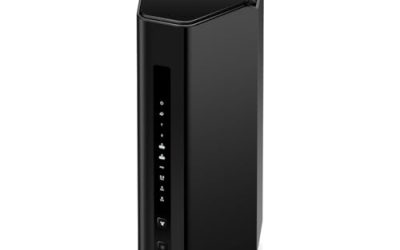
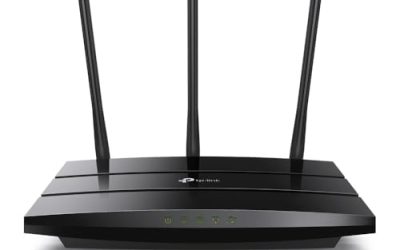
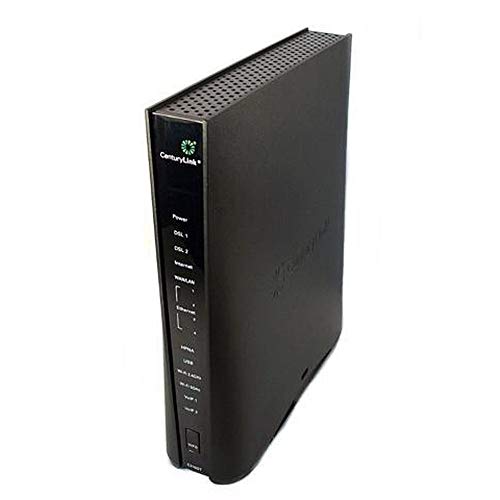 CenturyLink Prism TV Technicolor C2100T 802.11AC Modem Router10.6" L x 2.6" W x 10.6" H10.6 x 10.6 x 2.6 InchesCheck on Amazon
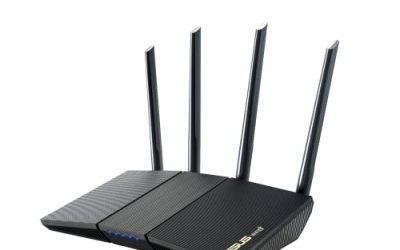
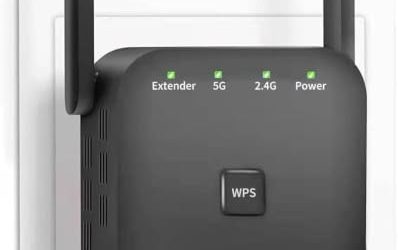
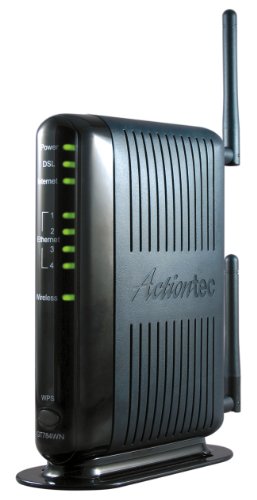 Actiontec 300 Mbps Wireless-N ADSL Modem RouterOne Size6.8 x 1.3 x 7 inches1.6 poundsCheck on Amazon
Shopping for a DSL modem router is a different job from shopping for a cable or fiber gateway. The phone line, not the Wi-Fi radio, sets the ceiling, and the box has to speak the exact flavor of DSL your provider runs: ADSL, ADSL2+, VDSL2, or a bonded pair of lines. Buy the wrong flavor and the device powers up, blinks, and never gets a sync. That is why this keyword is really a compatibility question dressed up as a product search.
This guide is written for people who still rely on a copper line from a regional carrier, for renters who want to stop paying a monthly gateway fee, and for anyone replacing a failed unit in a household that cannot move to fiber. The listings below lean heavily toward CenturyLink-era hardware plus a few universal models, so the notes focus on matching the box to the service before it focuses on Wi-Fi speed in 2026.
Quick Picks

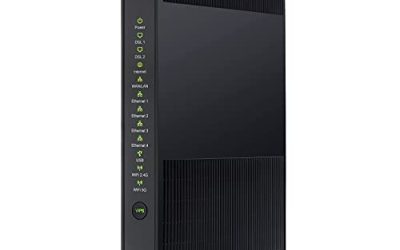
Centurylink C3000A Wireless DSL Modem Router (Renewed)
One of the consumer electronics options compared in this guide.
View on Amazon
Tp-Link TD-W9950 300Mbps Wireless N VDSL/ADSL Modem Router
One of the consumer electronics options compared in this guide.
View on AmazonCenturyLink Prism TV Technicolor C2100T 802.11AC Modem Router Gigabit DSL Fiber 2.4/5GHz (Renewed)
One of the consumer electronics options compared in this guide.
View on Amazon
CenturyLink Technicolor C1100T Vdsl2 Modem 802.11n WiFi Router
One of the consumer electronics options compared in this guide.
View on Amazon
CenturyLink C3000A DSL WiFi Modem Router
One of the consumer electronics options compared in this guide.
View on AmazonActiontec 300 Mbps Wireless-N ADSL Modem Router (GT784WN)
One of the consumer electronics options compared in this guide.
View on Amazon
C4000BG CenturyLink Bonded Line Wi Fi DSL Router
One of the consumer electronics options compared in this guide.
View on Amazon
Netgear 7550 DSL Modem/router Combo Wireless Adsl2+ Frontier B90-755044-15 (Not for AT&T DSL)
One of the consumer electronics options compared in this guide.
View on Amazon| Product | Best for | Key spec from the title |
|---|---|---|
| CenturyLink C3000A (Renewed) | Stretching a budget on a known-good model | Wireless DSL modem router, renewed |
| TP-Link TD-W9950 | Non-carrier-locked VDSL or ADSL lines | 300Mbps Wireless N, VDSL/ADSL |
| Technicolor C2100T (Renewed) | Dual-band 5GHz households | 802.11AC, gigabit, 2.4/5GHz |
| Technicolor C1100T | Simple VDSL2 lines | VDSL2 modem, 802.11n |
| CenturyLink C3000A | New-condition version of a common model | DSL WiFi modem router |
| Actiontec GT784WN | Older ADSL lines | 300 Mbps Wireless-N, ADSL |
| C4000BG | Bonded two-line service | Bonded line Wi-Fi DSL router |
| Netgear 7550 | Frontier customers | ADSL2+ combo, not for AT&T DSL |
How to Choose
Confirm the DSL standard your line uses
ADSL and ADSL2+ are the older standards, with ADSL2+ capped at roughly 24 Mbps downstream in theory. VDSL2 reaches much higher speeds over short loops, and bonded service uses two copper pairs together. A model labeled ADSL2+ cannot make use of a VDSL2 line, and a VDSL2 box may not fall back gracefully on a legacy ADSL line. Call your provider or read the account page before buying, and match the standard in the title.
Check provider compatibility, not just the standard
DSL gear is often tied to the carrier. Several of these listings carry a carrier name in the title, and one explicitly states that it is not for AT&T DSL. A box built for one provider may need settings like PPPoE credentials or a VLAN tag that another provider uses differently. If you are not with the carrier named in the listing, prefer a universal model and confirm the settings with your provider before you unplug the old box.
Read the Wi-Fi spec as a bonus, not the main event
Wireless N at 300 Mbps and single or dual-band 2.4/5GHz radios are all present. For a typical copper line, the DSL connection is slower than the wireless link, so the extra radio speed rarely shows. What does matter is a 5GHz band if neighbors crowd the 2.4GHz channels, and gigabit Ethernet ports if you plan to link a computer or a switch locally.
Weigh renewed units and where budget models cut corners
Two picks are labeled renewed, which can save money but means the unit has had a previous owner. Check the return window and look for a firmware reset before use. Budget and older models tend to skip modern security updates, WPA3, and guest-network controls. Spend the saved money on a unit that still receives firmware updates, or plan to disable remote management and change the default admin password immediately.
The 8 Best Options
CenturyLink C3000A (Renewed)
A wireless DSL modem router that suits households already on a compatible CenturyLink plan and trying to hold down costs. The renewed label signals a refurbished unit, which keeps entry cost low for a model that is widely used with this carrier. A buyer replacing a dead gateway on a tight budget, or setting up a spare room office on the same line, is the natural audience, provided the service type matches what the listing implies.
- Strength: a familiar model for the carrier named in the title, which eases setup.
- Strength: an all-in-one modem and router replaces two boxes.
- Trade-off: renewed units vary in condition, so the return window matters.
Skip it if you are not a CenturyLink customer or want a factory-new box.
TP-Link TD-W9950
This is a more universal choice, listed as a 300Mbps Wireless N VDSL/ADSL modem router. Supporting both standards makes it flexible for people who are unsure which service they have, or who may switch providers later. A student who moves between rentals every year, or a small shop on a regional phone company, gets more from a model that is not locked to a single carrier name in the title.
- Strength: supports both VDSL and ADSL, so it covers more line types.
- Strength: not named after a single carrier, which suggests wider provider use.
- Trade-off: Wireless N at 300Mbps is a modest radio by current standards.
Skip it if you need 5GHz Wi-Fi or live on a bonded-line plan.
Technicolor C2100T (Renewed)
The most capable radio in the group on paper, listed with 802.11AC, gigabit, and 2.4/5GHz dual-band. The title also references Prism TV and fiber, which suggests a role in carrier TV bundles. A household with several phones, a smart TV, and a laptop on the same band will appreciate having a 5GHz option, as long as the line behind it is the type this carrier-era model was built for.
- Strength: 802.11AC and dual-band improve coverage in a busy neighborhood.
- Strength: gigabit wired ports support fast local transfers.
- Trade-off: it is renewed and tied to a carrier ecosystem, so check service compatibility.
Skip it if you are not on a plan that matches its listing.
Technicolor C1100T
A VDSL2 modem with 802.11n Wi-Fi, listed for CenturyLink-style service. It suits a modest household with a few devices and a line that matches the VDSL2 standard. Think of a couple in a small home who stream one show at a time, browse, and video call, and who care more about a stable sync than about the newest wireless standard.
- Strength: VDSL2 support handles faster copper tiers than legacy ADSL gear.
- Strength: the single-box design is easy to set up.
- Trade-off: 802.11n is an older Wi-Fi standard without a 5GHz band named in the title.
Skip it if you want AC speeds or work from many connected devices.
CenturyLink C3000A
The same C3000A model as the renewed listing, but without the renewed label. That makes it the straightforward pick for a CenturyLink customer who prefers a unit in standard condition. If the cost gap against the renewed listing is small, many buyers will value the simpler condition story, since there is no question about prior wear, a prior owner, or a leftover configuration.
- Strength: same carrier-familiar design as the renewed version.
- Strength: no renewed-condition uncertainty from the title.
- Trade-off: the title gives few details about Wi-Fi speed or ports.
Skip it if you want to confirm radio and port details before buying.
Actiontec GT784WN
A 300 Mbps Wireless-N ADSL modem router. It is aimed at legacy ADSL service and works best for a small apartment where a few people share a slower copper line. A retiree with email, news, and an occasional video call, or a rural cabin with a long phone loop, is the kind of user this older design still serves well.
- Strength: dedicated ADSL support fits older lines.
- Strength: Wireless-N at 300 Mbps matches what an ADSL line can realistically use.
- Trade-off: ADSL-only means no path to VDSL2 or bonded service.
Skip it if your provider has moved you to VDSL2.
C4000BG CenturyLink Bonded Line Router
Listed as a bonded line Wi-Fi DSL router, this one is for customers who receive service over two combined copper pairs. It is the specialist in the group, and the title makes clear it is not a general-purpose unit. Providers use bonding to lift speeds on lines that cannot reach faster tiers alone, so this box matters only to households already signed up for that kind of plan.
- Strength: bonded-line support is rare and necessary for that service type.
- Strength: includes Wi-Fi so no separate router is needed.
- Trade-off: useless on a single-line plan.
Skip it unless your provider confirms a bonded connection.
Netgear 7550 ADSL2+ Combo
A DSL modem and router combo listed for ADSL2+ and tied to Frontier in the title, with an explicit warning that it is not for AT&T DSL. That clarity is a plus, because it spares a buyer from the guesswork that surrounds many carrier-specific listings. It fits a Frontier subscriber on an ADSL2+ plan who wants a known brand and a single box on the shelf.
- Strength: a trusted networking brand with a clear provider note in the listing.
- Strength: wireless router built in saves desk space.
- Trade-off: ADSL2+ limits it to older line types and slower tiers.
Skip it if you are an AT&T customer or need VDSL2.
Which One Fits Your Situation
You are on a basic ADSL line and want it to just work
The Actiontec GT784WN or the Netgear 7550 matches an ADSL or ADSL2+ plan, with the Netgear fitting Frontier customers per its title. Both keep things simple: one box, one Ethernet port to the computer if you want it, and Wi-Fi for everything else.
You are unsure of your line type or may change providers
The TP-Link TD-W9950 covers both VDSL and ADSL, making it the safest flexible pick. It is also the least tied to a carrier name, which helps if you move to a different DSL provider down the road and want to keep the same hardware.
You are a CenturyLink customer and want better Wi-Fi
The Technicolor C2100T (Renewed) offers 802.11AC and dual-band radios. If you want a simpler VDSL2 setup, the C1100T is the alternative.
Your service uses two bonded lines
Only the C4000BG is described as a bonded line router, so it is the one to consider. Confirm bonding with your provider first, since a bonded unit on a single-line account will not give you any benefit, and a single-line unit on a bonded account will leave speed on the table.
Common Mistakes
- Buying a VDSL2 unit for an ADSL line, or the reverse, without checking the standard.
- Assuming a carrier-branded box works on any other carrier’s service.
- Paying for fast Wi-Fi when the copper line is the real bottleneck.
- Skipping a factory reset and password change on a renewed unit.
- Returning the old gateway before the new one has synced and passed a speed check.
Related guides
- Retro Game Storage Cases And Displays
- Wireless Chargers For Samsung Galaxy
- How To Clean Retro Game Cartridges Safely
Frequently Asked Questions
Can I use any DSL modem router with any provider?
Not reliably. The DSL standard, authentication method, and carrier settings must match. Check with your provider and compare against the listing’s stated service and carrier notes.
Is a renewed DSL router worth it?
It can be, especially for a common carrier model, as long as there is a return window. Reset the unit to factory settings and set a new admin password before connecting devices.
Will better Wi-Fi make my DSL faster?
No. The copper line sets the internet speed. Better Wi-Fi helps with coverage and congestion inside the home, but it cannot raise the speed your provider delivers.
What does a bonded line router do?
It joins two copper pairs into one connection for higher combined throughput. It only works when your provider has set up bonded service on your address.