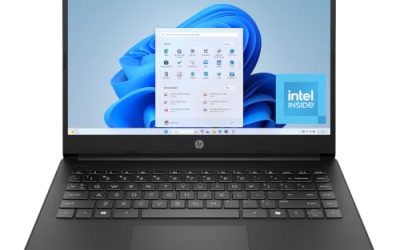
Our Top Picks
 Dell Latitude 5420 Laptop with Windows 11 Pro14-14.99 inches14.33 x 10.8 x 0.96 inches3.88 poundsCheck on Amazon
 Lenovo ThinkPad T490s 14" FHD i5-8365U 16GB RAM16GB 256GB SATA SSD12.95 x 0.66 x 8.9 Inches2.98 poundsCheck on Amazon
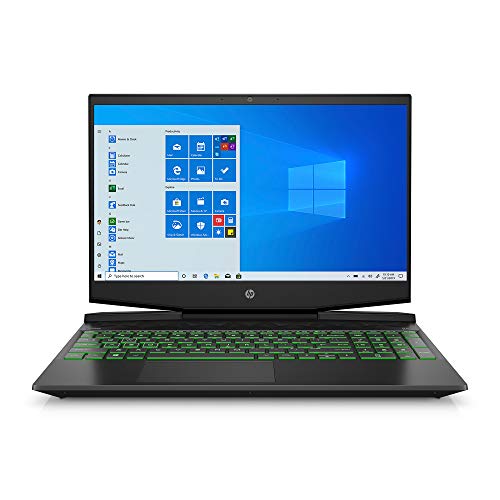 HP Pavilion Gaming Laptop 15-dk0096wm8GB | 256GB SSD14.09 x 10.04 x 0.93 inches7.48 poundsCheck on Amazon
Buying refurbished is supposed to be the shortcut: let someone else take the depreciation hit, then pick up last generation’s hardware for half price. For desktops and phones that logic mostly holds. For gaming laptops under $500, it runs into a wall that no amount of patient searching gets around, and being honest about that wall is more useful than pretending otherwise.
Here is the wall. These are ballpark figures, because renewed stock reprices daily. Below $500, the refurbished market is almost entirely business-class machines — ThinkPads, Latitudes, Precisions — with integrated graphics. That is not a failure of your search skills. It is what the market looks like, and it changes what the right purchase is.

NIMO 15.6" FHD AMD Ryzen 5(Beat i5-1135G7) Student Laptop, 8GB RAM 256GB SSD, 65W Type-C, Fingerprint & Backlit KB for AI Content Creators & Business
One of the home product options compared in this guide.
View on AmazonDell Latitude 5420 Laptop with Windows 11 Pro
One of the home product options compared in this guide.
View on AmazonUpdated October 2026 — The best refurbished gaming laptop under 500 dollars is usually a business machine with strong integrated graphics, not a true gaming laptop. Our top three: the Dell Latitude 5420 with an 11th-gen Core i5 and Iris Xe (best value), the Lenovo ThinkPad T14 Gen 1 with a stated 1080p panel (best build), and, if you can accept new instead of refurbished, the NIMO 15.6-inch with a Ryzen 5 6600H and 16GB DDR5 (best gaming performance near the $500 line).
New in this update: picks grouped by budget tier, a field guide to the gaming-laptop families worth watching in renewed listings, game-by-game expectations and upgrade costs.
Quick Verdict
Under $500 refurbished, you are choosing between a well-built business laptop with integrated graphics and excellent build quality, or a new budget machine with a modern integrated GPU. Neither will run demanding new titles at high settings. Both will handle esports, indie, older AAA and cloud gaming perfectly well.
| Model | Price | CPU | RAM / Storage | Graphics | Best for |
|---|---|---|---|---|---|
| NIMO 15.6″ FHD (new) | Varies | Ryzen 5 6600H | 16GB DDR5 / 256GB | Integrated | Best gaming performance near $500 |
| Acer Aspire 3 15 (Renewed) | Varies | Ryzen 5 | 16GB / 1TB | Integrated | Most storage for the money |
| Dell Latitude 5420 i7 (Renewed) | Varies | Core i7 | 16GB / 256GB | Integrated | Varies |
| Dell Latitude E5550 (Renewed) | Varies | i5-5200U | 8GB / 500GB HDD | Integrated | Skip — too old, HDD |
| Dell Latitude 7420 Grade A | Varies | Core i5 | 16GB / 256GB | Integrated | Best graded-condition buy |
| Lenovo ThinkPad T14 Gen 1 | Varies | i5-10310U | 16GB / 256GB NVMe | Integrated | Best build quality, 1080p panel |
| Dell Latitude 5420 i5 | Varies | i5-1145G7 | 16GB / 256GB | Integrated | Best value overall |
| Dell Precision 7510 | Varies | i7-6820HQ | 8GB / 500GB HDD | Workstation class | Cheapest quad-core, needs an SSD |
| Acer Nitro 5 17.3″ (for reference) | Varies | i5-9300H | 8GB / 512GB | Dedicated | Cheapest real gaming laptop |
Best Refurbished Gaming Laptop Under 500 by Budget Tier
What does each budget actually buy? Here is the same field of picks sorted by price band, with one spec line each. The bands are approximate: they come from listing prices recorded earlier, and renewed stock reprices often, so check the live price before buying.
Lowest-cost tier
- Dell Latitude 5420 (Core i5-1145G7): 11th-gen Core i5 · Iris Xe · 16GB · 256GB SSD · 14-inch
- Lenovo ThinkPad T14 Gen 1 (Core i5-10310U): 10th-gen Core i5 · Intel UHD · 16GB DDR4 · 256GB NVMe · 14-inch 1080p
- Dell Latitude 7420 Grade A: 11th-gen Core i5 · Iris Xe · 16GB · 256GB SSD · thinner chassis
- Lenovo ThinkPad T490s (Core i5-8365U): 8th-gen Core i5 · Intel UHD · 16GB · 256GB SSD · 14-inch 1080p
What to expect at this tier:
- Esports titles such as League of Legends, Valorant and CS2 at 720p-1080p low settings; Iris Xe models run them more smoothly than Intel UHD models.
- Excellent keyboards and build quality from three-year-old corporate fleets.
- Batteries with unknown cycle counts; budget for a replacement or treat it as a desk machine.
- Windows 11 support on 8th-gen Intel and newer; avoid older chips.
Middle tier
- Dell Latitude 5420 (Core i7): 11th-gen Core i7 · Iris Xe · 16GB · 256GB SSD
- Dell Latitude E5550 and Precision 7510: older 5th/6th-gen chips with hard drives; only for buyers ready to fit an SSD
What to expect at this tier:
- More CPU headroom for streaming, Discord and browser tabs, but little extra graphics speed.
- The best use of extra money here is often a second RAM stick for dual-channel memory or a larger SSD.
- Still no dedicated GPU in mainstream refurbished listings.
Top of the budget
- NIMO 15.6-inch (Ryzen 5 6600H, new, often just above $500): 6-core H-series · Radeon 660M · 16GB DDR5 · 256GB SSD
- Acer Aspire 3 15 (Ryzen 5, Renewed): Ryzen 5 · Radeon integrated · 16GB · 1TB SSD
What to expect at this tier:
- The strongest integrated graphics in this guide: the NIMO’s DDR5 memory and Radeon 660M run esports at 1080p and many pre-2018 AAA games at low to medium.
- New-machine batteries and full warranties start to appear, which can beat refurbished on value.
- Storage jumps to 1TB on some listings, useful for large game installs.
Stretch: a dedicated GPU
- HP Pavilion Gaming 15 (Core i5-9300H, GTX 1650 4GB): 8GB · 256GB SSD · 15.6-inch 1080p
- Acer Nitro 5 17.3-inch (Core i5-9300H, dedicated GPU): 8GB · 512GB SSD
- Lenovo IdeaPad Gaming 3 15IMH05 (Core i5-10300H, GTX 1650 4GB): 8GB · 256GB SSD · 15.6-inch 1080p
What to expect at this tier:
- High frame rates in esports and medium settings in many older AAA games at 1080p.
- 8GB RAM and small SSDs are common; budget for both upgrades.
- Gaming-laptop batteries and fans see harder use than business machines, so check the guarantee closely.
Summary: for most buyers, the Dell Latitude 5420 (Core i5-1145G7) is the best refurbished value, the Lenovo ThinkPad T14 Gen 1 is the best built, and the NIMO 15.6-inch with the Ryzen 5 6600H is the fastest at games for around $500.
How to Choose
Understand why discrete GPUs vanish below $500
Gaming laptops depreciate slowly compared to business laptops, for two reasons. Corporate fleets are refreshed on three-year cycles and dumped onto the refurbished market in enormous volumes, which crushes prices. Gaming laptops are bought by individuals who keep them until they die, so far fewer reach the secondary market. Meanwhile demand for used gaming hardware has stayed high.
Understanding this stops you wasting weeks hunting for a bargain that structurally does not exist.
What integrated graphics can and cannot do
Be specific here rather than dismissive. Modern integrated graphics — particularly on AMD’s recent H-series mobile chips like the Ryzen 5 6600H in the NIMO — handle a genuinely wide range of games at 1080p with settings turned down: Valorant, CS2, League of Legends, Dota 2, Rocket League, Minecraft, Stardew Valley, Hades, most indie titles, and a large catalogue of pre-2018 AAA games. For a very large number of players, that is the entire library they actually play.
What integrated graphics cannot do is run recent demanding AAA titles at acceptable frame rates, or drive high-refresh displays in anything intensive. If your target is current-generation open-world games at 60fps, no $500 machine of any kind delivers that, refurbished or new.
RAM configuration matters more than usual with integrated graphics
Integrated GPUs have no dedicated memory; they borrow system RAM. This makes two things important. First, capacity: 16GB is the working minimum because the GPU takes a slice, and every machine worth buying in the table above has 16GB. Eight gigabytes shared between Windows and a graphics chip is genuinely painful.
Second, and less well known, memory speed and channel configuration directly affect integrated graphics performance, because the GPU is competing for the same memory bandwidth as the CPU. A machine with DDR5, like the NIMO, has a real bandwidth advantage over older DDR4 systems, and dual-channel configurations substantially outperform single-channel ones. If you buy a refurbished machine with one memory stick, adding a matched second stick is the cheapest performance upgrade available.
Refurbished condition grades and what they mean
Grade A means minimal visible wear; lower grades mean scuffs, scratches or faded key markings on a machine that still works. If you do not care about appearance, lower grades are where the value is.
Marketplace renewed programs commonly list a minimum 90-day guarantee on eligible products, which is meaningfully better than a private sale and meaningfully worse than a new-product warranty. Read what the specific listing commits to. A refurbished laptop that fails in month four is your problem.
Refurbished, renewed, open-box and used: what the labels mean
Condition grades describe how a machine looks. The label in front of the grade describes who restored it and what kind of promise comes with it, and that matters more for a laptop you intend to game on. The terms are used loosely across retailers, so treat the table below as a general guide and confirm the specifics on each listing.
| Label | What it usually means | Typical coverage | What to watch for |
|---|---|---|---|
| Manufacturer refurbished | Returned or off-lease unit inspected and repaired by the brand or its official partner | Often the longest of the refurbished options, sometimes close to a new-product warranty | Less common below $500 and stock is limited |
| Seller refurbished / renewed | Restored by a third-party refurbisher, usually from corporate off-lease fleets | Commonly a 90-day guarantee; some sellers offer 6 to 12 months | Quality varies by refurbisher; battery and storage may be original or replaced |
| Renewed premium tiers | Stricter cosmetic and battery standards set by the marketplace | Usually a longer guarantee, often up to a year | Costs more; check whether the battery standard is stated |
| Open-box | Nearly new item returned shortly after purchase | Often the full manufacturer warranty | Rarely includes business laptops; confirm all accessories are present |
| Used / pre-owned | Sold as-is with little or no restoration | Little or none beyond the platform’s buyer protection | Highest risk; no guarantee of a wiped drive, fresh paste, or healthy battery |
How refurbished warranties actually work
Read three things on every listing before you buy: how long the guarantee lasts, who honors it, and what it covers. A guarantee from the refurbisher means you deal with that seller, not with Dell, Lenovo, or HP, and many refurbished warranties exclude the battery or treat it as a consumable. Original manufacturer warranties on off-lease business laptops have usually expired, although some Dell and Lenovo machines can be checked by service tag or serial number on the brand’s support site to see any remaining coverage.
A short return window is the other safety net. Plan to run every check in the first week rather than the last day. If you want longer protection, third-party extended warranties exist for refurbished electronics, but compare their cost with simply setting aside money for a replacement battery or SSD, which often works out cheaper.
Finally, favor sellers that state the refurbishment steps: a wiped and freshly installed operating system, a battery health threshold, a replaced SSD, and new thermal paste. Specific statements like these are worth more than a generic quality badge.
Battery and thermal paste are the two things nobody discloses
These are the real risks of buying refurbished. Batteries are consumables and lose capacity with every charge cycle. A three-year-old corporate laptop may have several hundred cycles on it, and a refurbisher has no obligation to replace the battery unless the listing says so. Budget mentally for the possibility of buying a replacement, or for treating the machine as a desk device that lives on mains power.
Thermal paste dries out. A machine that ran hot for three years under a corporate desk may throttle under sustained load even though it seems fine in a short burst. Repasting is inexpensive if you are comfortable opening a laptop and worth factoring in if you are not.
Avoid mechanical hard drives entirely
Two listings in the table — the Dell Precision 7510 and the Latitude E5550 — specify a 500GB hard drive rather than an SSD. A mechanical drive will make an otherwise capable machine feel broken: long boots, stuttering game loads, unresponsive multitasking. If you buy one of these, treat a replacement SSD as a mandatory same-day purchase, not an optional upgrade. Better yet, buy a machine that already has NVMe storage.
Check the display before anything else
This is where old business laptops most often disappoint. Plenty of corporate machines shipped with 1366×768 panels, which are unpleasant for gaming and for everything else. The ThinkPad T14 Gen 1 listing explicitly specifies a 1080p Full HD panel, which is exactly the detail to look for. If a listing does not state the resolution, assume the worst and ask before buying.
Check Windows 11 support before buying an older machine
Windows 10 reached its end of support in October 2025, with only time-limited extended security updates after that, so in 2026 a refurbished laptop should be able to run Windows 11. Microsoft’s official requirements generally call for an Intel 8th-generation Core processor or newer, or an AMD Ryzen 2000-series chip or newer, plus TPM 2.0 and Secure Boot. That rules out some machines that still appear in budget listings.
In this guide, the Dell Precision 7510 (6th-generation i7-6820HQ) and the Dell Latitude E5550 (5th-generation i5-5200U) fall below the official processor list. They can still run, but they will not receive Windows 11 through normal channels, and staying on an unsupported Windows version is a real security risk for a machine you use online. The 10th- and 11th-generation Latitudes and ThinkPads, the Ryzen machines, and any 8th-generation or newer Intel laptop meet the processor requirement. If a listing ships with Windows 10, confirm it is eligible for the free upgrade before you pay.
What each spec class can realistically play
The graphics hardware is the single best predictor of what a budget laptop can handle. Frame rates vary by game and settings, so the table below describes realistic expectations rather than precise numbers.
| Graphics class | Examples in this guide | Esports titles | Indie and older AAA | Recent demanding AAA |
|---|---|---|---|---|
| Older Intel UHD (8th to 10th gen U-series) | ThinkPad T490s, ThinkPad T14 Gen 1 | Lighter titles such as League of Legends at reduced settings; heavier shooters struggle | 2D indie games and older titles at low settings | Not realistic |
| Intel Iris Xe (11th gen) | Latitude 5420, Latitude 7420 | Most esports games at 1080p low or 720p with better smoothness | Many indie and pre-2018 titles at low to medium | Not realistic |
| AMD Radeon 600M-class (Ryzen 6000 H-series) | NIMO with Ryzen 5 6600H | Comfortable at 1080p with tuned settings | A broad older library at low to medium | Some titles at the lowest settings with upscaling |
| Entry dedicated GPU (GTX 1650 class) | HP Pavilion Gaming 15, Acer Nitro 5 | High frame rates at 1080p | Medium to high settings in most | Low to medium at 1080p in many, but not all |
Get more frames out of integrated graphics
- Play plugged in and set Windows to its best-performance power mode; many laptops cut graphics clocks on battery.
- Run memory in dual-channel mode with two matched sticks where the laptop has two slots.
- Install the latest graphics driver from Intel or AMD rather than relying on an old refurbisher image.
- Lower the render resolution or use in-game upscaling such as FSR before dropping every texture setting to minimum.
- Cap the frame rate slightly below what the laptop can sustain; a steady 45 or 60 feels better than a number that swings wildly.
- On some AMD laptops, the BIOS lets you raise the memory reserved for graphics; check whether yours offers this option.
- Keep the vents clear and use the laptop on a hard surface or a stand to reduce thermal throttling.
Cloud gaming as the workaround
Cloud gaming services such as NVIDIA GeForce Now and Xbox Cloud Gaming run games on remote servers and stream the video to your laptop. That lets a modest business refurb play recent AAA games that its own graphics could never handle. The laptop only needs to decode video smoothly, which every machine in this guide can do.
The limits move from your hardware to your connection and your subscription. A stable connection, ideally wired Ethernet or strong 5GHz Wi-Fi, matters more than raw speed, and latency-sensitive competitive shooters feel noticeably better played locally. Libraries also differ: some services stream games you already own on supported stores, while others work from a subscription catalog. Used together, a refurbished laptop for local esports and indie games plus a cloud service for the occasional big release is the most capable setup under $500.
If you stretch the budget, know which “dedicated” GPUs are worth it
Listings that say “dedicated graphics” are not all equal. Several thin-and-light laptops from the late 2010s and early 2020s carry NVIDIA MX-series chips such as the MX250, MX350, or MX450. They are technically discrete GPUs, but in games they perform closer to good integrated graphics than to a real gaming card, so they do not justify a price premium. The older GTX 1050 is a step up but now struggles with recent releases.
The realistic floor for a used or refurbished gaming laptop is a GTX 1650 or GTX 1650 Ti, with the RTX 3050 the next meaningful jump because it adds DLSS support. The model families that most often appear refurbished with those chips are the Acer Nitro 5, HP Pavilion Gaming and Victus 15, Lenovo IdeaPad Gaming 3, Dell G3 and G5, and ASUS TUF Gaming. Watch for these names slightly above $500, and check that the exact listing includes the GPU you expect, since the same model name is often sold with several graphics options.
A pre-purchase listing checklist
- Processor generation: 8th-gen Intel or Ryzen 2000-series and newer for Windows 11 support.
- Memory: 16GB, or a confirmed free slot to get there.
- Storage: an SSD, ideally NVMe; avoid mechanical drives.
- Display: 1920×1080 stated explicitly, not just “HD.”
- Battery: any stated health percentage or replacement; “low battery health” listings should be priced accordingly.
- Charger: confirm one is included and whether it is original or a compatible replacement.
- Operating system: Windows edition and activation status, plus whether the drive was wiped and freshly installed.
- Guarantee: length, who honors it, and whether the battery is covered.
Cheap accessories that make a budget laptop better for gaming
A wired or low-latency wireless mouse is the most important addition, since touchpads are impractical for nearly every game. A basic laptop stand or cooling pad lifts the chassis for better airflow and can reduce throttling on older machines with tired thermal paste. If you mostly game at a desk, an inexpensive external 1080p monitor and keyboard turn a scuffed refurb into a comfortable setup and keep wear off the laptop’s own keyboard and hinge. A wired headset rounds things out without draining the battery.
The Picks in Detail
NIMO 15.6″ IPS FHD, new — Best gaming performance near $500
Worth including in a refurbished guide precisely because it beats the refurbished field at gaming. A Ryzen 5 6600H is a six-core H-series chip with substantially stronger integrated graphics than the U-series processors in most business refurbs, and 16GB of DDR5 gives that integrated GPU real memory bandwidth to work with. It is new, so the battery is new and the warranty is a full one. The 256GB SSD is small; plan to add storage.
Dell Latitude 5420, i5-1145G7 — Best value
The value pick of the refurbished group. An 11th-generation i5 with 16GB of RAM and a 256GB SSD at this price is a lot of usable computer, and the Latitude chassis is built to survive corporate handling. Integrated graphics on this generation of Intel chip handle esports titles and older games at 1080p with settings reduced. For general use it will feel fast. Dell sold the 5420 with both Full HD and lower-resolution 14-inch panels, so confirm the resolution on the listing.
Lenovo ThinkPad T14 Gen 1 — Best build quality
An i5-10310U with 16GB DDR4, a 256GB NVMe drive and — critically — a specified 1080p Full HD display. ThinkPads have the best keyboards in the refurbished market and a serviceability advantage that matters when you inevitably want to add RAM or swap the drive. Lenovo lists one soldered memory module plus one SO-DIMM slot on the T14 Gen 1, so check how the 16GB is split. The U-series processor is less capable under sustained load than an H-series chip, so treat this as a light gaming and everything-else machine.
Dell Latitude 7420 Grade A — Best graded-condition buy
Same broad configuration as the 5420 at a small premium, but graded A for condition, meaning minimal cosmetic wear. The 7420 is also the thinner, lighter line. Its memory is soldered to the board, so it cannot be expanded later; buy the 16GB configuration you want. If you want a refurbished machine that does not look refurbished, this is the one to pick.
Dell Latitude 5420 i7 — Strongest CPU

Dell Latitude 5420 14" Laptop, Intel Core i7, 16GB RAM, 256GB SSD, Win11 Pro (Renewed)
One of the home product options compared in this guide.
View on AmazonThe i7 version of the value pick, with the same 16GB and 256GB configuration. The extra money buys CPU headroom rather than graphics performance, which makes it the right choice if you stream, compile, edit video or run a lot at once, and the wrong choice if you only want frames per second.
Acer Aspire 3 15 Ryzen 5, Renewed — Most storage for the money

Acer Aspire 3 15 A315-24PT-R288 Ryzen 5 16GB 1TB Silver (Renewed) | 15.6in FHD (1920x1080) Touchscreen, AMD Ryzen 5 7520U, AMD Radeon Graphics, 16GB RAM, 1TB SSD, Windows 11 Home
One of the home product options compared in this guide.
View on AmazonGames are enormous now, and 1TB removes the constant management that a 256GB machine demands. It is a consumer chassis rather than a business one, so expect a plastic build and a less robust hinge than a Latitude or ThinkPad.
Dell Precision 7510 — Cheapest quad-core project machine
The cheapest route to a proper quad-core H-series processor, in a mobile workstation chassis with excellent cooling and easy internal access. Two significant caveats: it ships with 8GB of RAM and a 500GB mechanical hard drive, both of which need replacing, and the i7-6820HQ is a 2015-era chip. As a project machine for someone comfortable with upgrades, the fundamentals are strong. As a plug-in-and-play purchase, it is not.
Lenovo ThinkPad T490s (i5-8365U, 16GB) — Best for the lowest price with a Full HD screen
Lenovo ThinkPad T490s 14" FHD i5-8365U 16GB RAM 256GB SSD Windows 10 Pro Laptop
One of the home product options compared in this guide.
View on AmazonThe listing specifies a 14-inch Full HD display, an 8th-generation Core i5-8365U, 16GB of RAM, and a 256GB SSD. That combination avoids the two biggest traps in budget refurbs: a 1366×768 panel and too little memory.
The T490s is the slim version of the T-series, with a strong keyboard and a light chassis that suits students and commuters. Its Intel UHD integrated graphics are the weakest in this guide, so treat it as a machine for lighter esports titles, older games, indie releases, and cloud gaming rather than local AAA play. The i5-8365U is on Windows 11’s supported processor list, so the Windows 10 install it ships with can be upgraded. Lenovo lists the memory as soldered with no slot, so it cannot be upgraded later, which makes the 16GB configuration the one to buy.
Pros
- Very low price with 16GB RAM and an SSD
- Full HD display stated on the listing
- Light, durable ThinkPad build with an excellent keyboard
Cons
- Weakest integrated graphics of the picks
- 256GB fills quickly and memory is not expandable
- Ships with Windows 10, so plan the Windows 11 upgrade
HP Pavilion Gaming 15 (GTX 1650) — Best stretch pick for a real dedicated GPU
HP Pavilion Gaming Laptop 15-dk0096wm - Core i5-9300H - 8 GB RAM - 256 GB SSD - GTX 1650 4 GB Graphics Card - 15.6"" Full HD 1920x1080 LCD - Webcam - Wireless - Bluetooth - Windows 10, Black
One of the home product options compared in this guide.
View on AmazonThe HP Pavilion Gaming 15-dk0096wm is the other machine that defines the price of entry for genuine gaming, alongside the Acer Nitro 5 below. The listing specifies a quad-core Core i5-9300H, a GeForce GTX 1650 with 4GB of dedicated memory, 8GB of RAM, a 256GB SSD, and a 15.6-inch Full HD display.
The GTX 1650 changes what the laptop can play: esports titles at high frame rates and many older AAA games at medium settings, with recent releases possible at low settings. Budget for two upgrades: more memory, ideally a matched second stick for 16GB in dual-channel if a slot is free, and more storage. The 9th-generation processor is Windows 11 compatible, so the Windows 10 install can be upgraded.
Pros
- Dedicated GTX 1650 graphics, the biggest jump over every integrated option
- H-series quad-core processor and a Full HD display
- Windows 11 compatible hardware
Cons
- Usually over the $500 budget
- Only 8GB RAM and 256GB storage out of the box
- Consumer chassis and battery wear on an older gaming machine
For reference: Acer Nitro 5 17.3″ — Cheapest real gaming laptop
Included to show the actual price of entry. If a discrete GPU is genuinely non-negotiable, this is the number to save toward rather than a compromise to find below it.
Also Consider: New Laptops Near the $500 Line
If refurbished stock is thin when you shop, these new machines are the closest alternatives. Four sit above $500; they are here because they deliver a dedicated GPU or much stronger integrated graphics.
ASUS Chromebook Plus CX34 — Best for Cloud Gaming Only

ASUS Chromebook Plus CX34 14", FHD Touchscreen Display, i3-1315U, 8GB/128GB | Lightweight Chromebook Plus, 180 Lay-Flat Hinge, Intel 6-Core i3-1315U, WiFi 6E, Backlit KB, Chrome OS, DKZ USB Hub (Renewed)
One of the home product options compared in this guide.
View on AmazonSpec line: Core i3-1315U (6 cores) · Intel UHD · 8GB · 128GB UFS · 14-inch 1080p IPS, 60Hz · Wi-Fi 6E · 50Wh battery
A Chromebook cannot install most Windows games, but it streams GeForce Now and Xbox Cloud Gaming well, with Wi-Fi 6E for a stable connection. Best for: players happy to stream everything. Trade-off: no local PC gaming, and memory is soldered.
Lenovo 15 Gaming Laptop (Ryzen 5 7535HS) — Best New Integrated-Graphics Upgrade

Lenovo 15 Gaming Laptop, AMD Ryzen 5 7535HS, 8GB DDR5, 256GB PCIe SSD | 15" gaming laptop, FHD+ display, Wi-Fi 6, BT 5.3, webcam, Luna Grey, Win 11 Home, entry-level gaming
One of the home product options compared in this guide.
View on AmazonSpec line: Ryzen 5 7535HS (6 cores, H-series) · Radeon 660M · 8GB DDR5 · 256GB PCIe SSD · 15-inch class display
A newer H-series chip with the same class of integrated graphics as the NIMO’s Ryzen 5 6600H. Best for: buyers who want a new battery and warranty. Trade-off: only 8GB of RAM; check whether a free slot allows a second stick for dual-channel graphics performance.
NIMO 15.6-inch (Ryzen 7 7735HS, Radeon 680M) — Strongest Integrated Graphics
Spec line: Ryzen 7 7735HS (8 cores) · Radeon 680M · 16GB DDR5 · 256GB SSD · 15.6-inch 1080p
The Radeon 680M has twice the graphics compute units of the 660M, which makes it the fastest integrated option here for 1080p esports and older AAA games. Best for: a no-GPU laptop that still games well. Trade-off: priced above $500, and 256GB fills quickly.
Lenovo IdeaPad Gaming 3 15IMH05 — Best New GTX 1650 Option Near Budget

Lenovo IdeaPad Gaming 3-15IMH05 81Y4002NUS 15.6" Gaming Notebook - Full HD - 1920 x 1080 - Intel Core i5 10th Gen i5-10300H Quad/ 4 Core) 2.50 GHz - 8 GB RAM - 256 GB SSD - Onyx Black
One of the home product options compared in this guide.
View on AmazonSpec line: Core i5-10300H · GTX 1650 4GB GDDR6 · 8GB DDR4 · 256GB SSD · 15.6-inch 1080p
A 2020-era design, but a real dedicated GPU. Best for: buyers who want local AAA play at low to medium settings. Trade-off: above $500, 8GB RAM and a small SSD need upgrades.
MSI GF63 Thin (GTX 1650 Max-Q, 32GB) — Most Memory for a Budget Gaming Laptop

MSI GF63 Gaming Laptop, Thin 15.6" FHD Display, Intel Core i5-10200H, NVIDIA GTX 1650 Max-Q, 32GB DDR4 RAM, 1TB NVMe SSD, Backlit Keyboard, Windows 10, 1 Month XB0X Game Pass, TWE Wireless Mouse
One of the home product options compared in this guide.
View on AmazonSpec line: Core i5-10200H · GTX 1650 Max-Q 4GB · 32GB DDR4 · 1TB NVMe · 15.6-inch 1080p IPS, 60Hz
The upgrades you would otherwise buy are already done. Best for: buyers who want a ready-to-go dedicated-GPU machine. Trade-off: Max-Q graphics and a 60Hz, 45% NTSC panel; priced well above $500.
Step-Up Gaming Laptops If You Can Stretch Past $500
If the best refurbished gaming laptop under 500 dollars still feels like a compromise, these two laptops are the realistic next step. Both have a dedicated GPU and a 144Hz screen, but both are normally sold new above the $500 line, so treat them as a savings target or something to watch for in renewed listings.
ASUS TUF Gaming A15 (Ryzen 5 7535HS, RTX 3050) — Best Step-Up With a Current-Generation Processor
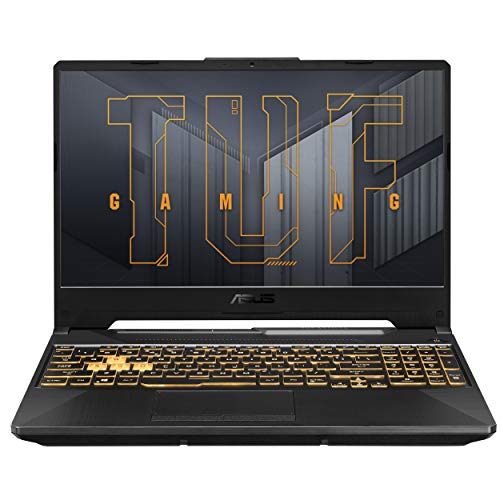
ASUS TUF Gaming A15 Gaming Laptop, 15.6” FHD 16:9 144Hz Display, AMD Ryzen™ 5 7535HS Processor, NVIDIA® GeForce RTX™ 3050, 16GB DDR5, 512GB PCIe® Gen 4.0 SSD, Wi-Fi 6, Windows 11 Home, FA506NC-DS53
One of the home product options compared in this guide.
View on AmazonThe ASUS TUF Gaming A15 is the model competitors most often name when budget gaming laptops come up, and it is easy to see why. The listing pairs a modern six-core Ryzen 5 7535HS with a GeForce RTX 3050 and a 144Hz Full HD display, which is a very different class of machine from the integrated-graphics business laptops in this guide.
- CPU: AMD Ryzen 5 7535HS
- GPU: NVIDIA GeForce RTX 3050 Laptop GPU
- Display: 15.6-inch Full HD, 144Hz
- Build: TUF series chassis with a gaming keyboard
Pros: a real dedicated GPU, 144Hz screen, modern CPU. Cons: well above the $500 line when new, and the RTX 3050 is an older generation. Skip it if your hard limit is $500 and you are comfortable with esports and older games.
Acer Nitro 5 (Ryzen 5 5600H, GTX 1650) — Best Step-Up for Older-Generation Value
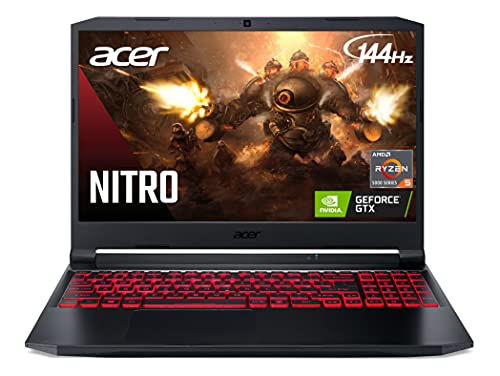
acer Nitro 5 AN515-45-R83Z Gaming Laptop, AMD Ryzen 5 5600H Hexa-Core Processor | NVIDIA GeForce GTX 1650 | 15.6" FHD 144Hz IPS Display | 8GB DDR4 | 256GB NVMe SSD | WiFi 6 | Backlit Keyboard
One of the home product options compared in this guide.
View on AmazonThe Acer Nitro 5 AN515-45 is an older design that still appears in renewed and discounted listings. It uses a six-core Ryzen 5 5600H with a GeForce GTX 1650 and a 144Hz Full HD screen. It is the type of machine to compare against when a renewed listing says “gaming laptop” but gives no GPU details.
- CPU: AMD Ryzen 5 5600H, 6 cores
- GPU: NVIDIA GeForce GTX 1650
- Display: 15.6-inch Full HD, 144Hz
- Family: Acer Nitro 5 AN515-45
Pros: dedicated GPU, fast six-core CPU, 144Hz screen, widely available parts. Cons: the GTX 1650 does not support ray tracing or DLSS, and it is an older GPU. Skip it if you want to play recent AAA releases at high settings.
A good rule: if a renewed listing gives you the same Ryzen 5 5600H or Core i5-10300H class CPU with a GTX 1650 and 16GB of RAM for a price under $500, it is usually a better gaming buy than any integrated-graphics business laptop in this guide.
Gaming Laptop Families to Watch in Renewed Listings
Competing guides point readers to the same handful of budget gaming lines. These are the configurations to look for, and what to check on each.
Acer Nitro 5 and Nitro V 15
Common renewed configs: Core i5-9300H or i5-11400H · GTX 1650 or RTX 3050 · 8GB · 256-512GB SSD · 15.6-inch 1080p, often 144Hz on later models.
The most common gaming laptop in refurbished stock. Later Nitro 5 and Nitro V models add faster screens and RTX graphics. Check: the exact GPU on the listing, since the same model name ships with several cards, and whether the 144Hz panel is included.
HP Pavilion Gaming 15 and HP Victus 15
Common renewed configs: Core i5-9300H, Ryzen 5 5600H or i5-12450H · GTX 1650 or RTX 3050 · 8GB · 256-512GB SSD · 15.6-inch 1080p.
The Pavilion Gaming 15 is the older line already in this guide; the Victus 15 replaced it and is the better buy if the price gap is small. Check: RAM slot count (many have two slots, so a second stick is an easy upgrade).
Lenovo IdeaPad Gaming 3
Common configs: Core i5-10300H with GTX 1650 4GB (15IMH05), or Ryzen 5 5600H with GTX 1650 or RTX 3050 (later models) · 8GB · 256GB SSD · 15.6-inch 1080p, 60Hz or 120Hz.
A good student pick because Lenovo’s keyboards and cooling are solid at this price. Check: the model suffix, because the 15IMH05 and 15ACH6 generations differ a lot in CPU speed.
ASUS TUF Gaming A15 and F15
Common renewed configs: Ryzen 5 4600H or 7535HS (A15), Core i5 (F15) · GTX 1650 or RTX 3050 · 8GB · 512GB SSD · 15.6-inch 1080p 144Hz.
TUF models usually ship with a high-refresh panel, which suits esports. Check: battery health and fan noise reports, since these see heavy gaming use.
Dell G15 and G3/G5
Common renewed configs: Ryzen 5 5600H or Core i5-11400H · GTX 1650 or RTX 3050 · 8GB · 256-512GB SSD · 15.6-inch 1080p.
Dell’s service-tag lookup lets you check remaining warranty and original specs. Check: the panel refresh rate, which varies by configuration and generation.
MSI GF63 Thin
Common configs: Core i5-10200H to i5-11400H · GTX 1650 Max-Q, RTX 2050 or RTX 3050 · 8-16GB · 256-512GB SSD · 15.6-inch 1080p (60Hz on 10th-gen units).
Thin and light for a gaming laptop, but the Max-Q graphics run slower than full-power GTX 1650 chips, and 10th-gen units have a 60Hz, 45% NTSC panel. Check: the GPU variant and screen refresh.
Rule of thumb: the RTX 2050 performs close to a GTX 1650 despite the RTX name, and MX-series chips sit near integrated graphics. A GTX 1650 is the realistic floor; an RTX 3050 adds DLSS and is the better long-term buy.
When a Laptop Is Not the Best Way to Game on $500
It is worth asking whether you need a laptop at all before committing the budget. If portability is the main reason, a refurbished business laptop plus cloud gaming is a sensible answer. If the goal is simply the best local gaming performance for the money, three other routes usually beat any sub-$500 laptop.
A used or refurbished desktop with an entry gaming graphics card delivers far more performance per dollar than a laptop, because desktop parts depreciate quickly and are easy to upgrade later. It only makes sense if you have a desk, a monitor, and no need to move it. Finally, a current entry-level console offers a stable, optimized experience for living-room play with no driver or settings tweaking at all, although its library and controls differ from PC gaming.
If you need one machine for schoolwork, office tasks, and some gaming on the move, the laptops in this guide remain the right category.
What Games You Can Play on a Refurbished Laptop Under $500
These are realistic expectations by graphics class, based on the spec tier and published reviews for each chip family. They are estimates, and actual frame rates depend on settings, memory configuration and cooling.
| Game type | Intel UHD (ThinkPad T490s, T14 Gen 1) | Iris Xe (Latitude 5420, 7420) | Radeon 660M/680M (NIMO, Ryzen H-series) | GTX 1650 / RTX 3050 |
|---|---|---|---|---|
| League of Legends, Dota 2 | Playable at 720p-1080p low | Smooth at 1080p low-medium | Smooth at 1080p medium | High settings, high refresh |
| Valorant, CS2, Rocket League | 720p low, lighter titles only | 1080p low | 1080p low-medium | 1080p high |
| Minecraft, Stardew Valley, Hades, Terraria | Yes | Yes | Yes | Yes |
| Fortnite | Performance mode, low | Performance mode or 720p low | 1080p low with upscaling | 1080p medium |
| Older AAA (GTA V, Skyrim SE, The Witcher 3) | Lowest settings, older titles only | 720p-1080p low | 1080p low-medium | 1080p medium-high |
| Recent AAA (2023 and newer) | Cloud gaming only | Cloud gaming only | Some at lowest settings with FSR | Low-medium in many, not all |
If a game on your list sits in the “cloud gaming only” row, either stretch for a GTX 1650 or RTX 3050 machine or pair a cheap refurb with a streaming subscription.
Dedicated GPUs in Renewed Gaming Laptops: What Each One Can Play
If you find a renewed gaming laptop under $500, the GPU name tells you what it can handle. This table ranks the cards that most often appear in budget listings. Capability notes are estimates by GPU class, not measurements.
| GPU | VRAM | Typical age | Estimated 1080p capability | Worth buying under $500? |
|---|---|---|---|---|
| GeForce GTX 1050 / 1050 Ti | 4GB | 2017 to 2019 | Esports at medium, older games | Only if very cheap |
| GeForce GTX 1650 | 4GB | 2019 to 2021 | Esports at high, many AAA games at medium | Yes, if it has an SSD |
| GeForce GTX 1650 Ti | 4GB | 2020 to 2021 | Slightly above the GTX 1650 | Yes |
| GeForce GTX 1660 Ti | 6GB | 2019 to 2021 | AAA games at medium to high | Excellent, but rarely this cheap |
| GeForce RTX 2050 / 3050 | 4GB or more | 2021 to 2023 | Modern games at medium with DLSS | Rarely, unless heavily discounted |
Four Signs a Renewed Listing Is a Real Gaming Laptop
- The listing names a specific GPU such as “GTX 1650” or “RTX 3050”, not just “graphics”.
- The processor is an H-series chip, such as Core i5-9300H or Ryzen 5 5600H, not a U-series chip.
- The screen is 144Hz or at least Full HD.
- The chassis has visible vents and a large, separate power adapter.
If a listing hits only one or two of these, assume it is a business laptop with integrated graphics and compare it with the Dell Latitude and Lenovo ThinkPad picks above.
Upgrades Worth Budgeting For
Refurbished laptops are cheap partly because they need a little work. Set aside money for these, roughly in this order:
- SSD: mandatory on the Dell Precision 7510 and Latitude E5550, which ship with hard drives; useful on any 256GB machine.
How Prices Are Handled in This Guide
Listing prices for budget laptops move daily, and the same configuration is often sold under several listings at very different prices. The NIMO Ryzen 5 6600H, 16GB DDR5, 256GB model is a good example: separate listings of that hardware have differed by hundreds of dollars. Bands for renewed and refurbished machines come from listing prices recorded earlier and could not be re-checked line by line, so treat them as approximate. Treat a listing that is far above its band as a different deal, not as the pick described here.
How We Chose
This guide is research-based; we did not run games on these units ourselves. We compared current refurbished and new listings under and just above $500, then filtered them on five points: Windows 11 processor support (8th-gen Intel or Ryzen 2000-series and newer), at least 16GB of RAM or an open slot to get there, SSD storage, a stated 1080p display, and graphics class. Performance expectations come from each chip’s published specifications and independent review databases, and are labeled as estimates. Models with hard drives or pre-8th-gen processors stay in the guide only as clearly flagged project machines.
First-Week Test Plan for a Refurbished Gaming Laptop
Most refurbished guarantees are short, so run every check inside the return window. These steps take about two hours in total and use free tools.
Day 1: identity and condition
- Open Settings > System > About and confirm the CPU, RAM and storage match the listing exactly.
- Check Windows activation status and that no company account or management profile is installed.
- Enter the BIOS/UEFI setup at boot and confirm there is no supervisor password; off-lease machines occasionally arrive locked.
- Look at a plain white and a plain black full-screen image for dead pixels, backlight bleed and pressure marks.
Day 2: battery and storage health
- Run
powercfg /batteryreportin a Command Prompt and compare “Full charge capacity” with “Design capacity”. Below about 70% means a replacement is worth pricing. - Check the SSD’s health percentage and power-on hours with a free drive-health utility. Any reallocated or pending sectors are a return reason.
Day 3: heat and stability
- Run a 20-30 minute CPU and GPU stress test while watching temperatures with a hardware monitor. Sustained CPU readings at the chip’s thermal limit with falling clock speeds point to dried paste or clogged fans.
- Play your main game for an hour plugged in. Crashes, black screens or graphics driver resets on a gaming laptop should be treated as a fault, not a quirk.
- Test every port, the webcam, speakers, Wi-Fi at a distance and each key.
Which Option Fits Your Situation?
- Student who games on weekends: Dell Latitude 5420 (Core i5-1145G7) plus a cloud gaming subscription. Light to carry, durable, and the budget left over covers the subscription.
- Esports-only player (Valorant, League, CS2): NIMO 15.6-inch with the Ryzen 5 6600H, or a Latitude 7420 if you want refurbished build quality. Add a wired mouse before anything else.
- Wants to play recent AAA locally: do not buy under $500. Save for a renewed GTX 1650 or RTX 3050 machine such as an HP Pavilion Gaming 15, Acer Nitro 5 or Lenovo IdeaPad Gaming 3.
- Buying a first laptop for a younger gamer: Lenovo ThinkPad T14 Gen 1 for its 1080p screen, sturdy hinge and easy repairs; Minecraft, Roblox and indie games run fine.
- Comfortable with a screwdriver: Dell Precision 7510 as a project machine, but only with a same-day SSD and RAM upgrade, and remember it does not officially support Windows 11.
Mistakes to Avoid With Budget Refurbished Gaming Laptops
- Trusting “gaming” in the title. Many listings use the word for business laptops with Intel UHD graphics. Read the GPU line, not the headline.
- Paying extra for MX-series graphics. MX250, MX350 and MX450 chips perform closer to integrated graphics than to a GTX 1650.
- Accepting a 1366×768 screen. If the listing only says “HD”, assume it is not 1080p.
- Buying 8GB in a single stick. Integrated graphics lose a large share of their speed in single-channel mode.
- Ignoring the charger. Confirm it is included, and whether it is original or compatible; underpowered chargers can cause throttling on H-series and gaming models.
- Skipping the Windows 11 check. Pre-8th-gen Intel chips are outside Microsoft’s supported list.
Total Cost: Refurbished vs. New vs. Stretch
The sticker price is only part of the bill. This table adds the upgrades each route usually needs to reach a comfortable gaming setup (16GB dual-channel, SSD, healthy battery).
| Route | Example | Typical purchase band | Likely add-ons | All-in band | Gaming level |
|---|---|---|---|---|---|
| Refurbished business laptop | Dell Latitude 5420 (i5-1145G7) | Varies | Battery if worn, larger SSD | Varies | Esports at 720p-1080p low |
| Older workstation project | Dell Precision 7510 | Varies | SSD and RAM (mandatory), battery | Varies | Similar to the Latitude, no Windows 11 |
| New budget H-series | NIMO 15.6-inch (Ryzen 5 6600H) | Varies | Larger SSD | Varies | Esports at 1080p, older AAA low |
| Renewed dedicated GPU | HP Pavilion Gaming 15 (GTX 1650) | Varies | RAM to 16GB, larger SSD | Varies | Most games at 1080p low-medium |
The pattern: a refurbished business laptop stays cheapest even after upgrades, but a new H-series machine closes most of the gap with a fresh battery and warranty. If you would spend on add-ons anyway, compare the all-in band, not the listing price.
How to Read a Refurbished Laptop Listing
Take a typical title such as “Latitude 5420 14in FHD i5-1145G7 16GB 256GB SSD Win11 Pro (Renewed)”. Here is what each part tells you and what is missing:
- “5420”: the model number; search it with “spec sheet” to see every possible configuration and the original panel options.
- “FHD”: a 1920×1080 panel, which is what you want. “HD” alone usually means 1366×768.
- “i5-1145G7”: the “G7” suffix means the full Iris Xe graphics; a “G4” chip has a cut-down version.
- “16GB”: good, but the title rarely says one stick or two. Ask the seller or plan to check in the first week.
- “256GB SSD”: confirm NVMe vs. SATA if you plan to upgrade, since the slot type sets your options.
- “Win11 Pro”: confirms Windows 11 support; look for a digital license rather than an unactivated install.
- Missing: battery health, charger type and guarantee length. Look for them in the description, not the title.
Quick Answers: Best Refurbished Gaming Laptop Under 500
Is a GTX 1650 laptop still worth buying refurbished?
Yes, if it has an SSD and at least 8GB of RAM, but only as an esports and older-games machine. It cannot use DLSS or ray tracing, and recent AAA releases will need low settings.
Should I buy a refurbished business laptop or a new budget laptop for gaming?
Buy the business laptop for build quality and the new budget laptop for stronger integrated graphics. Neither replaces a dedicated GPU, so check each listing for a stated graphics chip.
How can I tell if a refurbished laptop has a dedicated graphics card?
Look for a named GeForce GTX, RTX, or Radeon RX line in the listing, plus an H-series processor. If the listing says only Intel UHD, Iris Xe, or Radeon Graphics, the laptop uses integrated graphics.
What should I check first on a refurbished gaming laptop?
Check the GPU name, RAM amount, SSD, and warranty terms before you buy. After it arrives, test the battery, fans, and screen in the first few days while returns are still open.
Is it better to save for a new gaming laptop instead?
If you want to play current releases, yes. Saving toward an RTX 3050 or newer laptop gives you a longer useful life than any integrated-graphics refurbished machine.
FAQ
Can I get a refurbished gaming laptop with a dedicated GPU under $500?
Realistically, no, not from current mainstream listings. Business refurbs with integrated graphics dominate everything below $500. Anything advertised as a cheap gaming laptop in that band almost always has integrated graphics despite the name.
Is a new budget laptop better than a refurbished one at the same price?
At the top of this budget, often yes.
What games will actually run on integrated graphics?
Esports and competitive titles run well at 1080p with reduced settings: Valorant, CS2, League of Legends, Dota 2, Rocket League, Overwatch. So do most indie games and a broad catalogue of older AAA titles. Recent demanding open-world games will not run acceptably. Cloud gaming services sidestep the limitation entirely if your connection is good.
What should I check immediately after a refurbished laptop arrives?
Battery health first, since it is the most commonly degraded component and the least commonly disclosed. Then run a sustained load for twenty minutes and watch temperatures and clock speeds to check for thermal throttling from dried paste. Then verify the storage is what was advertised, check the display resolution and look for dead pixels, and test every port. Do all of it inside the return window.
Will Windows 11 run on these refurbished laptops?
Officially, Windows 11 needs an Intel 8th-generation Core processor or newer, or an AMD Ryzen 2000-series or newer, along with TPM 2.0. Most of the picks here qualify. The 5th- and 6th-generation Dell machines do not, which is another reason to favor newer refurbs even when an older workstation looks tempting on paper.
Can I add an external GPU to a refurbished business laptop?
Only if it has a Thunderbolt port, which some Latitude and ThinkPad models do. Even then, an enclosure plus a graphics card usually costs more than the price difference to a used gaming laptop, and performance is reduced by the connection bandwidth. For most buyers it is not worth it at this budget.
Is 8GB of RAM enough for gaming on a budget laptop?
It works for very light games, but 16GB is the practical minimum for an integrated-graphics machine because the GPU borrows system memory. If a laptop you like ships with 8GB, check that it has a free slot and budget for a matching stick.
How long will a refurbished business laptop last?
Business laptops are designed for multi-year corporate use, so a well-refurbished unit can reasonably give several more years of service. The battery is the part most likely to need replacing, and the processor’s age decides how long it stays on supported software. Buying a newer generation buys more years.
Is a Chromebook a better option for cloud gaming?
A Chromebook can stream cloud games well and is often cheaper, but it cannot run most Windows games locally. A Windows refurb gives you both: local esports and indie games plus cloud streaming for bigger titles.
Which single upgrade gives the biggest improvement?
Replacing a mechanical hard drive with an SSD, by an enormous margin, if the machine has one. After that, adding a second matched RAM stick to enable dual-channel memory, which directly improves integrated graphics performance because the GPU shares system memory bandwidth. Both are inexpensive and both are more impactful than any settings tweak.
Refurbished stock turns over quickly; verify configuration, storage type, display resolution and warranty terms on the specific listing before buying.
What is the best refurbished gaming laptop under $500 right now?
The Dell Latitude 5420 with a Core i5-1145G7, 16GB of RAM and Iris Xe graphics is the best all-round refurbished value. If you can buy new, the NIMO 15.6-inch with a Ryzen 5 6600H games better for around $500.
Is an RTX 2050 laptop worth it over integrated graphics?
Only slightly. The RTX 2050 performs close to a GTX 1650, well ahead of Intel UHD but not far ahead of a Radeon 680M. It does add DLSS support, which helps in games that offer it. Do not pay a large premium for the RTX label alone.
Can a refurbished business laptop run Fortnite?
Yes, at low settings or in Performance mode. An 11th-gen Iris Xe Latitude handles it at 720p to 1080p low, while older Intel UHD machines struggle. For higher settings, use cloud gaming or a laptop with a GTX 1650 or better.
Are renewed gaming laptops reliable?
They can be, if the guarantee is solid and you test them in the first week. Gaming laptops run hotter and harder than office machines, so battery wear and dried thermal paste are more common. Choose a listing with at least a 90-day guarantee and stated battery health, and run a full stress test early.
Is 144Hz worth it on a budget gaming laptop?
Only if the GPU can reach those frame rates. A GTX 1650 or RTX 3050 can push esports titles past 100 fps, so a 144Hz panel helps. On integrated graphics you will rarely exceed 60 fps, so a 60Hz 1080p panel is fine.
Is a refurbished ThinkPad good for gaming?
Only for light gaming. ThinkPads with Intel UHD graphics, such as the T490s and T14 Gen 1, handle League of Legends, Minecraft and indie games at low settings. Their strengths are keyboards, build and repairability, not graphics. AMD Ryzen ThinkPads with Radeon graphics game noticeably better than Intel UHD models.
What is the cheapest laptop that can run GTA V?
An 11th-gen Iris Xe laptop such as the Dell Latitude 5420 runs GTA V at 720p to 1080p low as an estimate based on its graphics tier. For steadier frame rates at 1080p, a Radeon 660M or 680M machine, or a GTX 1650 laptop, is the safer floor.
What is the biggest trade-off when buying a cheap gaming laptop?
Graphics power. Under $500 you either get a refurbished business laptop with integrated graphics and strong build quality, or a new budget machine with a modern integrated GPU.
Is an Acer Nitro V 15 or HP Victus 15 a better buy than a refurbished business laptop?
For gaming, yes, if the exact listing has a GTX 1650 or RTX 3050 and the price is within reach. Both lines are newer than the Acer Nitro 5 and HP Pavilion Gaming 15 and usually cost more than $500 even when renewed. If you cannot stretch, a Dell Latitude 5420 plus a cloud gaming subscription is the cheaper, lower-risk route.
Why does the same laptop show different prices in different listings?
Many budget laptops are sold by several third-party sellers, each with its own price, stock and warranty terms. The NIMO Ryzen 5 6600H configuration used in this guide appears in multiple listings at different prices. Compare the processor, memory, storage and warranty line by line before you pay a premium for the same hardware.