
Key takeaways
- Buying Low-Quality Unbranded Storage: Off-brand or ultra-cheap microSD cards often misrepresent their actual storage capacity. They are prone to sudden corruption, leading to lost save files, corrupted BIOS files, and broken system images. Stick to reputable storage brands like SanDisk, Samsung, or Lexar.
- Ignoring ROM Compression Formats: Leaving your PS1 files in raw .BIN/.CUE format wastes massive amounts of digital space. A raw 650MB file can easily be compressed down to 380MB as a .CHD file with zero performance penalty during emulation.
- Forgetting File System Compatibility: Cards 64GB and larger are typically formatted in exFAT or NTFS out of the box. Many retro emulation systems (especially older handhelds and RetroPie builds) require cards to be formatted in FAT32. Ensure you use proper formatting software before transferring large collections.
- Underestimating Media Scraping Size: Downloading high-definition video snaps and artwork for thousands of games can quickly fill up 10GB to 20GB of storage space. Always leave a 15% storage buffer on your card to keep the operating system running smoothly.
The Short Answer
For most retro gaming enthusiasts, a 128GB microSD card is the absolute sweet spot for PlayStation 1 (PS1) ROMs. PS1 games were released on CD-ROMs, meaning a single raw uncompressed game file (.BIN/.CUE format) averages around 500MB to 700MB. If you compress your files into modern .CHD formats, an average PS1 ROM shrinks to roughly 350MB to 450MB. A 128GB card gives you enough physical room for 200 to 250 compressed PS1 titles alongside operating system files and metadata.
If you only plan to play a tight “Top 30” list of classic games alongside lighter 8-bit and 16-bit systems, a 64GB microSD card ($15–$45) is sufficient. However, if you are building an exhaustive arcade cabinet, a living room emulation hub, or an all-in-one archive featuring multi-disc titles like Final Fantasy IX or Metal Gear Solid, upgrading to a 512GB microSD card ($60–$185) ensures you will never need to clear storage or manage files manually in 2026.
Our top picks
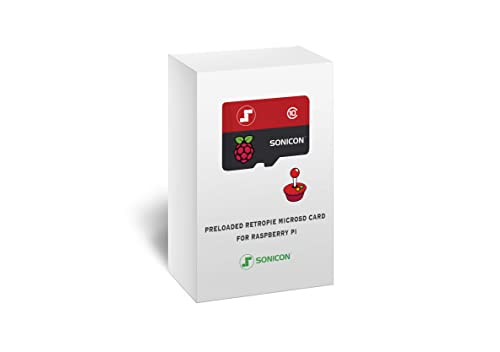 Sonicon Preloaded RetroPie Batocera Emulator MicroSD Card
- 【Important!!!】This SD Card is for Raspberry Pi 5/500…
- Handpicked and Configured - Plug and Play for…
- Full Collection - Full Library of 10 Systems…
Sonicon Preloaded RetroPie Batocera Emulator MicroSD Card- 【Important!!!】This SD Card is for Raspberry Pi 4/4B+/400…
- 【Handpicked and Configured】- We Spend Hundreds of Hours…
- 【All in One, Insane Collection】- 60+ Systems Are…
Sonicon Preloaded RetroPie Emulation Station Emulator MicroSD- Handpicked and Configured - Plug and Play for…
- Full Collection - Full Library of 10 Systems…
- Customized Retro Look - Specially Designed Packaging and…
| Product | Key specs | |
|---|---|---|
| Sonicon Preloaded RetroPie Batocera Emulator MicroSD Card | 【Important!!!】This SD Card is for Raspberry Pi 5/500… Handpicked and Configured - Plug and Play for… Full Collection - Full Library of 10 Systems… | Check price |
| Sonicon Preloaded RetroPie Batocera Emulator MicroSD Card | 【Important!!!】This SD Card is for Raspberry Pi 4/4B+/400… 【Handpicked and Configured】- We Spend Hundreds of Hours… 【All in One, Insane Collection】- 60+ Systems Are… | Check price |
| Sonicon Preloaded RetroPie Emulation Station Emulator MicroSD | Handpicked and Configured - Plug and Play for… Full Collection - Full Library of 10 Systems… Customized Retro Look - Specially Designed Packaging and… | Check price |
 Sonicon Preloaded RetroPie Batocera Emulator MicroSD Card Sonicon Preloaded RetroPie Batocera Emulator MicroSD Card | 【Important!!!】This SD Card is for Raspberry Pi 3,… Handpicked and Configured - Plug and Play for… Full Collection - Full Library of 10 Systems… | Check price |
As an Amazon Associate we earn from qualifying purchases at no extra cost to you.
Standard Sizes
While digital capacity dictates how many games you can store, the physical footprint of the card remains universal across all retro gaming handhelds, single-board computers (like the Raspberry Pi 3, 4, and 5), and custom media consoles. Every microSD card shares exact hardware dimensions: 0.59 inches long by 0.43 inches wide by 0.039 inches thick (15 mm x 11 mm x 1 mm), weighing approximately 0.009 ounces (0.25 grams).
Below is a breakdown of digital storage capacities, physical dimensions, practical PS1 ROM counts, and price ranges for retro gaming setups:
| Card Capacity | Physical Dimensions (W x L x D) | Approx. PS1 Game Capacity (.CHD Format) | Estimated Price Range | Best Recommended Use Case |
|---|---|---|---|---|
| 64GB | 0.43″ x 0.59″ x 0.039″ (11mm x 15mm x 1mm) | 80 – 120 Games | $15 – $45 | Budget builds, curated favorite lists, single-board setups |
| 128GB | 0.43″ x 0.59″ x 0.039″ (11mm x 15mm x 1mm) | 200 – 270 Games | $25 – $65 | Balanced setups, moderate PS1 collection + complete 16-bit sets |
| 256GB | 0.43″ x 0.59″ x 0.039″ (11mm x 15mm x 1mm) | 450 – 550 Games | $35 – $90 | Heavy PS1 focus, multi-disc RPG enthusiast, mixed Dreamcast/PS1 |
| 512GB | 0.43″ x 0.59″ x 0.039″ (11mm x 15mm x 1mm) | 1,000+ Games (Near Full USA Set) | $60 – $185 | Complete archival builds, media center consoles, multi-system hubs |
How to Measure Your Space
Calculating the storage room needed for your retro setup requires balancing software installation overhead, compression formats, and media artwork. Follow these four steps to accurately gauge your storage requirements before buying a memory card.
- Identify Your Preferred File Format: PS1 discs were optical media. Standard uncompressed dumps (.ISO or .BIN/.CUE) consume 500MB to 700MB per disc. Converting these files to compressed .CHD (Compressed Hunks of Data) or .PBP (PlayStation Portable Package) formats reduces file sizes by 30% to 50% without any loss in audio or video fidelity. Calculate your library based on an average of 400MB per game if using .CHD.
- Account for Operating System Overhead: Emulation operating systems such as Batocera, RetroPie, or Lakka require dedicated partition space. Always allocate 4GB to 8GB of your card’s total capacity strictly for the system core, emulators, and background configuration files.
- Factor in Multi-Disc Titles: PS1 RPGs and narrative games often span multiple optical discs. For instance, Final Fantasy VIII consists of four separate disc images, requiring up to 1.8GB even when compressed. Make a list of your must-play multi-disc titles and multiply their standard file size accordingly.
- Include Scraped Media and Save States: Box art, video previews, user manuals, and save states consume noticeable space over time. A scraped video preview and high-resolution box art front cover average around 15MB to 20MB per title. A 300-game library will require an extra 5GB to 6GB just for interface graphics and media previews.
By Room or Use Case
The Minimalist Desk Nook: 64GB Cards for Casual PS1 Gaming
If your retro console setup sits on a compact office desk or side shelf next to a compact 12-inch CRT or monitor, space and clutter are minimal. A 64GB microSD card ($15–$45) fits seamlessly into small single-board computer cases or micro-handhelds without taking up physical room. This size is ideal if you only want to load 50 to 80 essential PS1 classics like Tekken 3, Castlevania: Symphony of the Night, and Crash Bandicoot, while leaving plenty of room for lightweight NES, SNES, and Genesis libraries.
The Dedicated Living Room Media Console: 128GB to 256GB Sweet Spot
When integrating a retro emulation box into a TV stand, media cabinet, or entertainment center console, flexibility is key. In a shared living space setup, a 128GB or 256GB card ($25–$90) allows family and guests to browse wide selections without running out of room. This range accommodates 200 to 500 PS1 titles, including heavy multi-disc series like Resident Evil, Parasite Eve, and Chrono Cross. It provides ample cushion for rich, full-motion video previews within elegant front-end interfaces like EmulationStation without forcing you to delete games to make space.
The Ultimate Retro Gaming Cave: 512GB+ for Complete Collections
For dedicated game rooms featuring full-scale custom arcade cabinets, pedestal controllers, or multi-system emulation hubs, a 512GB microSD card ($60–$185) offers complete freedom. The entire North American PS1 library consists of roughly 1,300 titles, taking up around 450GB to 500GB when compressed into .CHD format. Pairing a 512GB card with a high-performance board like a Raspberry Pi 4 or 5 lets you archive virtually every PlayStation 1 game ever made alongside arcade (MAME/FBNeo), Sega Saturn, and Dreamcast games on a single piece of hardware no larger than a postage stamp.
Common Sizing Mistakes
- Buying Low-Quality Unbranded Storage: Off-brand or ultra-cheap microSD cards often misrepresent their actual storage capacity. They are prone to sudden corruption, leading to lost save files, corrupted BIOS files, and broken system images. Stick to reputable storage brands like SanDisk, Samsung, or Lexar.
- Ignoring ROM Compression Formats: Leaving your PS1 files in raw .BIN/.CUE format wastes massive amounts of digital space. A raw 650MB file can easily be compressed down to 380MB as a .CHD file with zero performance penalty during emulation.
- Forgetting File System Compatibility: Cards 64GB and larger are typically formatted in exFAT or NTFS out of the box. Many retro emulation systems (especially older handhelds and RetroPie builds) require cards to be formatted in FAT32. Ensure you use proper formatting software before transferring large collections.
- Underestimating Media Scraping Size: Downloading high-definition video snaps and artwork for thousands of games can quickly fill up 10GB to 20GB of storage space. Always leave a 15% storage buffer on your card to keep the operating system running smoothly.
FAQ
How many PS1 games can fit on a 128GB microSD card?
A 128GB card typically holds between 200 and 270 PS1 games if the files are compressed into .CHD format. This count accounts for system operating files, video previews, and cover art. If you use uncompressed .BIN/.CUE files, a 128GB card will hold roughly 150 to 170 titles.
Is a 64GB microSD card big enough for PlayStation 1 emulation?
Yes, a 64GB microSD card is sufficient for a curated collection of 80 to 120 PS1 games. However, if you plan to install full multi-disc RPG sets along with rich media artwork, you may run low on digital space quickly.
What is the physical size and weight of a microSD card used in retro consoles?
All standard microSD cards measure 0.59 inches (15 mm) in length, 0.43 inches (11 mm) in width, and 0.039 inches (1 mm) in depth. They weigh approximately 0.009 ounces (0.25 grams), making them ideal for compact living room emulation hardware and portable retro devices.
Does card read/write speed affect PS1 game loading performance?
Yes. Look for cards rated Class 10, U3, or A2. High random-read speeds ensure fast boot times for your retro operating system and eliminate long load screens when running large disc images or high-resolution video previews in your media menu.









