Key takeaways
- Resolution and frame rate: Match the card to your target. 1080p60 covers most creators; 4K60 with passthrough future-proofs console capture.
- Internal vs. external: PCIe cards offer the lowest latency for PC builds, while USB units suit laptops and console-only setups.
- Passthrough: Low-latency passthrough lets you play on your main display while capturing, which is essential for console gaming.
- Standalone recording: Some units record to storage without a PC, ideal for simple gameplay archives.
- Software compatibility: Confirm smooth support for OBS, Twitch, and YouTube if you plan to stream.
When people search for the best screen recorder for gaming, they often assume the answer is software, but serious creators know the real magic happens in hardware. A dedicated capture card records your gameplay without stealing performance from your gaming PC or console, letting you stream and save in crisp quality with none of the frame drops that plague software-only setups.
Below are the capture devices I’d trust to record and stream gameplay in 2026, ranging from plug-and-play USB units to internal powerhouses. A buying guide and FAQ follow to help you match a device to your platform and goals.
Our top picks


As an Amazon Associate we earn from qualifying purchases at no extra cost to you. Ratings are shown as listed on Amazon.
🎮 Get More From Your Setup — Free
Prime Gaming gives you free PC games every month, in-game loot, and a free Twitch channel sub — plus fast free shipping on all the gear above. New members get a 30-day free trial.
Watch: Best Screen Recorder For Gaming — Video Review
How to Choose a Game Capture Device
- Resolution and frame rate: Match the card to your target. 1080p60 covers most creators; 4K60 with passthrough future-proofs console capture.
- Internal vs. external: PCIe cards offer the lowest latency for PC builds, while USB units suit laptops and console-only setups.
- Passthrough: Low-latency passthrough lets you play on your main display while capturing, which is essential for console gaming.
- Standalone recording: Some units record to storage without a PC, ideal for simple gameplay archives.
- Software compatibility: Confirm smooth support for OBS, Twitch, and YouTube if you plan to stream.
The Best Game Capture Devices Reviewed
AVerMedia GC573 Live Gamer 4K
This internal card is the creator’s flagship, capturing 4K60 HDR10 with ultra-low latency straight into OBS. For a PC-based streaming rig, the GC573 is as good as it gets.
4K60Hz VRR Passthrough Capture Card
Supporting 4K60 capture and 1080p240 passthrough with VRR, this external unit is built for next-gen consoles. USB 3.2 keeps footage lag-free and pristine.
4K HDMI USB 3.0 Capture Card
A dependable plug-and-play choice, this HDMI-to-USB 3.0 card handles 1080p60 across Xbox, PlayStation, and PC. It’s the affordable entry point for new streamers.
1080p60 Capture Card with LCD
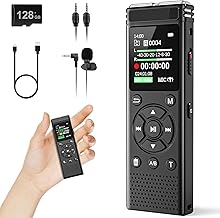
Unusually, this standalone unit records to storage without a PC and includes a 3.5-inch LCD and remote. It’s perfect for capturing console gameplay when you don’t want a computer in the loop.
Pyle Video Game Capture Device
The Pyle PHDRCB48.6 offers full HD 1080p live streaming with HDMI output and flexible USB and SD recording. It’s a versatile budget option for casual capture.
Frequently Asked Questions
Do I need a capture card if I game on PC?
Not always. Software like OBS can record PC gameplay directly, but a capture card offloads the work and is essential for capturing console play.
Is 4K capture worth it?
If your audience watches in 4K and your storage can handle it, yes. Otherwise 1080p60 remains the practical standard for most creators.
What is passthrough and why does it matter?
Passthrough sends the video to your display in real time while capturing, so you can play without noticeable lag; it’s vital for console gaming.
Can I record without a computer?
Yes, with standalone units like the 1080p60 LCD card, which save footage directly to storage.
Final Thoughts
For PC streamers who want the best, the AVerMedia GC573 Live Gamer 4K is the clear pick, while the 4K60 VRR passthrough card is the standout for modern console capture. Newcomers on a budget should start with the reliable 4K HDMI USB 3.0 capture card.