Our Top Picks
The best arcade stick for fighting games in this group is the HORI Fighting Stick Alpha for PlayStation 5, PlayStation 4 and PC. It uses HORI’s Hayabusa lever and buttons, adds a tournament lock and customizable profiles, and opens up so you can swap parts as your taste develops. It is the strongest all-round choice for most players on PlayStation or PC. If you play on Switch, Switch 2 or Xbox, the 8BitDo models are the officially supported equivalents, and if you want wireless play on PC with Sanwa parts and an extremely high polling rate, the Qanba Q4 Pro 8K is the most ambitious stick here. Players who prefer a button-only layout should look at the Qanba Sapphire S1, a leverless controller. Below you will find ten sticks sorted by who they suit, plus the buying knowledge that matters most: platform compatibility, lever and button types, latency and tournament rules.
Top 3 Picks
Best overall: HORI Fighting Stick Alpha. Tournament-grade construction, Hayabusa parts, a touchpad and profile system, and official PlayStation licensing make it the safest recommendation for PS5, PS4 and PC players who want one stick to grow with.

8Bitdo Arcade Stick for Switch & Windows, Arcade Fight Stick Support Wireless Bluetooth, 2.4G Receiver and Wired Connection
Included for 'Best Arcade Stick for Fighting Games in 2026' because the listing specifies Arcade Fight Stick Support Wireless Bluetooth and 2.4G Receiver and Wired Connection, details this guide uses to compare options.
View on Amazon
Qanba N3 Drone 2 Wired Joystick for PlayStation 5/4 and PC (Fighting Stick) Officially Licensed Sony Product
Included for 'Best Arcade Stick for Fighting Games in 2026' as a relevant option in this category; details come from the product listing.
View on Amazon
qanba Q4 Pro 8K Arcade Fight Stick, Wireless Arcade Stick Joystick for PC, Tournament Fighting Game Controller, Black
Included for 'Best Arcade Stick for Fighting Games in 2026' because the listing specifies Wireless Arcade Stick Joystick for PC and Tournament Fighting Game Controller, details this guide uses to compare options.
View on Amazon
HORI Fighting Stick Mini for PS5, PS4, and PC - Officially Licensed by Sony
Included for 'Best Arcade Stick for Fighting Games in 2026' because the listing specifies PS4 and and PC, details this guide uses to compare options.
View on Amazon
Nacon Daija Arcade Fight Stick Officially Licensed for PlayStation
Included for 'Best Arcade Stick for Fighting Games in 2026' as a relevant option in this category; details come from the product listing.
View on Amazon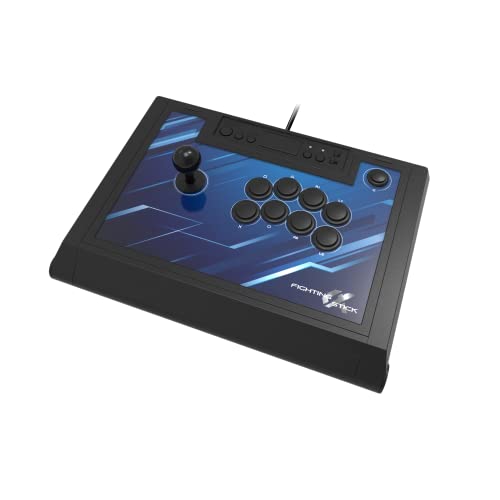
HORI PlayStation 5 Fighting Stick Alpha - Tournament Grade Fightstick for PS5, PS4, PC - Officially Licensed by Sony
Included for 'Best Arcade Stick for Fighting Games in 2026' because the listing specifies Tournament Grade Fightstick for PS5 and PS4, details this guide uses to compare options.
View on Amazon
8BitDo Arcade Stick for Switch 2, Switch and Windows PC, Purple
Included for 'Best Arcade Stick for Fighting Games in 2026' because the listing specifies Switch and Windows PC and Purple, details this guide uses to compare options.
View on Amazon
8Bitdo Arcade Stick for Xbox Series X|S, Xbox One and Windows 10, Arcade Fight Stick with 3.5mm Audio Jack - Officially Licensed (Black)
Included for 'Best Arcade Stick for Fighting Games in 2026' because the listing specifies Xbox One and Windows 10 and Arcade Fight Stick with 3.5mm Audio Jack, details this guide uses to compare options.
View on Amazon
Qanba Sapphire S1 Street Fighter 6 Juri Edition Leverless Arcade Controller Joystick for PlayStation 5 and PlayStation 4 and PC (Fighting Stick) Officially Licensed Sony Product,Detachable Joystick,Tournament Grade for Fighting Games,18 Adjustable Buttons, Detachable Wrist Rest
Included for 'Best Arcade Stick for Fighting Games in 2026' because the listing specifies 18 Adjustable Buttons and Detachable Wrist Rest, details this guide uses to compare options.
View on Amazon
SUBSONIC Arcade Stick Controller for PS4, Xbox Serie X/S Xbox One PC PS3
Included for 'Best Arcade Stick for Fighting Games in 2026' because the listing specifies Xbox Serie X/S Xbox One PC PS3, details this guide uses to compare options.
View on AmazonBest budget pick: Qanba N3 Drone 2. This wired PlayStation and PC stick keeps the price of entry reasonable while still offering an official license, a dedicated control panel and a full-size, stable body. It uses Qanba’s own lever and buttons rather than Sanwa parts, which is the trade-off for the lower cost of entry.
Best premium pick: Qanba Q4 Pro 8K. For PC players, it combines genuine Sanwa parts with wired, 2.4G and Bluetooth connectivity and polling that goes up to 8,000Hz. It is the one to choose if wireless freedom and the lowest possible input delay both matter to you.
Quick Comparison
| Product | Best for | Key specs (as listed) |
|---|---|---|
| 8BitDo Arcade Stick (Switch and Windows) | Wireless flexibility on Switch and PC | Bluetooth, 2.4G receiver or wired; universal mounting plate; two macro buttons |
| Qanba N3 Drone 2 | Budget PlayStation and PC play | Wired, officially licensed, platform switch, Qanba lever and 30mm buttons |
| Qanba Q4 Pro 8K | Wireless PC play with Sanwa parts | Wired, 2.4G and Bluetooth; Sanwa lever and buttons; up to 8,000Hz polling; 11 buttons |
| HORI Fighting Stick Mini | Travel and small desks | Compact body, PS5, PS4 and PC, eight face buttons, officially licensed |
| Nacon Daija | Sanwa parts on PlayStation | Wired, PlayStation and PC, Sanwa lever and 30mm buttons, clamshell design |
| HORI Fighting Stick Alpha | Tournament-grade PlayStation play | Hayabusa lever and buttons, touchpad, four profiles, tournament lock, 3.5mm jack |
| 8BitDo Arcade Stick (Switch 2) | Nintendo Switch 2 players | Switch 2, Switch and Windows; wireless and wired; purple finish |
| 8BitDo Arcade Stick (Xbox) | Xbox Series X|S players | Officially licensed for Xbox and Windows; 3.5mm audio jack |
| Qanba Sapphire S1 Juri Edition | Leverless layout | Leverless, PS5, PS4 and PC, detachable wrist rest, adjustable-throw buttons |
| Subsonic Arcade Stick | Multi-platform casual play | PS4, Xbox Series X|S, Xbox One, PC and PS3; programmable combo and auto functions |
How We Chose
This guide is based on research rather than from our own use of the products. We compared manufacturer specifications and listing details, read published reviews and community discussions of the stick families involved, and checked well-established facts about arcade hardware such as lever mounting patterns and button sizes. Five factors shaped the ranking. Platform support came first, since a stick that does not work with your console is useless. Control hardware was second: the lever and button brands decide how a stick feels and how easy it is to modify. Connection options and polling rate came third. Build quality and weight, which determine whether a stick stays put during intense play, were fourth. Finally, we looked at features that matter in competitive settings, such as tournament lock, profile storage and part serviceability. Where the listing is unclear about a spec, we say so and recommend confirming it on the product page.
1. 8BitDo Arcade Stick (Switch and Windows) – Best for Wireless Flexibility
As an Amazon Associate we earn from qualifying purchases at no extra cost to you.

The 8BitDo Arcade Stick is built for players who want a modern stick without being tied to a cable. Its listing highlights three connection methods: Bluetooth, a 2.4G wireless receiver, and a wired USB-C connection. It works with Nintendo Switch and Windows PC. That combination makes it one of the few sticks on the list that can sit on your lap in a living room one evening and connect to a PC the next.
Key specs
- Platforms: Nintendo Switch and Windows (check the product page for minimum system versions)
- Connectivity: Bluetooth, 2.4G receiver, or wired
- Layout: eight main action buttons in a staggered, Vewlix-style arrangement, plus two dedicated macro buttons
- Hardware: universal mounting plate that 8BitDo says supports Sanwa JLF and JLW levers and several Seimitsu models
- Software: companion software for remapping and turbo
Who it suits
This stick suits Switch players who want something better than a handheld or Pro controller for fighting games, as well as PC players who prefer a low-clutter desk. The mounting plate is the standout. Instead of locking you into stock parts, it is designed so that you can install common arcade levers and 30mm or 24mm buttons later, which makes the stick a platform for gradual upgrades. Maker-listed specs place it at about 2.1 kilograms, which is heavy enough to feel planted on a table but light enough to travel with.
Strengths
The tri-mode connection is the main advantage. A wired connection is the safest choice for competitive play, while the 2.4G receiver offers low-latency wireless for casual sessions, and Bluetooth is convenient for pairing to a phone or a Switch dock. The receiver stores in a hidden compartment on the stick, which reduces the chance of losing it. Two macro buttons add convenience for training mode and remapping. The Taito Vewlix-style layout gives a comfortable hand position for most six-button fighting games.
Weaknesses to plan for
Wireless play adds a small amount of latency and a dependency on battery charge, so serious competitors will likely stay wired. The listing mentions Switch and Windows only; the sibling sticks in this list cover Switch 2 and Xbox. The stock lever and buttons are decent rather than premium, so players who want Sanwa parts should check what is included, and may want to budget for upgrades. It also uses a rechargeable battery, so follow the maker’s charging guidance and avoid leaving it in a hot car.
Pros
- Bluetooth, 2.4G and wired modes in one stick
- Universal mounting plate eases lever and button upgrades
- Receiver stores inside the body
- Companion software for remapping
Cons
- Wireless modes can add latency compared with wired
- Does not cover PlayStation or Xbox consoles
- Stock parts are not premium-grade
- Battery needs periodic charging
How it compares
The nearest alternatives are the other two 8BitDo sticks in the list, which share the same design philosophy for different systems. Against the Qanba Q4 Pro 8K, the 8BitDo is simpler and more console-focused, while the Qanba is a PC-first design with Sanwa parts and faster polling. Against the HORI Alpha, the 8BitDo trades PlayStation support and tournament features for wireless convenience.
2. Qanba N3 Drone 2 – Best Budget Stick for PlayStation and PC

The N3 Drone 2 is the second generation of a long-running Qanba entry-level stick. It is wired, officially licensed by Sony, and works with PlayStation 5, PlayStation 4 and PC. Published reviews describe it as one of the better-balanced budget sticks for PS5, largely because it gets the fundamentals right: a full-size panel, a stable body, and a lever and button set that responds quickly.
Key specs
- Platforms: PlayStation 5, PlayStation 4 and PC, with a platform switch
- Connection: wired USB
- Controls: Qanba lever (described in published reviews as using Omron microswitches) and Qanba 30mm buttons
- Extras: touchpad, headset audio and mic mute controls
- Size: roughly 14 by 8.7 by 4.6 inches; weights quoted vary by source, so confirm on the page
Who it suits
This is a stick for players who are new to arcade controls and want something dependable without spending flagship money. If you are moving from a gamepad to a stick, the Drone 2 gives you the standard eight-button layout, a lever that works well for learning motions like quarter circles and dragon punches, and the console features you expect, such as the touchpad needed for some PlayStation menus. It also suits anyone building a second stick for travel or for a friend’s house.
Strengths
The official license means console menu navigation and system features work as designed. The body is stable on a desk and fits comfortably on the lap. Qanba’s parts, while not Sanwa, are responsive enough that reviewers have praised them for the price tier. Qanba sticks generally use common mounting patterns, and an owner discussion for the first-generation Drone reports swapping in Sanwa parts without trouble; treat that as a user report rather than a guarantee for this model, and confirm mounting compatibility before buying replacement parts.
Weaknesses to plan for
The stock lever and buttons do not feel as crisp as genuine Sanwa or Seimitsu parts, according to reviewers who compare them. The casing is plastic and relatively simple, with fewer tournament features such as a lock switch. It is wired only, which is excellent for latency and tournaments but less convenient on a couch. Weight is lower than premium sticks, so use the supplied feet or a non-slip mat if your desk is smooth.
Pros
- Officially licensed for PlayStation 5, PlayStation 4 and PC
- Responsive stock parts for a budget-oriented stick
- Standard layout makes learning easy
- Touchpad and headset controls included
Cons
- Stock lever and buttons are not Sanwa-grade
- Lighter and less feature-rich than premium sticks
- Wired only
- No Xbox or Switch support
How it compares
Against the HORI Fighting Stick Alpha, the Drone 2 is simpler and more economical, with the Alpha offering Hayabusa parts, profiles and a tournament lock. Against the Nacon Daija, it uses lower-grade parts but is easier to carry. Against the Subsonic stick, it offers better build quality and an official PlayStation license, which makes it the safer budget option if PS5 is your platform.
3. Qanba Q4 Pro 8K – Best Premium Wireless Stick for PC

The Qanba Q4 Pro 8K is a wireless tournament-style stick aimed squarely at PC players. The listing and Qanba’s own materials emphasize an 8K polling rate, genuine Sanwa lever and buttons, and tri-mode connectivity across wired, 2.4G wireless and Bluetooth. The listing names PC as the platform, so do not assume console support; confirm compatibility on the product page if you need anything beyond a Windows computer.
Key specs
- Polling: adjustable, up to 8,000Hz
- Connectivity: wired, 2.4G wireless and Bluetooth
- Controls: Sanwa lever and buttons, eleven buttons with custom mapping, octagonal gate included in the box according to published descriptions
- Display and lighting: a small OLED display for settings and connection status, plus RGB lighting
- Body: weighted construction around 3 kilograms, with a built-in handle and a magnetic faceplate
- Battery: roughly 1,200mAh, with the maker quoting about 32 hours per charge
Who it suits
This stick suits PC fighting-game players who care about the finer details of latency and want the option to go wireless. The Sanwa parts are the preferred standard of many tournament players, so the stock feel needs little improvement. The weighted body and non-slip base suit lap and desk play. It also suits tinkerers: the magnetic faceplate and replaceable parts make maintenance straightforward.
Understanding the 8K polling claim
Polling rate is how often the stick reports its state to the computer. At 1,000Hz, that is once per millisecond. At 8,000Hz, once every 0.125 milliseconds. A single frame at 60 frames per second lasts about 16.7 milliseconds, so the difference between 1,000Hz and 8,000Hz is well under one percent of a frame. In practice, a higher number is a technical bonus that matters most to enthusiasts, while the game engine, display and network usually dominate overall delay. Wired mode is still the most reliable choice for events.
Strengths
Genuine Sanwa parts, a robust weighted body and tri-mode connectivity form a rare combination. The OLED screen simplifies switching modes and checking battery. A built-in handle makes it easier to carry than other heavy sticks, and the foldable cable keeps travel tidy. Eleven buttons offer room for macros or extra functions in training.
Weaknesses to plan for
Platform support looks limited to PC in the listing, which rules out console owners unless the manufacturer’s page says otherwise. The weight, near 3 kilograms, makes it a poor match for commuting. Advanced features such as an OLED panel and RGB add complexity, and wireless modes use a lithium battery that should be charged with the supplied cable and kept away from heat.
Pros
- Sanwa lever and buttons
- Wired, 2.4G and Bluetooth modes
- Up to 8,000Hz polling
- Weighted body, handle and magnetic faceplate
Cons
- Listing indicates PC only
- Heavy for travel
- Wireless modes may not be allowed at some tournaments
- More complex than a basic stick
How it compares
Compared with the 8BitDo Switch and Windows stick, the Qanba offers premium parts and faster polling, while the 8BitDo supports a console. Compared with the HORI Alpha, the Qanba offers wireless and higher polling, but the HORI provides PlayStation compatibility, an official license and a tournament lock.
4. HORI Fighting Stick Mini – Best for Travel and Small Desks

The Fighting Stick Mini does what its name suggests: it shrinks the standard arcade layout into a compact body that fits on a small desk, a coffee table or a laptop. It is officially licensed by Sony and works with PlayStation 5, PlayStation 4 and PC. Published measurements put it at roughly 8 by 6 inches and under half a kilogram, which makes it one of the lightest sticks in this list.
Key specs
- Platforms: PS5, PS4 and PC (the listing names all three)
- Controls: HORI’s own lever with a V-cut housing and microswitches, and eight face buttons
- Extra buttons: PS, Create, Options, L3 and R3, plus a hardware toggle
- Connection: wired, with a long cable according to published specs
- Size and weight: around 5.9 by 8.3 by 3.4 inches and about 470 grams
Who it suits
The Mini is for players who want a stick but do not have the space or desire for a full-size panel. It is useful for students in dorms, for players who commute with a console, and for anyone who wants a secondary stick for practice. Because it is light, it works best on a lap or with a non-slip mat. People with smaller hands often find the shorter spacing more comfortable than a full-size layout.
Strengths
Portability is the obvious advantage. The compact layout still includes a standard eight-button arrangement, so muscle memory transfers to larger sticks. HORI is an established maker of arcade controllers, and the lever design borrows ideas from its higher-end Hayabusa line, according to published descriptions. Official PlayStation licensing means it integrates smoothly with console menus. Because it is small, it stores easily in a drawer or backpack.
Weaknesses to plan for
Smaller sticks have less room for your hand, and some players find the reduced button spacing cramped for long sessions. The lighter body can slide during intense play. Feature descriptions vary between sources: one reviewer reports no remapping, while a retailer describes turbo functions, so verify what you need on the product page. There is no touchpad, according to reviews. And because the case is compact, it is not designed for easy internal modification, so it is a poor base for a modding project.
Pros
- Very compact and light
- Officially licensed for PS5, PS4 and PC
- Standard eight-button layout
- HORI lever design inspired by its premium line
Cons
- Cramped for larger hands
- Light enough to slide on smooth desks
- Limited customization options
- No touchpad according to reviews
How it compares
The Mini is the portable counterpart to the HORI Fighting Stick Alpha. The Alpha offers tournament-grade parts and expandability, while the Mini offers portability. Against the Qanba N3 Drone 2, the Mini is smaller and lighter but has less room for the hand, while the Drone 2 includes a touchpad and a larger panel. If you travel often, the Mini is the better fit. If you plan to compete locally, a full-size stick will serve you better.
5. Nacon Daija Arcade Fight Stick – Best for Sanwa Parts on PlayStation

The Nacon Daija is a wired, officially licensed stick for PlayStation consoles and PC that leans on Sanwa hardware. Nacon’s materials and published reviews describe a Sanwa Denshi lever and 30mm Sanwa buttons, a clamshell case that opens for easy access, and a braided, detachable USB-C to USB-A cable around three meters long. Nacon has sold more than one revision of the Daija, so confirm on the product page which version and which features the listing covers.
Key specs
- Platforms: PlayStation 5, PlayStation 4 and PC (an Xbox version exists separately)
- Controls: Sanwa lever with a square gate and Sanwa 30mm buttons, according to published reviews
- Connection: wired, detachable cable
- Extras: 3.5mm audio jack, button remapping through Nacon software, button lock, two lever top styles (ball and bat) in some descriptions
- Case: clamshell design for quick access to the lever and buttons
- Size: roughly 15 inches wide and 10 inches deep
Who it suits
This stick is for PlayStation players who want Sanwa parts out of the box without paying the premium of a flagship tournament stick. The clamshell design is appealing for players who intend to maintain or upgrade internal parts, because the shell opens without taking out dozens of screws. The textured palm rest and button lock also suit players who travel to local events.
Strengths
Sanwa hardware is the headline. Sanwa levers and buttons are widely used in arcades and are easy to replace, and the 30mm buttons are the standard for fighting games. The clamshell design makes cleaning and part swaps fast. Software remapping lets you assign functions to each button, and the button lock helps avoid accidental presses of Home or Options during matches. A detachable USB-C cable is a practical durability upgrade over hard-wired designs.
Weaknesses to plan for
Reviewers have described the Daija as a middling refresh in some respects, and the stick does not support analog inputs, adaptive triggers or vibration, so it will not work with games that require two analog sticks. It is wired only. The case design feels simpler than premium sticks, and a few owners report that the base feels plasticky. Because there are several revisions, the touchpad, profile button and PlayStation button notch may differ between versions.
Pros
- Sanwa lever and 30mm buttons
- Clamshell case for easy maintenance
- Detachable braided cable
- Software remapping and button lock
Cons
- No analog, adaptive trigger or vibration support
- Wired only
- Revisions differ in features
- Simpler build than flagship sticks
How it compares
The Daija is the closest in spirit to the HORI Fighting Stick Alpha. Both are wired PlayStation sticks with replaceable parts. The Alpha offers Hayabusa parts, four profiles, a tournament lock and a touchpad, making it more competition-oriented. The Daija provides Sanwa parts, which many players prefer for familiarity and part availability. Against the Qanba N3 Drone 2, the Daija has better stock parts but a more complex build, and it is usually the choice for someone planning to keep the stick for years.
6. HORI Fighting Stick Alpha – Best Tournament-Grade Stick for PlayStation

HORI markets the Fighting Stick Alpha as tournament grade, and its feature list supports that claim. It is officially licensed by Sony for PlayStation 5, PlayStation 4 and PC. It carries HORI’s Hayabusa lever and Hayabusa matte-finish buttons, provides four custom profiles through a companion app, includes a tournament lock to prevent accidental presses, and opens up for part access. A toggle selects the PS5, PS4 or PC profile.
Key specs
- Platforms: PlayStation 5, PlayStation 4 and PC (Windows)
- Lever: HORI Hayabusa, an 8-direction digital lever with microswitches and a square gate
- Buttons: Hayabusa matte pushbuttons; the selection buttons are HORI-made
- Features: touchpad, 3.5mm audio jack, four profiles, tournament lock, replaceable top panel artwork
- Connection: wired, with a cable of around ten feet
- Size: about 16 by 12 by 4.7 inches; weight figures vary among sources, so confirm on the page
Who it suits
The Alpha suits anyone who wants a stick that handles locals, online matches and eventually tournaments. It is also the best fit for players who expect to tinker: the chassis opens to reach the parts, and Hayabusa components use the common JLF-style mounting pattern, according to parts retailers, which means replacements are easy to source. The profile system helps you store different button layouts for different games.
Strengths
Quality parts and thoughtful PlayStation integration are the key strengths. The Hayabusa lever is known for a light, fast, low-friction feel, and the matte buttons are short-throw, so inputs register quickly. A functioning touchpad and PS button mean you can use the stick for console menu navigation. The tournament lock disables Home and Options during matches. The ten-foot cable gives flexibility in a living room, and the extra weight over a compact stick keeps the panel stable.
Weaknesses to plan for
The Alpha is more expensive than entry-level sticks and larger than compact ones. It does not support Xbox or Switch. The Hayabusa lever feels different from Sanwa, with a lighter and quicker action, and some players prefer the firmer Sanwa feel. The lever is digital only, so games requiring analog sticks will not work. Documented weight figures disagree between sources, which means you should check the product page if portability is a concern.
Pros
- Hayabusa lever and buttons
- Four profiles and tournament lock
- Touchpad, PS button and audio jack
- Opens up for maintenance and part swaps
Cons
- Higher cost than basic sticks
- No Xbox or Switch support
- Lever feel differs from Sanwa
- Large footprint
How it compares
The Alpha is the standard against which the other PlayStation sticks in this list should be measured. The Nacon Daija offers Sanwa parts but fewer competition features. The Qanba N3 Drone 2 offers a lower entry point but simpler hardware. The HORI Mini offers portability but gives up room and upgradeability. For most PlayStation and PC players looking for a long-term stick, the Alpha offers the best mix.
7. 8BitDo Arcade Stick for Switch 2 (Purple) – Best for Nintendo Switch 2 Players

This purple 8BitDo Arcade Stick is the Switch 2 member of the family. The listing says it works with Switch 2, the original Switch and Windows PC, which makes it a good fit for households that have upgraded to the newer console but still own older hardware. The listing is short, so for the remaining specifications we rely on 8BitDo’s published description of the Arcade Stick line, which describes Bluetooth, 2.4G and wired USB-C connection options; confirm which of those this color and version supports on the product page.
Key specs
- Platforms: Nintendo Switch 2, Nintendo Switch and Windows PC
- Connectivity (family specification): Bluetooth, 2.4G receiver and wired
- Layout: staggered eight-button layout with two dedicated macro buttons
- Mounting: universal plate designed for popular arcade levers and standard 24mm and 30mm buttons
- Software: companion app for remapping and turbo
- Finish: purple colorway
Who it suits
Nintendo-focused fighting-game fans are the target. Street Fighter 6, Tekken, Mortal Kombat and a growing list of fighters on Switch consoles all work well with a stick, and a wireless stick is convenient when the console is docked across the room. The purple finish will appeal to those who like their gear to look distinctive. Keep in mind that console system software must be at a version that supports the accessory, so check 8BitDo’s minimum version notes.
Strengths
Wireless freedom and customizability define this stick. The universal mounting plate lets you replace the lever or buttons with common arcade parts as your preferences change. The stick weighs around two kilograms in the family specification, which is enough to stay put during play. Because it covers Switch 2, Switch and Windows, it gives you flexibility if you later move to PC or sell the console.
Weaknesses to plan for
Platform coverage excludes PlayStation and Xbox. Wireless modes can introduce more latency than wired, so competitive players should plan to play wired. Stock parts are good for the price rather than premium, so enthusiasts may want to upgrade. Because the listing is short, details such as battery capacity, exact lever model and software features should be checked before purchase.
Pros
- Supports Switch 2, Switch and Windows
- Wireless and wired options in the family design
- Easily upgradeable mounting plate
- Distinctive purple finish
Cons
- No PlayStation or Xbox support
- Wireless adds latency compared to wired
- Stock parts are not top-tier
- Listing details are sparse
How it compares
This model is nearly the same as the first 8BitDo stick, with Switch 2 compatibility being the major difference. If you own a Switch 2, choose this one. If you only use a first-generation Switch and PC, the older listing may be sufficient. Against the HORI and Qanba sticks, which target PlayStation and PC, this is the console-appropriate pick for Nintendo, as those other sticks will not work on Switch hardware.
8. 8BitDo Arcade Stick for Xbox Series X|S – Best for Xbox Players

Xbox owners have fewer stick choices than PlayStation owners, which makes this officially licensed 8BitDo model valuable. The listing names Xbox Series X|S, Xbox One and Windows 10, includes a 3.5mm audio jack, and carries official licensing. The Xbox version of the 8BitDo stick, according to the maker’s product page, connects through a 2.4G adapter or by cable, and does not list Bluetooth the way the Switch versions do. Confirm the details on the product page.
Key specs
- Platforms: Xbox Series X|S, Xbox One and Windows 10 or newer
- Connection: 2.4G wireless adapter or wired (confirm Bluetooth status on the page)
- Audio: 3.5mm jack for headset use
- Layout and mounting: staggered eight-button layout, with a universal mounting plate for common arcade levers and buttons per the family design
- Software: companion app for remapping on supported systems
Who it suits
This is the stick for Xbox households. Fighting games on Xbox, such as Street Fighter 6, Tekken 8, Mortal Kombat 1 and Guilty Gear Strive, all support stick input, and an officially licensed device ensures the console recognizes it without workarounds. The audio jack is a real convenience on Xbox, where voice chat is part of online play, since you can plug a headset into the stick instead of reaching for a controller.
Strengths
Official Xbox licensing and the headset jack are the standouts. The modifiable mounting system means you can start with the stock parts and upgrade as your skills develop. The build follows the same weighted design as the other 8BitDo sticks, so it stays steady during play. Windows compatibility also makes it handy as a PC stick if you play on both platforms.
Weaknesses to plan for
The Xbox version may lack some of the connectivity options of the Switch versions, so verify whether Bluetooth is included if that matters. It does not support PlayStation or Switch. The stock lever and buttons are decent but not premium, so enthusiasts may want to swap parts. Wireless play can introduce more delay than wired play, so use the cable for competitive matches.
Pros
- Officially licensed for Xbox Series X|S and Xbox One
- 3.5mm headset jack
- Upgradeable mounting plate
- Works on Windows as well
Cons
- Not compatible with PlayStation or Switch
- Connectivity options may be narrower than other versions
- Stock parts are not premium
- Wireless adds some delay
How it compares
Among the sticks in this list, only this 8BitDo model and the Subsonic stick name Xbox Series X|S support. The 8BitDo is the better-built, officially licensed choice with a bigger upgrade path. The Subsonic is simpler and more economical but has a more basic build. If you play on Xbox and PC, the 8BitDo gives you the best experience from this list.
9. Qanba Sapphire S1 Juri Edition – Best Leverless Controller

The Sapphire S1 swaps the lever for a cluster of buttons, a layout often called leverless or Hit Box style. This Street Fighter 6 Juri Edition is officially licensed by Sony for PlayStation 5, PlayStation 4 and PC. Qanba’s description lists 18 adjustable buttons, a detachable wrist rest and a detachable joystick-style internal module for maintenance. Leverless controllers have become common in tournament play because the left-hand buttons for directions can be pressed very quickly.
Key specs
- Platforms: PlayStation 5, PlayStation 4 and PC
- Layout: leverless, with 18 customizable buttons
- Switches: adjustable-throw Qanba buttons designed to work with Cherry MX-style switches, according to published descriptions
- Features: button profile switch with saved configurations, 3.5mm headphone jack, detachable USB-C cable
- Comfort and portability: detachable memory foam wrist rest, shoulder strap and a built-in accessory compartment
- Weight: about 3.7 pounds in published descriptions
Who it suits
Leverless suits players who think in terms of fast taps rather than lever sweeps. Moving from a gamepad is often easier than moving to a lever, since the directional buttons act like a digital D-pad under four fingers. Players who want the quickest possible direction changes, such as quick crouch-to-jump transitions, benefit from the format. It is less suited to anyone who loves the tactile feel of an arcade lever or wants to practice motions on a traditional stick.
The SOCD issue
Because left and right can be pressed together on a button layout, controllers must decide what the game sees when opposing directions are held at once. This is called SOCD cleaning, and different rules apply at different events and in different games. Qanba says the S1 supports clean handling, and third-party descriptions list multiple modes, but confirm the exact options in the manual and check the rulebook for any event you plan to enter.
Strengths
Customization is the main strength. Adjustable-throw buttons let you tune travel distance, and swappable switches mean you can change feel. The detachable wrist rest, strap and storage compartment make it practical to carry to events. The Juri artwork is a collectible touch for Street Fighter fans. The profile switch lets you store layouts for different games.
Weaknesses to plan for
Leverless has a learning curve, and not everyone adapts: movement that depends on pushing a lever, like quarter-circle motions, is replaced with finger sequences. The Juri art is cosmetic and adds nothing functionally, so players who do not want a themed controller might prefer the standard Sapphire S1. The visible listing does not mention a touchpad, so check the page for PlayStation menu support.
Pros
- Leverless layout with 18 customizable buttons
- Adjustable-throw buttons and replaceable switches
- Detachable wrist rest, strap and storage
- Official PlayStation license
Cons
- Learning curve for lever players
- Themed artwork may not suit everyone
- Rules about SOCD vary by event
- Heavier than compact sticks
How it compares
Compared with the HORI Alpha, which keeps the traditional lever, the Sapphire S1 is a different philosophy rather than a better or worse one. If you already love levers, the Alpha or Daija is the more natural pick. If you like the idea of faster directional input and a flat layout, the Sapphire S1 is the most thoughtfully equipped leverless option here.
10. Subsonic Arcade Stick – Best for Casual Multi-Platform Play

The Subsonic arcade stick is the most basic entry in this list, and it is also the one with the widest platform claim. The listing names PS4, Xbox Series X|S, Xbox One, PC and PS3, and the maker’s UK page also mentions Switch. It is not described as supporting PlayStation 5, so PS5 owners should verify on the maker’s page. It is a no-frills stick for casual players who want to try arcade controls without a large commitment.
Key specs
- Platforms: PS4, PS3, Xbox Series X|S, Xbox One and PC (Switch on some listings)
- Lever: steel joystick with microswitch contacts, per the maker
- Buttons: eight action buttons with microswitch leaf contacts
- Functions: auto (rapid-fire) and combo programming
- Build: soft-touch coating, rubberized wrist rest, suction cups for stability
- Cable and size: 3-meter cable; about 25 by 17.5 by 4.8 centimeters and 760 grams according to one retailer
Who it suits
This stick is for casual players, children’s first stick purchases, retro arcade fans and anyone who wants a simple device that works across several older systems. It also suits households that own more than one console family and want one controller to move between them. It is not aimed at tournament play, and it does not pretend to be.
Strengths
Platform breadth is the main advantage. A single stick that covers Xbox Series X|S, Xbox One, PS4 and PC is unusual at this level. The suction cups help a light stick stay put on smooth surfaces such as glass tables, and the 3-meter cable gives plenty of room. The combo function lets you assign a sequence of inputs to a single button, which can help beginners experience special moves, although such macros are not allowed at many tournaments.
Weaknesses to plan for
The stick uses generic parts, and there is no mention of the standard mounting patterns used by Sanwa or Seimitsu levers, so upgrade options are uncertain. The joystick is listed as analog in one retailer’s specification table, which is unusual for a fighting stick; check how the lever is described on the page. Official licensing for each platform is not stated, so compatibility with console menus and system features may be limited. Online play may restrict macro functions in some games.
Pros
- Works with several consoles and PC
- Suction cups and rubberized wrist rest
- Long 3-meter cable
- Auto and combo functions for beginners
Cons
- No PS5 support named in the listing
- Generic parts with unclear upgrade path
- Not suited to tournament use
- Macro functions can be restricted in competitive settings
How it compares
Against the Qanba N3 Drone 2, the Subsonic is simpler, with a lighter build and no official PlayStation license, but covers Xbox as well. Against the 8BitDo Xbox stick, the Subsonic is the budget alternative, while the 8BitDo offers official Xbox licensing and a stronger build. Choose the Subsonic when flexibility and low commitment matter more than parts quality.
How to Choose a Fight Stick: Platform, Parts, Size and Rules
Buying a fight stick is easier when you treat it as four separate decisions. Settle the platform first, because it eliminates most of the field, then compare parts, size, and finally the practical features that matter if you plan to enter events.
Step 1: Match the platform exactly
Fight sticks are not universal. A PlayStation-licensed stick generally will not work on Xbox, and the reverse is also true. Newer consoles add wrinkles: a stick made for PlayStation 4 may work on PlayStation 5 only for PS4 games, not for native PS5 titles, unless it explicitly supports PS5. Nintendo’s systems have their own requirements. Use this rule: if the product name lists your exact console, you are fine; if it only lists the previous generation, check the manufacturer’s page.
Step 2: Understand lever types
- Sanwa JLF-style: the most common arcade lever. Firm, precise and easy to modify. It is a favorite for players who want a traditional feel.
- Seimitsu LS-32 and similar: a lighter, faster feel with a different spring.
- HORI Hayabusa: a low-friction lever with a V-cut cam housing designed for quick inputs.
- House-brand levers: found on entry-level sticks such as the Qanba Drone 2. They work for learning but may not feel as refined.
Gate shape matters too. A square gate gives firm cardinal and diagonal positions. An octagonal gate smooths diagonals and suits motion-heavy characters. Circular gates are the loosest. Many levers allow you to swap gates.
Step 3: Button size and switches
Most fighting games use 30mm buttons for main attacks and 24mm for system buttons. Microswitch buttons have a short, crisp travel. Optical and Cherry MX-style switches, found in some leverless controllers, offer adjustable travel distance. Try to pick a stick whose buttons are replaceable with standard parts.
Worked calculation: what polling rate really buys you
The time between input updates is 1,000 divided by the polling rate in hertz. At 125Hz, that is 8 milliseconds. At 1,000Hz, 1 millisecond. At 8,000Hz, 0.125 milliseconds. A 60 frames-per-second game updates every 16.7 milliseconds. Going from 125Hz to 1,000Hz therefore removes up to 7 milliseconds of worst-case input delay, which is about 42 percent of a frame. Going from 1,000Hz to 8,000Hz removes at most 0.875 milliseconds, which is about 5 percent of a frame. The first jump is meaningful, the second is a refinement. This is why a standard 1,000Hz stick is perfectly competitive and why wired connections remain the default at events.
Step 4: Wired or wireless
Wired connections are the most reliable, have no battery to charge and are usually required or strongly preferred at tournaments. Wireless sticks are convenient for living-room play. If you buy wireless, keep the battery away from heat, use the supplied charging cable and stop using it if the case swells.
Step 5: Size and weight
Full-size sticks such as the HORI Alpha measure around 16 inches wide and 12 inches deep, which needs a lap board or a roomy desk. Compact sticks like the HORI Mini measure roughly 8 by 6 inches. Heavier sticks, around 3 kilograms like the Qanba Q4 Pro 8K, stay put during hard motions but are tiring to carry. Pick the size that fits where you play.
Step 6: Event rules
If you plan to enter tournaments, read the rulebook. Common restrictions include bans on macros, turbo and programmable combos, requirements for wired play, and specific rules for how leverless controllers resolve opposing directions. A stick with a tournament lock or a lockable profile can help you comply.
Decision matrix by situation
| Your situation | Recommended pick | Reason |
|---|---|---|
| PS5 or PC, want one stick for years | HORI Fighting Stick Alpha | Hayabusa parts, profiles, tournament lock |
| PS5 or PC, limited budget | Qanba N3 Drone 2 | Official license, solid basics |
| PlayStation, prefer Sanwa parts | Nacon Daija | Sanwa lever and buttons, clamshell case |
| PC, want wireless and Sanwa | Qanba Q4 Pro 8K | Tri-mode, Sanwa parts, high polling |
| Travel or small desk | HORI Fighting Stick Mini | Compact and light |
| Nintendo Switch 2 | 8BitDo Arcade Stick (Switch 2) | Switch 2 support, upgradeable |
| Nintendo Switch and PC | 8BitDo Arcade Stick (Switch and Windows) | Wireless modes, mounting plate |
| Xbox Series X|S | 8BitDo Arcade Stick (Xbox) | Official license, audio jack |
| Prefer buttons over a lever | Qanba Sapphire S1 Juri Edition | Leverless layout, adjustable buttons |
| Casual play across several systems | Subsonic Arcade Stick | Broad platform list, simple design |
Maintenance basics
Every few months, unplug the stick, open it if the case allows, and clear dust from around the lever boot and button housings with a soft brush. Do not use liquid cleaners on electronics. Check that screws and quick-disconnect wires are seated. Store the stick flat, away from direct sunlight, and wrap the cable loosely instead of tightly around the case.
Frequently Asked Questions
Is an arcade stick better than a gamepad for fighting games?
It depends on the player. Sticks use the same hand motions as arcade cabinets, make it easy to press several buttons with separate fingers, and suit motion inputs once you are used to them. Gamepads are more comfortable for some people and have no learning curve. Many top players use each type, so choose the one that feels natural.
Will a PlayStation 4 stick work on PlayStation 5?
Often only for PS4 games played on the PS5. Native PS5 games usually need a stick that explicitly supports PS5. For that reason, look for PS5 in the product name, as in the HORI Alpha, HORI Mini, Qanba Drone 2 and Sapphire S1 listed here.
What is the difference between Sanwa and Seimitsu parts?
Both are Japanese arcade part makers whose levers and buttons are used in sticks and cabinets. Sanwa parts tend to feel firmer and more precise, while Seimitsu parts are often described as lighter and quicker. The choice is personal, and many sticks let you swap one for the other.
Do I need a stick with a metal case?
Not necessarily. Plastic cases keep sticks light and affordable, and many tournament players use them. What matters more is weight and rubber feet, since a stick that slides will hurt your inputs. If you play on a lap, a lighter case is more comfortable.
Is leverless better than a traditional lever?
It is different. Leverless controllers offer very fast directional changes and are popular in competitive circles, but they require relearning movement. Traditional levers are familiar, tactile and widely supported. If you are unsure, try a friend’s controller before committing.
Can I use a wireless stick at tournaments?
Some events allow it and many do not, because wireless signals can cause interference in crowded venues. Always read the event rules. Even where wireless is allowed, most competitors choose a cable for reliability.
Can I upgrade the lever and buttons later?
On many sticks you can. The 8BitDo family uses a universal mounting plate, the HORI Alpha opens for access, and the Nacon Daija has a clamshell case. Entry-level and compact sticks are harder to modify. Check whether the case opens and which mounting pattern the lever uses before buying replacement parts.
How do I stop my stick from sliding?
Use a non-slip mat or a lap board, make sure the rubber feet are clean, and consider a heavier stick if you play on a smooth table. Suction cups, like those on the Subsonic stick, help on glass and laminate, but they require a clean surface.
Our Recommendation by Situation
For most PlayStation and PC players, the HORI Fighting Stick Alpha is the best long-term choice. If budget is the priority on PlayStation, the Qanba N3 Drone 2 is the sensible entry point. If you want Sanwa parts on PlayStation, take the Nacon Daija. PC players who want wireless freedom should look at the Qanba Q4 Pro 8K. Travelers will appreciate the HORI Fighting Stick Mini. Nintendo and Xbox players should choose the matching 8BitDo stick, and anyone who prefers buttons to a lever should try the Qanba Sapphire S1. The Subsonic stick is for casual multi-system use where flexibility matters more than refinement.