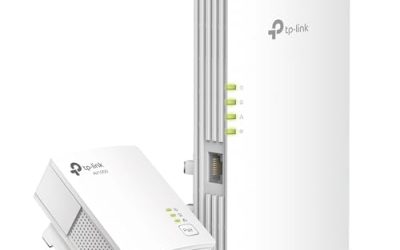
Our Top Picks
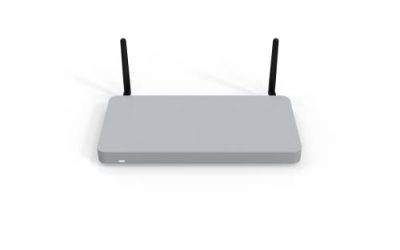
 TP-Link AC1900 Smart WiFi Router Dual Band RouterWi-Fi 5 AC19009.57 x 6.32 x 1.28 Inches0.91 poundsCheck on Amazon
 TP-Link AC1200 Gigabit Dual Band WiFi RouterWi-Fi 5 AC12008.46 x 4.92 x 1.81 Inches0.71 poundsCheck on Amazon
 TP-Link Dual-Band AX3000 Wi-Fi 6 Wireless Gigabit InternetAX300012.99 x 9.45 x 2.87 Inches1.66 PoundsCheck on Amazon
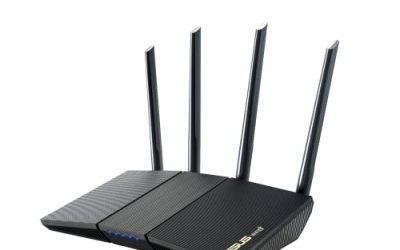
 TP-Link AX3000 WiFi 6 Router10.3 x 5.3 x 1.6 inches10.28 x 5.3 x 1.62 inches1.2 poundsCheck on Amazon
MU-MIMO sounds like a technical badge, but it solves a very ordinary problem: a crowded household. A traditional router talks to one device at a time, switching so quickly that you rarely notice. With multi-user MIMO, a router can send data to several compatible devices at once, so a phone streaming video, a laptop on a video call, and a console downloading an update stop waiting in line behind each other. The benefit grows with the number of simultaneous devices, not with a single speed test on a single laptop. If you live alone with one computer, MU-MIMO will barely register; if six people share the connection every evening, it is one of the more meaningful features on the box.
This guide is for buyers whose current router buckles when everyone is home: families with several screens, small offices, remote workers who need steady calls, and anyone who travels with a pile of devices. The eight picks cover older AC-era models, Wi-Fi 6 routers with faster ports, and a pocket-sized travel router, and they are judged strictly from their listed specs so you can match the wireless standard, port speed, and feature set to your internet plan in 2026.
Quick Picks
TP-Link AC1900 Smart WiFi Router Dual Band Router for Wireless Internet | High Speed MU-MIMO Wireless Router, Dual Band Router for Wireless Internet, Gigabit, Supports Guest WiFi (Archer A8)
One of the consumer electronics options compared in this guide.
View on AmazonTP-Link AC1200 Gigabit Dual Band WiFi Router (Archer A6) | MU-MIMO Wireless Internet Router, 4 x Antennas, OneMesh and AP Mode, Long Range Coverage
One of the consumer electronics options compared in this guide.
View on AmazonTP-Link Dual-Band AX3000 Wi-Fi 6 Wireless Gigabit Internet Router for Home | EasyMesh, VPN Clients & Server, HomeShield, OFDMA, MU-MIMO, USB 3.0, Secure by Design - Archer AX55
One of the consumer electronics options compared in this guide.
View on Amazon
TP-Link Smart WiFi 6 Dual Band Router 4 Gigabit LAN Ports | 802.11AX Router, Beamforming, OFDMA, MU-MIMO, Parental Controls, Dual-Core 900MHz Processor, Works with Alexa (Archer AX10)
One of the consumer electronics options compared in this guide.
View on AmazonTP-Link AX3000 WiFi 6 Router, 2 x 2.5 Gbps Ports (Archer AX55 Pro) | Multi Gigabit Wireless Internet, Dual Band, VPN Router, OFDMA, MU-MIMO, USB 3.0, WPA3, Compatible with Alexa
One of the consumer electronics options compared in this guide.
View on Amazon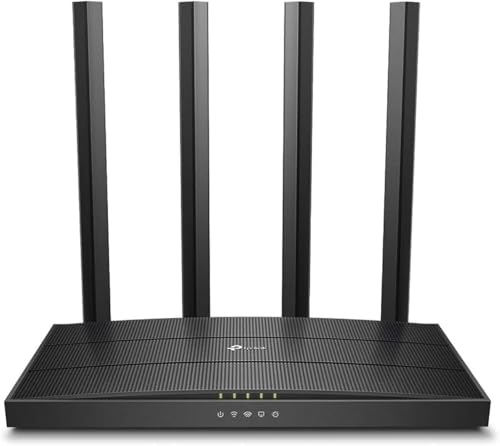
TP-Link AC1900 Wireless MU-MIMO WiFi Router - Dual Band Gigabit Wireless Internet Routers for Home, Parental Contorls & QS, Beamforming (Archer C80)
One of the consumer electronics options compared in this guide.
View on Amazon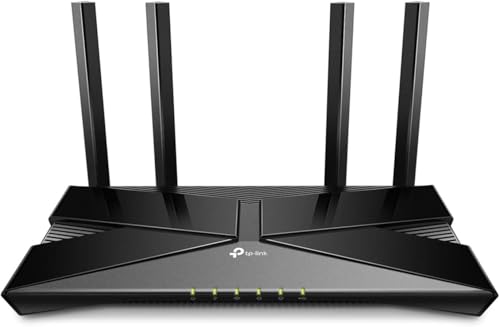
TP-Link Wifi 6 AX1500 Smart WiFi Router (Archer AX10) 802.11ax Router, Dual Band AX Router,Beamforming,OFDMA, MU-MIMO, Parental Controls, Works with Alexa (Renewed)
One of the consumer electronics options compared in this guide.
View on Amazon
GL.iNet GL-AXT1800 Slate AX Pocket-Sized Wi-Fi 6 Travel Router with VPN | Dual-band Wi-Fi 6 speeds up to 1800 Mbps, MU-MIMO and OFDMA, connects up to 120 devices simultaneously
One of the consumer electronics options compared in this guide.
View on Amazon| Product | Best for | Key spec from the title |
|---|---|---|
| TP-Link AC1900 Smart WiFi Router | Older gadgets in a busy home | AC1900 dual band, MU-MIMO |
| TP-Link Archer A6 AC1200 | Small homes and apartments | AC1200, Gigabit, 4 antennas, OneMesh, AP mode |
| TP-Link AX3000 Wi-Fi 6 Router (EasyMesh) | Growing smart homes with a VPN need | AX3000, EasyMesh, VPN client and server, USB 3.0 |
| TP-Link Wi-Fi 6 Router (4 Gigabit LAN, dual-core) | Wired devices plus Wi-Fi 6 | 802.11ax, 4 Gigabit LAN ports, 900MHz dual-core processor |
| TP-Link Archer AX55 Pro | Fast internet plans | AX3000, two 2.5 Gbps ports, USB 3.0 |
| TP-Link Archer C80 | Households that want AC with parental controls | AC1900, Gigabit, beamforming, QoS |
| TP-Link Archer AX10 | Wi-Fi 6 on a modest scale | AX1500, 802.11ax, OFDMA, parental controls |
| GL.iNet GL-AXT1800 Slate AX | Travel and hotel networking | Pocket-sized Wi-Fi 6, VPN, up to 1800 Mbps |
How to Choose
Wi-Fi 5 versus Wi-Fi 6
MU-MIMO appears on both generations, but it works better on Wi-Fi 6 routers because they also add OFDMA, which splits channels so many small transmissions share airtime efficiently. AC-labeled routers (AC1200, AC1900) use Wi-Fi 5 and still handle MU-MIMO on the downlink; AX-labeled routers use Wi-Fi 6. If you own a pile of recent phones and laptops, choose Wi-Fi 6. If your devices are older, a Wi-Fi 5 router is a perfectly reasonable, lower-cost fit.
Read speed ratings as combined totals
Numbers like AC1200, AC1900, AX1500, and AX3000 are combined theoretical speeds across both bands, not what any one device receives. A single phone will never see 3000 megabits per second. What matters more is whether the router matches your internet plan and whether your devices support the same standard. For a plan around 500 megabits or less, an AX1500 model is enough; for faster plans, look at multi-gigabit ports and AX3000 ratings.
Ports, mesh, and extras
Check the wired side. Gigabit LAN ports are the norm; the Archer AX55 Pro lists two 2.5 Gbps ports, which only matter if your internet plan or a local device can exceed one gigabit. USB 3.0 lets you share a drive. Mesh support (OneMesh, EasyMesh) allows you to add compatible units later for larger homes. VPN client and server support is useful for remote work, while parental controls and QoS help manage children and prioritize calls.
What to ignore and where budget models cut corners
Ignore antenna counts as a measure of coverage; placement and walls matter more. MU-MIMO only helps if your devices also support it, so it is not a magic upgrade for older gadgets. Budget routers typically cut corners on processing power, which shows up as slowdowns when many devices are active, and on ports, leaving you with fewer wired connections. A dual-core processor, as listed on one model here, is a small but real advantage for busy networks.
The 8 Best Options
TP-Link AC1900 Smart WiFi Router
This dual-band Wi-Fi 5 router carries an AC1900 rating and lists MU-MIMO among its headline features. It suits households with a mix of older and newer devices who want multi-device efficiency without moving to Wi-Fi 6. For a home where the TV, a couple of tablets, and a few phones are the main load, the title’s “high speed” wording matches the use case, though buyers should still treat the AC1900 figure as a combined theoretical total.
- Strength: AC1900 gives a relatively high combined speed rating for Wi-Fi 5.
- Strength: MU-MIMO supports concurrent streaming for several users.
- Trade-off: it uses an older Wi-Fi standard and lacks OFDMA.
Skip it if most of your devices already support Wi-Fi 6.
TP-Link Archer A6 AC1200
The Archer A6 is an AC1200 dual-band router with Gigabit ports, four antennas, OneMesh, and an access point mode. It fits small homes and apartments where coverage is simple, and the mesh option leaves room to grow. Long-range coverage is also called out in the listing, which is helpful in a layout where the router has to sit in one room and reach the bedrooms at the other end.
- Strength: Gigabit ports and four antennas for a small-space network.
- Strength: OneMesh and AP mode add flexibility.
- Trade-off: AC1200 is the lowest speed rating on this list.
Skip it if you have a large home or an internet plan beyond a few hundred megabits.
TP-Link AX3000 Wi-Fi 6 Router (EasyMesh)
This Wi-Fi 6 model targets feature-minded households: AX3000 dual band, Gigabit ports, EasyMesh, VPN client and server, HomeShield, OFDMA, MU-MIMO, and USB 3.0. It is a broad toolkit for a smart home that needs protection and expansion options. The HomeShield mention signals built-in security and parental tools, while the VPN features mean a remote worker can connect back to a home network or route traffic through a private tunnel without a separate box.
- Strength: VPN client and server support suits remote workers.
- Strength: EasyMesh and USB 3.0 widen options for a growing network.
- Trade-off: it is a larger investment than the AC models and offers Gigabit rather than multi-gigabit ports.
Skip it if you want the simplest setup possible.
TP-Link Wi-Fi 6 Router (4 Gigabit LAN, dual-core)
This listing emphasizes 802.11ax, four Gigabit LAN ports, beamforming, OFDMA, MU-MIMO, parental controls, and a 900MHz dual-core processor. It suits people with several wired devices, such as a console, a desktop, and a network drive, who still want modern wireless. Wired connections often feel steadier for gaming and large file transfers, so a router with four Gigabit LAN ports gives you a straightforward way to keep the busiest devices off the Wi-Fi entirely and free airtime for the rest.
- Strength: four Gigabit LAN ports for wired gear.
- Strength: the dual-core processor helps when many devices are active.
- Trade-off: the title does not state a combined speed rating, so compare it carefully with the others.
Skip it if you need USB sharing or VPN server support.
TP-Link Archer AX55 Pro
The Archer AX55 Pro is the performance-oriented option, with an AX3000 rating, two 2.5 Gbps ports, dual band, VPN router features, OFDMA, MU-MIMO, and USB 3.0. It is built for households on fast internet plans. If a network-attached drive or a workstation sits next to the router, the 2.5 Gbps ports allow wired transfers that go beyond a standard Gigabit link, and the USB 3.0 port can share a drive across the house.
- Strength: two 2.5 Gbps ports exceed ordinary Gigabit wiring.
- Strength: AX3000 with USB 3.0 and VPN support.
- Trade-off: the multi-gigabit ports help only if your plan or devices can use them.
Skip it if your internet connection is slower than a gigabit.
TP-Link Archer C80
The Archer C80 is an AC1900 dual-band Gigabit router with MU-MIMO, parental controls, QoS, and beamforming. It suits families that want content controls and call prioritization on a proven standard. For parents who care more about managing screen time and giving a work call priority than about the newest wireless generation, the feature mix is a better match than a faster but sparser alternative.
- Strength: parental controls and QoS in one package.
- Strength: AC1900 rating with beamforming.
- Trade-off: Wi-Fi 5 lacks the efficiency of Wi-Fi 6 in dense networks.
Skip it if you plan to buy many Wi-Fi 6 devices.
TP-Link Archer AX10
The Archer AX10 is the entry point to Wi-Fi 6 here, rated AX1500 with beamforming, OFDMA, MU-MIMO, and parental controls. It suits a modest home upgrading from an older router. The step from a Wi-Fi 5 box to this one brings OFDMA and a cleaner handling of many small transmissions, which is exactly what smart plugs, speakers, and phones generate all day.
- Strength: Wi-Fi 6 features at a low tier.
- Strength: OFDMA and MU-MIMO for concurrent users.
- Trade-off: AX1500 sits below the AX3000 models on speed rating.
Skip it if your internet plan or device count is large.
GL.iNet GL-AXT1800 Slate AX
This pocket-sized Wi-Fi 6 travel router is a different tool: dual band up to 1800 Mbps, VPN support, MU-MIMO and OFDMA. It is meant for hotels, rentals, and mobile work, not for covering a house. Joined to a hotel network, a travel router of this kind creates your own private network so laptops, phones, and a streaming stick connect to one familiar name, which saves repeated sign-ins.
- Strength: pocket size and VPN support for travel.
- Strength: Wi-Fi 6 with MU-MIMO and OFDMA.
- Trade-off: a travel router is not designed for whole-home coverage.
Skip it if you need a main home router.
Which One Fits Your Situation
Your family streams on many screens at once
The TP-Link Archer AX55 Pro or the TP-Link AX3000 Wi-Fi 6 Router handle simultaneous devices best, with OFDMA and MU-MIMO working together.
You live in a small apartment on a modest plan
The Archer A6 or Archer AX10 keeps things simple and affordable.
You have older devices and want parental controls
The Archer C80 supplies controls and QoS on a Wi-Fi 5 foundation.
You travel for work
The GL.iNet Slate AX turns hotel networks into a private Wi-Fi 6 network with VPN support.
Common Mistakes
- Believing MU-MIMO speeds up a single device.
- Comparing combined speed ratings as if each device would receive them.
- Paying for multi-gigabit ports without a plan that uses them.
- Putting the router in a cabinet or corner, then blaming the model.
- Skipping the router’s firmware updates after setup.
Related guides
- Retro Game Storage Cases And Displays
- Solar Chargers For Camping And Hiking
- How To Clean Retro Game Cartridges Safely
Frequently Asked Questions
Do my devices need to support MU-MIMO?
Yes. The benefit appears only when the connecting devices also support it. Most recent phones and laptops do, while older gadgets may not.
Is Wi-Fi 6 worth it over Wi-Fi 5?
For crowded homes with newer devices, yes, thanks to OFDMA and better efficiency. For a few older devices, Wi-Fi 5 is adequate.
What does AX3000 mean?
It is a combined theoretical rating across both bands. No single device receives that full number, but it indicates the router’s overall capacity.
Can I add mesh later?
If the router lists OneMesh or EasyMesh support, you can add compatible units to extend coverage. Check that the extender supports the same mesh system.