Our Top Picks
To set Windows virtual memory, press Windows key + R, type sysdm.cpl, open the Advanced tab, click Settings under Performance, open the Advanced tab again, and press Change under Virtual memory. For most PCs the best setting is to leave “Automatically manage paging file size for all drives” ticked; a custom size is for specific cases only.
Step-by-Step: Changing the Page File
- Press Windows key + R, type sysdm.cpl, and press Enter. System Properties opens. On Windows 11 you can also reach it through Settings, System, About, and the Advanced system settings link.
- On the Advanced tab, click Settings in the Performance box.
- In Performance Options, open the Advanced tab and click Change under Virtual memory.
- Untick Automatically manage paging file size for all drives if you want manual control.
- Select the drive, choose Custom size, and enter an Initial size and a Maximum size in megabytes.
- Click Set, then OK on each window, and restart the PC when prompted.
To undo it later, return to the same window, tick the automatic option again, and restart.

Advanced Windows DFIR Techniques: Mastering Memory Forensics, Registry Analysis, Event Logs, and Rapid Threat Containment on Windows Platforms
Chosen because it specifies Registry Analysis and Event Logs.
View on Amazon
Understanding Computer Memory (Foundational Skill Books)
Picked as a relevant option in this category.
View on Amazon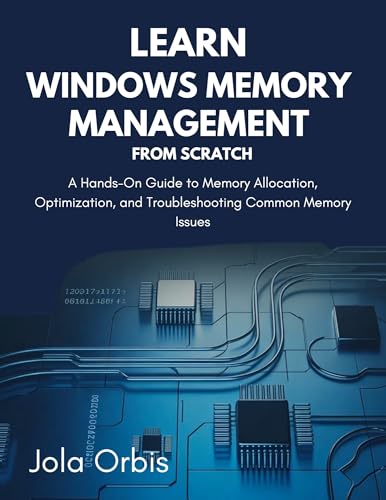
Learn Windows Memory Management from Scratch: A Hands-On Guide to Memory Allocation, Optimization, and Troubleshooting Common Memory Issues
Chosen because it specifies Optimization and and Troubleshooting Common Memory Issues.
View on AmazonWhat Virtual Memory Is
Virtual memory is Windows’ way of extending usable memory by using disk space. The main file is pagefile.sys, a hidden system file normally found at the root of the system drive. When RAM runs short, Windows can move less-used data to the page file to free up physical memory for active programs. The page file also acts as backing for committed memory, which is why some programs expect it to exist even when plenty of RAM is free. Microsoft’s documentation on the page file describes it as part of how the memory manager handles committed memory and, depending on configuration, crash dump data.
Automatic or Custom: Which Fits You?
| Situation | Suggested setting | Reason |
|---|---|---|
| Typical gaming PC with ample RAM | System managed | Windows adjusts size to demand |
| Low RAM and heavy multitasking | System managed, or a larger custom size | Prevents running out of committed memory |
| Small system SSD almost full | Free space first, or move the page file to another drive | A page file needs room to grow |
| Game or app warns about virtual memory | Raise the custom initial and maximum sizes | The program wants more commit limit |
| Wanting to disable it entirely | Not advised | Apps can crash and crash dumps may not be written |
How Big Should a Custom Size Be?
No single number suits every PC. Older rules of thumb, such as a multiple of installed RAM, circulate widely, but Microsoft’s documentation steers toward letting the system manage the file unless there is a specific need. If you do set a custom size, a practical method is to set the Initial and Maximum values equal or close, which avoids the file resizing during play, and to choose them based on the warnings you actually see. Some software publishers state their own recommendation in their support pages, and when a game or professional application names a minimum, follow that publisher’s guidance rather than a generic formula.
Because requirements differ between systems and workloads, make a modest change, restart, and watch whether the symptom disappears before adjusting further.
Where to Put the Page File
The page file can live on any local drive with space. Keeping one on the system drive is the usual default, and Microsoft’s documentation ties certain crash-dump behavior to having a page file on the boot volume, so removing it from the boot drive can limit what is saved after a crash. Moving it to a second drive may free space on a cramped system SSD, but a slower hard drive can make paging feel worse. If you have both an NVMe drive and a hard drive, the faster one is the sensible home.
| Option | Upside | Downside |
|---|---|---|
| System drive, system managed | Simple; supports crash dumps | Uses space on the system drive |
| Second fast SSD | Frees main SSD space | Extra setup; keep a small one on the boot drive too |
| Hard drive | Plenty of space | Slower paging if it is ever used heavily |
| No page file | Saves disk space | Risk of crashes and errors; not advised |
Signs the Setting May Need Attention
- A message that Windows is low on virtual memory or that your system is out of memory.
- A game that closes without warning on long sessions while memory use is high in Task Manager.
- The page file locked at a tiny custom value left by an old tweak.
- Very little free space on the drive that holds the page file.
You can watch memory use in Task Manager’s Performance tab. The Memory section reports in-use and committed figures; if committed usage approaches the limit, a larger page file or more RAM may help.
Common Mistakes
- Disabling the page file because there is a lot of RAM. Some applications still expect it, and it can limit crash dumps.
- Setting a tiny maximum. A low cap can trigger out-of-memory errors under load.
- Forgetting to restart. Changes apply after a reboot.
- Treating it as a speed boost. A bigger page file is not a performance upgrade. It prevents errors; it does not make a game run faster, and heavy paging usually means the PC needs more RAM.
- Using a nearly full drive. Free some space first, because the file needs room to grow.
- Putting it on removable storage. Use an internal local drive.
Related Fixes if Memory Problems Continue
- Close background apps and check Startup apps in Task Manager.
- Look for a memory leak: a single process whose memory keeps growing.
- Update the game and GPU drivers.
- Run the Windows Memory Diagnostic if crashes look random.
- Consider more RAM if you regularly hit your limit during normal use.
Frequently Asked Questions
Is virtual memory the same as RAM?
No. RAM is fast physical memory on modules, while virtual memory uses disk space to extend what programs can commit. Disk is slower, so heavy paging can feel sluggish. Virtual memory supports RAM; it does not replace it.
Should I turn off the page file if I have 32 GB of RAM?
It is generally not advised. Some programs expect a page file for committed memory, and crash dump options depend on it. Leaving it system managed costs little disk space on most modern drives.
What do Initial size and Maximum size mean?
Initial size is the amount reserved when Windows starts, and Maximum size is how far the file may grow. Setting them equal keeps the file at a fixed size. Both are entered in megabytes.
Does a bigger page file improve game performance?
Not directly. It mainly prevents out-of-memory errors when committed memory is high. If paging is frequent, more physical RAM is the real fix.
Can I put the page file on an SSD?
Yes, and an SSD is the better choice than a hard drive. Modern SSDs are designed for ordinary system use including paging, and the system-managed default already places it on the system drive in most builds.
How do I restore the default?
Open the Virtual Memory window again, tick Automatically manage paging file size for all drives, click OK, and restart. Windows then returns to managing the size itself.
FAQ
How Big Should a Custom Size Be?
Is virtual memory the same as RAM?
Should I turn off the page file if I have 32 GB of RAM?
What do Initial size and Maximum size mean?
Does a bigger page file improve game performance?
Can I put the page file on an SSD?
How do I restore the default?
More from Amazon
Programs that pair well with the guide above. Offers and eligibility are set by Amazon and may change.
Free shipping on eligible items, Prime Video and more. Eligible new members can start with a free trial.
Start a Prime free trialAd-free music streaming. Eligible new subscribers can start with a free trial.
Try Music Unlimited freeA Prime membership for ages 18-24 with a trial period. Eligibility is set by Amazon.
See Prime for Young AdultsAudiobooks and podcasts to listen to on the go. Eligible new members can start with a free trial.
Try Audible freeAs an Amazon Associate we earn from qualifying purchases.