Our Top Picks
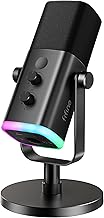
 TONOR Dynamic Gaming Microphone XLR/USB Mic with AI16.7''L x 5.4''W x 4.5''H1.9 poundsCheck on Amazon
 NEEWER NW-040 Cardioid Dynamic Microphone with XLR Cable4.92" x 8.86" x 0.79"1.4 poundsCheck on Amazon
 Samson R21S Dynamic Microphone3 inches x 11 inches x 3 inches11 x 3 x 3 inches1 poundsCheck on Amazon
The best dynamic microphones under $50 for most people are the TONOR boom-arm gaming set and the TONOR XLR/USB podcast mic, because both list USB and XLR outputs, quick mute and a 3.5mm headphone jack. If you already own an audio interface, the MAONO PD100 or NEEWER NW-040 are plain XLR options.
A dynamic microphone picks up what is directly in front of it and ignores much of the room, which is why it suits untreated bedrooms, shared offices and noisy gaming setups better than a sensitive condenser. Under 50 dollars the field splits in two: USB/XLR hybrids that plug straight into a PC, and XLR-only mics that need an interface or mixer. This guide compares five options from their listing specifications only.
Specs below come only from each listing’s text, and anything the listing does not state is marked as not listed. We compared these from listing specifications and did not use them ourselves, so treat the trade-offs as buying guidance rather than a review of sound quality.
Quick Comparison
| Model | Key specs per listing | Best for |
|---|---|---|
| TONOR Dynamic Gaming Microphone with Boom Arm Set | XLR/USB, AI noise cancellation, boom arm set, RGB, tap mute | Complete streaming setup in one box |
| TONOR Dynamic Podcast Microphone | XLR/USB, cardioid, quick mute, 3.5mm headphone jack | Podcasts and voice recording on a desk |
| MAONO PD100 XLR Podcast Microphone | XLR only, cardioid, metal desk mic | People who already have an audio interface |
| NEEWER NW-040 Cardioid Dynamic Microphone | XLR cable included, metal housing, cardioid | Vocals, instruments and a first XLR mic |
| Samson R21S Dynamic Microphone | Dynamic microphone, further specs not listed | Live vocals and spoken word on a stand |
TONOR Dynamic Gaming Microphone with Boom Arm Set
Listing specs: Dynamic gaming microphone, XLR/USB, AI noise cancellation, boom arm set, RGB, tap mute, 3.5mm jack, gain control (listing text partly cut off).
TONOR Dynamic Gaming Microphone XLR/USB Mic with AI Noise Cancellation | Boom Arm Set, RGB, Tap Mute, 3.5mm Jack, Gain Control, Microfono for Content Creators, Black, TD510 AIR S H+
Chosen because it specifies Boom Arm Set and RGB.
View on AmazonThis is the closest thing to a complete setup in the group. The listing includes a boom arm, which matters because holding a dynamic mic close to your mouth is the main way to get a clean voice, and a desk stand usually sits too far away. USB output makes it plug-and-play on a PC, while XLR gives you an upgrade route to an interface later. The 3.5mm headphone jack and tap-to-mute are the features gamers use most, and the listing adds AI noise cancellation, although it does not explain how that works or whether it runs on the mic or in software. RGB is listed too, which some players like and others will turn off. Check the maker page for arm weight capacity and clamp size before mounting a heavier setup.
Pros
- Boom arm included in the set
- USB and XLR outputs
- Tap-to-mute and headphone jack
Cons
- AI noise cancellation not explained in the listing
- RGB is not useful for everyone
TONOR Dynamic Podcast Microphone
Listing specs: Dynamic podcast microphone, XLR/USB, cardioid studio mic, quick mute, 3.5mm headphone jack (listing text cut off).

TONOR Dynamic Podcast Microphone, XLR/USB Mic for Recording, Streaming | XLR Cardioid Studio Mic with Quick Mute, 3.5mm Headphone Jack, Volume Control Microfono, 200 cm/78inch Cable, TD510
Chosen because it specifies XLR/USB Mic for Recording and Streaming.
View on AmazonWhere the boom-arm set above is aimed at gamers, this one is the plain podcast version: a cardioid dynamic with both USB and XLR outputs. Cardioid means it favours sound from the front and rejects much from the sides and rear, which helps against keyboard clatter and room echo. Quick mute and a 3.5mm headphone jack let you monitor yourself without latency from the PC. It is a good fit for someone starting a podcast who wants to move to an interface and XLR later without replacing the mic. The listing text we saw does not mention a stand or arm, so plan to buy one separately if you want to avoid the desk-stand posture, and check the maker page for the included cable type.
Pros
- Cardioid pattern rejects side noise
- USB and XLR outputs
- Quick mute and headphone monitoring
Cons
- Stand or arm not listed as included
- Full spec detail missing from listing text
MAONO PD100 XLR Podcast Microphone
Listing specs: XLR podcast microphone, cardioid studio dynamic metal desk mic, compatible with audio interface and audio mixer.

MAONO PD100 XLR Podcast Microphone, Cardioid Studio Dynamic Metal Desk Mic | Compatible with Audio Interface, Audio Mixer, Sound Card for Vocal Recording, Streaming, Voiceover, Music, Content Creation
Chosen because it specifies Cardioid Studio Dynamic Metal Desk Mic and Compatible with Audio Interface.
View on AmazonThe PD100 is an XLR-only mic, which means it will not work with a PC on its own: you need an audio interface, mixer or similar. That makes it the right pick only if you have one already or plan to buy one. In exchange, you get a metal-bodied cardioid dynamic that sits in the same class as podcast mics costing more, and an interface lets you set gain and phantom power appropriately. A dynamic mic usually does not need phantom power, but check the interface manual if you also own condenser mics. The listing does not state a USB connection, a headphone jack or an included cable, so the real cost of this option is the interface behind it.
Pros
- Metal build listed
- Cardioid dynamic design
- Works with interfaces and mixers
Cons
- No USB, needs an interface
- Cable and mount not listed
NEEWER NW-040 Cardioid Dynamic Microphone
Listing specs: Cardioid dynamic microphone with XLR cable, metal housing, unidirectional pickup, for musical instruments (listing text cut off).
NEEWER NW-040 Cardioid Dynamic Microphone with XLR Cable, Metal Housing | Unidirectional Pickup Mic, for Musical Instruments, Voice, Public Speech, Podcast, Singing, PC Gaming, Streaming, Studio
Chosen because it specifies Metal Housing and Unidirectional Pickup Mic.
View on AmazonThe NW-040 is a handheld-style vocal and instrument mic that also works for spoken voice. The listing states an XLR cable and a metal housing, which makes it a reasonable first XLR mic for someone setting up a small recording corner. Like the MAONO, it needs an interface or mixer because the listing names XLR only. A handheld design is more forgiving of mouth position than a studio podcast mic, but it also picks up handling noise if you hold it, so a clip and stand are worthwhile. The listing positions it for instruments, so podcasters should check the maker page for a mic clip and pop filter, which the text we saw does not mention.
Pros
- XLR cable included
- Metal housing
- Unidirectional pickup
Cons
- XLR only, needs an interface
- Positioned for instruments more than podcasting
Samson R21S Dynamic Microphone
Listing specs: Dynamic microphone (the listing text we could see gives no further specifications).
The R21S has the thinnest listing text of the group, so there is little to compare beyond the brand and the dynamic type. Samson is a known microphone maker, but anything about polar pattern, connector or switch layout should be checked on the maker page before you buy, because the listing does not state them. That is the honest trade-off: it may be a simple, dependable mic, yet you cannot confirm from here that it fits a USB-only setup or that it ships with a clip. Treat it as an option for someone who knows the Samson range and already has an XLR interface, and verify the connector first.
Pros
- Dynamic type reduces room noise
- From an established microphone brand
Cons
- Listing gives almost no specifications
- Connection type must be verified on the maker page
Why a Dynamic Mic Suits Budget Setups
Budget condenser mics tend to expose every flaw in a room: echo, fan noise, a neighbour’s television. A dynamic capsule is less sensitive by design, so a modest mic placed close to your mouth often gives a cleaner voice than a larger-diaphragm condenser in the same untreated room. That is why most of the picks here are cardioid dynamics, and why the extras that matter most are practical ones: a mute button, a headphone jack, a stand or arm and a usable gain control.
What the Listing Specs Do and Do Not Tell You
A listing can confirm the connector type, the polar pattern and the extras in the box, but it rarely states frequency response, sensitivity or self-noise in the text shown. Where those figures are missing we have left them out instead of guessing. Before you buy, read the maker page for the cable included, the thread size of any stand and whether a shock mount or windscreen ships with the mic.
Setting Up Your First Dynamic Mic
Set the gain so your normal speaking voice peaks around the middle of the meter, then speak a little louder to check for clipping. Point the mic slightly across your mouth rather than straight at it to soften breath sounds, and keep the desk free of loose items that can rattle. If your mic has a mute button, use it during long pauses so keyboard and mouse noise never reaches the recording.
How to Choose Dynamic Microphones Under $50
USB, XLR or both?
If you plug straight into a PC, choose a USB/XLR hybrid like the two TONOR models, because USB works today and XLR is there if you add an interface later. If you already own an interface or mixer, an XLR-only mic like the MAONO PD100 or NEEWER NW-040 costs less for the same dynamic capsule type. A USB-only buyer who picks an XLR-only mic ends up with an unusable mic.
Dynamic microphones for gaming and streaming
For gaming, a dynamic mic keeps keyboard and fan noise down if you keep it within a fist or two of your mouth. Look for tap-to-mute, a headphone jack for zero-delay monitoring and a boom arm in the box. The TONOR boom-arm set is the only pick here that lists all three together.
Dynamic microphones for home office and small spaces
In a home office, a cardioid dynamic reduces the sound of a nearby window, a hallway or other people. In a small room with hard walls, it is also less prone to echo than a condenser. Choose a model that lists a headphone jack or mute button, since online calls need both.
Mic position matters more than mic price
Dynamic mics lose clarity quickly as distance grows. Keep the mic two to four fingers from your mouth, slightly off-axis to reduce plosives, and use an arm so you can hold that position for hours. A mic held close in an untreated room often sounds cleaner than a pricier mic placed far away.
Check gain and extras before you buy
Dynamic mics are low output, so USB models with a gain knob or an interface with enough clean gain matter. Skip models that do not mention gain control. Also confirm whether a stand, shock mount or pop filter is included, because adding them later can use up much of the savings.
FAQ
What is the difference between dynamic and condenser microphones?
A dynamic mic is less sensitive and rejects room noise, so it suits untreated rooms. A condenser is more sensitive and detailed but picks up more background sound.
Do I need an audio interface?
Only for XLR-only mics. USB and USB/XLR hybrids plug straight into a PC, so no interface is required until you want to upgrade.
Can a dynamic mic work for gaming?
Yes. Used close to your mouth, a dynamic mic keeps keyboard and fan noise low, which suits voice chat and streaming.
Do I need phantom power?
Dynamic mics generally do not need phantom power. Check your interface manual if you also use condenser mics on the same channel.
What else should I buy with a dynamic mic?
A boom arm, a pop filter and a headphone-friendly setup. A mic arm helps you keep the right distance without crowding your desk.
Last updated: November 2026
FAQ
USB, XLR or both?
What is the difference between dynamic and condenser microphones?
Do I need an audio interface?
Can a dynamic mic work for gaming?
Do I need phantom power?
What else should I buy with a dynamic mic?
More from Amazon
Programs that pair well with the guide above. Offers and eligibility are set by Amazon and may change.
Free shipping on eligible items, Prime Video and more. Eligible new members can start with a free trial.
Start a Prime free trialAd-free music streaming. Eligible new subscribers can start with a free trial.
Try Music Unlimited freeA Prime membership for ages 18-24 with a trial period. Eligibility is set by Amazon.
See Prime for Young AdultsAudiobooks and podcasts to listen to on the go. Eligible new members can start with a free trial.
Try Audible freeAs an Amazon Associate we earn from qualifying purchases.