Key takeaways
- Switch type: Linear switches suit gaming; magnetic Hall-effect switches like the WIN60 HE add adjustable actuation and rapid trigger for competitive play.
- Build and case: An aluminum or reinforced case keeps a tiny board from sliding and adds a premium typing feel that cheap plastic lacks.
- Layer legends: Look for keycaps that print the Fn-layer functions so you are not memorizing where arrows and media keys hide.
- Hot-swap and software: Hot-swap sockets and remapping software let you tune the compact layout to your own muscle memory.
- Connectivity: Wired keeps latency lowest for competitive gaming; wireless is a convenience most 60% boards treat as secondary.
What's inside
A 60% keyboard strips away the number pad, arrow cluster, and function row to leave just the essentials, freeing huge amounts of desk space and pulling your mouse hand closer to your keyboard hand. For FPS players who run low sensitivity and need room for big swipes, that reclaimed space is a real competitive advantage.
The trade-off is learning layers, since arrows and function keys move onto a Fn combination. The picks below, including the HyperX Alloy Origins 60 and the Aula WIN60 HE, range from budget starters to magnetic-switch competitive boards that make the compact layout worth mastering.
As an Amazon Associate we earn from qualifying purchases at no extra cost to you.







⚡ Save on Your Next PC — Amazon Prime
Prime members get fast free shipping on the systems above, plus early access to Prime Day & Black Friday PC deals. New members get a 30-day free trial.
Watch: Best Compact 60% Keyboard for Gaming — Video Review
How to Choose
- Switch type: Linear switches suit gaming; magnetic Hall-effect switches like the WIN60 HE add adjustable actuation and rapid trigger for competitive play.
- Build and case: An aluminum or reinforced case keeps a tiny board from sliding and adds a premium typing feel that cheap plastic lacks.
- Layer legends: Look for keycaps that print the Fn-layer functions so you are not memorizing where arrows and media keys hide.
- Hot-swap and software: Hot-swap sockets and remapping software let you tune the compact layout to your own muscle memory.
- Connectivity: Wired keeps latency lowest for competitive gaming; wireless is a convenience most 60% boards treat as secondary.
The Best Picks Reviewed
HyperX Alloy Origins 60
At about $80, the Alloy Origins 60 is the premium pick. A full aluminum body, HyperX’s own linear switches, and solid software make it the most polished ready-to-game 60% board here.
Aula WIN60 HE (Magnetic Switch)
Around $40, the WIN60 HE brings Hall-effect magnetic switches with adjustable actuation and rapid trigger to a budget price. For competitive shooter players chasing every millisecond, it is remarkable value.
Redragon K617 (60% Hot-Swap RGB)
At about $27, the K617 is the hot-swap value board. You can change switches by hand as your preferences evolve, and RGB plus a compact frame make it a great customizable starter.
MageGee MK-Box 60% Backlit
Roughly $30, the MK-Box is the portable everyday 60%. It is basic but reliable, with LED backlighting and a light frame that travels easily to LAN events or a second desk.
Snpurdiri 60% Wired (61 Keys RGB)
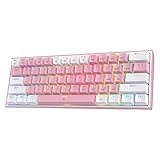
At about $20 it is the cheapest way to try the layout. The two-tone build and RGB look sharper than the price suggests, making it an easy no-regret first 60% board.
Frequently Asked Questions
How do arrow keys work on a 60% keyboard?
They live on a Fn layer, usually mapped to the WASD or IJKL cluster when you hold the Function key. It feels awkward at first but becomes automatic within a week.
Are 60% keyboards good for gaming?
Very. Removing the number pad lets you place your mouse closer and gives more room for low-sensitivity aiming, which is why many competitive FPS players use them.
What are magnetic (Hall-effect) switches?
They sense key position magnetically instead of with a physical contact, allowing adjustable actuation points and rapid trigger. The Aula WIN60 HE is a budget way to try them.
Will I miss the function row?
At first, yes, especially for F5 refresh or volume. After the Fn combinations become muscle memory, most users stop noticing, and productivity work stays fully doable.
Final Thoughts
For competitive players the Aula WIN60 HE is the value standout thanks to its magnetic switches, while the HyperX Alloy Origins 60 is the premium all-rounder. If you just want to test the compact layout, the sub-$30 Redragon and Snpurdiri boards let you learn the layers without a big spend. Reclaim your desk and your aim may thank you.