Key takeaways
- Use a frame-rate cap a few frames below your display’s refresh rate when smoothness matters more than maximum FPS.
- Monitor GPU utilization and per-core CPU usage. A GPU consistently near 95–99% indicates a graphics limit; a low GPU load alongside a busy primary game thread indicates a CPU limit.
- Enable the memory profile supported by your motherboard, such as AMD EXPO, but test stability rather than assuming the advertised speed is guaranteed.
- Keep background recording, browser tabs, launchers, and overlays under control when targeting high minimum frame rates.
- Choose a stronger CPU if you use frame generation at very high refresh rates, because generated frames do not remove the CPU work required to produce the base frames.
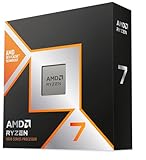
The best CPUs for 4K gaming are usually the Ryzen 7 9800X3D and Ryzen 7 7800X3D, while the Ryzen 9 9950X3D makes sense for users who also render, stream, or create content; at 4K, your graphics card and the frame rate you target matter more than buying the highest core count.
What actually matters at 4K
At 3840×2160, the GPU has to process 8.29 million pixels per frame—four times as many pixels as 1080p. That workload commonly makes the graphics card the limiting component, especially with ray tracing, demanding ultra presets, or a high-end card such as the GeForce RTX 5090, GeForce RTX 5080, or Radeon RX 9070 XT.
That does not make the CPU irrelevant. The processor still handles game logic, draw calls, simulation, asset streaming, background applications, and minimum-frame-rate consistency. A fast CPU can prevent stutter and improve performance in CPU-heavy games, but its average-FPS advantage often shrinks at 4K because the GPU reaches its limit first.
For most buyers, the decision is therefore not “which CPU has the most cores?” It is “which CPU delivers the required minimum frame rate without consuming money or power that would be better spent on the graphics card?”
Best CPU choices for a 4K gaming build
AMD Ryzen 7 9800X3D: the best gaming-first choice
The Ryzen 7 9800X3D is the strongest fit for a gaming-focused system that uses a high-end graphics card. Its 8 cores and 16 threads are sufficient for current games, while AMD’s 3D V-Cache can improve performance in CPU-sensitive titles and help frame-time consistency.
It is particularly attractive if you play simulation, strategy, MMO, esports, or open-world games where the CPU can remain a bottleneck even with a powerful GPU. At 4K, the lead over less expensive processors may be modest in GPU-limited games, but the extra CPU headroom becomes more valuable if you lower settings, use upscaling, or upgrade to a faster graphics card later.
Expect the processor itself to occupy a general market range around $450–$600, depending on availability and sales. Budget separately for an AM5 motherboard and DDR5 memory.
AMD Ryzen 7 7800X3D: the value option when discounted
The Ryzen 7 7800X3D remains a compelling choice if it is substantially cheaper than the 9800X3D. Its 8-core, 16-thread design is still more than adequate for a 4K gaming PC, and its platform offers a useful upgrade path through AM5 processors.
Choose it when the savings can be redirected toward a faster GPU, a larger SSD, or a better power supply. For example, a $150 saving on the CPU and motherboard can be more meaningful than a small difference in CPU benchmark results if it allows you to move from a midrange graphics card to a higher tier.
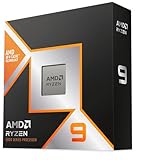
AMD Ryzen 9 9950X3D: for gaming plus serious productivity
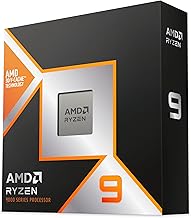
The Ryzen 9 9950X3D combines 16 cores and 32 threads with 3D V-Cache. It is excessive for a gaming-only 4K build, but it becomes sensible for video production, software compilation, 3D rendering, virtual machines, or heavy multitasking alongside gaming.
Its extra cores do not automatically produce twice the gaming performance of an 8-core X3D processor. They mainly improve workloads that can use many threads. The processor also costs more and can justify a stronger cooler and motherboard power delivery, so gaming-only buyers should spend the difference on the graphics card instead.
Intel Core Ultra 7 265K: a balanced alternative
The Core Ultra 7 265K is a capable option for users who prefer Intel’s platform, need strong general desktop performance, or find a complete motherboard-and-memory bundle at an attractive price. Its hybrid design provides many total cores, but core count alone does not guarantee a gaming advantage over AMD’s X3D parts.
Power behavior is an important part of the comparison. Intel’s unlocked desktop processors can draw considerably more power under sustained all-core workloads, and the cooling requirement may be higher than the gaming workload itself suggests. Check independent power and gaming measurements for your chosen motherboard settings rather than relying only on the advertised maximum turbo figure.
Intel Core Ultra 9 285K: choose it for the workload, not the name
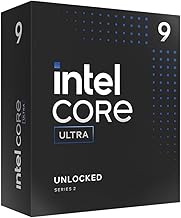
The Core Ultra 9 285K is aimed at demanding desktop users who need high multi-core throughput as well as gaming performance. It can be a good fit for a workstation-style PC, but it is difficult to justify purely for 4K gaming when an 8-core gaming-focused CPU can deliver similar practical results in GPU-limited titles.
Head-to-head comparison
| CPU class | Cores / threads | Best use | Typical gaming power behavior | Platform consideration |
|---|---|---|---|---|
| Ryzen 7 7800X3D | 8 / 16 | Discounted gaming build | Usually moderate; efficient for gaming | AM5 and DDR5; good upgrade potential |
| Ryzen 7 9800X3D | 8 / 16 | High-end gaming-first PC | Moderate gaming draw; cooler requirements are manageable | AM5 and DDR5; strong fit for future GPU upgrades |
| Ryzen 9 9950X3D | 16 / 32 | Gaming plus rendering or production | Higher under all-core workloads | AM5 and DDR5; premium CPU and cooling budget |
| Core Ultra 7 265K | 20 total cores | Mixed gaming and desktop workloads | Can be high under unrestricted multi-core loads | LGA1851 motherboard and DDR5 |
| Core Ultra 9 285K | 24 total cores | Heavy productivity with gaming | High sustained workload demand | Premium LGA1851 platform and cooling |
Core and thread counts in the table are not directly comparable between AMD’s conventional layout and Intel’s hybrid layout. More total cores help parallel workloads, but game engines do not always scale efficiently across every available core.
Decision matrix: match the CPU to the rest of the system
| Your situation | Recommended direction | Why |
|---|---|---|
| 4K, 60–120 Hz, single-player games | Ryzen 7 7800X3D or a modern 8-core CPU | The GPU is usually the limiting component; avoid overspending on cores. |
| 4K, 144 Hz or higher with a top-tier GPU | Ryzen 7 9800X3D | Extra CPU headroom helps minimum FPS and high-refresh gaming. |
| 4K gaming plus streaming, editing, or compiling | Ryzen 9 9950X3D or Core Ultra 7/9 class | Additional cores reduce waiting in heavily threaded applications. |
| Replacing the whole platform on a strict budget | Whichever current 8-core CPU has the lowest total platform cost | Motherboard and memory prices can outweigh small CPU performance differences. |
Power draw: calculate the whole system, not just the CPU
A useful power-budget example is a build with a graphics card rated around 575 watts, a Ryzen 7 9800X3D drawing approximately 120 watts under a demanding CPU load, and another 100 watts for the motherboard, memory, storage, fans, and USB devices.
The estimated sustained load is:
575 W + 120 W + 100 W = 795 W
Adding roughly 25% headroom gives:
795 W × 1.25 = 994 W
That points to a quality 1,000-watt power supply as a sensible minimum for this example, with a 1,200-watt unit offering more transient and upgrade headroom. A higher-power Intel processor or an overclocked configuration can push the same system toward the larger capacity. Use a modern ATX 3.x power supply with the correct native graphics-card connector rather than relying on poorly routed adapter cables.
Power also affects noise. A CPU that finishes a gaming workload efficiently can allow lower fan speeds, while a processor that regularly sustains high package power may require a larger cooler even when average 4K frame rates look similar.
Platform cost changes the value calculation
Do not compare CPU prices in isolation. A complete platform normally includes the processor, motherboard, memory, cooler, and sometimes a BIOS update. An AM5 build with DDR5 may cost roughly $650–$1,000 for those core components, depending on motherboard tier, memory capacity, and CPU choice. A comparable LGA1851 build can fall in a similar broad range, but premium boards and cooling can move the total higher.
For a gaming PC, 32GB of DDR5 is a practical baseline, while 64GB is worthwhile for modded games, content creation, or extensive multitasking. Spending heavily on a motherboard rarely improves 4K frame rates. Prioritize stable memory support, adequate VRM cooling, the required number of M.2 slots, and the rear USB connectivity you will actually use.
How to avoid a CPU bottleneck at 4K
- Use a frame-rate cap a few frames below your display’s refresh rate when smoothness matters more than maximum FPS.
- Monitor GPU utilization and per-core CPU usage. A GPU consistently near 95–99% indicates a graphics limit; a low GPU load alongside a busy primary game thread indicates a CPU limit.
- Enable the memory profile supported by your motherboard, such as AMD EXPO, but test stability rather than assuming the advertised speed is guaranteed.
- Keep background recording, browser tabs, launchers, and overlays under control when targeting high minimum frame rates.
- Choose a stronger CPU if you use frame generation at very high refresh rates, because generated frames do not remove the CPU work required to produce the base frames.
Final recommendation
For a new high-end 4K gaming PC, choose the Ryzen 7 9800X3D when the budget supports it and gaming is the main purpose. Choose the Ryzen 7 7800X3D when its lower total cost lets you buy a better graphics card. Choose the Ryzen 9 9950X3D, Core Ultra 7 265K, or Core Ultra 9 285K when the computer is also a productivity workstation.
The winning build is not the one with the most cores. It is the one that balances CPU frame-time consistency, graphics-card performance, power-supply capacity, cooling, and total platform cost around your target resolution and refresh rate.