Key takeaways
- High-performance chips generate real heat, so budget for an adequate air or liquid cooler rather than a bare-minimum unit.
- Some efficient chips include a stock cooler (like the Ryzen 5 5500’s Wraith Stealth), which is fine for modest builds but limiting for overclocking.
- Check your power supply and case airflow, a hot, throttling CPU quietly loses performance.
- X3D and high-core chips reward good cooling with more consistent boost clocks under sustained load.
What's inside
- Watch: How to Choose a Gaming CPU (2026 Guide) — Video Review
- Cores, Threads, and What Games Actually Use
- Why Cache and Clock Speed Matter More
- Match the CPU to Your GPU and Resolution
- Platform, Socket, and Upgrade Path
- Don’t Forget Cooling and Power
- Tips
- Related Guides
- Frequently Asked Questions
- Conclusion
- Related Articles
- Related Guides
The processor is the brain of your gaming PC, and choosing the right one shapes not just today’s frame rates but how long your system stays relevant. While the graphics card gets most of the attention, the CPU quietly determines your minimum frame rates, how smoothly demanding simulation and strategy games run, and whether you can stream, record, or multitask without your game hitching. Pick too weak a chip and even a powerful GPU sits idle waiting for instructions, a problem known as a bottleneck.
- Watch: How to Choose a Gaming CPU (2026 Guide) — Video Review
- Cores, Threads, and What Games Actually Use
- Why Cache and Clock Speed Matter More
- Match the CPU to Your GPU and Resolution
- Platform, Socket, and Upgrade Path
- Don’t Forget Cooling and Power
- Tips
- Related Guides
- Frequently Asked Questions
- Conclusion
- Related Articles
- Related Guides
This 2026 guide explains how to choose a gaming CPU that fits your goals and budget. You will learn which specs actually matter for games, why cache and clock speed often beat raw core counts for pure gaming, how to match your CPU to your GPU and resolution, and how to plan for a platform that lets you upgrade later. By the end you will be able to weigh AMD and Intel options with a clear head instead of chasing marketing numbers.
As an Amazon Associate we earn from qualifying purchases at no extra cost to you.








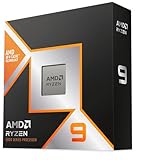
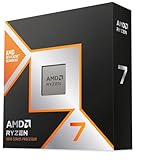
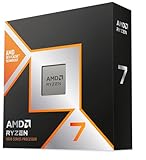
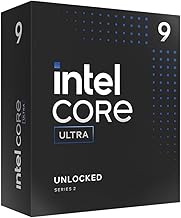
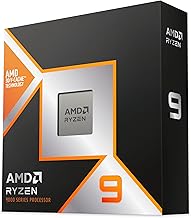
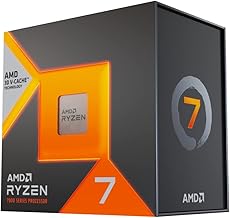
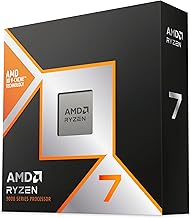
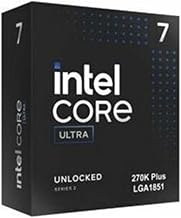
The processors above are our recommended picks across the range, from efficient mainstream chips to gaming-focused flagships, so you can match the right level of performance to your build and budget.
⚡ Save on Your Next PC — Amazon Prime
Prime members get fast free shipping on the systems above, plus early access to Prime Day & Black Friday PC deals. New members get a 30-day free trial.
Watch: How to Choose a Gaming CPU (2026 Guide) — Video Review
Cores, Threads, and What Games Actually Use
More cores are not automatically better for gaming. Most games perform beautifully on 6 to 8 fast cores, and beyond that extra cores mainly help with streaming, video editing, and heavy multitasking. A 6-core chip like the AMD Ryzen 5 9600X is plenty for a focused gaming build, while an 8-core part such as the Ryzen 7 9800X3D adds headroom for doing more at once. Very high core-count chips like the Ryzen 9 9950X3D or Intel’s Core Ultra parts shine in creation workloads, but for gaming alone you are usually paying for cores your games will not fully use.
Why Cache and Clock Speed Matter More
For gaming specifically, per-core speed and cache size often matter more than sheer core count. AMD’s X3D chips, like the Ryzen 7 7800X3D and its successor the 9800X3D, stack extra cache directly on the die, and that large, fast cache dramatically boosts frame rates in many games by keeping data close to the cores. High clock speeds help too, which is why gaming-focused chips prioritize fast, cache-rich cores over piling on more of them. If pure gaming performance is your goal, an X3D-class processor is frequently the smartest buy, even next to chips with more cores.
Match the CPU to Your GPU and Resolution
Balance is everything. At 1080p the CPU has more influence because frames come fast and the processor must keep up, so a strong gaming CPU pays off. At 1440p and especially 4K, the GPU does more of the heavy lifting and the CPU’s impact shrinks, meaning a mid-range chip can pair happily with a powerful graphics card. Avoid two mistakes, do not bolt a flagship GPU to a weak CPU (it will bottleneck), and do not spend on a top-tier CPU for a modest GPU at high resolution. Aim for a sensible pairing where neither part is dramatically holding the other back.
Platform, Socket, and Upgrade Path
The CPU you pick locks you into a platform, so think beyond the chip itself. AMD’s AM5 socket has a long support runway, meaning a board bought today can often take a faster CPU down the line, which is great for people who upgrade in stages. Intel’s latest Core Ultra platform uses its own socket and chipsets. Check that your chosen motherboard supports the exact CPU, ships with the right BIOS, and offers the memory support (DDR5) and connectivity you want. A little planning here can save you a full platform replacement in a couple of years.
Don’t Forget Cooling and Power
- High-performance chips generate real heat, so budget for an adequate air or liquid cooler rather than a bare-minimum unit.
- Some efficient chips include a stock cooler (like the Ryzen 5 5500’s Wraith Stealth), which is fine for modest builds but limiting for overclocking.
- Check your power supply and case airflow, a hot, throttling CPU quietly loses performance.
- X3D and high-core chips reward good cooling with more consistent boost clocks under sustained load.
Tips
- For a pure gaming build, prioritize an X3D-class chip like the 7800X3D or 9800X3D over one with more cores you will not use.
- If you stream or edit alongside gaming, lean toward higher core counts such as the Ryzen 9 or Intel Core Ultra options.
- Update your motherboard BIOS before installing a newer CPU to ensure compatibility.
- Spend your budget where it counts, at high resolutions put more money into the GPU and choose a sensible mid-range CPU.
Frequently Asked Questions
How many cores do I need for gaming in 2026?
Six to eight fast cores handle virtually all games superbly. More cores mainly benefit streaming, recording, and content creation, so unless you multitask heavily, you do not need a very high core-count chip just for games.
Are AMD’s X3D chips really better for gaming?
In many games, yes. The large stacked cache on chips like the Ryzen 7 9800X3D noticeably raises frame rates, often beating processors with more cores but less cache. For gaming-first builds they are frequently the top choice.
Will my CPU bottleneck my graphics card?
It can if the two are badly matched, most visible at 1080p where the CPU works hardest. At 1440p and 4K the GPU carries more of the load, so a mid-range CPU pairs well with a strong graphics card without a serious bottleneck.
Should I choose AMD or Intel?
Both make excellent gaming chips. AMD’s AM5 platform offers a long upgrade path and its X3D parts lead in many games, while Intel’s Core Ultra chips are strong all-rounders. Decide based on your budget, upgrade plans, and whether you also do creation work.
Conclusion
Choosing a gaming CPU comes down to matching the chip to how you play. For pure gaming, favor fast, cache-rich processors like AMD’s X3D parts over ones stuffed with cores you will never use, and always balance the CPU against your GPU and target resolution. Think about the platform’s upgrade path, budget for proper cooling, and spend more on cores only if you stream or create. Get that balance right and your processor will keep your games smooth and your frame rates high for years.