Key takeaways
- Entry level: Six modern cores, 16 GB of dual-channel memory, and a 120Hz monitor.
- Competitive 1080p: A fast Ryzen 5 or Core i5 processor, 32 GB of memory, and a 144Hz or 165Hz display.
- High-refresh gaming: Ryzen 7 7800X3D, Ryzen 7 9800X3D, or a similarly capable Intel processor paired with a strong graphics card and a 240Hz monitor.
What's inside
For Dota 2 in 2026, AMD Ryzen is usually the better choice for a new gaming PC, especially the Ryzen 7 7800X3D or Ryzen 7 9800X3D when you want very high refresh-rate performance. Intel remains competitive for budget systems and mixed gaming-and-productivity use: a Core i5-14400F or Core i5-14600K can run Dota 2 smoothly at 1080p. In practical terms, choose Ryzen for the best gaming efficiency and upgrade path, Intel for attractive platform deals and strong all-round performance, and spend enough on the graphics card, memory, and monitor to avoid limiting the experience.
What Dota 2 Actually Needs From a CPU
Dota 2 is not an especially demanding game by modern standards, but large team fights, numerous particles, summons, and rapid camera movement can make processor performance important. The game benefits from strong single-thread speed, low memory latency, and consistent frame times. A high core count by itself does not guarantee better results.
At 1080p with a mid-range or high-end graphics card, the processor often becomes the limiting component. A current six-core CPU is enough for most players, while an eight-core chip gives more headroom for Discord, streaming, browsers, recording software, and future games. At 1440p or higher, the graphics card carries more of the workload, so the difference between similarly priced Intel and Ryzen chips becomes smaller.
Recommended targets
- Entry level: Six modern cores, 16 GB of dual-channel memory, and a 120Hz monitor.
- Competitive 1080p: A fast Ryzen 5 or Core i5 processor, 32 GB of memory, and a 144Hz or 165Hz display.
- High-refresh gaming: Ryzen 7 7800X3D, Ryzen 7 9800X3D, or a similarly capable Intel processor paired with a strong graphics card and a 240Hz monitor.
Intel vs. Ryzen for Dota 2 Performance
AMD Ryzen advantages
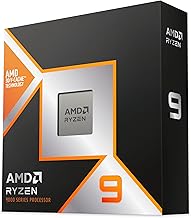
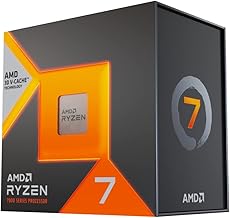
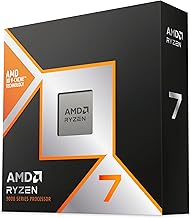
AMD’s Ryzen X3D processors use extra 3D V-Cache to provide a large cache pool. That design can improve game performance and frame-time consistency, particularly in CPU-limited 1080p play. The Ryzen 7 7800X3D remains a powerful eight-core gaming processor, while the Ryzen 7 9800X3D is a newer Zen 5 option with strong gaming performance and improved general-purpose capability.
The Ryzen 5 7600 and Ryzen 5 9600X are sensible six-core choices. They are generally more than capable of driving Dota 2 at high frame rates, and they leave room in the budget for a better graphics card or a faster monitor. Ryzen processors also tend to offer attractive performance per watt, which helps smaller or quieter PCs.
Intel advantages
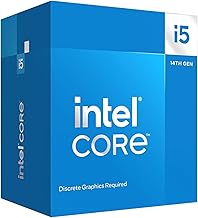
Intel’s Core i5-14400F is a particularly practical value option when its total platform cost is low. Its combination of performance cores and efficiency cores handles Dota 2, voice chat, web browsing, and background applications comfortably. The Core i5-14600K is faster and more flexible for demanding multitasking, although it requires a suitable cooler and can draw considerably more power under sustained workloads.
Intel’s integrated graphics are not a substitute for a gaming graphics card in a serious Dota 2 build, but a non-F processor can provide basic display output and troubleshooting flexibility. Intel systems can also be appealing when discounted LGA1700 motherboards and DDR4 memory are available. However, LGA1700 is a mature platform, so its upgrade options are more limited than newer sockets.
| Processor | Cores/threads | Base/boost specification | Processor power rating | Typical 2026 CPU price |
|---|---|---|---|---|
| Ryzen 5 7600 | 6/12 | 3.8/5.1 GHz | 65 W TDP | Usually $170–$230 |
| Ryzen 5 9600X | 6/12 | 3.9/5.4 GHz | 65 W TDP | Usually $220–$300 |
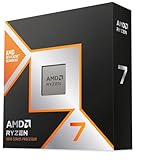
| Ryzen 7 7800X3D | 8/16 | 4.2/5.0 GHz | 120 W TDP | Usually $300–$400 |
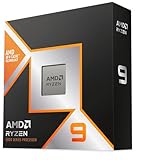
| Ryzen 7 9800X3D | 8/16 | 4.7/5.2 GHz | 120 W TDP | Usually $430–$550 |
| Core i5-14400F | 10/16 | 2.5/4.7 GHz | 65 W base power | Usually $150–$220 |
| Core i5-14600K | 14/20 | 3.5/5.3 GHz | 125 W base power | Usually $240–$330 |
Clock speeds and power figures are not directly comparable between Intel and AMD architectures. Actual game power varies with motherboard settings, cooling, memory, and workload. The table is a buying guide rather than a guarantee of a specific frame rate.
Expected Dota 2 Experience
With a Ryzen 5 7600, Ryzen 5 9600X, Core i5-14400F, or Core i5-14600K and a suitable graphics card, 1080p Dota 2 at high settings should generally feel smooth well above 100 frames per second in ordinary play. Heavy late-game clashes can reduce the minimum frame rate, so frame-time consistency matters more than the highest number shown by a counter.
An X3D processor such as the Ryzen 7 7800X3D or 9800X3D is most useful when you are targeting 165Hz, 240Hz, or higher and want stronger lows while keeping competitive settings. It is not a magic upgrade for a system using an entry-level graphics card at 1440p. If the GPU is already the bottleneck, spending the difference on a faster graphics card will usually produce a more visible improvement.
Settings that affect the result
Use the game’s frame-rate limit rather than allowing unlimited rendering, particularly if your monitor supports FreeSync or G-Sync-compatible variable refresh. Lowering shadows, effects, and ambient occlusion can improve difficult fight scenes. Keep textures high if graphics memory allows, because texture quality usually has less impact on CPU load than effects and simulation settings.
Upgrade Value, Motherboards, and Memory
For a new AMD build, the AM5 socket used by Ryzen 7000 and Ryzen 9000 processors is the stronger long-term choice. A B650 or B850 motherboard, 32 GB of DDR5-6000 memory, and a reasonable tower cooler form a balanced foundation. BIOS support should still be checked before installing a newer processor, particularly with older boards.
A Ryzen 5 7600 can later be replaced by a faster Ryzen 7 model without replacing the motherboard or memory. That upgrade flexibility is valuable for a budget PC. The Ryzen 7 7800X3D is also an attractive upgrade target for an existing AM5 system, although a BIOS update may be required.
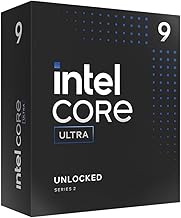
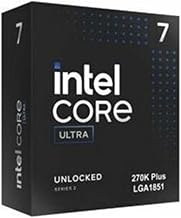
Intel’s LGA1700 platform supports 12th-, 13th-, and 14th-generation Core processors, but it is not the best route for repeated future CPU upgrades. A low-priced Core i5-14400F system can still be excellent value, especially with inexpensive DDR4 memory. Newer Intel Core Ultra desktop platforms offer a more current foundation, but their total motherboard and memory cost should be compared carefully rather than assumed to be cheaper.
Power Efficiency and Cooling
For a compact, quiet Dota 2 PC, Ryzen 5 7600 and Ryzen 5 9600X are easy choices because their rated 65-watt thermal design power leaves plenty of cooling headroom. A basic 120mm tower cooler is typically sufficient, although cooler quality and case airflow still matter.
The Ryzen 7 X3D models deliver excellent gaming performance without the sustained power draw associated with heavily loaded high-core-count processors. Use a capable air cooler or 240mm liquid cooler, follow the processor’s temperature guidance, and avoid assuming that a stock power limit is always optimal.
The Core i5-14400F is efficient for its performance class. The Core i5-14600K can be excellent, but many motherboards allow aggressive power settings that increase heat and consumption. A strong tower cooler, a well-ventilated case, and sensible BIOS power limits are recommended. Lower power use means less fan noise and can reduce the required power-supply capacity over time.
Best CPU Choice by Budget
For a budget build, choose the processor that leaves enough money for a discrete graphics card, 16 GB or 32 GB of RAM, an SSD, and a reliable power supply. The Ryzen 5 7600 and Core i5-14400F are both sensible starting points. Compare the full platform price, not just the CPU price: motherboard, cooler, memory, and upgrade options can change the value calculation.
For a balanced mid-range PC, the Ryzen 5 9600X is appealing when AM5 components fit the budget, while the Core i5-14600K makes sense for users who also encode video, compile software, or run several demanding applications. For a premium competitive system, the Ryzen 7 9800X3D is the clearest Ryzen recommendation, with the Ryzen 7 7800X3D remaining worthwhile when priced substantially lower.
FAQ
Is Intel or Ryzen better for Dota 2 at 144Hz?
Both can deliver a strong 144Hz experience. Choose a Ryzen 5 7600, Ryzen 5 9600X, Core i5-14400F, or better, then pair it with adequate graphics performance and dual-channel memory. For the strongest minimum frame rates at competitive 1080p settings, a Ryzen 7 7800X3D or 9800X3D is the safer premium choice.
Do I need an X3D Ryzen CPU for Dota 2?
No. X3D chips are worthwhile for high-refresh enthusiasts, but they are not required for smooth play. A six-core Ryzen 5 or Core i5 can run Dota 2 very well. Upgrade to X3D when you already have a fast graphics card and want higher lows, more consistent frame times, or a 240Hz-class setup.
Bottom line
Ryzen is the best overall answer to “intel or ryzen for dota” in 2026 when building new, particularly with the Ryzen 5 7600 for value, Ryzen 5 9600X for a modern six-core system, or Ryzen 7 9800X3D for premium high-refresh gaming. Intel’s Core i5-14400F remains a smart budget buy, and the Core i5-14600K is strong for gaming plus productivity. Make the decision using total platform cost, cooling, upgrade plans, and monitor target—not brand loyalty. For most players, a balanced Ryzen AM5 PC with 32 GB of DDR5 memory is the most flexible long-term choice.