Our Top Picks
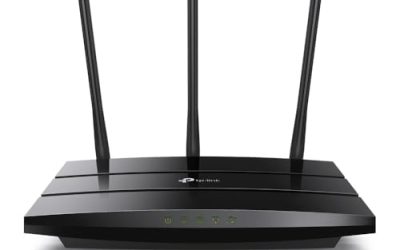
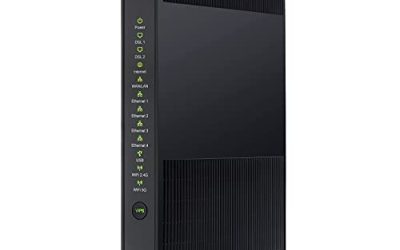
 TP-Link AXE5400 Tri-Band WiFi 6E RouterWiFi 6E, Tri-Band AXE540012.91 x 10.43 x 4.72 inches1.5 poundsCheck on Amazon
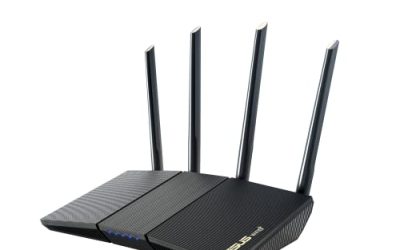
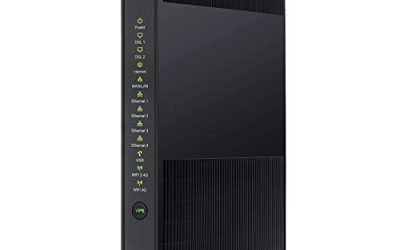
 ASUS RT-AX1800S Dual Band WiFi 6 Extendable RouterRouter9.06 x 5.28 x 2.2 inches0.82 PoundsCheck on Amazon
Nothing exposes a weak router like a Friday night when one person is watching a 4K movie, another is on a video call, and a third is downloading a game update. Buffering wheels and sudden drops in picture quality are rarely about the speed you pay your provider for. They usually come from a router that cannot juggle many devices at once, or from a signal that has to travel through too many walls to reach the television. A streaming router is really a decision about congestion and coverage, not just about the biggest headline number on the box.
This guide is for households that stream on several screens at once: smart TVs, streaming sticks, consoles, tablets, and phones. It covers WiFi 5 through WiFi 7 and includes both single routers and a mesh pair, so you can pick the tier that fits your home size and internet plan. As 2026 brings more 4K and 8K content and more devices per household, the right pick depends on how many screens run at the same time and how far the farthest TV sits from the router.
Quick Picks

TP-Link AX5400 WiFi 6 Router (Archer AX73) | Dual Band Gigabit Wireless Internet Router for Streaming, Long Range Coverage
One of the consumer electronics options compared in this guide.
View on Amazon
TP-Link AX1800 WiFi 6 Router (Archer AX21 V5) | Dual Band Wireless Internet, Gigabit, Easy Mesh, Works with Alexa - A Certified for Humans Device
One of the consumer electronics options compared in this guide.
View on Amazon
TP-Link BE6500 Dual-Band WiFi 7 Router (BE400) | Dual 2.5Gbps Ports, USB 3.0, Covers up to 2,400 sq. ft., 90 Devices, Quad-Core CPU, HomeShield, Private IoT
One of the consumer electronics options compared in this guide.
View on AmazonTP-Link AXE5400 Tri-Band WiFi 6E Router, 2025 PCMag Editors' Choice | 2.5Gbps WAN Port for Gaming & Streaming, 6GHz Band, 160MHz, OneMesh, Dual-Core CPU, VPN & WPA3 (Archer AXE75)
One of the consumer electronics options compared in this guide.
View on AmazonASUS RT-AX1800S Dual Band WiFi 6 Extendable Router, Subscription-Free Network Security, Parental Control, Built-in VPN, AiMesh Compatible, Gaming & Streaming, Smart Home
One of the consumer electronics options compared in this guide.
View on Amazon
NETGEAR Nighthawk WiFi 6 Router R6700AX, Up to 1,500 sq ft, 1.8 Gbps | Reliable Performance, Easy Set Up, 20 devices, 4× Gigabit Port, Dual Band, AX1800
One of the consumer electronics options compared in this guide.
View on Amazon
TP-Link AC1200 Gigabit Dual Band WiFi Router (Archer A6) | MU-MIMO Wireless Internet Router, 4 x Antennas, OneMesh and AP Mode, Long Range Coverage
One of the consumer electronics options compared in this guide.
View on Amazon
TP-Link Deco XE75 AXE5400 Tri-Band WiFi 6E Mesh System, 2-Pack | Whole Home WiFi Router Replacement, Covers up to 5500 Sq.Ft, Gaming & Streaming WiFi, 6GHz Band, WPA3, AI-Driven
One of the consumer electronics options compared in this guide.
View on Amazon| Product | Best for | Key spec from the title |
|---|---|---|
| TP-Link Archer AX73 | Large households on a budget-to-mid tier | AX5400 WiFi 6, dual band, gigabit |
| TP-Link Archer AX21 | Apartments and smaller homes | AX1800 WiFi 6, EasyMesh, gigabit |
| TP-Link Archer BE400 | Future-proofed multi-gig homes | BE6500 WiFi 7, dual 2.5Gbps ports, 90 devices |
| TP-Link Archer AXE5400 | Congested apartments needing 6GHz | Tri-band WiFi 6E, 2.5Gbps WAN, 160MHz |
| ASUS RT-AX1800S | Families wanting built-in controls | WiFi 6, parental control, built-in VPN, AiMesh |
| NETGEAR Nighthawk R6700AX | Compact homes with a handful of screens | WiFi 6, 1.8 Gbps, 20 devices, 4 gigabit ports |
| TP-Link Archer A6 | Entry-level coverage | AC1200 gigabit, MU-MIMO, 4 antennas |
| TP-Link Deco XE75 2-Pack | Whole-home coverage in big houses | AXE5400 tri-band WiFi 6E mesh, up to 5,500 sq ft |
How to Choose
Bandwidth math for streaming
A single 4K stream generally needs somewhere around 25 Mbps of steady throughput, and HD video needs far less. A household with four simultaneous 4K screens therefore wants well over 100 Mbps of dependable wireless performance, with room for everything else on the network. That is not a high bar for any modern router, which means the real filter is how well a router holds up when many devices compete, not its peak speed. Titles that list a device count, like 20 or 90 devices, are hinting at how the maker expects it to handle that crowd.
Band choice: dual-band versus tri-band and 6GHz
Dual-band routers split traffic between 2.4GHz (longer range, slower) and 5GHz (faster, shorter range). Tri-band models add a second 5GHz or a 6GHz band, giving streaming devices their own less crowded lane. If you live in an apartment building with dozens of neighboring networks, a 6GHz-capable WiFi 6E or WiFi 7 router offers a cleaner lane for a TV near the router. A 160MHz channel, which one listing mentions, widens that lane further for devices that support it, though not all TVs and sticks do.
Coverage, mesh, and wired connections
Match the stated coverage to your floor plan with margin to spare, since real homes with brick, plaster, and appliances absorb signal. If the farthest TV is on another floor, a mesh system is usually more reliable than a single router, and routers with EasyMesh, OneMesh, or AiMesh language can be expanded later. Wherever possible, wire a stationary TV or game console with an Ethernet cable; that removes the wireless variable entirely and frees up airtime for everyone else. Check the port count, because four gigabit ports run out quickly when a console, streaming box, and NAS all want a cable.
What to ignore, and where budget models cut corners
Ignore combined “up to” speed figures that add the bands together; no single device sees that total. Budget routers cut corners on the processor, which shows up as slower behavior when many devices connect at once, on the number of antennas, and on advanced features like quality-of-service controls. Treat an older AC1200 model as a basic option that can handle a few HD streams, not a household of 4K screens.
The 8 Best Options
TP-Link Archer AX73
The Archer AX73 is a WiFi 6 dual-band router rated AX5400 and described as built for streaming with long-range coverage and gigabit ports. It fits larger homes and busy households that want strong WiFi 6 performance without moving to WiFi 7 pricing. For a family where one person games while others stream on separate TVs, the extra wireless capacity over entry-level WiFi 6 gives the router more breathing room when everyone is online at once.
- Strength: AX5400 gives more wireless headroom than AX1800 tier routers.
- Strength: Streaming is called out as an intended use.
- Trade-off: It is dual-band only, so there is no dedicated 6GHz lane.
Skip it if you want multi-gig ports or a mesh kit out of the box.
TP-Link Archer AX21
The Archer AX21 is an AX1800 WiFi 6 router with gigabit ports, EasyMesh support, and Alexa compatibility. It suits apartments and mid-sized homes with a handful of streaming screens. Its Alexa compatibility is a small bonus for people who already run a smart speaker, and it is simple enough for someone who has never touched router settings before.
- Strength: WiFi 6 efficiency helps when several devices share the network.
- Strength: EasyMesh lets you expand coverage later.
- Trade-off: AX1800 is a modest tier and may strain in a very crowded home.
Skip it if you have many 4K screens running at once.
TP-Link Archer BE400
This WiFi 7 BE6500 dual-band router lists dual 2.5Gbps ports, USB 3.0, coverage up to 2,400 sq. ft., 90 devices, and a quad-core CPU. It targets buyers who want a long-lived router with fast wired ports for a streaming box or NAS. The USB 3.0 port can also share a drive across the network, which is handy if you keep a library of video files at home and want to play them on any screen.
- Strength: Dual 2.5Gbps ports suit multi-gig internet plans and fast wired devices.
- Strength: The quad-core CPU and 90-device rating point to strong multitasking.
- Trade-off: WiFi 7 benefits only appear once your devices support it.
Skip it if your TVs and sticks are older and your plan is modest.
TP-Link Archer AXE5400
A tri-band WiFi 6E router with a 2.5Gbps WAN port, a 6GHz band, and 160MHz channel support, labeled for gaming and streaming. It suits apartment dwellers who need to escape congested 5GHz airspace. It also appeals to people who plan to stay on one router for years, because 6GHz support is likely to matter more as new TVs and phones adopt it.
- Strength: The 6GHz band offers a cleaner lane for compatible TVs and devices.
- Strength: A 2.5Gbps WAN port supports faster internet plans.
- Trade-off: Only devices with 6GHz support see the full benefit.
Skip it if none of your devices support WiFi 6E.
ASUS RT-AX1800S
An AX1800 WiFi 6 router with subscription-free network security, parental controls, a built-in VPN, and AiMesh compatibility. It fits families who want safety tools for kids’ streaming without monthly fees. Content filtering and scheduling are handy when children stream in their own rooms, and the built-in VPN function adds a privacy option for devices that support it.
- Strength: Subscription-free security and parental controls.
- Strength: AiMesh allows expansion with compatible ASUS units.
- Trade-off: AX1800 is a mid-tier speed class.
Skip it if you want the highest throughput tier.
NETGEAR Nighthawk R6700AX
A dual-band WiFi 6 router listed at 1.8 Gbps, with up to 1,500 sq ft of coverage, 20 devices, and four gigabit ports. It fits compact homes and apartments with a handful of screens and wired devices. The brand’s Nighthawk line is a familiar name for people who want a straightforward setup, and the stated device limit is a useful sanity check against how many gadgets your home really has.
- Strength: Four gigabit ports leave room for a console and a streaming box.
- Strength: Easy setup is part of its pitch.
- Trade-off: The 1,500 sq ft coverage and 20-device rating suit small households only.
Skip it if you have a large home or dozens of connected devices.
TP-Link Archer A6
An AC1200 dual-band WiFi 5 router with MU-MIMO, four antennas, and AP and OneMesh modes. It suits small apartments with a few HD streams and a tight budget. It can also be repurposed later as an access point if you upgrade to a faster router, which gives it a second life rather than ending up in a drawer.
- Strength: MU-MIMO and four antennas help in a small space.
- Strength: AP mode makes it flexible as an access point.
- Trade-off: WiFi 5 and AC1200 are dated for many 4K streams.
Skip it if you run multiple 4K screens at once.
TP-Link Deco XE75 2-Pack
A two-unit AXE5400 tri-band WiFi 6E mesh system covering up to 5,500 sq ft, designed to replace a router and extenders. It suits large houses where one router cannot reach every TV. Because it replaces both the router and any patchwork of extenders, it can simplify a home network that has grown messy over time.
- Strength: Mesh coverage reaches far rooms and upper floors.
- Strength: Tri-band design keeps backhaul and client traffic separate.
- Trade-off: A two-pack is a larger commitment than a single router.
Skip it if your home is small enough for one router.
Which One Fits Your Situation
You live in a crowded apartment building
The TP-Link Archer AXE5400 gives you a 6GHz lane away from your neighbors’ networks, which is the biggest streaming gain in dense housing.
You have a large, multi-floor house
Go with the TP-Link Deco XE75 2-Pack. Mesh coverage up to 5,500 sq ft solves the far-bedroom buffering problem better than any single router.
You have a fast plan and wired gear
The TP-Link Archer BE400 has dual 2.5Gbps ports and a 90-device rating, and it will age better than most of the others.
You want solid streaming without overspending
The TP-Link Archer AX73 hits a sweet spot, while the ASUS RT-AX1800S is the pick if parental controls matter.
Common Mistakes
- Buying on the largest speed number instead of device capacity and coverage.
- Putting the router in a closet or at the far end of the house.
- Leaving a stationary TV on WiFi when an Ethernet cable could carry it.
- Buying WiFi 7 or 6E when none of your devices support it.
- Ignoring whether your internet plan is faster than the router’s WAN port.
Related guides
- Retro Game Storage Cases And Displays
- Wireless Chargers For Samsung Galaxy
- How To Clean Retro Game Cartridges Safely
Frequently Asked Questions
Is WiFi 6 enough for 4K streaming?
Yes. WiFi 6 handles several 4K streams comfortably in a normal home, so WiFi 6E and WiFi 7 are mainly for crowded networks and very fast plans.
Do I need a mesh system or just a router?
If one router covers every TV with a strong signal, a single router is simpler. If a room gets weak signal, mesh or a wired access point is the more reliable fix.
Does a faster router make my internet faster?
No. It cannot exceed your provider’s plan, but it can stop your home network from being the bottleneck.
Should I use the 2.4GHz or 5GHz band for a TV?
Use 5GHz when the TV is reasonably close, since it is faster and less congested. Reserve 2.4GHz for distant devices that struggle to hold a 5GHz signal.