Key takeaways
- Table of Contents 7 sections 7 min read 1 What actually reduces multiplayer lag? 1.1 Latency is usually a queueing problem 1.2 Wi-Fi signal quality matters more than the label 2 Key features worth paying for 3 Recommended router classes…
What's inside
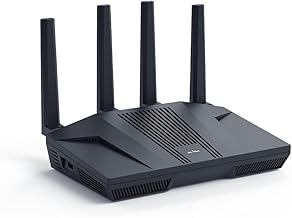
The best gaming router for lower-lag multiplayer is not automatically the one with the largest advertised Wi-Fi number. For most homes, choose a Wi-Fi 6 or Wi-Fi 7 router with a responsive QoS system, at least one 2.5Gbps wired port, strong firmware support, and enough coverage for the actual floor plan. Good value picks include the TP-Link Archer AX55 for smaller broadband plans, the ASUS RT-AX86U Pro for wired gaming and flexible controls, and the TP-Link Archer BE800 or ASUS ROG Rapture GT-BE98 Pro for multi-gigabit internet and newer Wi-Fi 7 devices. Wired Ethernet remains the most reliable route to lower latency.
What actually reduces multiplayer lag?
Latency is usually a queueing problem
A gaming router cannot make a distant game server physically closer, and it cannot fix a poor ISP route or an overloaded data center. What it can do is prevent your own connection from becoming a traffic jam. When another household member uploads video, backs up photos, or downloads a large game, the router’s upload and download queues can fill. Your game packets then wait behind bulk traffic, producing sudden ping spikes even when a speed test shows excellent bandwidth.
The most useful feature is therefore smart queue management, often presented as adaptive QoS, SQM, or traffic shaping. It works best when configured with realistic limits, normally around 85–95% of the measured upload and download speeds. This sacrifices a small amount of peak throughput to keep queues short. “Game acceleration” databases and automatic game prioritization can be convenient, but they are less important than a QoS system that controls the whole connection.
Wi-Fi signal quality matters more than the label
Wi-Fi 6 remains sufficient for many gaming households. Wi-Fi 7 adds 320MHz channels, Multi-Link Operation, and improved efficiency, but compatible clients are still required to benefit. A Wi-Fi 7 router paired with an older console over 5GHz does not magically turn that console into a Wi-Fi 7 device.
Key features worth paying for
| Feature | Useful target | Why it matters |
|---|---|---|
| Wi-Fi generation | Wi-Fi 6 for value; Wi-Fi 7 for new multi-gigabit clients | Improves efficiency and capacity, but does not guarantee lower game ping |
| QoS or SQM | Configurable upload and download limits | Controls bufferbloat during downloads, streams, and backups |
| Gaming Ethernet ports | At least four 1Gbps ports; preferably 2.5Gbps or faster | Provides stable connections and supports fast broadband or local transfers |
| Channel width | 80MHz on crowded 5GHz networks; 160MHz where clean and supported | Wider channels increase speed but can be less reliable in busy areas |
| Typical power use | About 8–20W for a single router; more for high-end models | Helps compare long-term running cost and heat output |
| Typical market price | About $100–$250 for Wi-Fi 6; $350–$700 for premium Wi-Fi 7 | Shows whether an expensive feature set fits your broadband plan |
Recommended router classes and specific models
Best value for ordinary broadband: TP-Link Archer AX55
The dual-band TP-Link Archer AX55 is a sensible Wi-Fi 6 choice for apartments and smaller homes with broadband below roughly 1Gbps. It supports 160MHz channels on compatible 5GHz clients, includes four gigabit LAN ports, and typically costs around $100–$150. It lacks the multi-gigabit flexibility of newer premium hardware, but a console connected by Ethernet will not care about headline wireless capacity. Its value comes from adequate hardware, broad client compatibility, and a straightforward feature set.
Best enthusiast Wi-Fi 6 option: ASUS RT-AX86U Pro
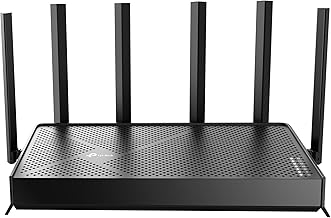
The ASUS RT-AX86U Pro is a strong fit for gamers who want a reliable wired setup without moving to Wi-Fi 7. It has a 2.5Gbps port that can serve as WAN or LAN, four additional gigabit LAN ports, and ASUS firmware with adaptive QoS, traffic monitoring, VPN tools, and detailed configuration options. It usually falls in the $180–$250 range. The router’s gaming-specific options are useful when they help prioritize traffic, but the practical advantage is its combination of a fast wired port, mature controls, and good flexibility.
Best premium Wi-Fi 7 class: TP-Link Archer BE800
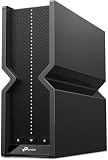
The TP-Link Archer BE800 is designed for households with multi-gigabit internet, several modern laptops and phones, or heavy local network traffic. It offers Wi-Fi 7, 6GHz support, two 10Gbps ports, and additional high-speed wired connectivity. It commonly sells in the $400–$600 range. This is worthwhile when your network includes Wi-Fi 7 clients and a broadband service above 1Gbps. It is excessive if every gaming device is wired at 1Gbps and the internet plan is slower.
Premium alternative: ASUS ROG Rapture GT-BE98 Pro
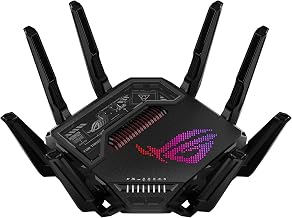
The ASUS ROG Rapture GT-BE98 Pro targets demanding homes with multiple multi-gigabit devices. It is a quad-band Wi-Fi 7 router with several 10Gbps-class connections and extensive ASUS networking controls. Market pricing is generally around $600–$800. Its extra radio capacity can help a busy household, but it is not a direct shortcut to a lower ping. Budget for a compatible Wi-Fi 7 adapter, appropriate Ethernet cabling, and careful placement before choosing it over a less expensive router.
Wired ports, coverage, and placement
Use Ethernet for fixed gaming devices
Connect desktop PCs, consoles, and cloud-gaming boxes by Ethernet whenever practical. A gigabit link is enough for almost every current game download and multiplayer session, while a 2.5Gbps port provides headroom for faster internet and network storage. Cat 5e cable can handle 1Gbps and often 2.5Gbps over normal home distances; Cat 6 is a sensible upgrade for new installations.
Coverage is not the same as speed
A powerful router placed behind a television or inside a cabinet may perform worse than a cheaper unit positioned in an open, central location. Keep it elevated, away from large metal objects, thick masonry, cordless-phone bases, and enclosed entertainment furniture. In a long or multi-story home, a wired access point or Ethernet-backed mesh system is usually better than buying an oversized single router. Wireless backhaul consumes airtime and can add variability, so wired backhaul is preferable for competitive play.
Firmware, security, and setup checklist
Firmware support is a practical buying criterion. Look for regular security updates, WPA3 support, automatic update controls, IPv6 capability, guest networking, and clear privacy settings. Subscription features are not automatically bad, but basic QoS, firewall protection, and parental controls should not require an ongoing fee if those functions are central to the purchase.
After installation, update the router, change the administrator password, enable WPA3 or WPA2/WPA3 transition mode, and disable unnecessary remote administration. Run a wired latency test while someone else performs a large upload and download. If ping rises sharply, enable QoS or SQM and enter limits below the measured line rate. Avoid enabling every “gaming” toggle at once; test one change at a time.
For Wi-Fi, use 5GHz or 6GHz for nearby modern devices, leave 2.4GHz for range and older equipment, and manually choose a clean channel when automatic selection performs poorly. On crowded 5GHz networks, 80MHz may be more stable than 160MHz. Stability is more valuable than a higher local speed-test result.
FAQ
Will a gaming router lower my ping in every game?
No. It can reduce lag spikes caused by congestion inside your home, especially when QoS is correctly configured. It cannot overcome a distant server, bad ISP routing, wireless interference, or problems on the game service. The largest improvement usually appears as lower loaded latency and fewer sudden spikes, not a dramatic reduction in idle ping.
Is Wi-Fi 7 necessary for console gaming?
No. A stable Ethernet connection or well-positioned Wi-Fi 6 router is enough for most consoles. Wi-Fi 7 makes more sense for homes with compatible phones, laptops, and multi-gigabit internet, or where several high-throughput devices share the network. Buy it for capacity and future readiness rather than expecting a guaranteed lower game-server ping.
Bottom line
Choose the router that solves your home’s actual bottleneck. A TP-Link Archer AX55 is enough for many smaller homes; the ASUS RT-AX86U Pro adds useful 2.5Gbps connectivity and mature controls; premium Wi-Fi 7 models such as the TP-Link Archer BE800 and ASUS ROG Rapture GT-BE98 Pro are justified by multi-gigabit service and compatible clients. Prioritize configurable QoS, wired ports, sensible coverage, and ongoing firmware support over oversized speed claims. For the lowest and most consistent multiplayer latency, connect the gaming device by Ethernet and tune the router to control congestion.