Key takeaways
- Cost: FreeSync is royalty-free, so panels are cheaper; hardware G-Sync modules add to the price.
- Compatibility: FreeSync works with NVIDIA cards as G-Sync Compatible; both standards are cross-friendly now.
- Certification: G-Sync Ultimate and FreeSync Premium Pro guarantee wider ranges and HDR handling.
- Availability: Almost every new gaming monitor ships with FreeSync; dedicated G-Sync modules are rarer.
- Overdrive tuning: Hardware G-Sync can offer more consistent variable overdrive across the range.
What's inside
FreeSync and G-Sync both solve the same problem, screen tearing and stutter, by syncing your monitor to your GPU’s frame output. But they arrive by different routes, carry different costs, and certify differently, which leaves plenty of buyers confused about which to prioritize. In 2026 the practical gap between them has narrowed to almost nothing for most players.
This comparison explains how each technology works, what the certification tiers really mean, and whether the old price premium still applies. We reference real panels, from a Samsung Odyssey G5 to an LG UltraGear 27GS75Q with G-Sync Compatible support, so the decision stays concrete.
As an Amazon Associate we earn from qualifying purchases at no extra cost to you.






⚡ Save on Your Next PC — Amazon Prime
Prime members get fast free shipping on the systems above, plus early access to Prime Day & Black Friday PC deals. New members get a 30-day free trial.
Watch: FreeSync vs G-Sync: Which Is Better? — Video Review
Quick Verdict
For nearly everyone, FreeSync is the smarter buy in 2026: it is open, license-free, built into the vast majority of gaming monitors, and works flawlessly with both AMD and NVIDIA cards. Dedicated G-Sync modules only make sense if you want the guaranteed variable-overdrive quality of a premium certified panel and are willing to pay for it. The performance difference is invisible to most eyes.
Key Differences
- Cost: FreeSync is royalty-free, so panels are cheaper; hardware G-Sync modules add to the price.
- Compatibility: FreeSync works with NVIDIA cards as G-Sync Compatible; both standards are cross-friendly now.
- Certification: G-Sync Ultimate and FreeSync Premium Pro guarantee wider ranges and HDR handling.
- Availability: Almost every new gaming monitor ships with FreeSync; dedicated G-Sync modules are rarer.
- Overdrive tuning: Hardware G-Sync can offer more consistent variable overdrive across the range.
How FreeSync Works
FreeSync is AMD’s open implementation of the VESA Adaptive-Sync standard, and because it is free to license, manufacturers build it into nearly everything. A panel like the Samsung Odyssey G5 or an ASUS TUF Gaming VG27AQ3A supports it out of the box, and since 2019 NVIDIA cards can use it too under the G-Sync Compatible banner. Tiers like FreeSync Premium and Premium Pro add low-framerate compensation and better HDR.
How G-Sync Works
Traditional G-Sync uses a dedicated hardware module inside the monitor, which NVIDIA validates for consistent variable overdrive and a wide sync range. That module adds cost, which is why fewer panels carry it. The more common option today is G-Sync Compatible, an NVIDIA certification applied to FreeSync panels like the LG UltraGear 27GS75Q that pass NVIDIA’s testing, giving you the benefit without the price premium.
Which Should You Buy?
- Most gamers on any GPU: a FreeSync or G-Sync Compatible panel is the best value.
- Want guaranteed premium overdrive tuning: a hardware G-Sync module delivers it.
- HDR gaming: look for FreeSync Premium Pro or G-Sync Ultimate certification.
- Mixed AMD and NVIDIA households: FreeSync works with both, so it is the flexible pick.
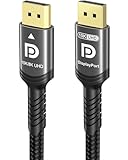
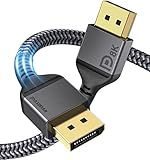
- Use a certified DisplayPort 1.4 cable to guarantee the full refresh range.
Frequently Asked Questions
Is G-Sync worth the extra money?
For most players, no. G-Sync Compatible FreeSync panels deliver the same tear-free experience for less. A hardware module only pays off if you want its guaranteed overdrive consistency.
Does FreeSync work with an NVIDIA GPU?
Yes. NVIDIA cards support Adaptive-Sync, so a FreeSync monitor runs as G-Sync Compatible once you enable it in the driver.
What is the difference between FreeSync and FreeSync Premium?
Premium adds low-framerate compensation and a minimum 120Hz at 1080p, so sync stays smooth even when frame rates dip low. Premium Pro adds HDR handling.
Do I need a special cable for VRR?
Use a certified DisplayPort 1.4 cable for high refresh rates. HDMI 2.1 also carries VRR, but DisplayPort is the most reliable path on PC.
Final Verdict
Buy FreeSync or a G-Sync Compatible panel and you get tear-free gaming on any modern GPU for the best price. Reserve a hardware G-Sync module for when you specifically want its validated overdrive and are happy to pay extra. In 2026 the two technologies feel identical in play, so let price and certification tier guide your pick.