Key takeaways
- Ray tracing: NVIDIA still leads in heavy RT titles; AMD’s RDNA 4 narrows the gap considerably.
- Upscaling: DLSS remains the quality leader; AMD’s FSR has improved sharply but trails slightly.
- VRAM: AMD frequently gives more memory per price tier, useful for high-res textures.
- Raw raster: AMD often matches or beats NVIDIA in pure rasterized frames per dollar.
- Power and drivers: Both are mature; NVIDIA has broader creative-app support.
Choosing between NVIDIA and AMD graphics cards in 2026 is the most consequential decision in any gaming build, and the two companies now compete on genuinely different philosophies. NVIDIA leads on ray tracing and AI upscaling; AMD counters with more raw memory and raster performance per dollar. The best pick hinges on the games you play and the features you care about.
This comparison cuts through the marketing to explain what actually changes your experience: frame rates, upscaling quality, VRAM headroom, and pricing. We reference real systems and cards, from an RTX 5070 tower to a Radeon RX 9070 XT, so the trade-offs stay concrete.
Our top picks

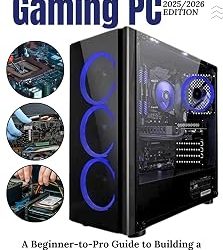
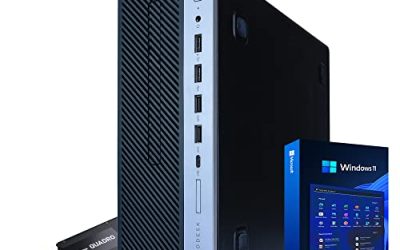
 iBUYPOWER Element Gaming PC Desktop Computer AMD
- Product Group: Personal Computer
- Binding: Personal Computers




As an Amazon Associate we earn from qualifying purchases at no extra cost to you. Ratings are shown as listed on Amazon.
⚡ Save on Your Next PC — Amazon Prime
Prime members get fast free shipping on the systems above, plus early access to Prime Day & Black Friday PC deals. New members get a 30-day free trial.
Watch: NVIDIA vs AMD GPUs in 2026 — Video Review
Quick Verdict
NVIDIA’s RTX 50-series is the safe premium choice for ray-traced games and the best-in-class DLSS upscaling, making cards like the RTX 5080 and 5070 the go-to for maximum features. AMD’s Radeon RX 9070 XT delivers superb rasterized performance and often more VRAM for the money, which suits high-refresh 1440p play. If features win, go NVIDIA; if value wins, look hard at AMD.
Key Differences
- Ray tracing: NVIDIA still leads in heavy RT titles; AMD’s RDNA 4 narrows the gap considerably.
- Upscaling: DLSS remains the quality leader; AMD’s FSR has improved sharply but trails slightly.
- VRAM: AMD frequently gives more memory per price tier, useful for high-res textures.
- Raw raster: AMD often matches or beats NVIDIA in pure rasterized frames per dollar.
- Power and drivers: Both are mature; NVIDIA has broader creative-app support.
Where NVIDIA Wins
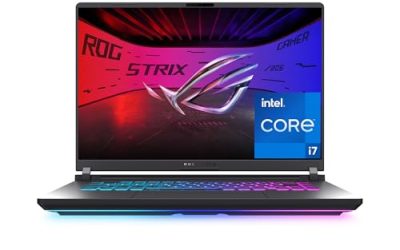
If you chase ray tracing and the cleanest upscaling, NVIDIA is hard to beat. A system built around an RTX 5070 12GB or a ZOTAC MEK with an RTX 5080 handles ray-traced showcases with DLSS doing the heavy lifting. NVIDIA’s ecosystem also shines for creators, with strong support in video editing and 3D apps, and laptops like the msi Vector A18 HX pair an RTX 5080 with a fast CPU for a portable powerhouse.
Where AMD Wins
AMD’s pitch is value and memory. A Radeon RX 9070 XT delivers excellent 1440p and 4K rasterized frame rates and typically ships with generous VRAM, which future-proofs you against ever-larger game textures. Prebuilt options that pair a Ryzen CPU with a Radeon GPU keep the whole system in one efficient ecosystem, and RDNA 4 has closed much of the old ray-tracing deficit.
Which Should You Buy?
- Ray tracing and DLSS matter most: choose an NVIDIA RTX 50-series card.
- Best raster frames per dollar: look at AMD’s RX 9070 or 9070 XT.
- Content creation alongside gaming: NVIDIA’s app support gives it the edge.
- Want maximum VRAM on a budget: AMD usually gives more memory per tier.
- External GPU or upgrade path: verify your PSU and, for eGPU docks, Thunderbolt 4 support.
Frequently Asked Questions
Is NVIDIA always faster than AMD?
No. NVIDIA leads in ray tracing and upscaling quality, but AMD often matches or beats it in pure rasterized performance per dollar, especially at 1440p.
Does AMD’s FSR look as good as DLSS?
It has closed most of the gap, but DLSS still holds a slight edge in image stability and fine detail, particularly at lower internal resolutions.
How much VRAM do I need in 2026?
Aim for 12GB minimum at 1440p and 16GB for comfortable 4K with high textures. AMD cards frequently offer more memory at a given price.
Can I use an external GPU on a laptop?
Yes, with a Thunderbolt 4 eGPU dock, though you lose some performance versus a desktop slot. Confirm your laptop’s port supports full bandwidth first.
Final Verdict
Buy NVIDIA if ray tracing, DLSS, and creative apps top your list. Buy AMD if you want the most rasterized performance and VRAM per dollar. Both deliver excellent 2026 gaming; decide by the specific games and features you use rather than brand reputation alone.