Our Top Picks
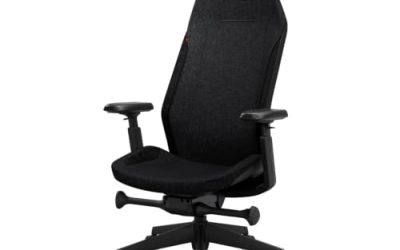
 N-GEN GAMING Gaming Chair with Footrest27.5 x 24.5 x 46.5 inches27.5 x 24.5 x 46.5 inches37.48 poundsCheck on Amazon
 Video Gaming Chair for Adults with Footrest PC24 x 58 x 23.98 inches58 x 24 x 23.98 inchesCheck on Amazon
 GTPLAYER Gaming Chair19.68D x 20.86W x 53.15H Inch19.68 x 20.86 x 53.15 inches40.56 poundsCheck on Amazon
For good posture, check these five things first: adjustable lumbar support, seat depth that fits your legs, armrests that match your desk height, a recline that locks at a modest angle, and a seat height range that puts your feet flat on the floor. A chair that gets those right will serve you better than one with the most dramatic racing-seat styling, and the models named below are examples that reviewers and makers describe as meeting much of the list.
The Posture Checklist
| Check | What good looks like | Why it matters |
|---|---|---|
| Lumbar support | Built-in and adjustable, ideally in height and depth | A loose pillow slides; built-in support stays aligned with the lower back |
| Seat depth | Seat supports the thighs without pressing behind the knees; about a two-finger or two-inch gap is cited by Consumer Reports | Too deep pulls shorter users away from the backrest |
| Seat height | Feet flat on the floor, knees near a right angle | Reduces pressure under the thighs |
| Armrests | Height, width and depth adjustable (4D if possible) | Relaxed shoulders and neutral wrists |
| Recline and tension | Multi-position lock and tension control | Allows a slight lean without losing support |
| Headrest | Adjustable or removable pillow that supports the neck | Matters when reclining, less so upright |
| Size range | Size options and weight and height limits that fit you | Fit decides whether other adjustments work |
Lumbar Support
Lumbar support is the most cited item in chair guides. Look for support that is part of the chair and adjusts, rather than a loose cushion. Secretlab lists a four-way L-ADAPT lumbar system on the Titan Evo that adjusts height and depth, and reviewers describe the Razer Fujin Pro as having a two-axis lumbar with a mesh back. Reviewers disagree about the exact lumbar and armrest specs on the Razer Iskur V2, so confirm the details on the maker’s page before buying.
N-GEN GAMING Gaming Chair with Footrest, Lumbar, High-Back, All Black | Reclining Backrest, Linkage Armrests, Durable PU Leather, Adjustable Comfort for Extended Computer, Desk, or Home Office Use
Chosen because it specifies Lumbar and High-Back.
View on Amazon
Homall Gaming Chair, Ergonomic, Footrest & Massage Lumbar Support, White | PU Leather, Massage Lumbar, Slide-out Footrest, 135° Recline, 360° Swivel, 300lbs Capacity, Adjustable Office Computer Chair
Chosen because it specifies Ergonomic and Footrest & Massage Lumbar Support.
View on AmazonVideo Gaming Chair for Adults with Footrest PC Chair,Kneeling Chairs | Pocket Springs & Foam,51cm Wide Seat,Sync Armrests, 90°-135° Backrest, PU Leather, 400lbs Load
Chosen because it specifies Kneeling Chairs and Pocket Springs & Foam.
View on AmazonGTPLAYER Gaming Chair, Computer Chair with Footrest and Lumbar Support, Height Adjustable Game Chair with 360°-Swivel Seat and Headrest and for Office or Gaming (Faux Leather, Black)
Chosen because it specifies Computer Chair with Footrest and Lumbar Support and Black).
View on AmazonSeat Depth and Size
Seat depth is often ignored. If the seat is too deep for your legs, you slide forward and lose contact with the lumbar support. One review of the Secretlab Titan Evo notes a seat depth of about 19.7 inches and suggests shorter users, under around five foot seven, may find themselves sitting forward. Secretlab sells the Titan Evo in S, R and XL sizes and lists support for users up to 205 centimetres and 180 kilograms, so the size choice matters.
Armrests
Consumer Reports describes the target as elbows resting at the sides, bent at roughly 90 to 100 degrees, with relaxed shoulders. Four-axis armrests (height, width, depth, pivot) give the most room to reach that. Two-axis versions can still work if your desk height and body proportions are typical.
Recline
Guides from chair makers commonly suggest around 100 to 110 degrees for active desk work and 115 to 135 for rest, with changes of position through a session. A chair that can recline to the high range but holds your working angle firmly is more useful than one that only advertises extreme tilt.
Models Worth Considering
| Model | Best for | Stated features | Limits |
|---|---|---|---|
| Secretlab Titan Evo | All-round desk gamers wanting size options | 4D armrests, 4-way L-ADAPT lumbar, S/R/XL sizes, recline with tension dial, three-year warranty (extendable on registration) | Seat depth may push shorter users forward; premium finishes cost more |
| Herman Miller Gaming Embody (with Logitech) | Premium buyers focused on spinal alignment | Consumer Reports ranked the Herman Miller x Logitech chair at the top of its gaming list; maker describes Backfit-style spinal support | Premium tier; styling differs from racing seats |
| Cooler Master Ergo L | Buyers who want an ergonomic office-chair design | Listed by Consumer Reports among its top picks | Confirm adjustability details on the maker’s page |
| Razer Fujin Pro | Hot rooms and players who prefer mesh | Mesh back, two-axis lumbar as described by reviewers | Firmer feel; confirm specs with the maker |
| Razer Iskur V2 | Players who like a racing-style bucket seat with lumbar | Reviewers highlight the lumbar system and seat depth adjustment | Reviewers disagree on lumbar and armrest details |
The chair market changes quickly, and several of these have multiple versions. Treat the table as a starting list and rely on the maker’s current specification page for final details.
Pick X If
| Your situation | Pick |
|---|---|
| You are tall or broad and want size choices | Secretlab Titan Evo in the larger size |
| You want the most ergonomic design and a premium budget | Herman Miller x Logitech gaming chair |
| You want an office-style ergonomic chair | Cooler Master Ergo L or a similar design |
| Your room runs hot | A mesh-back model such as the Razer Fujin Pro |
| You prefer a bucket seat with adjustable lumbar | Razer Iskur V2, after confirming the specs |
| Your budget is limited | A chair with real adjustable lumbar and armrests rather than extra styling |
Budget Tiers
- Budget: expect fixed or limited armrests and a lumbar cushion. Prioritise seat height range and a sturdy base.
- Mid-range: built-in lumbar, 3D or 4D armrests, tension control and size options start to appear.
- Premium: finer lumbar and recline mechanisms, better foam, longer warranties and more size options.
Alternatives Worth Knowing
- Ergonomic office chairs. Many are designed for long sitting and offer mesh or fabric options with extensive adjustment. They often lack gaming styling.
- Kneeling or saddle chairs. Used by some players, but they suit short sessions and not everybody.
- A good cushion on your current chair. A temporary fix; it cannot replace adjustable seat depth or armrests.
Common Mistakes
- Buying on styling and weight limit alone.
- Ignoring seat depth and your height.
- Assuming a headrest pillow replaces lumbar support.
- Setting armrests too high.
- Leaving the chair in one position for hours.
- Treating a chair as a cure for pain. Anyone with ongoing discomfort should consult a doctor or physiotherapist.
Fit Notes by Body Size
Fit decides whether the adjustments can help. Shorter users should look at seat depth and a seat height low enough to keep feet flat, and may prefer a smaller size option if the maker offers one. Taller or heavier users should look at the stated height and weight limits, a wider seat and an extended backrest. Secretlab, for instance, lists its sizes separately with stated limits up to 205 centimetres and 180 kilograms for the larger options. Never exceed the stated weight rating, since it relates to the base, gas lift and frame.
Desk and Monitor Compatibility
A posture-friendly chair only works with a compatible desk. Confirm that the armrests slide under the desk, that the lowest armrest height clears the underside, and that the monitor top edge is near eye level when seated. If your desk is fixed and too high, a chair with a wide seat-height range plus a footrest may be needed. A height-adjustable desk solves many of these mismatches.
Setup Order
- Set seat height so the feet are flat and the knees are near a right angle.
- Set seat depth, if adjustable, to leave a small gap behind the knees.
- Set the lumbar to fill the curve of the lower back.
- Set the recline lock to a modest angle and tune tension.
- Set armrests last so the elbows are relaxed and shoulders are level.
- Place the monitor at eye level and an arm length away.
Warranty and Materials
Look at the warranty length and what it covers, such as the gas lift, mechanism and upholstery. Secretlab lists a three-year warranty that can be extended with registration. Material choice affects comfort over long sessions: mesh is cooler, leatherette is easier to wipe, and fabric sits between the two.
Trade-Offs Reviewers Describe
Review outlets and chair makers tend to agree that no single chair suits every body. Racing-style bucket seats offer strong side support but can feel narrow, ergonomic office-style chairs offer more adjustment but less styling, and mesh chairs stay cool but feel firmer. Decide which trade-off you can live with before comparing individual models, and use the checklist above as the filter.
Warning Signs a Chair Is Not Working for You
- You slide forward in the seat within minutes.
- Your shoulders creep upward while using the mouse.
- You lose the lumbar contact when you lean back.
- Your thighs feel pressed at the seat edge.
- You keep shifting because no position feels supported.
If these persist after adjusting, the chair may not fit your body, and persistent discomfort is worth discussing with a doctor or physiotherapist.
Frequently Asked Questions
Is a gaming chair better than an office chair for posture?
Not automatically. What matters is adjustability and fit, and many ergonomic office chairs offer more adjustment than a basic racing-style gaming chair. A well-featured gaming chair can be just as good.
What is the most important feature?
Most guides put adjustable lumbar support at the top, followed by seat depth and armrests. Without a chair that fits your body, other features matter less.
How do I know if the seat is too deep?
If your back cannot touch the backrest without the seat edge pressing behind your knees, it is too deep. Consumer Reports cites about a two-inch gap between the seat edge and the back of the knee.
Does a lumbar pillow work?
It can help, but a built-in adjustable support stays in place and generally suits long sessions better. Pillows can slide and often do not fit the height of your back.
How often should I change position?
Guides advise varying your recline and standing up regularly instead of staying in one posture. Short breaks matter as much as the chair.
Can a chair fix back pain?
No. A chair can support comfortable sitting, but persistent pain needs professional advice from a doctor or physiotherapist.
FAQ
Is a gaming chair better than an office chair for posture?
What is the most important feature?
How do I know if the seat is too deep?
Does a lumbar pillow work?
How often should I change position?
Can a chair fix back pain?
More from Amazon
Programs that pair well with the guide above. Offers and eligibility are set by Amazon and may change.
Free shipping on eligible items, Prime Video and more. Eligible new members can start with a free trial.
Start a Prime free trialAd-free music streaming. Eligible new subscribers can start with a free trial.
Try Music Unlimited freeA Prime membership for ages 18-24 with a trial period. Eligibility is set by Amazon.
See Prime for Young AdultsAudiobooks and podcasts to listen to on the go. Eligible new members can start with a free trial.
Try Audible freeAs an Amazon Associate we earn from qualifying purchases.