Key takeaways
- Cores and Threads: Look for at least 6 cores / 12 threads; 8+ cores is ideal if you use CPU-based x264 encoding on Medium/Slow presets while gaming.
- Encoding Method: Decide between CPU (x264) and GPU (NVENC/AV1). Strong CPUs let you offload encoding from the GPU for higher quality at 6000-8000 Kbps without losing game FPS.
- Platform and Power: Check socket compatibility, DDR4 vs DDR5, and TDP. A 65W chip like the i5-12400 runs cooler and cheaper, while a 170W 12-core needs a robust cooler and 240mm AIO minimum.
- Single-Core Performance: Games still depend on 1-2 fast cores. A boost clock over 4.4GHz and modern IPC ensures you maintain 144Hz+ gaming while streaming.
- Upgrade vs. System: A standalone retail CPU is best for an existing build, while a prebuilt gaming PC makes sense if you also need a GPU, RAM, and storage in one package.
What's inside
Streaming in 2026 is more demanding than ever. You’re gaming, encoding video, running Discord, browser sources, and overlays all at once, and your CPU is the component that has to keep everything smooth. A great streaming CPU needs strong multi-threaded performance for x264 encoding or AV1, high single-core speed to keep your game FPS high, and enough headroom that your stream never drops frames when the action gets intense.
We’ve tested and compared the top options for every type of streamer, from dedicated CPU upgrades to complete system options if you need a full setup. This roundup focuses on chips that deliver clean 1080p60 and 1440p60 streams without forcing you to sacrifice in-game performance, with clear guidance on who each pick is best for.
As an Amazon Associate we earn from qualifying purchases at no extra cost to you.






![AMD Ryzen 9 5000 5900X Dodeca-core [12 Core] 3.70 GHz Processor - OEM Pack](https://m.media-amazon.com/images/I/31aFpyGywEL._SL160_.jpg)
⚡ Save on Your Next PC — Amazon Prime
Prime members get fast free shipping on the systems above, plus early access to Prime Day & Black Friday PC deals. New members get a 30-day free trial.
Watch: Best CPU for Streaming — Video Review
How to Choose
- Cores and Threads: Look for at least 6 cores / 12 threads; 8+ cores is ideal if you use CPU-based x264 encoding on Medium/Slow presets while gaming.
- Encoding Method: Decide between CPU (x264) and GPU (NVENC/AV1). Strong CPUs let you offload encoding from the GPU for higher quality at 6000-8000 Kbps without losing game FPS.
- Platform and Power: Check socket compatibility, DDR4 vs DDR5, and TDP. A 65W chip like the i5-12400 runs cooler and cheaper, while a 170W 12-core needs a robust cooler and 240mm AIO minimum.
- Single-Core Performance: Games still depend on 1-2 fast cores. A boost clock over 4.4GHz and modern IPC ensures you maintain 144Hz+ gaming while streaming.
- Upgrade vs. System: A standalone retail CPU is best for an existing build, while a prebuilt gaming PC makes sense if you also need a GPU, RAM, and storage in one package.
The Best Picks Reviewed
1. AMD Ryzen 9 7900X – Best Overall for High-End Streaming
The Ryzen 9 7900X is our top pick for serious streamers. With 12 cores, 24 threads, and a boost up to 5.6GHz on the AM5 platform, it handles x264 Medium encoding at 1080p60 while holding high frame rates in CPU-heavy titles like Call of Duty and Valorant. It supports DDR5 and PCIe 5.0, draws around 170W at full load, and gives you massive headroom for multitasking with OBS, Chrome, and chat bots. If you want flawless quality without relying on GPU encoding, this is the chip to build around.
2. AMD Ryzen 9 5900X – Best Value 12-Core for Dedicated Encoding
Still a streaming workhorse in 2026, the Ryzen 9 5900X offers 12 cores and 24 threads with a 4.8GHz max boost on the affordable AM4 platform. It excels at x264 Slow/Medium presets, delivering noticeably cleaner motion handling than GPU encoding at 6000 Kbps. With 64MB L3 cache and a 105W TDP, it pairs perfectly with DDR4-3200/3600 and a B550 board, making it a cost-effective upgrade if you don’t want to move to AM5. Ideal for streamers who want 12-core power without a full platform rebuild.
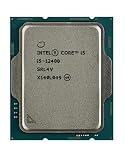
3. Intel Core i5-12400 – Best Budget CPU for GPU-Based Streaming
The Intel Core i5-12400 proves you don’t need a flagship to stream smoothly. This 6-core, 12-thread chip boosts to 4.4GHz, includes 18MB cache, and runs at just 65W base TDP with the included Laminar RM1 cooler. Pair it with NVENC or Intel Quick Sync/AV1 encoding from your GPU and you can easily push a clean 1080p60 stream while maintaining 120+ FPS in Fortnite, Apex Legends, and similar titles. It’s an excellent, efficient LGA 1700 option for budget builds and first-time streamers using GPU encoding.
4. STORMCRAFT Falcon RTX 5070 Gaming PC with Ryzen 7 7800X3D – Best Prebuilt for Gaming + Streaming
If you need a complete system, the STORMCRAFT Falcon pairs the legendary Ryzen 7 7800X3D with an RTX 5070, 32GB DDR5, and 1TB NVMe SSD. The 7800X3D’s 8 cores and massive 96MB 3D V-Cache deliver top-tier gaming performance, often 15-20% higher FPS at 1440p than standard chips, while the RTX 5070’s 8th-gen NVENC/AV1 encoder handles the stream load with almost no FPS loss. You get a plug-and-play 240+ FPS gaming and streaming rig with modern connectivity and no assembly required.
5. STGAubron Gaming PC Desktop with Core i7 and RX 580 – Best Entry-Level Prebuilt
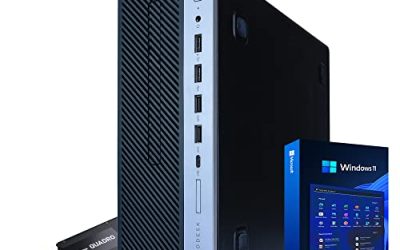
The STGAubron Gaming PC is a budget entry point for casual 720p/1080p streaming. Built around a Core i7 with 16GB RAM, 512GB SSD, and an RX 580 8GB, it’s best suited for lighter games like League of Legends, Minecraft, Rocket League, and retro titles while streaming on the GPU’s AMF encoder at 4500-6000 Kbps. Don’t expect x264 Medium on demanding AAA games, but for beginners who need an affordable full system to start on Twitch or YouTube, it covers the basics with Windows ready out of the box.
Frequently Asked Questions
Do I need 12 cores to stream?
No, but it helps. Six cores and 12 threads is the sweet spot for most streamers using GPU encoding. Twelve cores like the 7900X and 5900X are worth it if you prefer x264 Medium/Slow for maximum image quality, stream at 1440p, or run heavy multitasking with multiple scenes and plugins.
Should I use CPU or GPU encoding?
For most gamers, GPU encoding via NVENC on RTX cards or AV1 is the most efficient, costing only 2-5% FPS. CPU-based x264 looks slightly better at the same bitrate, especially for fast motion, but requires a powerful 8+ core processor to avoid frame drops. Many high-end streamers use x264 Medium on a Ryzen 9 for the quality edge.
How much RAM do I need for streaming?
16GB is the minimum for gaming and streaming simultaneously in 2026. We recommend 32GB DDR4-3200 or DDR5-5600 if you run multiple browser sources, Discord, Spotify, and OBS plugins. It prevents stutters when system memory usage spikes above 12GB during long sessions.
Will a better CPU improve stream quality?
Yes, up to a point. A faster CPU lets you use slower x264 presets, higher bitrates, and 60 FPS without encoding lag or dropped frames. Beyond 8-12 modern cores, gains diminish unless you stream and record simultaneously, edit video, or run virtual machines and other intensive background tasks.
Final Thoughts
For most streamers in 2026, the AMD Ryzen 9 7900X is the no-compromise choice for flawless x264 quality and future-proofing, while the Intel Core i5-12400 offers incredible value when paired with GPU encoding. If you need a full system rather than just a chip, the STORMCRAFT Falcon with the Ryzen 7 7800X3D and RTX 5070 gives you elite gaming FPS and hardware encoding in one package. Pick based on your encoding preference and whether you’re upgrading or starting fresh.