Key takeaways
- 2.4 GHz: use 20 MHz channels and channels 1, 6, or 11 in regions using that channel plan. Lower transmit power is often better than maximum power.
- 5 GHz: start with 40 or 80 MHz channels in a congested neighborhood; use 160 MHz only when a spectrum survey shows enough clean space.
- 6 GHz: use 160 MHz for compatible nearby clients if the band is clean, but consider 80 MHz when reliability and range matter more than peak speed.
- Minimum data rate: begin conservatively, such as 12 Mbps on 2.4 GHz and 12–24 Mbps on 5 GHz, then raise it only after verifying old clients remain connected.
- 802.11k and 802.11v: enable neighbor reports and transition assistance when supported by the platform.
- 802.11r: enable fast transition only after testing voice clients, older IoT devices, and security compatibility.
- Band steering: prefer 5 or 6 GHz, but do not force a client onto a band it cannot use reliably.
The best enterprise grade Wi-Fi 7 access points for whole-home coverage are the Ruckus R770 for difficult, high-density homes, Aruba Networking AP-735 for managed multi-gig deployments, Cisco Meraki CW9176I for simple cloud administration, and Juniper Mist AP47 for AI-assisted troubleshooting.
For most large homes, the access point model matters less than placement, wired backhaul, switch power, and a properly planned roaming design. A reliable installation usually uses two or three ceiling-mounted APs connected by Ethernet, rather than one expensive unit operating at maximum power from a central location.
Quick comparison
| Access point | Best fit | Wired uplink | PoE requirement | Management and cost profile |
|---|---|---|---|---|
| Ruckus R770 | Large or challenging homes with thick walls and many clients | One 10GbE port plus additional Ethernet interfaces | High-power PoE; plan for roughly 30–45 W depending on configuration | Unleashed can reduce recurring costs; SmartZone and cloud management add licensing or platform costs |
| Aruba Networking AP-735 | Whole-home networks already using Aruba Central or enterprise switching | Multi-gigabit Ethernet, typically up to 5GbE class | PoE+ or higher, depending on enabled features | Usually a hardware purchase plus Aruba Central subscription |
| Cisco Meraki CW9176I | Owners who prioritize simple cloud deployment and centralized visibility | Multi-gigabit Ethernet | PoE+ or better; verify the Cisco power profile for the selected configuration | Hardware is usually several hundred dollars, with a required recurring Meraki license |
| Juniper Mist AP47 | Homes needing detailed analytics, automated operations, or professional support | Multi-gigabit Ethernet, with higher-speed uplink options on the platform | PoE+ or higher depending on radio and USB feature use | Premium subscription-led management, commonly sold through business channels |
| Extreme Networks AP5020 | Advanced Wi-Fi 7 deployments using ExtremeCloud IQ | Multi-gigabit Ethernet | Use the vendor’s high-power PoE profile when all features are enabled | Strong enterprise tooling, but subscription and support costs can be substantial |
Specifications vary by regulatory region and firmware, so confirm the final radio channels, antenna configuration, Ethernet speed, and power profile before ordering. A Wi-Fi 7 label alone does not guarantee that every radio can operate at its maximum advertised rate simultaneously.
What “whole-home coverage” should mean
Coverage is not simply the point where a phone can still see the network name. A useful design should maintain approximately -67 dBm or better in rooms where video calls, roaming, or high-bitrate streaming matter. For ordinary web access, -70 to -72 dBm may work, but it leaves less room for interference and movement.
Expect roughly 1,500–2,500 square feet per enterprise AP in an open, wood-framed home when using 5 GHz effectively. Thick masonry, foil-backed insulation, radiant barriers, metal ductwork, and multiple floors can reduce that practical area considerably. The 6 GHz band usually provides excellent capacity but less wall penetration than 5 GHz, so it should not be treated as a guaranteed whole-house coverage layer.
Use a wired AP on each floor when possible. A two-AP design with one unit on each level often outperforms a single high-power AP, even when the single unit has a higher theoretical throughput rating.
Head-to-head: which model suits which home?
Ruckus R770: strongest choice for difficult radio environments
The R770 is attractive when walls, neighboring networks, and client density make ordinary APs struggle. Ruckus’ adaptive antenna and radio-management features are designed to direct usable energy toward clients instead of treating the antenna pattern as fixed in every situation. That can improve consistency at the edge of a room, although it cannot defeat severe building-material losses.
Choose it for a large house with smart-home devices, several simultaneous video streams, outdoor coverage requirements, or a home office that needs stable performance. The trade-off is power and complexity. A high-performance 10GbE AP is wasted if it is connected to a 1GbE switch or fed by an underpowered injector.
Aruba AP-735: balanced enterprise platform
The AP-735 is a strong fit where the network will be managed as a system rather than as isolated access points. Aruba Central provides configuration templates, client visibility, firmware management, and roaming-related controls. It is particularly sensible for a home office, multi-building property, or household that already uses Aruba switching or security equipment.
Its main drawback is total ownership cost. The subscription can matter more than the difference in purchase price between two AP models. If the network will remain small and rarely change, a cloud-managed enterprise platform may be excessive.
Cisco Meraki CW9176I: easiest operational experience
The CW9176I is designed for centralized cloud administration. That makes it appealing when the owner wants remote diagnostics, simple deployment, and a dashboard that exposes client health without maintaining a local controller.
Meraki’s recurring license requirement must be included in the budget from the beginning. It is a sensible choice for a professional installer or a technically busy household, but less attractive if avoiding annual fees is a primary goal. Also confirm that the chosen switch and cabling support the AP’s required multi-gigabit uplink and PoE profile.
Juniper Mist AP47: best when analytics justify the premium
Mist is aimed at organizations that want automated insights into roaming, DHCP, DNS, authentication, and application performance. In a large residence with multiple work areas, cameras, and managed devices, that visibility can shorten troubleshooting substantially.
For a normal two-bedroom apartment, however, the platform’s subscription and operational features may provide little practical benefit. It becomes more compelling when an installer or IT consultant will actively use the telemetry.
Wired backhaul and PoE: the calculations that prevent weak installations
Wi-Fi 7 access points can exceed the capacity of ordinary gigabit Ethernet under favorable conditions. That does not mean an internet connection must be equally fast. A 2Gbps internet service, local NAS, workstation transfers, and several simultaneous wireless clients can make a 2.5GbE or faster uplink worthwhile.
Calculate the switch budget rather than adding APs until the switch stops working. For example, three APs with a measured design allowance of 35 W each require:
3 × 35 W = 105 W
PoE budgets include loss and overhead, so a 120 W switch budget is a bare minimum. A more comfortable design allows 25–30% reserve:
105 W × 1.25 = 131.25 W
Choose at least a 150 W aggregate PoE budget, and check each individual port’s limit. A switch can have enough total power while still lacking sufficient power on one port.
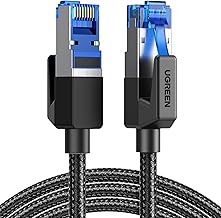
Use Cat 6 for new in-wall runs where practical. Existing Cat 5e can often carry 2.5GbE over normal residential distances, but test the cable, terminations, and patch panels rather than assuming a printed category label guarantees performance. Avoid wireless mesh backhaul for the main APs unless pulling cable is impossible; every wireless hop consumes airtime and increases latency.
Roaming settings that work in a whole-home deployment
Use the same SSID, security mode, and VLAN across all APs. WPA3-Personal is preferable for compatible modern clients, but a transition mode may be needed for older smart-home equipment. Keep legacy devices on a separate SSID rather than weakening the main network indefinitely.
- 2.4 GHz: use 20 MHz channels and channels 1, 6, or 11 in regions using that channel plan. Lower transmit power is often better than maximum power.
- 5 GHz: start with 40 or 80 MHz channels in a congested neighborhood; use 160 MHz only when a spectrum survey shows enough clean space.
- 6 GHz: use 160 MHz for compatible nearby clients if the band is clean, but consider 80 MHz when reliability and range matter more than peak speed.
- Minimum data rate: begin conservatively, such as 12 Mbps on 2.4 GHz and 12–24 Mbps on 5 GHz, then raise it only after verifying old clients remain connected.
- 802.11k and 802.11v: enable neighbor reports and transition assistance when supported by the platform.
- 802.11r: enable fast transition only after testing voice clients, older IoT devices, and security compatibility.
- Band steering: prefer 5 or 6 GHz, but do not force a client onto a band it cannot use reliably.
Do not expect roaming controls to force a client to disconnect at the ideal moment. The client usually decides when to roam. Good AP placement, moderate transmit power, and overlapping coverage at about -67 dBm help more than aggressive vendor settings.
Decision matrix for choosing the right setup
| Your situation | Recommended approach | Why |
|---|---|---|
| Up to 2,000 square feet, Ethernet available, no annual-fee preference | Two APs with local or low-cost management | Better floor-to-floor coverage and less airtime contention than one central AP |
| Large home with concrete walls and many simultaneous clients | Ruckus R770-class APs, one per major coverage zone | Adaptive radio features and high-capacity wired uplinks suit difficult environments |
| Existing Aruba, Cisco Meraki, Juniper Mist, or Extreme environment | Stay within the same management ecosystem | Shared policies, monitoring, firmware workflows, and support reduce operational friction |
| 2Gbps or faster internet plus local NAS traffic | 2.5GbE or faster switch ports and Cat 6-class cabling | Avoids making the wired uplink the bottleneck |
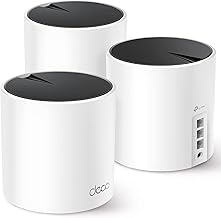
| Rental or finished walls where Ethernet cannot be installed | Use a wired AP where possible and a mesh node only for the remaining dead zone | Limits the performance penalty of wireless backhaul |
Bottom line
Choose the Ruckus R770 when radio conditions and capacity are the priority, Aruba AP-735 when you want a balanced enterprise platform, Cisco Meraki CW9176I when cloud simplicity matters most, and Juniper Mist AP47 when detailed analytics justify subscription costs. For the best whole-home result, budget first for Ethernet runs, a multi-gig PoE switch, and sensible AP placement; those decisions usually produce a larger real-world improvement than moving from one premium Wi-Fi 7 model to another.