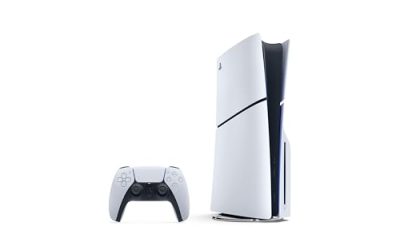
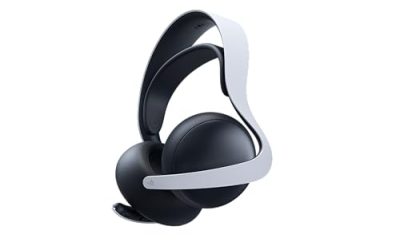
Our Top Picks
 Sony MDREX15AP In-Ear Earbud Headphones with MicBlack2.63 x 1.25 x 6.75 inches0.13 poundsCheck on Amazon
The best keyboard and earbuds for PS4 are simple ones: a wired USB keyboard for typing and keyboard-supported games, and wired earbuds with a microphone plugged into the controller’s 3.5 mm jack for chat. Wireless earbuds usually need a USB dongle that the console accepts, because the PS4 does not play Bluetooth audio by itself. Check each product’s listed PS4 support before buying.
Quick Answer: What Works on PS4
| Accessory | Easiest option | Works if | Watch out for |
|---|---|---|---|
| Keyboard for typing | Any wired USB keyboard | It uses a standard USB-A plug | Some media or macro keys will not do anything |
| Keyboard for chat only | Controller-mounted chatpad | It clips or connects to the controller | Small keys, not for long typing |
| Wired earbuds | 3.5 mm earbuds with in-line mic | The plug is a 4-pole (TRRS) type | Earbuds with no mic only give you sound |
| Wireless earbuds | Earbuds with a 2.4 GHz USB dongle | The product lists PS4 support | Plain Bluetooth earbuds will not connect directly |
The sections below explain how the PS4 handles keyboards and audio, then give a short list of options for each, a buying checklist and troubleshooting steps. Most of this also applies to the PS5, with a few differences noted along the way.
How the PS4 Handles Keyboards
The PS4 accepts USB keyboards, and a standard wired model is the simplest route. Plug it into a front USB port and the console recognizes it as an input device. You can then type in the on-screen search boxes, messages and the browser, and use it in games that offer keyboard support.
- System typing: Works for messages, store search, usernames and passwords, saving a lot of time over the on-screen keyboard.
- Game support: Only titles that include keyboard and mouse controls will react to it as a gamepad alternative. Many will ignore it during play.
- Bluetooth keyboards: Some work through the console’s Bluetooth menu, but results vary by model, so a USB keyboard is the more dependable choice.
- Special keys: Media keys, RGB controls and macro keys are software features that the console does not use.
Best Keyboard for PS4
The best keyboard for PS4 depends on what you type and how. If you only reply to messages and search the store, a compact controller chatpad is enough. For long messages, forum posts or a browser session, a standard wired USB keyboard is faster and more comfortable.
Option 1: Wired USB keyboard (most flexible)
Almost any basic wired keyboard works, and many gaming keyboards do too. Choose one with a standard USB-A connection and a cable long enough to reach from the console to your seat. A tenkeyless layout saves space on a coffee table or lap tray.
- No pairing or battery to manage.
- Pick a quiet, membrane-style board if you play in a shared room.
- Skip keyboards that need a driver or a special app to function.
Option 2: Controller chatpad (most convenient on the couch)
A chatpad attaches to the controller and gives you a small QWERTY layout for quick replies, which is handy when you play from a sofa and do not want a desk keyboard.

Nyko Type Pad - PlayStation 4 with Built-in Rechargeable Battery, Built-in Speaker without the need for a Headset, .com Shortcut and Full QWERTY Style Keyboard
Chosen because it specifies PlayStation 4 with Built-in Rechargeable Battery and Built-in Speaker without the need for a Headset.
View on AmazonThe Nyko Type Pad is made for the PlayStation 4 and is listed with a full QWERTY-style layout, a .com shortcut key, a built-in rechargeable battery and a built-in speaker so you can hear chat without a headset. It is a quick typing helper rather than a full keyboard replacement, and it fits people who mostly send short messages from the couch.
Best for: quick chat replies from the sofa. Skip if: you write long messages or want to play keyboard-and-mouse games.
Option 3: Wireless keyboard with a USB receiver
A 2.4 GHz keyboard with a USB receiver behaves like a wired keyboard from the console’s view, because the receiver plugs into a USB port. It is a good middle ground for living room use. Make sure the receiver and any batteries are easy to replace, and check the product page for console support.
Keyboard and Mouse Games on PS4
If you want a keyboard for playing rather than typing, the list of supported games is short. Support is decided per game, not by the console, so check the game’s settings menu and the publisher’s notes before buying a keyboard for that purpose. Some titles also let you use the mouse in menus and aiming, while others treat any keyboard as a text-input device only.
| Use | Do you need a special keyboard? | Notes |
|---|---|---|
| Typing messages and search | No | Standard USB keyboards work |
| Browser and sign-in screens | No | Saves time compared with the on-screen keyboard |
| Playing a game with keyboard support | Maybe | Check the game’s controls menu |
| Competitive keyboard-and-mouse play | Depends | Rules differ by game and matchmaking mode |
How the PS4 Handles Earbuds and Audio
There are two practical ways to use earbuds with a PS4. Both are simple, and one is far cheaper than a gaming headset.
- Wired through the controller: The DualShock 4 has a 3.5 mm headset jack at the bottom. Plug in earbuds that have an in-line microphone, and the controller passes game audio and chat.
- Wireless through a USB dongle: A product with its own 2.4 GHz USB transmitter shows up as a USB audio device. This is the way to go for cable-free earbuds.
What does not work in most cases is pairing standard Bluetooth earbuds straight to the console. The PS4 does not support generic Bluetooth audio, so earbuds sold only as “Bluetooth” need a console-friendly transmitter or they will not carry game sound.
Best Earbuds for PS4
The best earbuds for PS4 are either wired earbuds with a microphone or wireless earbuds that ship with a USB dongle and list PS4 support. Here is what to compare before you buy.
| Feature | Wired earbuds | Dongle-based wireless earbuds |
|---|---|---|
| Setup | Plug into controller jack | Plug dongle into USB port, then pair |
| Mic | In-line mic on the cable | Built-in mics, number varies |
| Battery | None needed | Charge case and earbuds |
| Delay | None noticeable | Low, depends on product |
| Cost tier | Low | Low to mid |
Wired earbuds with in-line mic
Sony MDREX15AP In-Ear Earbud Headphones with Mic, Black (MDREX15AP/B)
Chosen because it specifies Black (MDREX15AP/B).
View on AmazonThe Sony MDREX15AP is a wired in-ear earbud headphone with a microphone, listed in black. It uses a 3.5 mm connection with an in-line mic, which is the type of earbud that the controller jack can carry for both sound and voice. It is a simple choice for casual play, party chat and late-night sessions where you do not want speaker noise.
Best for: inexpensive, reliable plug-in audio with chat. Skip if: you want a boom mic, surround sound or no cable.
Wireless gaming earbuds with a dongle

Middle Rabbit SW5 Wireless Gaming Earbuds with Mic, Compatible with PC PS5 PS4 Desktop VR, Computer Headphones, 2.4G Dongle & Bluetooth 5.4 Dual-Mode, 4 Built-in Microphones, 20ms Low Latency
Chosen because it specifies Compatible with PC PS5 PS4 Desktop VR and Computer Headphones.
View on AmazonThe Middle Rabbit SW5 is listed as wireless gaming earbuds with a mic that are compatible with PC, PS5, PS4, desktop and VR. It uses a 2.4G dongle plus Bluetooth 5.4 dual-mode, four built-in microphones and a 20 ms low-latency claim from the listing. The dongle route is the one that matters for the PS4, since the console needs a USB transmitter rather than a direct Bluetooth link.
Best for: cable-free play with chat on the console. Skip if: you want over-ear comfort or a long-wear battery without a charging case.
Keyboard and Earbuds for PS5: What Changes
If you also own a PS5, much of this advice carries over. Wired USB keyboards work as input devices, and the DualSense controller also has a 3.5 mm jack for wired earbuds with a mic. Wireless earbuds still need a dongle the PS5 accepts, and a product that lists PS4 support does not always list PS5, so check both on the product page. If you are buying for a household with both consoles, look for a dongle-based product that lists both.
Choosing a Keyboard Size and Type
Because the PS4 sits near a TV rather than on a desk, size and noise matter more than they do for a PC. Here is how the common types compare for console use.
| Type | Good for | Drawbacks |
|---|---|---|
| Full-size wired keyboard | Long typing sessions at a desk | Bulky on a sofa or lap tray |
| Tenkeyless wired keyboard | Space-saving, keeps the main keys | No number pad |
| Compact 60% keyboard | Small tables and travel | Function and arrow keys are layered |
| Wireless keyboard with receiver | Living room, no cable across the floor | Batteries and a receiver to manage |
| Controller chatpad | Quick replies without leaving the couch | Tiny keys, limited game support |
Mechanical keyboards also work, but their clicking sound can be distracting in a living room or if a microphone is open. Quiet switches or membrane keys are a better fit for shared space. If you are choosing between layouts, tenkeyless is the usual sweet spot for a console: it keeps every standard key and leaves room on the table.
Typing Tips on a Console
- Use the keyboard for sign-ins. Long passwords and email addresses are the biggest time saver.
- Use it for store and media search. Typing a title is much quicker than moving through letters one at a time.
- Keep a cable guide. A short clip or tie keeps a wired keyboard from pulling on the console.
- Take care with controller disconnects. If you connect a keyboard to a front port, keep it away from the charging cable of your controller.
What to Look for in Chat-Ready Earbuds
Earbuds are less capable than a full headset, so it helps to know which features count most for console chat.
Microphone type
Wired earbuds carry a small in-line mic on the cable. It picks up your voice well enough for party chat if it sits near your mouth, but it can also catch cable rub. Wireless earbuds use built-in mics in the earpieces, and some list several mics for noise reduction. Treat any noise-cancelling claim as a manufacturer description, not a promise of studio audio.
Fit and comfort
Earbuds that sit loosely will fall out during active play, and ones that fit too deeply cause fatigue in a long session. Look for multiple ear tip sizes in the box, or consider a design with ear hooks if you move a lot while playing.
Cable length and plug shape
If you plug earbuds into a controller, a cable that is too short will pull on your hands, while one that is too long can tangle. An angled plug is more durable at the controller jack than a straight one in tight-grip situations.
Audio delay
Wired earbuds have no noticeable delay. For dongle-based wireless earbuds, listings often show a low-latency figure in milliseconds. That is a manufacturer claim, so use it only as a rough guide and prefer products that list the platform you own.
Everyday Scenarios: Which Setup Fits?
| Scenario | Keyboard | Earbuds |
|---|---|---|
| Late-night play in a shared home | Quiet wired keyboard | Wired earbuds with in-line mic |
| Party chat with friends on the sofa | Controller chatpad | Dongle-based wireless earbuds |
| Streaming or recording clips | Compact wired keyboard | Wired earbuds, easiest to monitor |
| Browsing and media apps | Wireless keyboard with receiver | Any working earbuds |
| Travel or dorm room with a portable setup | Compact 60% wired board | Wired earbuds that fit a pocket |
PS4 vs PS5 Accessory Support at a Glance
| Item | PS4 | PS5 |
|---|---|---|
| Wired USB keyboard | Works for typing | Works for typing |
| Controller headset jack | 3.5 mm on the DualShock 4 | 3.5 mm on the DualSense |
| Standard Bluetooth earbuds | Not supported directly | Not supported directly |
| USB dongle earbuds | Need PS4 support listed | Need PS5 support listed |
| Game keyboard support | Game by game | Game by game |
Console software updates can change how accessories behave, so if a product gives trouble after an update, check the maker’s support page for a firmware or compatibility note.
Common Mistakes to Avoid
- Buying Bluetooth-only earbuds. The console will not route game audio to them without a dongle.
- Ignoring the plug type. A 3-pole plug will give you sound but no voice chat.
- Expecting keyboard shortcuts. Gaming keyboards often rely on software that the console does not run.
- Skipping the audio settings. After connecting earbuds, set both output and input devices so chat works properly.
- Overpaying for features the console cannot use. RGB, macros and companion apps have no effect on the PS4.
Buying Checklist
- Check console support on the product page. A listing that names PS4 (and PS5, if you need it) is safer than a general “gaming” label.
- Look for a 4-pole (TRRS) plug. On wired earbuds this carries both audio and mic. A 3-pole plug gives sound only.
- Prefer wired for the keyboard. It avoids pairing problems, and the only cost is a cable.
- For wireless earbuds, insist on a USB dongle. Bluetooth-only earbuds will not work for game audio on the PS4.
- Mind the cable length. Controller cables to earbuds should be long enough to sit comfortably without pulling.
- Consider noise. Quiet keyboards and sealed earbuds help in shared rooms.
- Keep expectations realistic on mic quality. Earbud and chatpad mics are fine for party chat, but a headset boom mic is clearer.
Setup Steps
Keyboard
- Plug the USB keyboard into a front USB port on the PS4.
- Wait a few seconds for the console to recognize it.
- Open a text box, such as the store search, and start typing.
Wired earbuds
- Plug the earbuds into the controller’s 3.5 mm jack.
- Open Settings, then Devices, then Audio Devices.
- Set Output to Headphones and choose All Audio in the output setting.
- Check the input device and adjust volume control.
Wireless earbuds with a dongle
- Plug the dongle into a USB port.
- Turn on the earbuds and wait for the dongle light to confirm the link.
- In Audio Devices, choose the USB headset as both input and output.
Troubleshooting Common Problems
| Problem | Likely cause | Fix |
|---|---|---|
| Keyboard not recognized | Wrong port or a faulty cable | Try a different USB port or another keyboard |
| Some keys do nothing | Media or macro keys are not supported | Use standard letter and number keys |
| Earbuds play sound but mic does not work | 3-pole plug or volume set to zero | Use a 4-pole plug and raise mic level in Audio Devices |
| No sound from earbuds | Output device is wrong | Switch Output Device to Headphones |
| Wireless earbuds drop out | Dongle in a crowded or distant port | Use a front port, keep the line of sight clear |
| Chat is quiet or garbled | Mic is covered or low input level | Reposition the in-line mic and adjust input level |
Frequently Asked Questions
Can you use a keyboard on PS4?
Yes. A wired USB keyboard works for typing in menus, messages and the browser, and in games that include keyboard support.
What is the best keyboard for PS4?
A wired USB keyboard is the most flexible. For couch use, a controller chatpad is more convenient but slower for long messages.
Can you use earbuds on PS4?
Yes. Plug wired earbuds with a microphone into the controller jack, or use wireless earbuds that include a USB dongle for the console.
What are the best earbuds for PS4?
Wired earbuds with an in-line mic are the simplest. Dongle-based wireless earbuds that list PS4 support are the cable-free alternative.
Do Bluetooth earbuds work with PS4?
Not directly. The PS4 does not support standard Bluetooth audio, so you need earbuds with a USB dongle or a supported transmitter.
Can I use PS4 earbuds on a PS5?
Wired earbuds work on the DualSense jack as well. Dongle products need to list PS5 support, so check the product page.
Will a gaming keyboard with RGB work on PS4?
The typing keys work, but lighting software and macro keys will not run on the console, so those features are unavailable.
Can I use a mouse with my PS4 keyboard?
A USB mouse also connects, but only games that support keyboard and mouse input will use it for play, and menus may respond to it as a pointer.
Do I need a headset adapter for wired earbuds?
Not on the controller jack if the earbuds have a 4-pole plug. A splitter or adapter is only needed for earbuds with separate mic and headphone plugs.
Why does my friend hear my game sound through the earbuds?
Earbuds that sit loosely can leak sound back to the in-line mic. Lower the volume, reposition the mic away from the earpiece, and adjust the party chat settings.
Is it worth buying a gaming headset instead of earbuds?
If chat clarity and comfort matter most, a headset with a boom mic is the better tool. Earbuds win on price, size and portability, so they suit casual play and shared spaces.
Which Setup Should You Choose?
- Cheapest and simplest: a wired USB keyboard and wired earbuds with an in-line mic.
- Couch-friendly: a chatpad for replies and dongle-based wireless earbuds.
- Cable-free overall: a 2.4 GHz wireless keyboard with a USB receiver and dongle earbuds.
- Both consoles: choose products that list PS4 and PS5 support.
Sources
- PlayStation Support pages for PS4 accessories and audio settings
- Nyko product specifications (manufacturer)
- Sony product specifications for the MDREX15AP (manufacturer)
- Middle Rabbit product listing (manufacturer)
Last updated: November 2026
FAQ
Can you use a keyboard on PS4?
What is the best keyboard for PS4?
Can you use earbuds on PS4?
What are the best earbuds for PS4?
Do Bluetooth earbuds work with PS4?
Can I use PS4 earbuds on a PS5?
Will a gaming keyboard with RGB work on PS4?
Can I use a mouse with my PS4 keyboard?
More from Amazon
Programs that pair well with the guide above. Offers and eligibility are set by Amazon and may change.
Free shipping on eligible items, Prime Video and more. Eligible new members can start with a free trial.
Start a Prime free trialAd-free music streaming. Eligible new subscribers can start with a free trial.
Try Music Unlimited freeA Prime membership for ages 18-24 with a trial period. Eligibility is set by Amazon.
See Prime for Young AdultsAudiobooks and podcasts to listen to on the go. Eligible new members can start with a free trial.
Try Audible freeAs an Amazon Associate we earn from qualifying purchases.