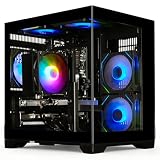
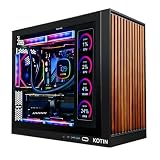
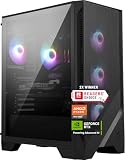
Our Top Picks
Shopping for a prebuilt gaming PC under 1500 dollars means navigating a crowded middle where the same graphics card can appear in very different boxes. One tower pairs an RTX 5060 with a fast DDR5 platform; another pairs the same card with older DDR4 parts and a larger memory kit; a third spends the allowance on an older RTX 3060 Ti but shrinks the storage to 512GB. The decision at this cap is rarely about the graphics name alone. It is about which compromise you can live with: a newer platform, more memory, more storage, or a stronger older card.
This guide is for people who want to unbox a machine, install their games and play at 1080p or 1440p without researching individual parts. It sorts seven listed towers by what each title states about the processor, graphics card, memory, storage and power supply. As with any cap, check the final total before ordering. If you are shopping in 2026, remember that a prebuilt only stays a good deal when its power supply, cooling and upgrade path are as sound as the headline graphics card.
Quick Picks

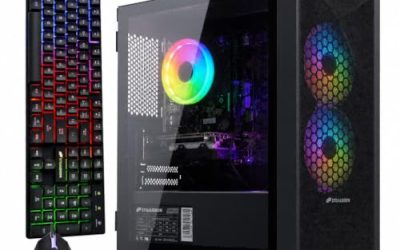
ZYNEEX Prebuilt Gaming Desktop PC, AMD Ryzen 5 5500, GeForce RTX 3050 6GB,16GB DDR4 3200MHz RAM, 1TB NVMe SSD, ARGB Air Cooling, Wi-Fi,Tower Computer for Gaming, Streaming, Editing
One of the consumer electronics options compared in this guide.
View on Amazon
Olialia Gaming PC Prebuilt, RTX 3060 Ti, AMD Ryzen 5 5500, 16GB RAM | 512GB SSD, RGB lighting, WiFi 6, 600W Power, Win 11, Panoramic Tower Desktop for Gaming, Streaming, Everyday Use
One of the consumer electronics options compared in this guide.
View on Amazon
LXZ Prebuilt Gaming PC Ryzen 7 8700F RTX 5060 16GB DDR5 1TB SSD | Gaming Desktop 6 RGB fans, 650W PSU, 7x USB 2.0 + 3x USB 3.0
One of the consumer electronics options compared in this guide.
View on Amazon
Prebuilt Gaming PC , AMD Ryzen 7 5700X, GeForce RTX 5060 Desktop,1TB SSD | 16GB DDR4 RAM, RGB Fan with Remote Control, WiFi+BT,Windows 11 pc gamer Desktop Computer
One of the consumer electronics options compared in this guide.
View on Amazon
HELLOLAND King White Prebuilt Gaming PC - Ryzen 5 5500 (6-Core) CPU, RX 6500 XT 4GB GPU- 16GB DDR4 3200MHz RAM- 1TB PCIe SSD- 5 RGB Fans with Software, WiFi & Bluetooth- Windows 11 Desktop Computer
One of the consumer electronics options compared in this guide.
View on Amazon
HOENGAGER Panorama Prebuilt Gaming PC, AMD Ryzen 7 5700X, GeForce RTX 5060, 32GB DDR4 RAM, 1TB NVMe SSD, 240mm AIO & Software Controlled ARGB Fans, Windows 11 Desktop Computer, White
One of the consumer electronics options compared in this guide.
View on Amazon
LXZ Gaming Desktop PC, Ryzen 7 4700LE, GeForce RTX 3050 8GB, 16GB DDR4 RAM | 512GB NVMe SSD, 8-Core 16-Threads, WiFi 6, Prebuilt Tower Gaming Computer for Gaming, Streaming, Productivity & Home Office
One of the consumer electronics options compared in this guide.
View on Amazon| Product | Best for | Key spec from the title |
|---|---|---|
| ZYNEEX Ryzen 5 5500 with RTX 3050 | Entry-level 1080p play | RTX 3050 6GB, 16GB DDR4 3200MHz, 1TB NVMe SSD |
| Olialia Ryzen 5 5500 with RTX 3060 Ti | Graphics power from an older card | RTX 3060 Ti, 16GB RAM, 512GB SSD, 600W power |
| LXZ Ryzen 7 8700F with RTX 5060 | A newer DDR5 platform | RTX 5060, 16GB DDR5, 1TB SSD, 650W PSU |
| Ryzen 7 5700X with RTX 5060 prebuilt | RTX 5060 with a remote-controlled RGB look | RTX 5060, 16GB DDR4, 1TB SSD, WiFi and Bluetooth |
| HELLOLAND King White Ryzen 5 5500 with RX 6500 XT | White themed budget builds | RX 6500 XT 4GB, 16GB DDR4 3200MHz, 1TB PCIe SSD |
| HOENGAGER Panorama Ryzen 7 5700X with RTX 5060 | Memory-hungry players and creators | RTX 5060, 32GB DDR4, 1TB NVMe, 240mm AIO |
| LXZ Ryzen 7 4700LE with RTX 3050 8GB | An 8-core entry machine | RTX 3050 8GB, 16GB DDR4, 512GB NVMe, 8-core 16-thread |
The 7 Best Options
ZYNEEX Ryzen 5 5500 with RTX 3050
The ZYNEEX is the plainest value proposition here. The title names a Ryzen 5 5500, a GeForce RTX 3050 with 6GB, 16GB of DDR4 3200MHz memory, a 1TB NVMe SSD, ARGB air cooling and Wi-Fi, all in a tower case. Nothing in that list is new, but nothing is missing either: the memory, storage and cooling are all stated, which is more transparency than some listings offer. It suits a first-time buyer with a modest screen and a short list of games, or a parent buying a family machine where homework, video calls and weekend gaming share one desktop. Because the platform is older, think of it as a machine to enjoy for a few seasons, not as a long-term investment.
- A 1TB NVMe SSD is stated, which is generous for an entry-level machine.
- Air cooling means no pump or radiator to worry about over time.
- 16GB of DDR4 3200MHz memory is a sensible baseline for modern play.
- An RTX 3050 with 6GB is the weakest graphics card among the listings.
- The title names no power supply wattage, so check it before planning any graphics upgrade.
Skip it if you want smooth play at 1440p or in demanding new releases. Compared with the Olialia next, the ZYNEEX has double the storage but a much lower graphics tier. That contrast is the core decision of this whole cap: do you want a roomy drive and a small card, or a strong card and a small drive? Each can be fixed later, but the drive is by far the cheaper thing to add.
Olialia Ryzen 5 5500 with RTX 3060 Ti
The Olialia puts its weight on the graphics card. The title lists an RTX 3060 Ti, a Ryzen 5 5500, 16GB of RAM, a 512GB SSD, RGB lighting, WiFi 6, a 600W power supply, Windows 11 and a panoramic tower case. A higher graphics tier than the ZYNEEX or the LXZ 4700LE build is the headline, and the 600W supply is stated plainly, which is a useful detail in a prebuilt because the supply is where cheap towers often hide their savings. Buyers who like a visible interior will also notice that a panoramic case puts cable management on display, so it is worth looking at the listing photos for tidy wiring before ordering.
- The RTX 3060 Ti is a stronger graphics tier than the RTX 3050 cards in this list.
- WiFi 6 is named, which is newer than the older standard some competitors list.
- A panoramic tower shows the hardware, which appeals to buyers who like a visible build.
- A 512GB SSD fills up quickly with modern installs.
- The card belongs to an older generation than the RTX 5060 models.
Skip it if you plan to install many large games without adding a drive. It sits between the ZYNEEX and the LXZ RTX 5060 machine, which swaps an older, stronger card for a newer platform and a larger drive. If you are the type to add a second SSD within a month of unboxing, the small drive hardly matters and the Olialia becomes more attractive. If you hate tinkering, the storage gap is a real drawback.
LXZ Ryzen 7 8700F with RTX 5060
This LXZ is the only listing that moves to DDR5. The title shows a Ryzen 7 8700F, an RTX 5060, 16GB of DDR5, a 1TB SSD, six RGB fans, a 650W power supply and a mix of seven USB 2.0 and three USB 3.0 ports. Choosing a newer memory platform at this cap is a deliberate trade, because it can leave a clear path to faster memory and processors later, even if the case and cooling are simple. The six RGB fans suggest airflow was a design point, though the title says nothing about the cooler on the processor itself, so a quick look at the full listing is wise. The ports are a reminder to read the small print: seven USB 2.0 ports are plentiful but slow for modern external storage.
- It is the only DDR5 platform among the seven towers.
- A 1TB SSD and 650W power supply are both stated.
- An RTX 5060 is a current-generation graphics card.
- The USB mix is mostly USB 2.0, which is slow for fast external drives.
- Only 16GB of memory is listed, so heavy multitasking may need an upgrade.
Skip it if you want the most memory or many fast USB ports. Compared with the Ryzen 7 5700X machine next, it is the newer platform with a smaller memory kit. Put differently, the LXZ gives you a better foundation and the 5700X tower gives you a better processor today; which matters more depends on whether you will upgrade the machine or replace it.
Ryzen 7 5700X with RTX 5060 Prebuilt
This listing carries no brand in the title, which is worth noting for buyers who care about support. It names a Ryzen 7 5700X, a GeForce RTX 5060, a 1TB SSD, 16GB of DDR4 RAM, RGB fans with a remote control, WiFi and Bluetooth, and Windows 11. The pairing of a capable processor with the same graphics card as the LXZ gives it a strong core, and the remote-controlled lighting is an extra for those who want it. Because the title names the processor and graphics card but is silent on the case and power supply, treat the seller’s description page as required reading. A good listing here would name the supply wattage and the motherboard chipset, and a poor one will not.
- A Ryzen 7 5700X is paired with a current graphics card.
- WiFi and Bluetooth are both listed.
- Windows 11 is named, which saves a separate purchase.
- The unnamed brand makes it harder to judge warranty and support.
- The title names no power supply wattage.
Skip it if brand reputation and clear support terms matter to you. It sits between the LXZ and the HELLOLAND King, trading a newer platform for a stronger processor. Next to the HELLOLAND, the difference is easy to see: both use AM4-era DDR4, but this tower pairs a much stronger graphics card with the processor, which is where most of the gaming result comes from.
HELLOLAND King White Ryzen 5 5500 with RX 6500 XT
The HELLOLAND King White is a budget pick with a style angle. The title lists a Ryzen 5 5500 as a six-core CPU, an RX 6500 XT with 4GB, 16GB of DDR4 3200MHz memory, a 1TB PCIe SSD and five RGB fans with software control. The white look is the draw, but the 4GB graphics card is the limiting piece, since many newer games ask for more video memory than that. For esports titles and older libraries, it can still be a pleasant machine, and the white look is a legitimate reason to buy for someone building a themed desk. Just be honest about the games you plan to run before committing.
- Five RGB fans with software control let you tune the look.
- A 1TB PCIe SSD gives room for several games.
- The six-core Ryzen 5 5500 is stated as such, which clarifies the processor tier.
- 4GB of video memory is thin for modern titles at high settings.
- The graphics card is a low tier for a 1500 dollar cap.
Skip it if you play recent releases at high detail. Compared with the HOENGAGER next, it spends more on appearance and less on the parts that drive performance. The five fans and software control add polish, but they do not make up for a graphics card that sits several tiers below the RTX 5060 towers in the same list.
HOENGAGER Panorama Ryzen 7 5700X with RTX 5060
The HOENGAGER is the memory-rich option. The title names a Ryzen 7 5700X, a GeForce RTX 5060, 32GB of DDR4 RAM, a 1TB NVMe SSD, a 240mm AIO and software-controlled ARGB fans. The 32GB kit is double what most other listings carry, and the liquid cooler suggests the processor was given thought. It suits players who stream, multitask or work on creative projects alongside their games. For a player who keeps a browser, a chat client and a recording tool open while gaming, 32GB prevents the slowdowns that appear when memory runs out. It also helps with creative software that loads large files, such as video editors and 3D tools.
- 32GB of DDR4 is the largest memory kit in the list.
- A 240mm AIO cooler is listed, unusual among these towers.
- It pairs the current RTX 5060 with a capable Ryzen 7 5700X.
- DDR4 limits the long-term upgrade path compared with the DDR5 LXZ.
- The title is cut short and does not name a power supply wattage.
Skip it if you only need basic gaming and would rather save money. Against the final LXZ listing, it is a much stronger machine, with a better graphics card and double the memory. It also costs more in all likelihood, so weigh the extra capability against your actual use rather than assuming the biggest number wins.
LXZ Ryzen 7 4700LE with RTX 3050 8GB
The last listing is an entry system with an unusual processor. The title names a Ryzen 7 4700LE with 8 cores and 16 threads, a GeForce RTX 3050 with 8GB, 16GB of DDR4 RAM, a 512GB NVMe SSD, WiFi 6 and a prebuilt tower. The 8GB graphics memory is a plus over the 6GB RTX 3050 in the ZYNEEX, and the many threads help with multitasking. It is a reasonable pick for someone who streams casually or runs a few background programs. Even so, the smaller SSD and entry graphics tier mean it fits best as an entry machine that you improve over time.
- 8 cores and 16 threads are stated, which helps when streaming or multitasking.
- The RTX 3050 comes with 8GB of video memory here.
- WiFi 6 is named in the title.
- A 512GB SSD is small for modern game libraries.
- The processor name is less familiar, and the graphics tier is entry level.
Skip it if you want the strongest gaming results. It closes the list because the other RTX 5060 and RTX 3060 Ti towers give more graphics power for the cap. Choose it only if the seller’s terms, the price you are quoted and the support are clearly better than the alternatives.
Why Buy a Prebuilt Under 1500 Dollars
Convenience and a working warranty
A prebuilt arrives assembled, with the operating system installed and a warranty that covers the whole machine. For players who do not want to research compatibility, that peace of mind is the main selling point, and it is often worth a modest premium over buying parts. If something fails in the first months, there is one seller to contact instead of a chain of part makers, and that simplicity is a real benefit when a deadline or a tournament is coming up.
Predictable costs
Buying a ready-made tower means one total, instead of a list of parts that change in price while you shop. It also avoids the common first-build mistakes, such as incompatible memory or an undersized power supply. Tax, shipping and a copy of Windows are usually folded into the quoted total as well, so the number you see is closer to the number you pay. It is easier to hold a cap of 1500 dollars when the machine arrives complete.
Where it falls short
The tradeoff is limited choice. Prebuilt makers sometimes use basic motherboards, unnamed power supplies and proprietary parts, which can limit upgrades. Read the title closely and compare the details rather than trusting the headline card. A good prebuilt names its processor, graphics card, memory, storage and supply; a weak one spends the title on lighting and slogans. Use that difference as a quick filter when you compare any two towers.
How to Choose a Prebuilt Gaming PC Under 1500 Dollars
Graphics card tier
For 1080p play, an RTX 5060 or RTX 3060 Ti class card is a comfortable target, while an RTX 3050 or RX 6500 XT suits lighter use. Look for at least 8GB of video memory in a new purchase, because 4GB and 6GB cards run out of room in recent games. Newer cards also bring newer video decoding and upscaling features, which add life to the purchase, whereas an older high-tier card may have more raw speed but fewer modern extras. Be honest about your monitor too: a 1080p screen does not need the same card as a 1440p one.
Processor and platform
A Ryzen 5 with six cores is fine for gaming, and a Ryzen 7 with eight cores and 16 threads gives extra room for streaming. A DDR5 platform costs more but upgrades more easily, while DDR4 machines remain strong value if you do not plan to change the motherboard. Do not pay extra for a processor tier you will never use: in games, the graphics card does most of the work, and a mid-range Ryzen 5 is rarely the bottleneck at 1080p. Be aware that an unfamiliar processor name, such as the 4700LE, may be harder to research than a mainstream Ryzen 5 or Ryzen 7, so confirm its details on the maker page before buying.
Memory and storage
16GB of RAM is the minimum and 32GB is comfortable for multitasking. For storage, 1TB is a practical floor, and an NVMe drive is preferable to a slower SATA drive. A 512GB drive fills up with a handful of large games. A useful habit is to compare how much of the storage you will actually use: the operating system and common tools take a noticeable slice, so a 512GB drive may leave less than 400GB for games. Also check whether there is a free M.2 slot on the motherboard so that adding a second drive later is simple, and whether the memory is in two sticks so it runs in dual-channel mode.
Power supply and cooling
Look for a named power supply of at least 600W for a mid-range graphics card, and 650W if you plan to upgrade later. Air cooling is simple and reliable, while a 240mm AIO helps with sustained loads. Avoid listings that omit the wattage entirely, since a missing figure usually means an unremarkable unit. Ask whether the supply carries an efficiency label, and whether the case has dust filters and room for at least a few fans, because a hot case shortens the life of every part inside it.
Ports and connectivity
Before buying, think about what you will plug in: a keyboard, mouse, headset, controller and perhaps an external drive already take five ports. Count the USB ports and their generation, because a tower full of USB 2.0 ports is slow for external drives. WiFi 6 is better than older wireless, but a wired Ethernet connection is more stable for competitive play. Also check for a front USB-C port and for audio jacks, because these small details decide whether the desk feels pleasant to use every day.
Warranty and where corners get cut
Look for at least a one-year warranty and a seller with real support, ideally one that publishes a contact route and a return window in plain terms. Budget prebuilts tend to cut corners on motherboards, power supplies and cooling, while loading the title with RGB and fan counts. Treat fan counts and lighting as decoration and put your attention on the core parts. Also watch for tiny storage drives, a single memory stick, a small supply and a case with poor airflow, because they are the usual places where a cheaper tower saves money.
DDR4 Platforms vs DDR5 Platforms
| Factor | DDR4 towers (Ryzen 5 5500, 5700X) | DDR5 tower (Ryzen 7 8700F) |
|---|---|---|
| Listed examples | ZYNEEX, Olialia, HELLOLAND, HOENGAGER, 5700X prebuilt | LXZ with Ryzen 7 8700F |
| Memory in the titles | 16GB or 32GB DDR4 | 16GB DDR5 |
| Upgrade path | Limited by the older platform | Better room for later memory and processor upgrades |
| Best use | Value and large memory kits | A longer-lived base |
Why DDR4 still makes sense
DDR4 towers can offer more memory for the money, as the 32GB HOENGAGER shows. For a buyer who will keep the machine for a few years and then replace it entirely, the older platform is a sensible choice. The same logic applies to the Ryzen 7 5700X towers: they bring a Ryzen 7 processor to the cap without the cost of a new platform, which is why they are a popular configuration in this price band.
Why DDR5 might be worth it
DDR5 is where new processors and faster memory go. If you expect to upgrade the processor or want a machine that stays relevant longer, the LXZ 8700F tower is the safest base in this list, even with its smaller memory kit. A second 16GB stick is a simple fix, and the platform keeps its value because new processors and faster memory can be added later without replacing the whole motherboard. Weigh that against the immediate gains of a DDR4 tower with more memory today.
Setup, Compatibility and Upgrade Tips
What to check before buying
Before anything else, measure the space under or beside your desk, because some panoramic cases are wider than standard towers. Confirm the case fits your desk, the monitor connects to the card, and the listing includes Windows. Ask whether peripherals are included and what the warranty covers, since a title with many features may not mention these. If the machine includes a remote for the lighting, as one listing does, confirm that the lighting can also be turned off, because bright fans in a bedroom can be a nuisance at night.
What to upgrade first
On 512GB models, a second SSD is the quickest improvement. On 16GB models, adding a second memory kit helps. Graphics card upgrades come last, because the power supply and case must support them. Before any upgrade, update the BIOS and the graphics driver, and make a restore point so you can undo a change that does not work out.
Common compatibility traps
Some prebuilts use proprietary power connectors or small motherboards, which limit upgrades. DDR4 machines cannot use DDR5 memory. Check that any new card fits in the case and that the supply has the needed connectors. Cable management is also worth a few minutes: tidy cables improve airflow and make later upgrades easier. Finally, remove any trial software that comes pre-installed, enable the memory profile in the BIOS if it is not already on, and keep the original packaging for the first few weeks in case a return is needed.
Which One Fits Your Situation
You want the newest platform
Pick the LXZ with the Ryzen 7 8700F and RTX 5060. It is the only DDR5 option in the list, and it is the best base if you expect to upgrade the processor or the memory down the road.
You also stream or multitask
Choose the HOENGAGER Panorama with 32GB of memory and a 240mm AIO. The extra memory keeps a game, a browser and a capture program running comfortably side by side.
You want stronger graphics from an older card
The Olialia with the RTX 3060 Ti fits, as long as you accept a 512GB SSD and plan to add a second drive soon after buying.
You are on the tightest budget
The ZYNEEX Ryzen 5 5500 with RTX 3050 gives a stated 1TB SSD and a simple air-cooled build, which suits a younger player or a secondary desk setup.
Common Mistakes
- Choosing a machine with 4GB of video memory for recent games.
- Ignoring the SSD size and then running out of space within weeks.
- Judging a build by its RGB fan count rather than its power supply.
- Buying an unnamed brand without checking the warranty terms.
- Assuming a DDR4 machine can use DDR5 memory later.
- Forgetting to check that the final total stays under the cap, including shipping and taxes.
Related guides
- Business Laptops With Quad Core Processors
- Retro Game Storage Cases And Displays
- Solar Chargers For Camping And Hiking
Frequently Asked Questions
Is an RTX 5060 enough for 1080p?
For 1080p it is a comfortable fit, and many players also use it at 1440p with moderate settings. Newer cards in this class also support current upscaling features, which can raise frame rates in supported games.
Is 16GB of RAM enough?
For gaming it is the baseline. Streamers and creators benefit from 32GB. Because memory kits are inexpensive to add, a 16GB machine with a free slot is still a fine purchase.
Does a 512GB SSD make sense?
Only if you plan to add a second drive. It fills up quickly with modern games.
What power supply do I need?
A named 600W or 650W unit suits mid-range cards. Avoid listings with no stated wattage.
Is DDR5 worth paying for?
If you want a longer upgrade path, yes. If you want value today, DDR4 towers can be good deals. Think about whether you will upgrade the machine or replace it.
Should I worry about unnamed brands?
Be careful. Check the warranty, the return terms and the seller’s support before you buy. A clear return policy matters more than the badge on the case.
Final Words
A prebuilt under 1500 dollars is a good fit for players who want simplicity, and the listed towers show a wide range. The LXZ 8700F is the platform pick, the HOENGAGER suits multitaskers, the Olialia delivers graphics power with a small drive, and the ZYNEEX serves tight budgets. Compare the power supply, storage and warranty first, then the graphics card, and read each title closely because the details hide the real differences. A calm choice made on the listed specs will serve you better than a rushed one made on lighting and slogans, and a few minutes of comparison now can save weeks of regret later.