Shopping for a gaming desktop under $1,000 in 2026 means navigating a market where spec sheets look nearly identical but real-world performance varies wildly. Two systems can both advertise an RTX 5070, yet one pairs it with a modern Ryzen 7 and 32GB of DDR5 while the other bottlenecks it with a slower CPU or skimps on storage. Add in inconsistent cooling, proprietary motherboards that block future upgrades, and power supplies sized with no headroom, and it’s easy to overpay for a machine that ages badly.
This guide cuts through that noise. We’ve focused on prebuilt gaming PCs that genuinely land at or near the $1,000 mark, evaluating each on GPU-to-CPU balance, memory and storage adequacy, thermal design, and upgrade path. Whether you’re targeting high-refresh 1080p esports, a smooth 1440p experience, or simply the most frames per dollar available right now, the picks below represent the strongest value in this bracket.
Our top picks
 msi Codex Z2 Gaming Desktop: AMD R7-8700F
8-core, 16-thread Ryzen 7 8700F handles gaming and background tasks together
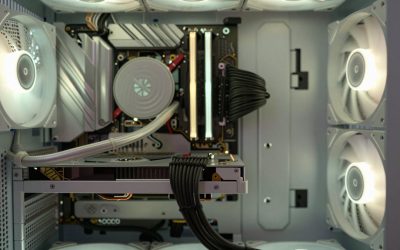
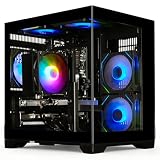
Four cooling fans with an ARGB air cooler support sustained airflow
2TB SSD offers ample room for a large game library
MSI recommends Windows 11 Pro separately for business use cases
At over 21 pounds, the tower is heavy to relocate often
 KOTIN Prebuilt Gaming PC RTX 5070 12GB
Built-in smart display shows live CPU and GPU temperatures while gaming
850W 80 Plus Gold PSU and 360mm liquid cooling support sustained performance
Arrives fully assembled with Windows 11 pre-installed and ready
Monitor must connect to the graphics card ports, not the motherboard ports
At 30 pounds, the tower is heavy to move once set up
 Alienware Aurora Gaming Desktop
Customizable AlienFX lighting zones add personalized styling options
RTX 5070 with Blackwell architecture supports modern ray tracing workloads
1-Year Onsite Service brings repairs to your location if needed
At nearly 34 pounds, the desktop is heavy to relocate
Matte basalt black finish is the only color option listed
 msi Codex Z2 Gaming Desktop: AMD Ryzen
- Powerful Processor: AMD Ryzen R7-8700F delivers high-performance computing…
- Modern Operating System: Enjoy the latest generation of…
- Advanced Graphics Card: NVIDIA GeForce RTX 5060Ti provides…
 YAWYORE Gaming PC
8-core, 16-thread Ryzen 7 5700X handles multi-threaded tasks easily
650W 80 Plus Bronze PSU is certified for efficient, stable power
Shock-absorbing foam packaging is built in for safer shipping
Foam packaging must be removed before first use, an easy step to miss
GPU brand may vary from unit to unit per the listing
 STGAubron Gaming PC Desktop
- This Gaming PC Desktop is well-suited for a…
- This high-performance Gaming Computer Desktop is capable of…
- PC Gaming System: This gaming computer desktop is…
 iBUYPOWER Element Gaming PC Desktop Computer AMD
32GB DDR5 RGB memory at 4800MHz supports heavy multitasking
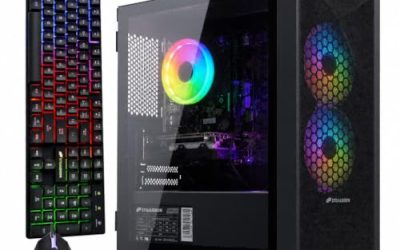
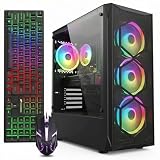
Tempered glass RGB case includes a free gaming keyboard and mouse
Built-in WiFi skips the need for a separate network adapter
At 36 pounds, this tower is heavy to move or relocate
Six USB 3.1 ports are the only external connectivity listed
 iBUYPOWER Element SE Gaming PC Desktop Computer
- AMD Ryzen 5 8400F, NVIDIA GeForce RTX 3050…
- Connectivity: 6 x USB 3.1 | 1x RJ-45…
- Special Add-Ons: Tempered Glass RGB Gaming Case |…
As an Amazon Associate we earn from qualifying purchases at no extra cost to you.
⚡ Save on Your Next PC — Amazon Prime
Prime members get fast free shipping on the systems above, plus early access to Prime Day & Black Friday PC deals. New members get a 30-day free trial.
Watch: Best Gaming PC Under $1000 — Video Review
How to Choose Gaming PC Under $1000
- Prioritize the GPU: At this budget the graphics card determines roughly 70% of your gaming performance. An RTX 5060 Ti is the realistic floor for comfortable 1440p, while an RTX 5070 gives you genuine headroom for ray tracing and higher settings. Don’t trade GPU tier for a flashier case or RGB lighting.
- Insist on 32GB DDR5 where possible: 16GB is still workable in 2026, but modern titles, background apps, and streaming overlays increasingly push past it. DDR5 also matters — DDR4 systems at this price are typically built on older platforms with limited upgrade life.
- Check CPU-GPU balance: A Ryzen 7 9700X or Core Ultra 7 265F will comfortably feed an RTX 5070 at 1440p. Pairing a strong GPU with an aging quad- or six-core chip creates a bottleneck you can’t fix without replacing the motherboard.
- Storage: 1TB minimum, NVMe only: Two or three modern AAA installs will fill 512GB fast. Look for M.2 NVMe rather than SATA SSDs, and confirm there’s a free M.2 slot or drive bay so you can expand cheaply later.
- Verify upgradeability and PSU headroom: Standard ATX components, a non-proprietary power supply with at least 100W of spare capacity, and accessible RAM slots separate a PC you can grow with from a sealed box you’ll replace in three years.
The Best Picks Reviewed
MSI Codex Z2 (RTX 5070, 32GB, 2TB)
This is the most complete package in the category: an RTX 5070 paired with a Ryzen 7 8700F, 32GB of DDR5, and a genuinely generous 2TB NVMe drive means you won’t be managing storage or shopping for RAM on day one. MSI’s chassis airflow is solid for a prebuilt, and it’s the pick we’d make for anyone targeting consistent 1440p at high settings.
KOTIN Prebuilt RTX 5070 / Ryzen 7 9700X
The Ryzen 7 9700X is the strongest gaming CPU on this list, and pairing it with an RTX 5070 and 32GB of DDR5 produces excellent frame-time consistency in CPU-heavy titles like simulators and competitive shooters. The 1TB SSD is the only compromise, but with a free M.2 slot it’s an easy and inexpensive fix.
Alienware Aurora (RTX 5070, Core Ultra 7 265F)
Alienware brings the best build quality, cable management, and thermal engineering in this bracket, plus a support experience that budget boutique brands can’t match. The trade-off is a semi-proprietary layout that limits deep upgrades, so buy this if you value reliability and warranty over long-term tinkering.
MSI Codex Z2 (RTX 5060 Ti, 16GB, 1TB)
The step-down Codex Z2 keeps the same well-cooled chassis and Ryzen 7 8700F but moves to an RTX 5060 Ti with 16GB of DDR5, which lands it comfortably under budget while still handling 1440p at medium-to-high settings. It’s the smart choice if you’d rather bank the savings toward a high-refresh monitor.
YAWYORE Gaming PC (RTX 5060, Ryzen 7 5700X)
The RTX 5060 and Ryzen 7 5700X combination is aimed squarely at 1080p high-refresh gaming, where it delivers well above 100fps in most competitive titles. The AM4 platform is mature rather than cutting-edge, but that also makes CPU upgrades cheap and plentiful on the used market.
Frequently Asked Questions
Can a $1,000 PC handle 1440p gaming in 2026?
Yes. Systems in this range built around an RTX 5060 Ti or RTX 5070 will run the majority of current titles at 1440p with high settings and 60fps or better, though you may need to enable DLSS and dial back ray tracing in the most demanding releases.
Is a prebuilt worse value than building it myself?
The gap has narrowed considerably. Prebuilt makers buy components at volume, so at the $1,000 mark you’re often paying only a modest premium — and you get a warranty covering the whole system rather than individual parts. Building yourself still wins on component choice and PSU quality.
Should I choose 32GB of RAM over a better GPU?
No. If you’re forced to pick, take the stronger graphics card. RAM is the single easiest and cheapest upgrade you can make later, whereas swapping a GPU means spending several hundred dollars again.
What else do I need to budget for?
Most prebuilts at this price ship without a monitor, keyboard, or mouse. Set aside roughly $200–$300 for a decent 1440p high-refresh display and peripherals, and check whether Windows is preinstalled — all the systems here include Windows 11 Home.
Final Thoughts
For most buyers, the MSI Codex Z2 with the RTX 5070, 32GB of DDR5, and a 2TB SSD is the strongest overall value here — it needs nothing added out of the box. If raw CPU performance matters more to you, the KOTIN build with its Ryzen 7 9700X is the better long-term bet, while the Alienware Aurora earns its place for anyone who prioritizes build quality and dependable support over maximum upgradeability.