Our Top Picks
The best VR stand and charging dock for most Quest owners is a vertical dock that charges the headset through a USB-C connection and also holds the controllers, so everything lives in one spot and is ready to use. Our top pick for that job is the AodoT dock, with its headset-and-controller design. A VR charging dock is a stand that holds the headset upright and links it to a power source, usually through a USB-C cable or contacts, so the battery is topped up each time you put the headset away. Check the Quest model each product names before buying, because Quest 2, Quest 3 and Quest 3S do not all share the same connectors.
Quick List
- alcopanda Dock – best for owners of both Quest 3 and Quest 2 who want one stand
- TechKen Vertical Dock – best for a slim desk or shelf footprint with a Type-C cable included
- Kinwin Magnetic Dock – best for quick magnetic drop-in charging on a Quest 3 or 3S
- AodoT RGB Dock – best overall for charging headset and controllers in one stand
- YOGES Dock with Battery Kit – best for players who want rechargeable controller batteries included
- XBERSTAR VR Stand – best for a plain display stand for Quest 2 or Quest 3
Which One Is Right for You?
| If you… | Choose |
|---|---|
| want one stand that charges the headset and the controllers | AodoT RGB Dock |
| are tired of buying AA batteries for the controllers | YOGES Dock with Battery Kit |
| want a slim vertical dock with a cable provided | TechKen Vertical Dock |
| prefer a magnetic connection and some lighting | Kinwin Magnetic Dock |
| have a Quest 2 and a newer Quest in the same house | alcopanda Dock |
| just need a tidy place to rest the headset | XBERSTAR VR Stand |
Start with the model of your headset, then decide whether you also want controller charging. Docks that charge only the headset are enough if your controllers use standard AA batteries and you do not mind swapping them. If you want a single drop-in spot for everything, choose one that names both headset and controller charging.

alcopanda VR Headset Charging Dock for Meta Quest 3/Quest 3S/Quest 2, VR Charging Stand for Quest 3 Accessories VR Stand Supports Charging Headset with Type C Cable and fit Controller with Cover
Picked as a relevant option in this category.
View on Amazon
TechKen VR Charging Dock for Meta Quest 3S/Quest 3/Quest 2, Vertical VR Stand & Charging Station, Fast Charge Headset with Type-C Cable, Supports Controllers with Grip Covers & Elite Straps
Chosen because it specifies Vertical VR Stand & Charging Station and Fast Charge Headset with Type-C Cable.
View on Amazon
Charging Dock for Meta Quest 3S/3, Kinwin Magnetic Charging Station for Oculus Quest 3S/3 Accessories with RGB Light, Charging Stand for VR Headset & Controller with 2 Rechargeable Batteries (White)
Picked as a relevant option in this category.
View on Amazon
AodoT Meta Quest 3S/3/2 Charging Dock, RGB Light Charging Station, VR Glasses Accessories with Stand for Headset & Controller
Chosen because it specifies RGB Light Charging Station and VR Glasses Accessories with Stand for Headset & Controller.
View on Amazon
YOGES Charging Dock for Meta Quest 3S, Quest 3 Fast Charging Station with 2 Rechargeable Batteries kit, VR Heatset Charging Stand Dock for Oculus Quest 3/ Quest 3S Accessories, Support Elite Strap
Chosen because it specifies Support Elite Strap.
View on Amazon
XBERSTAR VR Stand, Headset Charging Dock VR Display Stand Accessories for Oculus Quest 2/Quest 3 VR Headset (Black)
Picked as a relevant option in this category.
View on AmazonAll 6 Picks in Detail
1. alcopanda Dock – Best for Households With Quest 3 and Quest 2
As an Amazon Associate we earn from qualifying purchases at no extra cost to you.

This dock is listed for Meta Quest 3, Quest 3S and Quest 2, and its title says it supports charging the headset. That broad compatibility makes it useful in a house where an older Quest 2 and a newer headset share a shelf, though fit with different headset shapes and straps can vary, so confirm the details on the product page. It acts as a vertical stand, which keeps the lenses off the table and away from sunlight, a common cause of lens damage. The listing name is cut off before saying whether controllers also charge, so confirm that point. For a shared family setup, the main attraction is flexibility: whichever headset is in use, there is one obvious place to put it back, and the next player does not have to guess which cable belongs where.
- Compatibility: Quest 3, Quest 3S and Quest 2 per the title
- Function: headset charging stand per the listing
- Controller charging: confirm on the listing
- Cable and adapter: confirm what is in the box
- Material and weight: confirm on the listing
- Lighting: not stated in the title
Pros:
- Covers three Quest models in one product
- Vertical storage protects the lenses
Cons:
- Controller charging is not clear from the listing name
- Fit may differ across headsets and strap accessories
Compared with the TechKen dock, it makes a broader compatibility claim but names no cable in the title.
2. TechKen Vertical Dock – Best for a Slim Shelf Footprint

TechKen calls this a vertical VR stand and charging station for Quest 3S, Quest 3 and Quest 2, and the listing mentions fast charging for the headset with a Type-C cable. A vertical layout uses less desk width than a horizontal cradle, which suits cramped bedrooms and TV stands. The word “fast” describes the charging path, but the actual speed is set by the power adapter you use, so the best results come from a suitable USB-C adapter that matches the maker’s guidance for your headset. Anyone with limited shelf depth will also like that a vertical profile leaves room for a small speaker or a plant beside it, and the headset sits at eye level when you reach for it.
- Compatibility: Quest 3S, Quest 3 and Quest 2 per the title
- Design: vertical stand and charging station
- Cable: Type-C cable named in the listing
- Charging: fast charge for the headset per the listing
- Controller support: confirm on the listing
- Power adapter: not named in the title; confirm whether one is included
Pros:
- Cable is mentioned in the listing
- Small vertical footprint
Cons:
- Adapter is not clearly included
- Controller charging not confirmed from the name
Next to the alcopanda dock, it is more specific about the cable and charging speed, but the compatibility list is similar.
3. Kinwin Magnetic Dock – Best for Magnetic Drop-In Charging

This station is described as magnetic, with RGB lighting, and is listed for Quest 3S and Quest 3 only; the title does not name the Quest 2, so owners of the older headset should not assume it fits. Magnetic alignment makes it easy to set the headset down in the right place without fumbling for a port, which is helpful for kids and anyone who plays in a dim room. The lighting is cosmetic and adds nothing to charging, so decide whether you want a glowing base in your room before choosing it. In a shared living room the light can double as a night-time marker that shows where the headset lives, but in a bedroom it may be the one thing that keeps you from sleeping.
- Compatibility: Quest 3S and Quest 3 per the title
- Connection: magnetic charging per the listing
- Lighting: RGB light
- Controller charging: confirm on the listing
- Cable and adapter: confirm what is in the box
- Quest 2 support: not stated; confirm before buying
Pros:
- Magnetic placement is quick
- Lighting is easy to see in dim rooms
Cons:
- Quest 2 not named in the title
- Lighting may be distracting when the headset is stored in a bedroom
Compared with the AodoT dock, it focuses on the magnetic connection rather than controller charging.
4. AodoT RGB Dock – Best Overall for Charging Headset and Controllers Together

The AodoT dock is named for Quest 3S, 3 and 2, includes RGB lighting, and is described as a stand “for headset and controller.” That combination is what earns it the top spot here: a single place to park the headset and the controllers means less hunting for gear before a session. The listing does not say whether the controllers charge through contacts on the dock or are simply stored, so confirm that detail, especially if your controllers use removable batteries. If a second household member also plays, a stand with two clear controller slots prevents the usual argument over whose controllers are whose, which is a small but real quality-of-life gain.
- Compatibility: Quest 3S, Quest 3 and Quest 2 per the title
- Function: charging station with stand for headset and controller
- Lighting: RGB per the title
- Controller handling: charging or storage only, confirm
- Cable and adapter: confirm on the listing
- Fit with straps and batteries: confirm on the listing
Pros:
- Handles headset and controllers in one place
- Broad Quest model coverage
Cons:
- Controller charging method is not stated in the title
- Lighting may not suit every room
Versus the YOGES kit, it keeps everything in one stand but does not stress included rechargeable batteries.
5. YOGES Dock With Battery Kit – Best for Rechargeable Controller Batteries

This product is named for Quest 3S and Quest 3 and promises fast charging plus a kit with two rechargeable batteries. Quest controllers take AA cells, so a pair of rechargeable batteries that charge on the dock reduces waste and the mid-session scramble for fresh cells. The title does not name the Quest 2, so check fit if you own one. As with any battery product, use only the batteries and cables supplied or recommended by the maker and keep the dock away from heat. Households that play every day tend to benefit most from this type of kit, since the cost of swapping disposable cells adds up and a dead controller mid-game is the most common interruption.
- Compatibility: Quest 3S and Quest 3 per the title
- Charging: fast charging station per the listing
- Batteries: two rechargeable batteries in the kit per the listing
- Battery type and capacity: confirm on the listing
- Cable and adapter: confirm what is included
- Quest 2 support: not stated in the title
Pros:
- Includes controller batteries
- Reduces disposable cell use
Cons:
- Capacity of the batteries is not stated in the title
- Not named for Quest 2
It is the best fit if controller power is your main annoyance, whereas the AodoT dock is better when you want one stand for everything.
6. XBERSTAR VR Stand – Best for a Plain Display Stand
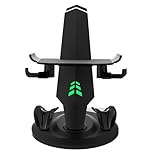
XBERSTAR describes this as a VR stand and headset charging dock display accessory for Quest 2 and Quest 3, in black. It suits people whose first priority is a clean place to rest the headset, with charging as a secondary benefit. A simple stand reduces the chances of the headset being knocked over, lenses being scratched or the cable being yanked from the port. Because the title is short, confirm whether it charges through the stand or only holds the headset. It is also the type of accessory that suits a display shelf or a gaming desk where looks matter, because a plain black stand blends into most setups without drawing attention.
- Compatibility: Quest 2 and Quest 3 per the title
- Function: headset stand and charging dock
- Color: black
- Controller charging: confirm on the listing
- Cable and adapter: confirm on the listing
- Quest 3S support: not named in the title
Pros:
- Simple, uncluttered design
- Names both Quest 2 and Quest 3
Cons:
- Few features stated in the title
- Quest 3S not named
Compared with the Kinwin dock, it skips lighting and magnets for a more basic stand.
Specs Compared
| Pick | Quest models named | Design | Controller charging | Lighting | Extras |
|---|---|---|---|---|---|
| alcopanda Dock | Quest 3, 3S, 2 | Charging stand | confirm on listing | confirm on listing | confirm on listing |
| TechKen Vertical Dock | Quest 3S, 3, 2 | Vertical stand | confirm on listing | confirm on listing | Type-C cable |
| Kinwin Magnetic Dock | Quest 3S, 3 | Magnetic charging station | confirm on listing | RGB | confirm on listing |
| AodoT RGB Dock | Quest 3S, 3, 2 | Stand for headset and controller | Headset and controller named | RGB | confirm on listing |
| YOGES Dock | Quest 3S, 3 | Fast-charging station | confirm on listing | confirm on listing | 2 rechargeable batteries |
| XBERSTAR VR Stand | Quest 2, 3 | Display stand and charging dock | confirm on listing | confirm on listing | Black finish |
How We Chose These
This list comes from reading each listing’s title and specification fields and comparing what they state about compatibility, charging path, controller support and extras. We favored products that name specific Quest models over vague “universal” wording, and we paid attention to whether a dock charges the headset, the controllers or both. Where a listing is silent on a detail, we say “confirm on listing” rather than guess. We also considered the safety basics for lithium-ion charging, such as using suitable cables and chargers, and kept those in mind when describing each product. The aim is to help you narrow the choice quickly, and the product pages remain the final word on fit, contents and warranty terms for your particular headset.
What to Look For
Match the dock to your exact headset
Quest 2, Quest 3 and Quest 3S look similar on a shelf but differ in shape, ports and strap options, so a dock that fits one may not seat another correctly. Look for a title that names your exact model; broad claims such as “for Quest” should be treated as a prompt to read the specifications. If you use an aftermarket strap, a battery strap or a thick facial interface, check that the dock leaves enough room. Rule of thumb: if the listing never names your headset, assume it does not fit.
Charging path and power
Docks charge in one of three ways: through a USB-C plug that goes into the headset, through magnetic or pogo-style contacts, or through a passive stand that simply holds a cable. Contact-based docks are convenient but depend on precise alignment, while cable-based designs are more tolerant. Whichever you choose, power the dock from a quality USB-C wall adapter that suits the headset’s charging needs as described by the maker, and avoid overloaded power strips. Worked example: if the headset charges at an 18W-class adapter and your dock ships with a cable but no adapter, you need a separate adapter of at least that class to match the maker’s recommended charging speed.
Controller charging and batteries
Many Quest controllers take AA batteries, so controller charging on a dock usually involves rechargeable cells that sit inside the controller or a battery door replacement. Check whether the dock charges the controllers directly, whether it needs a special battery cover and whether the batteries are included. Mixing rechargeable chemistries or old cells can shorten their life. Never charge non-rechargeable batteries, and replace any swollen or leaking cell immediately.
Safety, heat and placement
Lithium-ion batteries need airflow and sensible handling. Place the dock on a hard, stable surface rather than on a bed or couch cushion, keep it out of direct sunlight, and avoid covering vents. Do not leave the setup charging unattended for long periods if the product page or the headset maker warns against it, and stop using any dock that gets unusually hot, smells odd or shows damage. Look for cables and adapters with recognized safety certifications, and keep liquids and pets away from the charging area.
Cable management and desk layout
Measure before you buy. A vertical headset dock usually needs a footprint of roughly the width of a book, but the headset can stand taller than you expect once the strap is attached, so check shelf clearance above it. Route the cable along the back edge so that nobody trips on it and so the port is not under tension, because a pulled USB-C port is one of the most common ways to damage a headset. Worked example: with a 1.5-meter cable and an outlet two meters away, a short extension strip placed out of foot traffic avoids a stretched cable; a cable that has to cross a walkway is a sign the dock is in the wrong place.
Lens care and cleaning
The stand is also a good moment for routine care. Wipe the lenses gently with a dry microfiber cloth, never with paper towels or alcohol-based sprays unless the maker approves them, and use a mild disinfecting wipe on the foam or silicone face cover only if the maker’s instructions allow it. Store the headset away from windows, because sunlight reaching the lenses can damage the display. A dock that keeps the lenses facing inward or covered by a dust sheet helps a lot in a bright room.
Stability, lenses and aesthetics
A good stand has a weighted or wide base, soft contact surfaces and a layout that keeps the lenses off the table and out of the sun. Direct sunlight through the lenses can focus on the screen and cause damage, so storing the headset facing away from windows matters more than any lighting effect. RGB lights are a taste choice; if you plan to keep the dock in a bedroom, check whether the light can be turned off or dimmed.
Questions
Do I need a charging dock for a Quest headset?
No, you can charge with the cable that came with the headset, but a dock gives the headset a fixed home and makes it more likely that the battery is topped up for the next session. It also protects the lenses from scratches and sunlight. If you already keep the headset in its case and charge it on a schedule, a dock is a convenience rather than a necessity.
Will a Quest 3 dock fit a Quest 3S?
Some docks name both, as the alcopanda, TechKen, AodoT, Kinwin and YOGES products do in their titles. Always confirm the exact models in the title and on the product page, since the shapes are similar but not identical. If the product page lists only one of the two, assume the other is not supported until the seller says otherwise.
Can I charge the controllers on the dock?
Only if the dock states controller charging and the controllers or batteries support it. The AodoT dock names the controllers and the YOGES kit includes rechargeable batteries, but check the listing details before buying. Remember that the controller on the dock must use the type of battery or contact system the dock was designed for.
Is a magnetic dock safe for the headset?
Magnetic docks are designed for use with specific headsets, and the magnets on a well-designed dock are weak enough for everyday use. Keep credit cards and other magnetic-sensitive items away from the base and follow the manufacturer’s instructions. If the headset does not sit flush on the dock, remove it and reseat it rather than forcing it into place.
Is it safe to leave the headset charging overnight?
Maker guidance varies, so read the instructions for your headset and charger. As a precaution, use a good adapter, place the dock on a hard surface with airflow and avoid leaving it charging unattended for long periods. Unplug the dock if you will be away from home for several days.
Do RGB lights affect charging?
The lights are decorative and do not change how the battery charges, though they draw a small amount of power. If they bother you, choose a dock without lighting or one with a switch. Compare the listing text for any mention of a light toggle, since the product title rarely says.
Update History
- October 20, 2026 – Initial publication; product set drawn from current catalog listings.
- Check the product page for current specifications and availability before buying.
Sources
- Retailer listing titles and specification fields for all six docks
- Product names, feature bullets and bundle descriptions as written by each seller