Key takeaways
- Cabling. Use certified DisplayPort 2.1 or Ultra High Speed HDMI cables, kept short. A poor cable causes black screens or dropped resolution.
- GPU support. Not every graphics card outputs 8K60; check the card’s maximum resolution and ports.
- Scaling. At about 280 PPI, Windows needs 200 percent scaling or more, and older apps may look blurry.
- Content. Little native 8K video or game content exists, so upscaling quality matters.
- Desk space and power. Large panels weigh a lot and draw significant power, so use a sturdy stand or mount.
There are very few true 8K computer monitors in 2026, and the Dell UltraSharp UP3218K, a 31.5-inch 7680×4320 panel, is the one most roundups name as the real desktop option. For gaming, the Samsung Odyssey Neo G9 57-inch (G95NC) is the closest high-refresh alternative, but its 7680×2160 resolution is effectively two 4K screens side by side rather than full 8K. If you want sharpness without the cost and GPU demands of 8K, a 5K or 6K monitor is the smarter buy for most people.
Quick comparison of 8K and near-8K picks
| Pick | Best for | Size / resolution | Refresh | Price tier |
|---|---|---|---|---|
| Dell UltraSharp UP3218K | True 8K desktop work, photo and design | 31.5 in, 7680×4320 | 60Hz | Premium |
| Samsung Odyssey Neo G9 57 in (G95NC) | Ultra-wide gaming and simulation | 57 in, 7680×2160 (dual 4K) | Up to 240Hz | Premium |
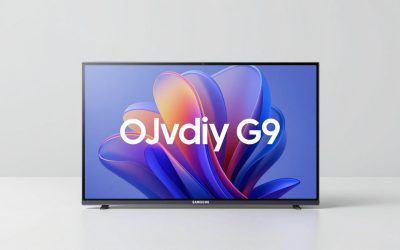
| Samsung QN900F-class 8K TV | Living room or large-screen media | 85 in class, 7680×4320 | 120Hz class panel | Premium to flagship |
| Lilliput Q43-8K | Broadcast and post-production | 43 in, native 3840×2160 with 8K input | 60p | Professional |
| 5K / 6K monitor (for example ASUS ProArt PA32QCV 6K) | Sharp text without 8K demands | 27-32 in, 5K to 6K | 60Hz class | Upper-mid to premium |
Specs are drawn from manufacturer listings and can vary by region and revision. Check the current product page before buying.
Best true 8K monitor: Dell UltraSharp UP3218K
The UP3218K was introduced in 2017 as a 31.5-inch 8K display and remains the benchmark for a genuine 7680×4320 desktop panel. Dell specifies roughly 100 percent Adobe RGB coverage, which makes it suited to photo, print and design work. At 31.5 inches, 8K works out to about 280 pixels per inch, so text and fine detail look extremely crisp.
Trade-offs matter. It is limited to 60Hz, so it is not a competitive gaming screen. It is also an older design, so features like modern high-bandwidth ports are less convenient than on newer displays, and it needs a very capable graphics setup. Treat it as a productivity monitor first.
Best 8K-class for gaming: Samsung Odyssey Neo G9 57-inch (G95NC)
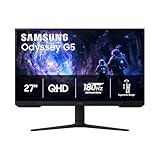
This 57-inch curved Mini LED screen runs 7680×2160, which is the width of 8K at half the height. That is 16.6 million pixels, half of true 8K but still twice a standard 4K screen. It supports high refresh rates (up to 240Hz) and uses DisplayPort 2.1 to carry the signal. Samsung markets it as a super ultra-wide gaming display, and that is the right way to think of it.
Who it suits: simulation, racing and flight players who want enormous field of view. Trade-off: you need a high-end GPU with DisplayPort 2.1 to use its top modes, and some games do not support such an extreme aspect ratio cleanly. Note that it is not full 8K, so do not buy it expecting 7680×4320.
Best for large-screen media: an 8K TV
If you simply want 8K content on a large screen, an 8K television such as Samsung’s QN900F series is the practical route. TVs are built for viewing from a few feet away, so a 65 to 85-inch panel is common. Trade-off: native 8K content is rare, so most of what you watch is upscaled 4K, and TV input lag and text clarity at desk distance are weaker than a monitor’s.
Professional pick: Lilliput Q43-8K
This 43-inch IPS display has a native 3840×2160 panel but accepts and displays full 8K 60p signals through quad-link 12G-SDI inputs. It is aimed at broadcast and post-production, not desks and games. Mention it only if your workflow involves SDI sources.
Worked example: how much bandwidth does 8K need?
Raw bandwidth equals pixels x refresh rate x bits per pixel. Here are the numbers at 10-bit color (30 bits per pixel), before compression and overhead:
| Mode | Pixels per frame | Raw data rate | Likely link |
|---|---|---|---|
| 4K at 60Hz | 8.29 million | about 14.9 Gbps | HDMI 2.0 / DP 1.4 |
| 4K at 144Hz | 8.29 million | about 35.8 Gbps | DP 1.4 with DSC / HDMI 2.1 |
| 8K at 60Hz | 33.18 million | about 59.7 Gbps | DP 2.1 UHBR20 or HDMI 2.1 with DSC |
| 7680×2160 at 240Hz | 16.59 million | about 119 Gbps | DP 2.1 with DSC |
DisplayPort 2.1 UHBR20 carries about 77 Gbps of usable data per the VESA specification. That is enough for 8K60 uncompressed at 10-bit, but the 240Hz super ultra-wide mode needs display stream compression (DSC). This is why cable and GPU port support matter as much as the monitor.
GPU workload at 8K
8K has four times the pixels of 4K. If a card averages 60 FPS at 4K in a game, native 8K would be roughly a quarter of that in a purely GPU-limited case, around 15 FPS, before any upscaling. This is a rough scaling estimate, not a measurement, and real results vary by game, settings and patch. In practice 8K gaming relies on DLSS or FSR upscaling, frame generation, and lowered settings, with a flagship card.
Decision matrix: which screen fits you?
| Your situation | Best choice | Why |
|---|---|---|
| Photo or design pro who wants maximum detail | Dell UP3218K | True 8K, wide color |
| Simulation or racing gamer with a flagship GPU | Odyssey Neo G9 57 in | High refresh, huge field of view |
| Competitive FPS player | 1440p or 4K high-refresh monitor | Frame rate matters more than pixels |
| Sharp text on a budget | 5K or 6K monitor | Most of the clarity for a fraction of the GPU load |
| Home theater | 8K TV | Large screen, viewed from a distance |
Pixel density: why 8K at desk distance is subtle
Pixels per inch equals the diagonal in pixels divided by the diagonal in inches. For 8K the diagonal is about 8,811 pixels, so a 32-inch screen gives roughly 275 PPI and a 31.5-inch screen about 280. A 4K screen at 32 inches is about 138 PPI, so 8K doubles it. At a typical desk distance of 24 to 30 inches, many people struggle to see individual pixels on a 4K panel above roughly 27 inches, which is why the visible gain is mostly in text edges and fine photo detail rather than overall impression. A 5K 27-inch panel is about 218 PPI, a middle ground that costs far less to drive.
Ownership realities
- Cabling. Use certified DisplayPort 2.1 or Ultra High Speed HDMI cables, kept short. A poor cable causes black screens or dropped resolution.
- GPU support. Not every graphics card outputs 8K60; check the card’s maximum resolution and ports.
- Scaling. At about 280 PPI, Windows needs 200 percent scaling or more, and older apps may look blurry.
- Content. Little native 8K video or game content exists, so upscaling quality matters.
- Desk space and power. Large panels weigh a lot and draw significant power, so use a sturdy stand or mount.
Frequently Asked Questions
Are there any real 8K gaming monitors?
Not in the sense of a 7680×4320 panel with a high refresh rate. The closest is the 57-inch Samsung Odyssey Neo G9, which is 7680×2160. True 8K monitors such as the Dell UP3218K are limited to 60Hz.
Is 8K worth it on a monitor?
For most people, no. The difference from 4K is hard to see at normal desk distance on smaller screens, and the GPU cost is high. A 5K or 6K display is a better balance.
What GPU do I need for 8K?
A current high-end card such as an RTX 5090 or a top Radeon is the practical starting point, and even then gaming at 8K depends on upscaling. For desktop work, a mid-range card with the right ports can drive 8K at 60Hz.
Does 8K need HDMI 2.1 or DisplayPort 2.1?
Yes. 8K at 60Hz needs roughly 60 Gbps of raw bandwidth, so you need HDMI 2.1 with compression or DisplayPort 2.1. Older ports cannot carry it at full quality.
Is an 8K TV a good monitor?
It can work for casual use, but text clarity at close range, input lag and pixel density are not designed for desk use. A true monitor is better for work.
What are the best alternatives to 8K?
Look at 5K monitors such as the 27-inch Samsung ViewFinity S8 or BenQ MA270S, or a 6K display like the ASUS ProArt PA32QCV. Each delivers very sharp text with much lower hardware demands.